
gaaaaaaa retweetet
gaaaaaaa
360 posts


gaaaaaaa retweetet

gaaaaaaa retweetet



gaaaaaaa retweetet


gaaaaaaa retweetet
gaaaaaaa retweetet

gaaaaaaa retweetet

gaaaaaaa retweetet

gaaaaaaa retweetet

gaaaaaaa retweetet

How to Pay for Fantia Subscriptions with TORA COIN via Bitcash
This is one way to cope with Visa/Mastercard no longer being accepted on Fantia.
Note: you can pay for TORA COIN directly via Tokyo Otaku Mode. This is natively supported by Fantia, but you can also buy it on the TOM website itself. Last time I checked, the rates were bad, however.
Your rates will be better if you pay for TORA COIN with Bitcash purchased from SEAGM.
You will need to create an account at SEAGM. You can sign up with existing social media accounts: seagm.com/en-us/bitcash-…
Once that is done, purchase the desired amount of Bitcash. Purchases can be made with any credit card. Bitcash converts to TORA COIN at 1 Yen to 1 TORA COIN.
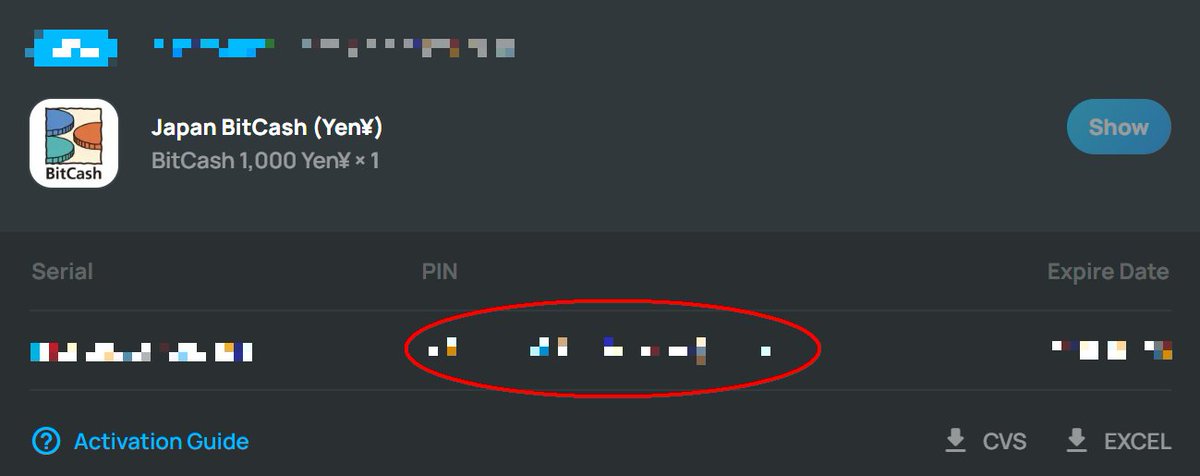
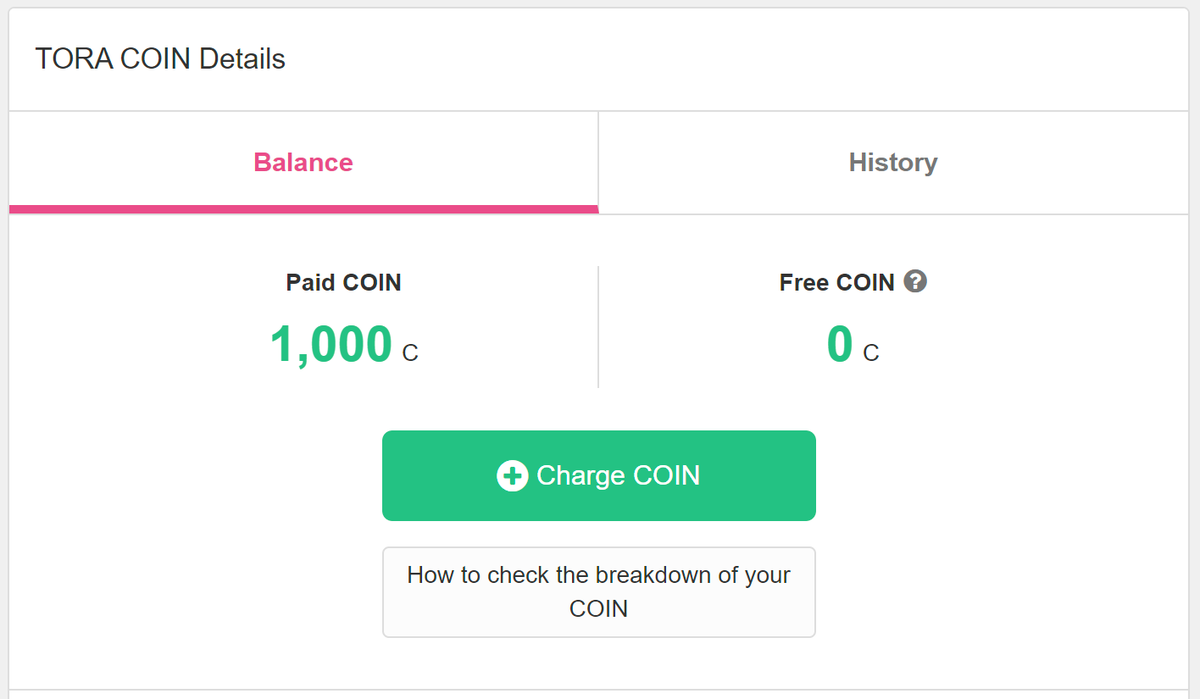
When your purchase is made, you will be given a serial number and a Hiragana PIN. The Hiragana PIN is the important part. It's circled in the first picture.
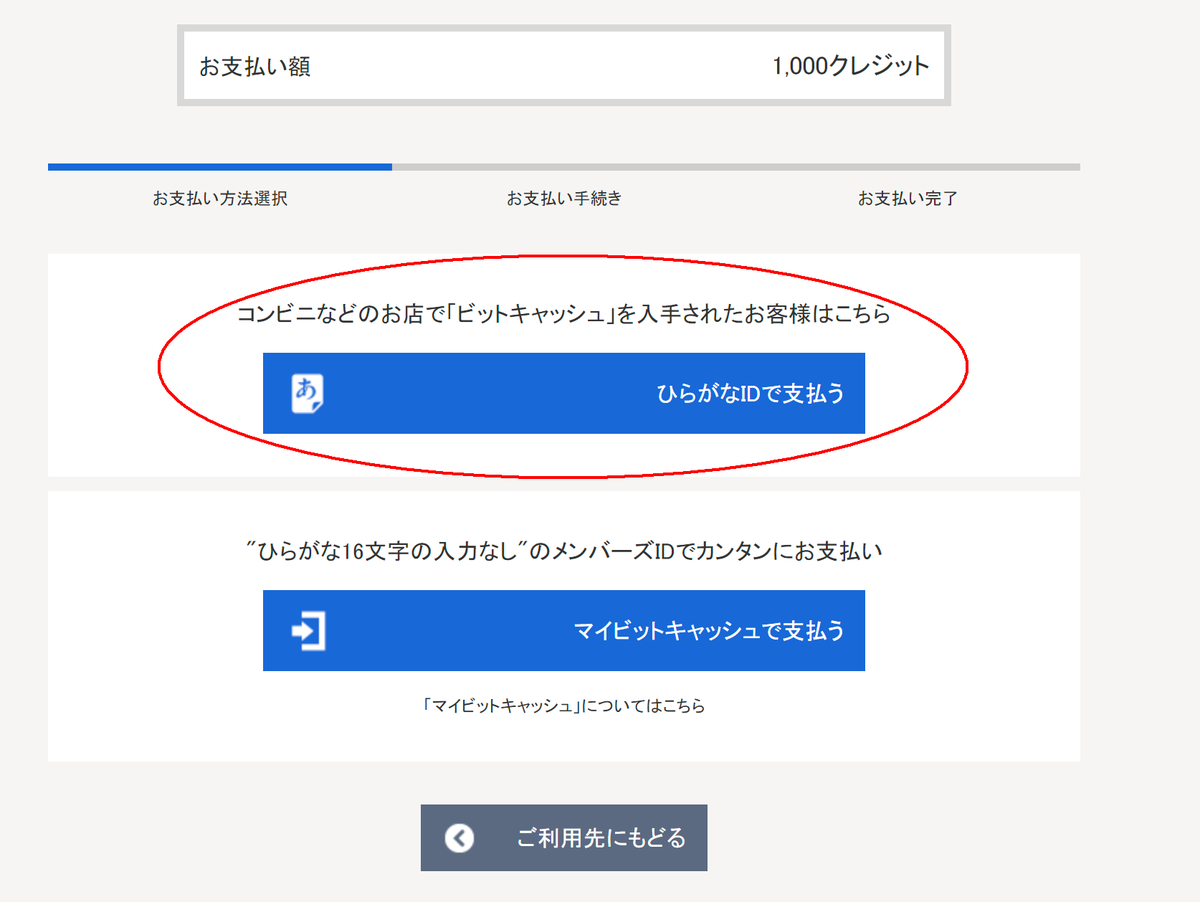
Back on Fantia, you must enter the TORA COIN SHOP and select the Bitcash method. Click the confirmations until you're given the choice to pay with Hiragana ID. These confirmation pages are completely in Japanese, but it's fairly obvious what to do. You can use Google image translate to guide you if you need it.
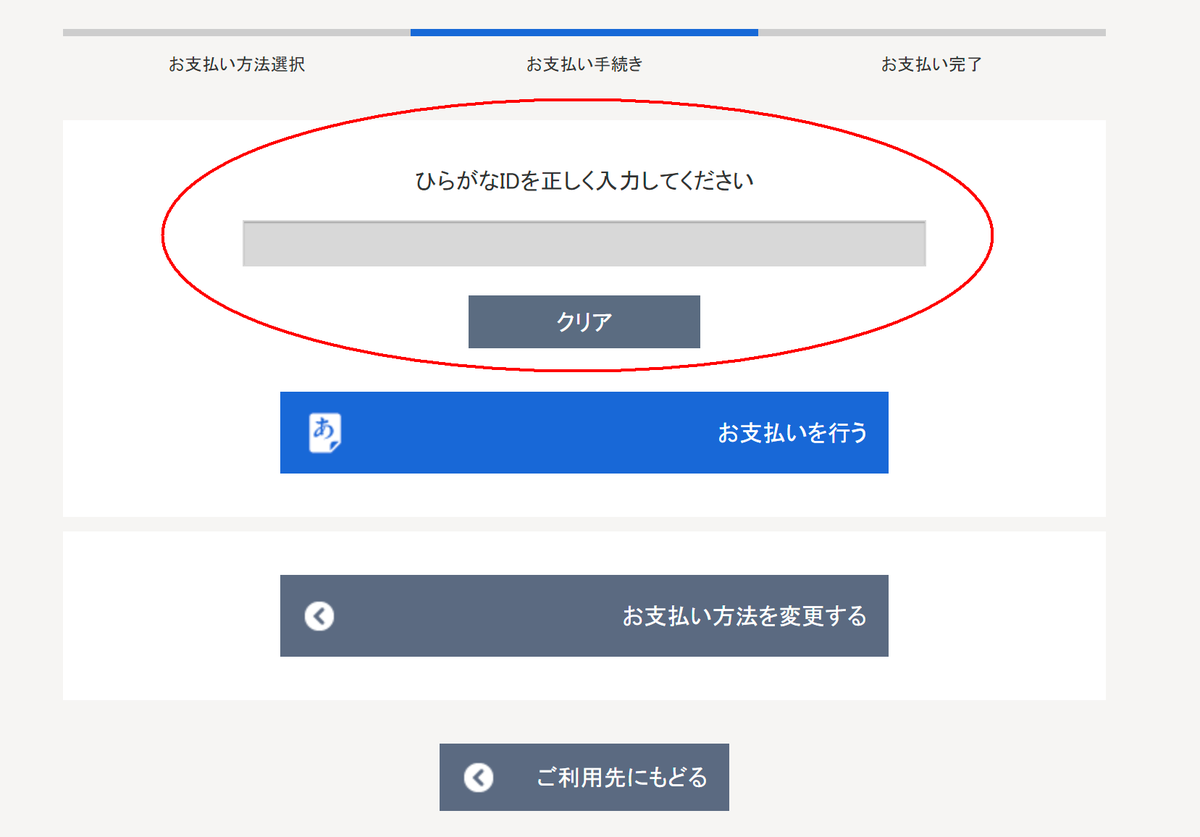
Enter the Hiragana ID from the SEAGM purchase confirmation in that field and confirm. It should charge your account with TORA COIN. Done!
English
gaaaaaaa retweetet

2026/02/08
Fancy Frontier 開拓動漫祭 46 day3 ①
エレン・ジョー
コカコーラ × ファミリーマートコラボ衣装
Model:ねねさん(@__zzz___oo0)
#ねねちーむ #台湾FF #Fancyfrontier
#FF46 #開拓動漫祭


日本語
gaaaaaaa retweetet

gaaaaaaa retweetet

gaaaaaaa retweetet


gaaaaaaa retweetet

gaaaaaaa retweetet


gaaaaaaa retweetet

gaaaaaaa retweetet


gaaaaaaa retweetet


gaaaaaaa retweetet

