cTrader

2.3K posts

cTrader banner
cTrader

cTrader

@cTrader

Premium FX/CFD platform that puts Traders First™. Developed by Spotware Systems. Community: https://t.co/kumO2TfuPh

International Bergabung Haziran 2011
108 Mengikuti12.4K Pengikut
cTrader
cTrader@cTrader·
cTrader Spring giveaway: win prop challenges + cTrader Store bonus deposits 🎁 We’re launching a cTrader giveaway for traders who want to sharpen their skills, take on new challenges and discover more tools in cTrader. Prizes: 🥇 1st place - $500 prop challenge + $100 bonus deposit in cTrader Store 🥈 2nd place - $250 prop challenge + $100 bonus deposit in cTrader Store 🥉 3rd place - $100 prop challenge + $100 bonus deposit in cTrader Store Important: The bonus deposit can be used in cTrader Store to purchase cBots, indicators and plugins, covering up to 30% of the order total. How to enter: 1️⃣ Follow @ctrader 2️⃣ Like this post 3️⃣ Comment below and tag 3 trader friends in one comment Please note: Only one comment per person will be counted. If a participant leaves more than one comment, they may be disqualified. Spam, duplicate entries, repeated tags or automated activity will not be accepted. Giveaway period: 1 April 2026 - 26 April 2026 Winners announced: 29 April 2026 To increase your chances of winning, make sure to participate on our Instagram (instagram.com/ctrader.offici…) and Telegram (t.me/ctrader) as well. Good luck, and thank you for being part of the cTrader community ✨ 📘 Full terms and conditions available here: …094032.fs1.hubspotusercontent-eu1.net/hubfs/14509403…
English
97
127
143
4.7K
cTrader
cTrader@cTrader·
🎥 Williams Accumulation Distribution (WAD) in cTrader In this video, we explore the Williams Accumulation Distribution (WAD) in cTrader – an indicator developed by Larry Williams to help assess buying and selling pressure in the market. You’ll learn where to find the WAD in cTrader, how to customise its levels, visibility and line style, and how it can help show whether the market is in an accumulation or distribution phase. We also look at how traders use the WAD to: • Identify accumulation when the indicator is rising • Identify distribution when the indicator is falling • Analyse trend direction through price and indicator movement • Spot bullish and bearish divergence • Confirm breakouts when the indicator supports the price move 📍 Timecodes: 00:00 Intro 00:09 Introduction: what is the Williams Accumulation Distribution (WAD) 01:24 Where to find the WAD in cTrader and how to customise it 01:40 Using the WAD to identify accumulation and distribution 02:11 Bullish and bearish divergence with the WAD 03:13 Using the WAD to confirm breakouts - Learn more about the Williams Accumulation Distribution (WAD) - help.ctrader.com/knowledge-base… - Join Discord - go.spotware.com/discordX Don’t forget to like the video and share your thoughts in the comments! _____________________________________ 👉 Start trading with cTrader - sptwr.link/aog01TI 👈
English
2
34
14
525
cTrader
cTrader@cTrader·
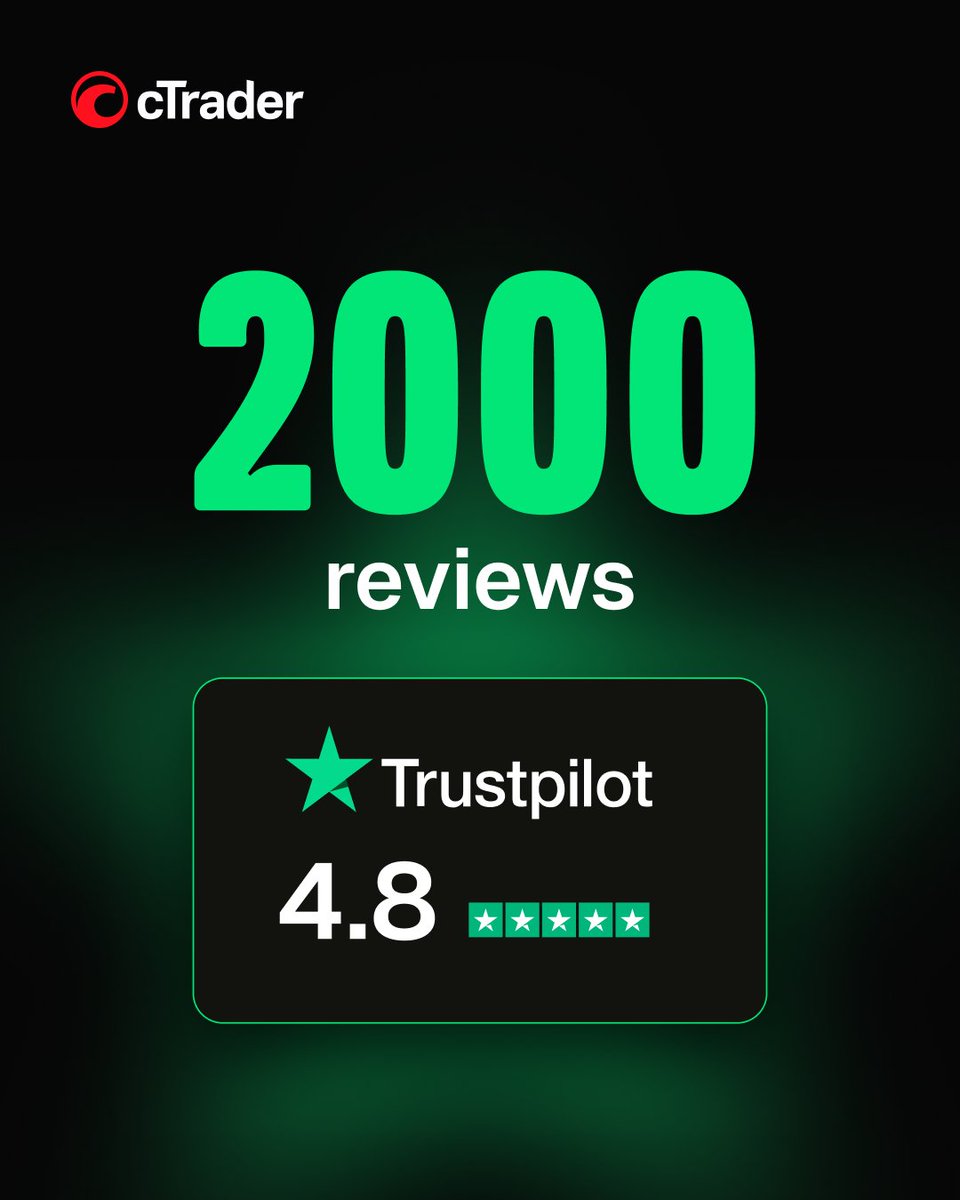
🎉 cTrader reaches 2,000 Trustpilot reviews! We’ve officially passed 2,000 reviews on Trustpilot - and we’re grateful to everyone who took the time to share their experience. This milestone reflects our Traders First™ approach, where real trading behaviour and trader insights shape every stage of the platform’s evolution. Your feedback helps shape cTrader every day, and we’re proud to see so many users recognize the platform for its usability, transparency and professional tools - some of the key reasons cTrader has continued to earn Best Trading Platform awards over the years. Thank you to everyone who has supported cTrader and helped us keep building a platform designed around traders.
cTrader tweet mediacTrader tweet mediacTrader tweet mediacTrader tweet media
English
12
222
65
1.8K
cTrader
cTrader@cTrader·
🎥 Swing Index in cTrader In this video, we explore the Swing Index - an indicator developed by J. Welles Wilder that measures the strength and direction of price movements by comparing the open, high, low and close prices across consecutive periods. You’ll learn where to find the Swing Index in cTrader, how to customise its style, visibility and levels, and how the zero line can help interpret bullish and bearish market conditions. The video also shows how traders use the indicator to assess momentum, confirm breakouts and identify divergence between price action and the indicator. We also look at how the Swing Index can be combined with the Relative Strength Index (RSI) to provide additional confirmation when analysing market conditions. 📍 Timecodes 00:09 – Introduction: what is the Swing Index 01:03 – Where to find the Swing Index in cTrader and how to customise it 01:32 – Using the Swing Index to confirm breakouts 02:48 – Identifying divergence with the Swing Index 03:22 – Combining the Swing Index with RSI for additional confirmation - Learn more about the Swing Index - help.ctrader.com/knowledge-base… - Join Discord - go.spotware.com/discordX Don’t forget to like and share your thoughts in the comments! _____________________________________ 👉 Start Trading with cTrader - sptwr.link/aog01TI 👈
English
17
219
88
2.1K
cTrader
cTrader@cTrader·
cTrader Store’s Affiliate Program helps you monetise the same audience more effectively 💸 🎥 In this video, Aleks Kozlov shares how cTrader Store’s Affiliate Program gives you another way to monetise your trading audience. If your content reaches people interested in algo trading, charting, forex, crypto, CFDs or prop firms, your traffic already has strong commercial value. With cTrader Store’s Affiliate Program, you can unlock more of that value. 📈 Earn by promoting trading robots, indicators and tools that traders actively use in real trading. That means you do not have to rely on a single monetisation model. You can generate more revenue from the same users through an additional income stream that fits naturally into your current setup. Why it matters: • create extra revenue from your existing audience • promote products that are relevant to traders • expand your monetisation model without extra friction • increase earning potential from the traffic you already have With the same traffic, you can unlock two revenue streams: IB broker commissions and cTrader Store commissions. If your audience is already engaged in trading, this is a stronger way to convert that interest into revenue. 👉 Join the cTrader Store Affiliate Program and start earning more from the same audience - go.spotware.com/EfTo8o4
English
10
200
74
2.4K
cTrader
cTrader@cTrader·
2,000+ products. More choice for traders, more potential for sellers 🚀 With 2,000+ products now live in cTrader Store, traders have more tools to explore and use, while sellers have more opportunities to reach the right audience and grow. Today, cTrader Store features: 816 Algos 1,136 Indicators 54 Plugins For traders, this means more ways to customise their trading experience. For sellers, it means more visibility, growing demand and more room to scale. 🤝 Thank you to every developer, creator and trader contributing to cTrader Store. This milestone reflects the value you bring to the platform every day. And we’re only getting started. 👉 Explore cTrader Store - go.spotware.com/013H3a1
cTrader tweet media
English
41
646
197
5.7K
cTrader
cTrader@cTrader·
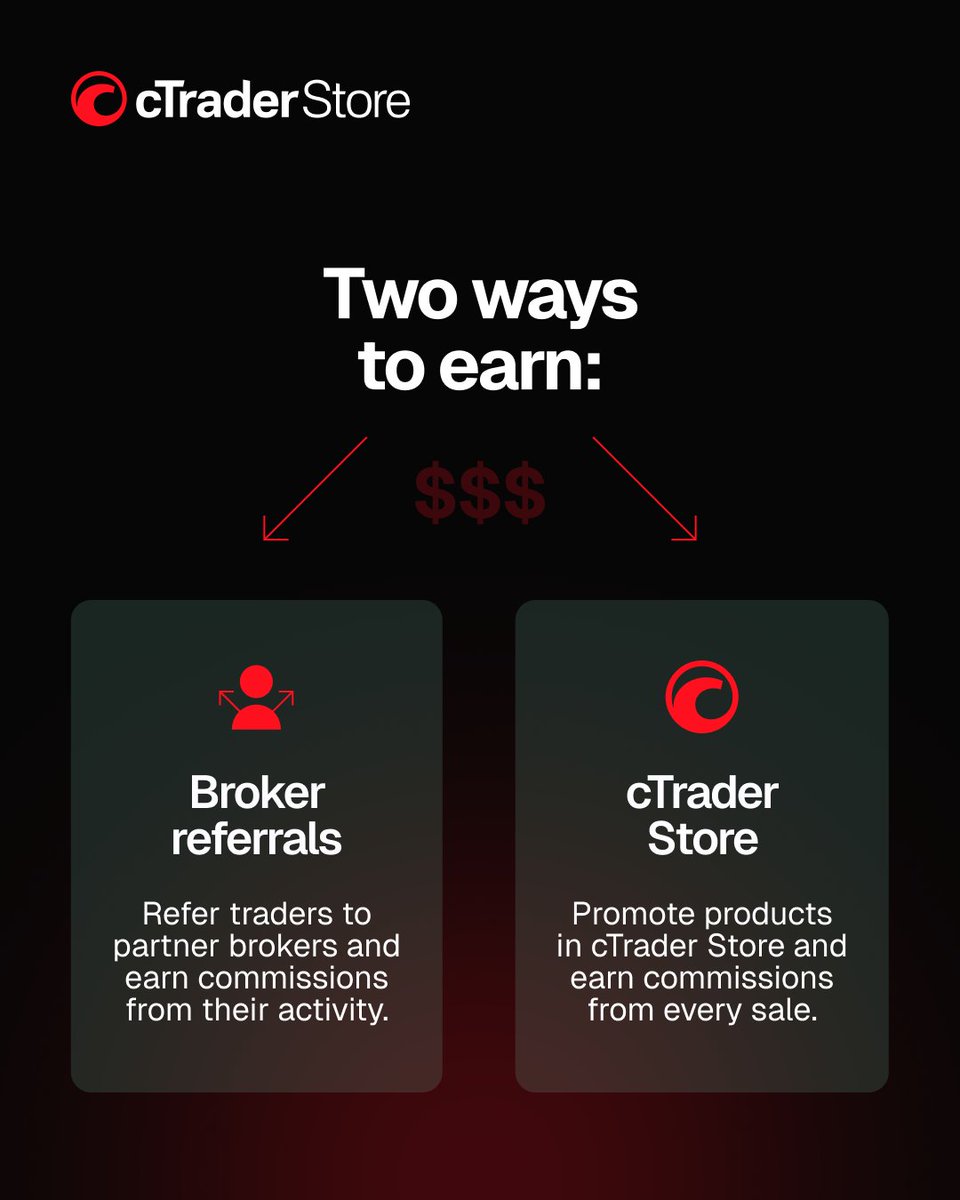
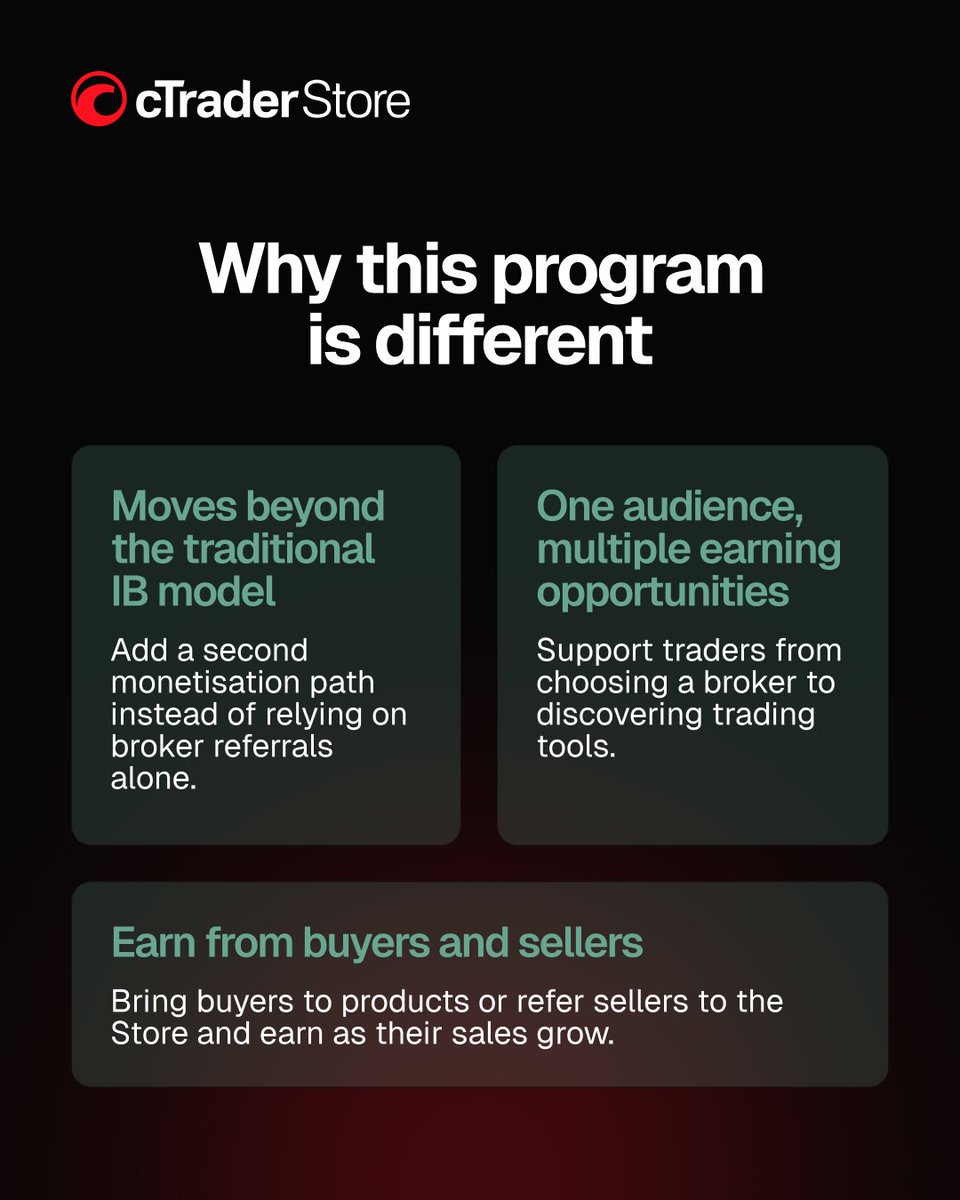
Introducing cTrader Store’s unique Affiliate Program: turn your audience into revenue 🔥 With the cTrader Store Affiliate Program, you can turn your audience into revenue through two earning streams - not just one. Earn when your audience: • buys trading tools in cTrader Store • joins as sellers and starts making sales • connects with partner brokers through your referral links 📈 The more valuable your audience becomes, the more you can earn. Here’s why this program stands out: • commissions from 10% to 20% • 30-day cookie attribution • payouts starting from $100 • full performance tracking • flexible links to any product, seller profile or Store page • ready-made marketing materials to help you start faster And there’s even more upside. 🚀 When you refer sellers, you can keep earning from their product sales over time - giving you stronger long-term earning potential, not just one-off commissions. Whether you are a creator, educator or community owner, this program gives you a more powerful way to monetise your audience. 👉 Join the cTrader Store Affiliate Program and start earning from every referral opportunity - go.spotware.com/EfTo8o4
cTrader tweet mediacTrader tweet mediacTrader tweet mediacTrader tweet media
English
21
261
87
3.7K
cTrader
cTrader@cTrader·
🎥 Keltner Channels in cTrader In this video, we explore Keltner Channels in cTrader - a volatility-based indicator that uses a central moving average with upper and lower bands derived from the Average True Range (ATR). It helps traders analyse trend direction, spot strong bullish or bearish conditions, and identify potential breakouts and reversals. You’ll learn where to find Keltner Channels in cTrader, how the indicator is structured, and how its default settings relate to the moving average and ATR periods. The video also shows how traders use the direction of the channels, sustained price movement near the upper or lower band, crosses of the middle band, and breaks beyond the bands to interpret market conditions. 📍 Timecodes: 00:09 - Introduction: what are Keltner Channels 00:48 - Where to find Keltner Channels in cTrader and how the indicator is structured 01:26- Using channel direction and price position to analyse market conditions 02:22 - Spotting potential reversals with the middle band cross 03:53 - Using band breakouts to identify bullish and bearish moves - Learn more about the Keltner Channels - help.ctrader.com/knowledge-base… - Join Discord - go.spotware.com/discordX Don’t forget to like and share your thoughts in the comments! _____________________________________ 👉 Start Trading with cTrader - sptwr.link/aog01TI
English
4
200
57
3.4K
cTrader
cTrader@cTrader·
🎥 Vertical Horizontal Filter (VHF) in cTrader - how it works and how to use it In this video, we explore the Vertical Horizontal Filter (VHF) in cTrader - an indicator used to assess trend strength and help distinguish between trending and ranging market conditions. You’ll learn where to find the VHF in cTrader, how to customise its levels and appearance, and how traders use it to evaluate whether market conditions are strengthening or weakening. We also look at how the VHF compares the price range over a selected period with the cumulative price movement over that same period, helping traders understand whether the market is showing stronger directional movement or moving into weaker, more ranging conditions. The video also shows how traders may use the VHF to: • Identify stronger trending conditions when the indicator rises • Spot weakening or ranging conditions when the indicator falls • Apply different levels depending on the instrument and market behaviour • Combine the VHF with other indicators, such as RSI, for additional context • Consider market conditions when thinking about stop-loss placement 📍 Timecodes 00:09 - Introduction: what is the vertical horizontal filter (VHF) 01:18 - Where to find the VHF in cTrader and how to adjust its settings 02:31 - Using the VHF to identify trending and ranging market conditions 03:12 - Combining the VHF with other indicators and using it in practice 04:21 - Using VHF breakouts to read market conditions 05:05 - Using VHF levels for different instruments and market conditions - Learn more about the Vertical Horizontal Filter - help.ctrader.com/knowledge-base… - Join Discord - go.spotware.com/discordX Don’t forget to like and share your thoughts in the comments! _____________________________________ 👉 Start Trading with cTrader - sptwr.link/aog01TI 👈
English
64
636
210
6.8K
cTrader
cTrader@cTrader·
🎥 Historical Volatility (HV) in cTrader - how it works and how to use it In this video, we explore Historical Volatility (HV) in cTrader - an indicator that measures past price fluctuations over a specific period, helping traders understand market variability and risk. You’ll learn where to find the Historical Volatility indicator in cTrader, how it is calculated using logarithmic price returns, standard deviation and annualisation, and how to customise settings such as standard deviation and bar history. We also look at how traders use HV to: • Identify rising volatility and expanding market swings • Recognise falling volatility and quieter market conditions • Confirm breakout conditions and trend continuation • Adjust protection and stop-loss placement based on market volatility • Combine HV with indicators such as ADX or moving averages • Use HV in cBots 📍 Timecodes 00:09 – Introduction: what is Historical Volatility (HV) 01:14 – Where to find Historical Volatility and how to customise its settings 01:34 – How Historical Volatility helps identify changing market conditions 02:29 – Using HV to confirm breakouts and trend continuation 03:39 – Using volatility to adjust protection and stop-loss placement 05:08 – Combining HV with other indicators and using it in cBots - Learn more about the Historical Volatility - help.ctrader.com/knowledge-base… - Join Discord - go.spotware.com/discordX Don’t forget to like and share your thoughts in the comments! _____________________________________ 👉 Start Trading with cTrader - sptwr.link/aog01TI 👈
English
53
716
287
9.3K
cTrader
cTrader@cTrader·
cTrader: How the forex and gold trading platform protects you from scam Built on the Traders First™ principle, cTrader sets trusted, reputable brokers and prop firms apart from scammers. This video explains 10 ways cTrader protects traders from manipulative practices and promotes fair, transparent trading. 👉 Start safe trading with cTrader - sptwr.link/aog01TI
English
34
572
243
9K
cTrader
cTrader@cTrader·
🎥 Polynomial Regression Channels (PRC) in cTrader In this video, we explore the Polynomial Regression Channels (PRC) in cTrader - an indicator that fits a polynomial regression line to recent price data and creates a channel around it to help identify market direction and potential dynamic support and resistance levels. You’ll learn where to find the PRC in cTrader, how to adjust its settings and appearance, and how the indicator plots a curved, non-linear channel based on recent price data. We also look at how traders use the PRC to interpret different market conditions. The video shows how the indicator can help identify bullish, bearish and ranging markets, spot overbought and oversold conditions when price moves outside the channel, and analyse pullbacks in trending conditions when price retraces towards the opposite band. The walkthrough also includes a breakout example, showing how traders may watch for a shift in the channel direction together with price breaking above a prior high. 📍 Timecodes 00:09 – Introduction: what are Polynomial Regression Channels (PRC) 02:00 – Where to find the PRC in cTrader and how to customise its settings 02:27 – Using the PRC to identify bullish, bearish and ranging market conditions 03:07 – Spotting overbought and oversold conditions with the PRC 03:56 – Using the PRC to analyse pullbacks in trending markets 04:30 – Reviewing a breakout example with the PRC - Learn more about the Polynomial Regression Channels - help.ctrader.com/knowledge-base… - Join Discord - go.spotware.com/discordX Don’t forget to like and share your thoughts in the comments! _____________________________________ 👉 Start Trading with cTrader - sptwr.link/aog01TI 👈
English
24
405
146
7.9K
cTrader
cTrader@cTrader·
🎥 Fractal Chaos Bands in cTrader - how they work and how to use them In this video, we explore Fractal Chaos Bands (FCB) in cTrader - a volatility-based indicator designed to help identify price trends and potential reversals by marking key high and low points in the market using fractals. You’ll learn where to find Fractal Chaos Bands in cTrader, how to customise their appearance and visibility, and how the indicator forms upper and lower bands using fractal highs and fractal lows. The video also shows how traders use Fractal Chaos Bands to: • Identify bullish and bearish market conditions based on the slope of the bands • Recognise sideways or consolidating market conditions when the bands move flat • Spot potential breakout opportunities after narrow band conditions • Interpret price breaks above or below the bands as signs of possible bullish or bearish momentum 📍 Timecodes 00:09 - Introduction: what are Fractal Chaos Bands 00:49 - Where to find Fractal Chaos Bands in cTrader and how to customise the settings 01:10 - How Fractal Chaos Bands are formed using fractal highs and fractal lows 01:44 - Using the bands to identify trending and sideways market conditions 02:54 - Spotting bullish breakout opportunities with narrow bands 03:37 - Identifying bearish breakout signals with Fractal Chaos Bands - Learn more about the Fractal Chaos Bands help.ctrader.com/knowledge-base… - Join Discord - go.spotware.com/discord Don’t forget to like and share your thoughts in the comments! _____________________________________ 👉 Start Trading with cTrader - sptwr.link/aog01TI 👈
English
14
179
68
6.1K
cTrader
cTrader@cTrader·
🎥 Cyber Cycle in cTrader - how it works and how to use it In this video, we take a closer look at the Cyber Cycle - a momentum oscillator developed by John Ehlers that helps traders spot cyclical behaviour and potential reversal points. You’ll see where to find Cyber Cycle in cTrader, how to add it to your chart, and how to customise its look We also walk through what the cycle line and trigger line represent, how traders read their crossovers for momentum clues, and how Cyber Cycle can be used alongside other tools -especially when markets move sideways. The video finishes with a quick look at how these signals can be applied in cBots. 📍 Timecodes 00:09 - Introduction: what is the Cyber Cycle 01:11 - Where to find and customise the Cyber Cycle in cTrader 01:43 - Cycle line vs trigger line: what they represent + reading cycle/trigger crossovers for bullish and bearish momentum 04:23 - Divergence signals and potential momentum shifts + using Cyber Cycle signals in cBots for automated entries/exits - Learn more about the Cyber Cycle - help.ctrader.com/knowledge-base… - Join Discord - go.spotware.com/discord Don’t forget to like and share your thoughts in the comments! _____________________________________ 👉 Start Trading with cTrader - sptwr.link/aog01TI 👈
English
12
292
112
6.9K
cTrader
cTrader@cTrader·
🎥 Chaikin Volatility (CV) in cTrader - how it works and how to use it In this video, we explore Chaikin Volatility (CV) - a volatility indicator that focuses on changes in volatility by looking at the spread between high and low prices over a set period. It does not track price direction and is not designed to generate buy or sell signals. Instead, it helps you understand whether current market conditions show expanding or contracting volatility, which can be useful when assessing potential breakouts, consolidations and reversals. You’ll learn where to find Chaikin Volatility in cTrader and how it is typically set up: it is applied using the simple moving average (SMA) method with a period of 14 and a rate of change of 10. The walkthrough also shows how to customise the line appearance, levels and visibility. We also cover how to interpret CV readings: ✅ When the indicator rises, it suggests expanding volatility and larger market swings ✅ When it falls, it suggests contracting volatility and quieter conditions, with expectations of potential consolidation or reversals ✅ Peaks and lower peaks can help highlight when momentum may be cooling ✅ It can support breakout verification and help adjust stop-loss protection based on current volatility conditions 📍 Timecodes 00:09 - Introduction: what is Chaikin Volatility (CV) 01:15 - How it works: SMA 14 and rate of change 10 01:45 - Where to find Chaikin Volatility in cTrader and how to customise its settings 02:17 - Reading rising vs falling volatility 02:46 - Breakout verification, potential reversals and stop-loss protection 04:34 - Peaks and lower peaks: early signs of consolidation - Learn more about the Chaikin Volatility - help.ctrader.com/knowledge-base… - Join Discord - go.spotware.com/discord Don’t forget to like and share your thoughts in the comments! _____________________________________ 👉 Start Trading with cTrader - sptwr.link/aog01TI 👈
English
4
38
14
4.4K
cTrader
cTrader@cTrader·
🎥 Typical Price (TP) indicator in cTrader - what it shows and how to use it Ever feel like price “wicks” and short-term swings are throwing you off? In this video, we look at the Typical Price (TP) indicator in cTrader - a price-based tool that calculates the average of the high, low and close for each period to give you a smoother view of the market’s general price level. You’ll see where to find TP in cTrader, how to tweak its visual settings (like thickness and visibility), and how it can help you get a cleaner read on trend direction and momentum. We also walk through a simple TP setup that many traders like to use alongside a Simple Moving Average (SMA) - including a practical way to reduce noise so you don’t react to every small move. If you’ve been looking for a clearer, more structured way to interpret price action, this one’s for you. 📍 Timecodes 00:00 - Introduction: what the Typical Price (TP) indicator is and why it’s used 01:17 - Where to find Typical Price in cTrader and how to customise its settings 01:45 - How Typical Price smooths price data to support trend and momentum reading 02:26 - Pairing Typical Price with a Simple Moving Average (SMA) 03:13 - How traders use the two together in real chart examples 04:23 - A key filter to help avoid noise and improve signal quality - Learn more about the Typical Price - help.ctrader.com/knowledge-base… - Join Discord - go.spotware.com/discord Don’t forget to like and share your thoughts in the comments! _____________________________________ 👉 Start Trading with cTrader - sptwr.link/aog01TI 👈
English
1
14
5
4K
cTrader
cTrader@cTrader·
🎥 Tick Volume in cTrader - what it shows and how to use it In this video, we explore Tick Volume in cTrader - a technical indicator that measures market activity by counting the number of price changes (ticks) within a selected period. Unlike traditional volume indicators that track the number of shares or contracts traded, Tick Volume focuses on the frequency of price movement, offering context on how active the market is. You’ll learn where to find Tick Volume in cTrader and how to customise its settings, including visibility and levels. The walkthrough then shows how higher tick volume reflects stronger market participation and increased volatility, while declining tick volume can signal fading interest during an ongoing move. We also look at how traders use Tick Volume to support breakout confirmation and how divergence (price making higher highs while tick volume forms lower highs) can point to a potential shift in momentum. 📍 Timecodes 00:09 - Introduction: what is Tick Volume 01:25 - Where to find Tick Volume in cTrader and how to customise it 01:47 - Interpreting Tick Volume: activity, volatility, consolidation and potential reversals 02:50 - Trend shifts and breakout confirmation + example 03:32 - Multi-timeframe example and combining Tick Volume with other indicators + closing - Learn more about the Tick Volume - help.ctrader.com/knowledge-base… - Join Discord - go.spotware.com/discord Don’t forget to like and share your thoughts in the comments! _____________________________________ 👉 Start Trading with cTrader - sptwr.link/aog01TI 👈
English
1
12
6
3.7K
cTrader
cTrader@cTrader·
🎥 Mass Index (MI) in cTrader – spotting reversal bulges with range expansion In this video, we explore the Mass Index (MI) – a volatility-based indicator developed by Donald Dorsey that examines fluctuations between high and low prices over a selected period. It highlights situations where the range expands beyond a threshold and then contracts again, which traders often watch for potential reversals. You’ll learn where to find the Mass Index in cTrader and how to customise its settings. The walkthrough shows the default period (18) and a commonly used value (25), plus how to add and style two reference levels (27 and 26.5) for clearer visual tracking. We then break down how the MI reflects expansion (above 27) and contraction (dropping back below 26.5). This classic pattern is often called a “reversal bulge”. Since the Mass Index does not indicate direction on its own, the video also demonstrates how traders commonly use it alongside an Exponential Moving Average (EMA), using a shorter EMA (example: EMA 9) and watching for a price cross after the reversal bulge to help confirm a potential reversal. 📍 Timecodes 00:09 - Introduction: what is the Mass Index (MI) 01:18 - Where to find the Mass Index in cTrader and how to customise its settings 01:53 - Understanding expansion, contraction and the “reversal bulge” 03:00 - Using MI with an EMA and watching for a price cross after the reversal bulge 04:02 - “Vice versa” example: applying the same logic when the EMA is pointing up - Learn more about the Mass Index - help.ctrader.com/knowledge-base… - Join Discord - go.spotware.com/discord Don’t forget to like and share your thoughts in the comments! _____________________________________ 👉 Start Trading with cTrader - sptwr.link/aog01TI 👈
English
4
47
17
3.4K
cTrader
cTrader@cTrader·
🎥 High Minus Low (HML) in cTrader - how it works and how to use it In this video, we explore the High Minus Low (HML) indicator in cTrader - a simple volatility tool that measures the price range by calculating high minus low for each bar. You’ll learn where to find HML in cTrader and how to adjust its display settings (such as visibility and appearance). We then break down how the indicator’s values change as volatility expands or contracts, helping you recognise more active market phases versus quieter, consolidating periods. The walkthrough also shows how traders often use HML as volatility context: to spot rising or fading activity, support breakout observations, and compare volatility behaviour across different time frames. Importantly, HML does not provide directional insight - it focuses only on the volatility range, so it’s commonly combined with trend or momentum indicators. 📍 Timecodes 00:09 - Introduction: what is the High Minus Low (HML) indicator 00:54 - Where to find HML in cTrader and how to customise its settings 01:13 - How HML is calculated using high minus low (bar range) 01:45 - Reading volatility expansion vs contraction and identifying quiet phases 04:02 - Using HML as volatility context alongside trend structure (bullish vs bearish phases) - Learn more about the High Minus Low - help.ctrader.com/knowledge-base… - Join Discord - go.spotware.com/discord Don’t forget to like and share your thoughts in the comments! _____________________________________ 👉 Start Trading with cTrader - sptwr.link/aog01TI 👈
English
3
41
12
3.3K
cTrader
cTrader@cTrader·
🏆 We’re proud to share that, during iFX Expo Dubai 2026, cTrader has been named Best Trading Platform at UF AWARDS MEA 2026! ⚡️ This prestigious award highlights сTrader’s leadership as a premium trading platform that sets a benchmark for transparency, speed and innovation across the industry, with Traders First™ approach at the core. We’re grateful for the trust you place in cTrader every day and we’ll keep enhancing the platform to deliver a premium trading experience! During the Expo, our Team has also presented cTrader Store: a central hub for traders with high-demand tools – bots, indicators, copy strategies, prop challenges and plugins. 👉 Explore the cTrader Store now: go.spotware.com/Kwc7MqD
cTrader tweet media
English
36
303
111
5.5K