
相信直觉 retweetledi

OpenAI 把 Codex 搬进了 ChatGPT 手机 App,今天在 iOS 和安卓上同步开启 preview,所有 ChatGPT 用户都能用,包括免费版和最低价的 Go 套餐。
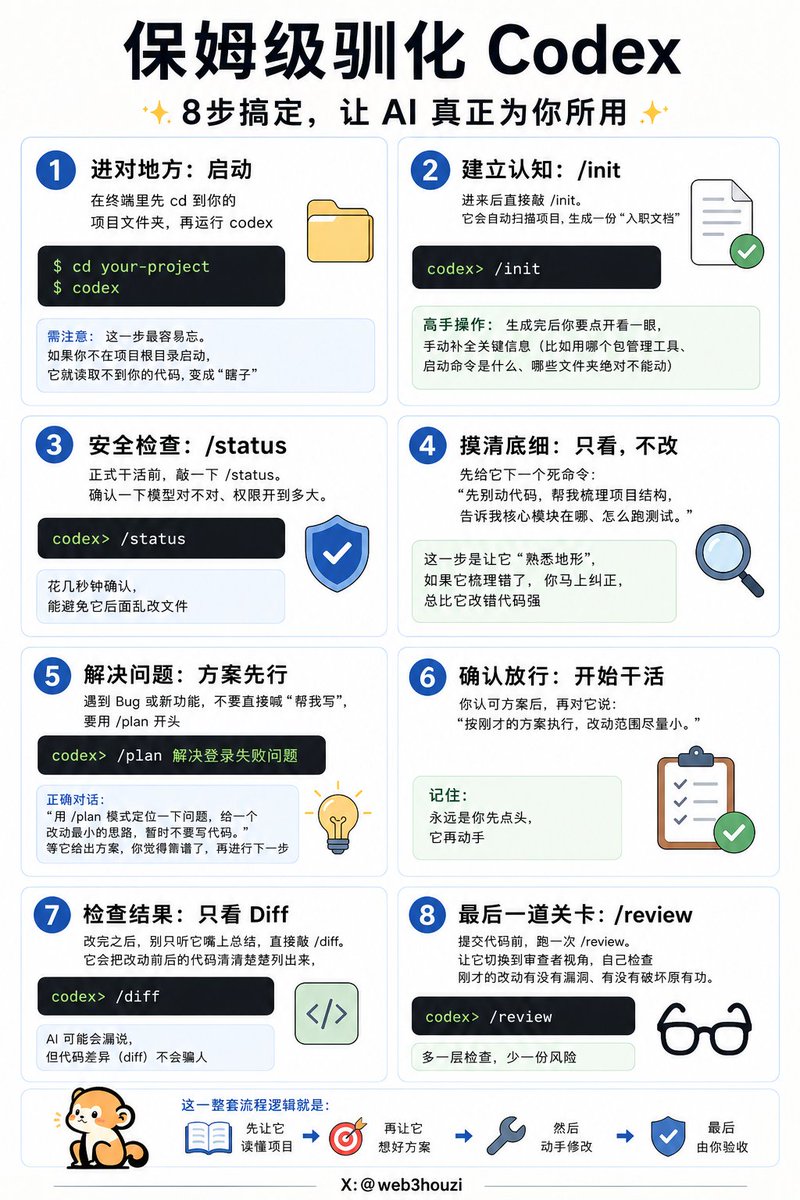
手机端不是让你在手机上写代码。真正干活的 Codex 还是跑在你的笔记本、Mac mini 或者 devbox 上,手机只是一个远程窗口:地铁上能看 Codex 跑到哪一步、审一眼它改的 diff 和跑的测试结果、批准下一步操作,或者临时换个方向走。文件、凭证、权限都留在原来那台机器上,不上传到手机。
OpenAI 的解释是底层走了一层 secure relay 中继,让跑着 Codex 的机器能跨设备保持可达,又不直接暴露在公网上。你在哪台设备登录 ChatGPT,会话状态和上下文就跟到哪里。
为什么现在做。OpenAI 自己公布的数字是 Codex 每周活跃用户已经过 400 万。当 agent 越来越多地跑长任务,几十分钟甚至几小时的那种,人坐在电脑前盯着就很傻,你需要随手能看一眼、能拍板的能力。
一个明显限制:手机端目前只能连 macOS 上的 Codex,Windows 支持据说”很快”。
另一层意思是,OpenAI 没给 Codex 单独做手机 App,而是塞进 ChatGPT 主 App。这跟他们之前透露过的”超级 App”路线一致,把 ChatGPT、Codex、Atlas 浏览器整合成一个入口。桌面端是独立的 Codex App,手机端直接合并进 ChatGPT。
参照系是 Anthropic。Claude Code 从去年秋天起就支持手机远程查看和介入正在跑的任务,后面的 Cowork 配套移动端走的也是类似 dispatch 思路。Codex 这次把覆盖范围扩到了 devbox 和远程企业环境(支持 remote SSH 接入),算是追平加扩张。
OpenAI@OpenAI
You've been asking for this one... Now in preview: Codex in the ChatGPT mobile app. Start new work, review outputs, steer execution, and approve next steps, all from the ChatGPT mobile app. Codex will keep running on your laptop, Mac mini, or devbox.
中文