@Marley47005409@teachsci8 A4, R2: I agree that teachers need to find a balance between using technology for games and classwork. You don't want students to play nothing but games, but you also don't want them to get burned out on schoolwork. #csubted#csubedte4200@teachsci8
@teachsci8 A4) Having a good balance between fun (comp games) & the objectives of tech will help students understand the purposes for tech in the class. Having a strict schedule 4 students 2 follow will help them find tech as a beneficial tool (slides, flipgrid) #csubted#csubedte4200
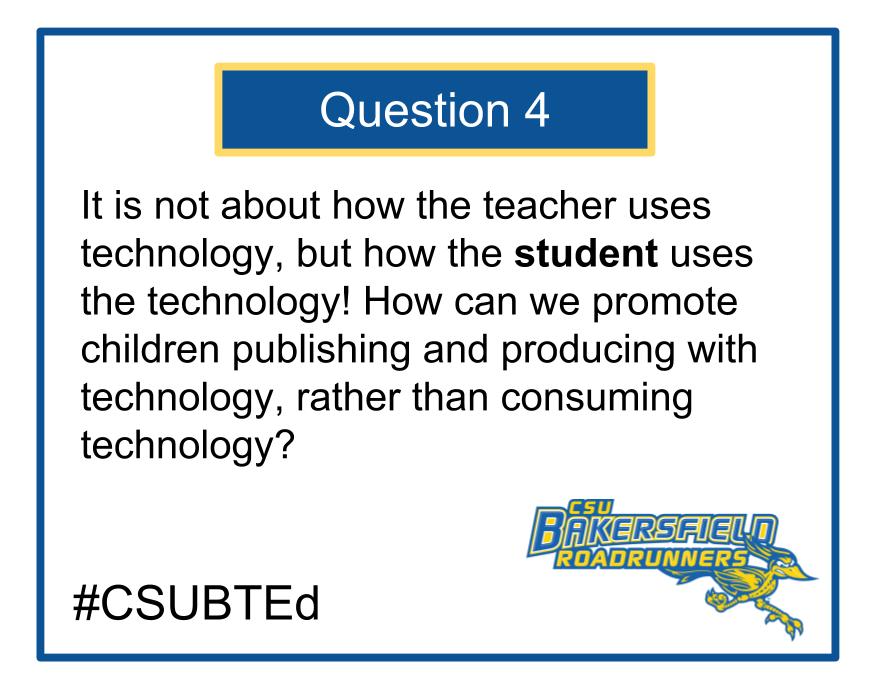
Good morning everyone! We are tweeting live today from the CSU Symposium in Fresno, CA. Here is question #4 for our CSUB EDTE 4200 Slow Chat. Please don't forget to tag your instructor & include our hashtags. #csubted#csubedte4200
@teachsci8 A4: Ts need to have clear goals on what they want their Ss to accomplish. Additionally, technology needs to be thoughtful integrated in the curriculum. Without goal & proper integration Ss become consumers. #csubted#CSUBEDTE4200@JediTeacher08
@teachsci8 A4: We can help children publish and promote more with technology by focusing less on direct-instruction and more on tools such as Flipgrid. @teachsci8#csubted#EDTE4200
@Ststansberry@doctor2pi A3) Technology is an easy way to communicate amongst each other from all around the world, whether at home, work, or school. There are so many programs like Google, Flipgrid, etc that are all so useful! #csudted
@Ststansberry@Tech_Buddha A3: There many technological resources that can facilitate collaboration; for instance, flipgrid can help educators and students collaborate together. Communication can be done through videos and many can see what is recorded. #csubted#csubedte4200
@Ststansberry A3: The use of technological services such as Flipgrid and Google Slides allow for teachers to reach students in ways previously not possible. Google Slides presents information seamlessly and Flipgrid encourages students to create videos. @teachsci8#csubedte4200#csubted
@Rebekah_Barnes6@tom_karnes@teachsci8 A2, R2: Hi Rebekah! I think the use of presentations and videos would have been a great way to learn about animal habits prior to attending Camp Keep. Hopefully future teachers will employee technology to prepare students for similar events. @teachsci8#csubedte4200#csubted
Q2 Welcome to the second night of the CSUB slow twitter chat. Think about the question below and respond with a pithy tweet. Remember to include your instructor's handle and #CSUBTED and/or #csubedte4200
@tom_karnes A2) My favorite memory in school was my sophomore year cooking class. We would make so many different dishes and teachers from other classes would come and try the dish. Youtube would have help with recipe variety.#csubedte4200#csubted@Tech_Buddha
@tom_karnes A2: One of my favorite projects in school was hand-drawing a floor plan of a house in a technology class. This project didn't involve a technological component but if it did, I'm sure the drawing would have been better and had less erase marks. @teachsci8#csubedte4200#csubted
Welcome to @csubted 's Slow Twitter Chat! We are excited to have students from across @CSUBakersfield 's EdTech classes collaborate and learn from each other through twitter! Reply and introduce yourself. Tag your EDTE4200 professor! #csubted#csubedte4200#edtech
@Rebekah_Barnes6@JediTeacher08 Hi Rebekah - I think ClassDojo will prove really useful in the classroom. It's very easy to use, offers a ton of information for parents and also looks great! #csubedte4200#csubted
@Elizabe61077927@JediTeacher08 Hi Elizabeth - I also think I'll use ClassDojo in the classroom. It's very easy to use and the software looks great! It's amazing how much information is accessible to parents. #csubedte4200#csubted
@JediTeacher08 A: After examining this week's classroom management applications, I think I would definitely use ClassDojo. It looks very convenient and easy to use, which essentially could help me connect with parents virtually regarding the progress of their students. #CSUBEDTE4200#CSUBTED
@JediTeacher08 A: After looking into each software, I think I’ll use ClassDojo in my own classroom(s). The interface is slick (unlike SharpClass) and is easy to use. It’s also pretty cool that parents can track how they’re students are doing in class each day. #csubedte4200#csubted