تغريدة مثبتة
AlexandrB
960 posts

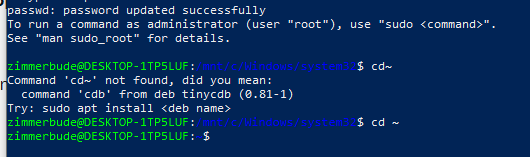
сейчас посмотрел внимательно и вижу что 1.5 пройден успешно с 2-го раза. первый раз была синтаксическая ошибка, но сейчас у Вас скачен и склонирован репозиторий nvm в ~/.nvm
распакованы файлы и добавлена строка для автозагрузки nvm в ~/.bashrc
Когда включите компьютер - запустите WSL ,потом введите команду
cd ~
потом активируйте изменения командой
source ~/.bashrc
и проверьте что nvm работает командой
command -v nvm
если увидите что-то типа или просто NVM или путь /home/zimmerbude/.nvm/nvm.sh то все должно быть ок и переходите к следующему шагу и ставьте Node.js.

Русский

@AlexandrB27 Спасибо, Александр! У меня свободное время в основном только после 23.00. Попробую сегодня. Вчера попробовал спросить, но ответы мне не помогли. Я просто дилетант во всём этом. Не надо было и начинать наверное.
Русский

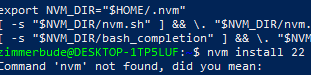
@AlexandrB27 At step 1.6 it says "Command 'nvm' not found." So, nothing worked for me. What do you recommend?

English

@AlexandrB27 Hi, Alex! I'm a complete novice at programming. I've never even accessed the BIOS in my life. Today, it happened. On step 4, I got an error: enable virtualization in the BIOS. It took me three hours to find how to do this. I got it!!!
English

@AlexandrB27 After that, I started over from step 4. Is this correct? The result is what's on the screenshot. It's different from what you have. Please take a look. Thank you!

English

Good news for everyone building stores on WordPress! I’ve just released a plugin called Arc for WP — now any WordPress site can accept payments in USDC on @arc Network.
What it does:
✅Clean "Buy X.XX USDC" button + QR code for mobile payments
✅Installs in 60 seconds with a single ZIP file
✅Works without WooCommerce
✅Payments go directly to your Arc wallet address
The code is still primitive and raw, but — it actually works!
Download the plugin + repository:
github.com/Alexkoko27/arc…
Feel free to try it out and test it. Feedback is very welcome!
English


Ok… this one feels different.
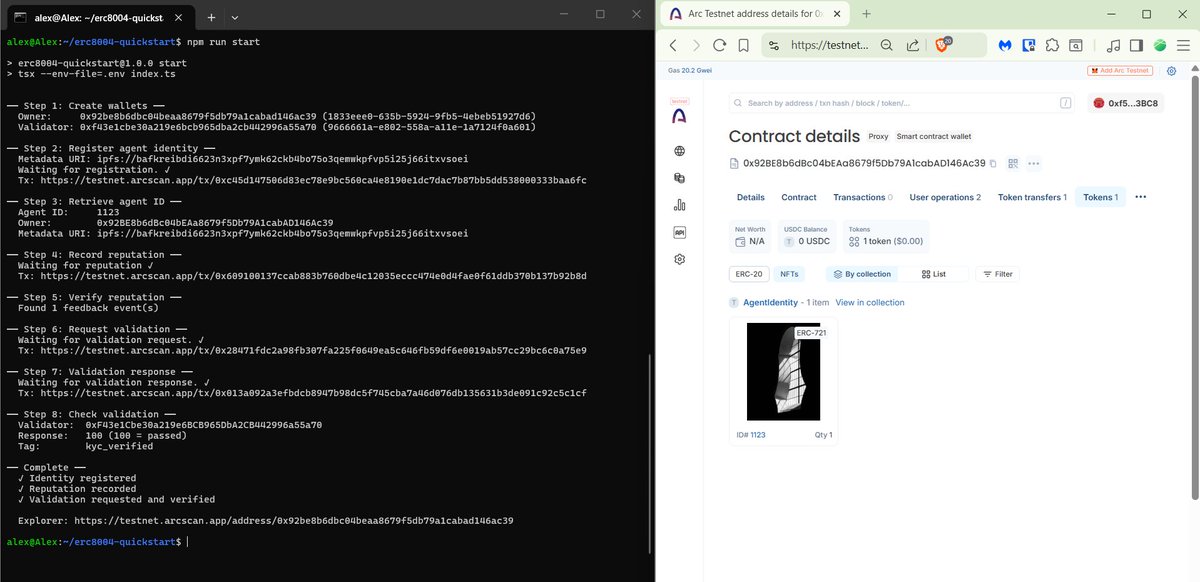
I just completed the full ERC-8004 flow on @arc Testnet:
✔️ Created owner + validator wallets
✔️ Registered agent identity
✔️ Recorded reputation
✔️ Requested & passed validation (100)
✔️ Tag: kyc_verified
This is not just a contract — this is a working identity + reputation system onchain.
Next step: integrate it into my app.
Docs: docs.arc.network
Special thanks to to @woshijiqiren_ for the video x.com/woshijiqiren_/… ! Although I don’t know Chinese, the logic is clear from the video - and nothing more is needed.
ps. it took about 15 minutes to do this, and only because I checked the documentation!!!

English

@Mehmet37557590 @arc Yeah… if I’d been a bit faster, my agent would’ve been number 1122 😄
English

@AlexandrB27 @arc Can you make a detailed clip in english for us?
Thanks mate.
English

@AlexandrB27 @arc Hey Alex! Great job! I was given access to the Build on Ark Discord channel. As far as I understand, you've been kicked out of the channel. If you don't mind, I can contact the channel owners about reinstating you.
English

@AirdropZrzut Thank you! Your bridge development result is impressive! Congratulations! For me, this is just the next step that I’m only starting to work on.
English

@AlexandrB27 That's awesome Check out what I managed to do
x.com/AirdropZrzut/s…
wija (🍊,💊) π² Zetarium $XAGE@AirdropZrzut
I just built a full USDC cross-chain bridge on the @arc testnet using @circle Gateway + CCTP 🚀 ✅ Unified USDC balance across 6 chains ✅ Instant withdrawals: Arc → Base, ETH, ARB, OP, AVAX ✅ Return path: Any chain → Arc via CCTP ✅ Built with Next.js + Circle Gateway API + CCTP V2 ✅ QR code, live balances, transaction history One balance. Six chains. In both directions. No bridging. No pre-funding. Just USDC. #Arc #Circle #Gateway #CCTP #USDC #BuildOnArc #Web3
English

Finalizing My Arc USDC Desk✅
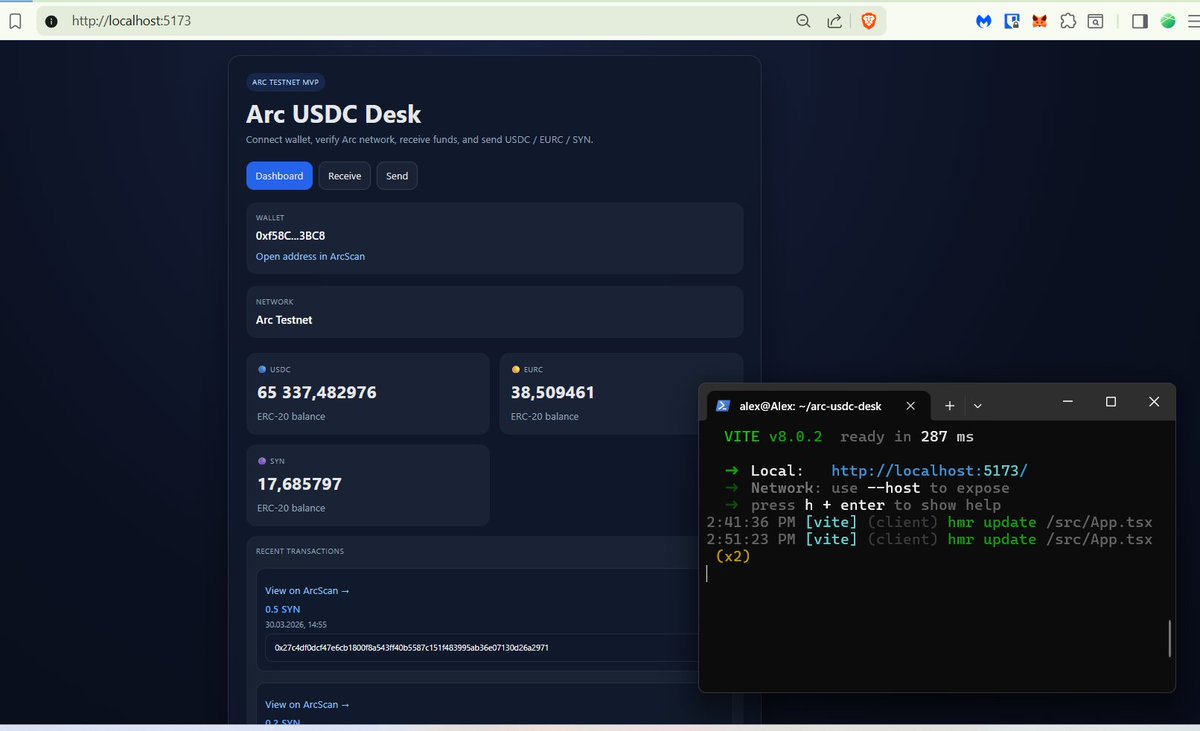
I’ve finally completed the detailed setup of my Arc USDC Desk.
The current functionality includes:
- Wallet connection + network verification (Arc Testnet)
- Multi-token balance display (USDC, EURC, SYN)
- Send flow with proper input validation (supports both 0.2 and 0,2 + protection against mistakes like “02”)
- Real-time balance check before sending (prevents insufficient balance errors)
- Correct amount capture - even if you change the amount while confirming in the wallet
- Persistent recent transactions history with timestamp
“Copy tx hash” button after successful transaction
Built with wagmi + viem + React.
It took many iterations, quite a few bugs, and lots of testing to get everything stable.
Before I start building my own bridge on Arc, I’ve decided to sit down and write a full detailed guide for anyone who’s interested in this project or wants to build something similar.
Stay tuned — the guide is coming soon.
@arc @circle


English

Hi, this is just a test application on the Arc network that I’ve deployed locally (on my computer). For now, it can only connect to the Arc blockchain and send/receive payments. Anyone can install it, add other tokens to the code, and modify it however they want. The installation guide is pinned.
English

@ivarus39 Done! x.com/AlexandrB27/st… If you're testing, don't hesitate to ask. Together we can achieve more!
AlexandrB@AlexandrB27
English

@AlexandrB27 Hello Alex! I can't wait! I've gained access to Build on Ark. But I'm still not sure and dont know what to do there with my skill level. 😅
English

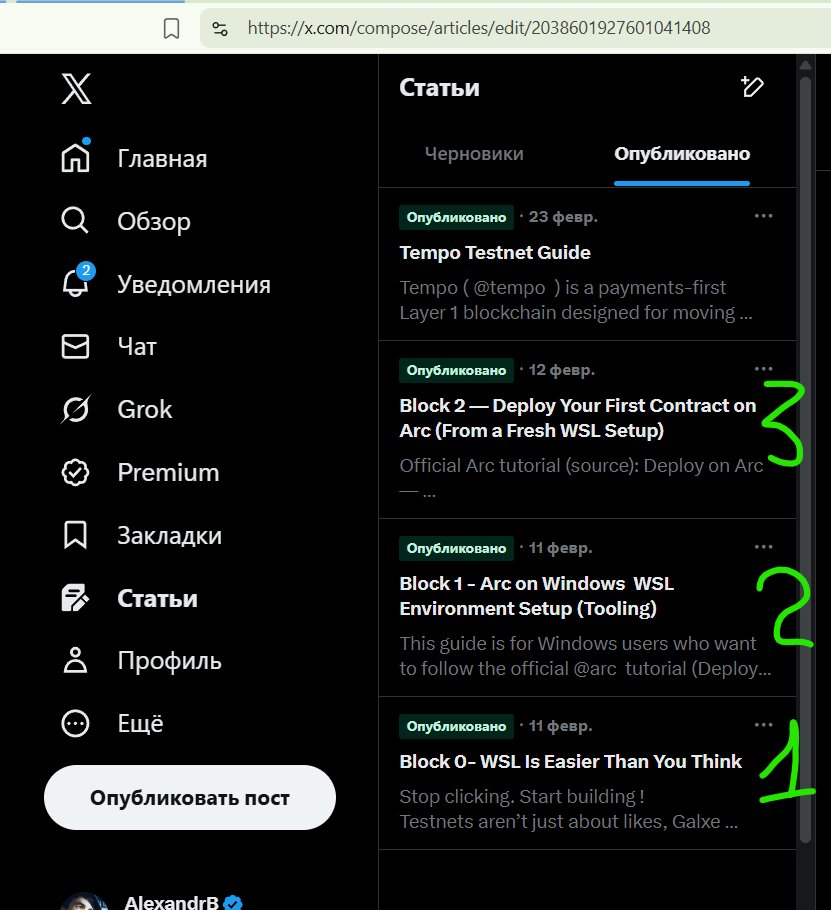
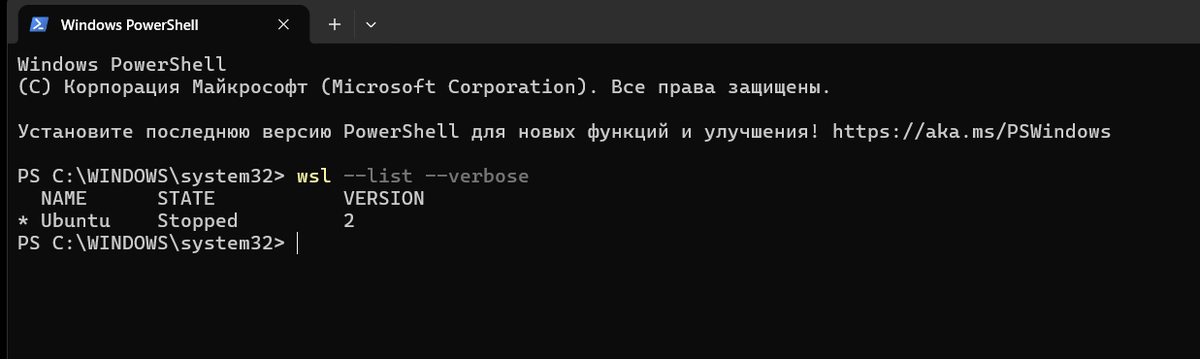
Hi! Thank you so much for your interest! I'm already working on it — and you know, sometimes it feels like it's easier to just take the test myself than to turn it into a somewhat understandable guide... especially in English. By the way, if you're a Windows user, you'll need to install WSL (x.com/AlexandrB27/st… ) and set up some environment (x.com/AlexandrB27/st… ). And if I haven't finished yet, try deploying your smart - contract on Arc (x.com/AlexandrB27/st… ) (in the screenshot I'm showing my guide articles on this topic, and the links lead to those articles).Thanks again. This is really motivating!!!

English