Zoho Notebook

975 posts

Zoho Notebook banner
Zoho Notebook

Zoho Notebook

@ZohoNotebook

An all in one productivity app for your #notes, documents, todos, and files. Available in iPhone, iPad, Mac, Windows, Android and Web. @zoho | https://t.co/lHrlS4lK4h

Chennai, India/Austin, TX Beigetreten Temmuz 2009
38 Folgt4.7K Follower
Zoho Notebook
Zoho Notebook@ZohoNotebook·
@VMR4646 Please reach out to our support team at support@zohonotebook.com, and we’ll enable a Notebook AI trial so you can start exploring the feature in Notebook.
English
0
0
0
13
Zoho Notebook
Zoho Notebook@ZohoNotebook·
Planning a project often starts with a long note full of tasks, ideas, and random thoughts. 😮‍💨 With #AIMindMaps in Notebook, you can instantly turn that note into a visual map. It connects the dots for you, making it easy to see the project's flow and exactly what needs to happen next. Just tap a node to expand the details and get a deeper understanding of your ideas. Stop searching for connections in a wall of text. Turn your notes into a clear, visual roadmap with Notebook and see how everything connects 👉 zurl.co/3P5TX #Productivity #ProblemSolving #NoteTaking
English
1
1
5
161
Zoho Notebook
Zoho Notebook@ZohoNotebook·
@shinanke @Zoho Hey Anya! Thanks for the love for Notebook. Sorry about the experience, that is not what we intend. We have noted your feedback and would love to look into it further if you can share more details at support@zohonotebook.com. 😊
English
0
0
1
49
Anya 🇮🇳
Anya 🇮🇳@shinanke·
I love the clean interface of @ZohoNotebook over Notion. But basic features like cover change & custom order being premium, no pin option, undo not fully working, and menus appearing behind the keyboard make it frustrating. @Zoho
Anya 🇮🇳 tweet media
English
2
0
1
107
Zoho Notebook
Zoho Notebook@ZohoNotebook·
@Muraliyk Sorry about that. Could you please drop a message to support@zohonotebook.com with a bit more info on the devices you’re using? We’ll check this and help you get it sorted.
English
0
0
0
10
Sweet Doctor
Sweet Doctor@Muraliyk·
@ZohoNotebook my zoho note book has syncing issue. Not synced from laptop to mobile version.
English
1
0
1
37
Zoho Notebook
Zoho Notebook@ZohoNotebook·
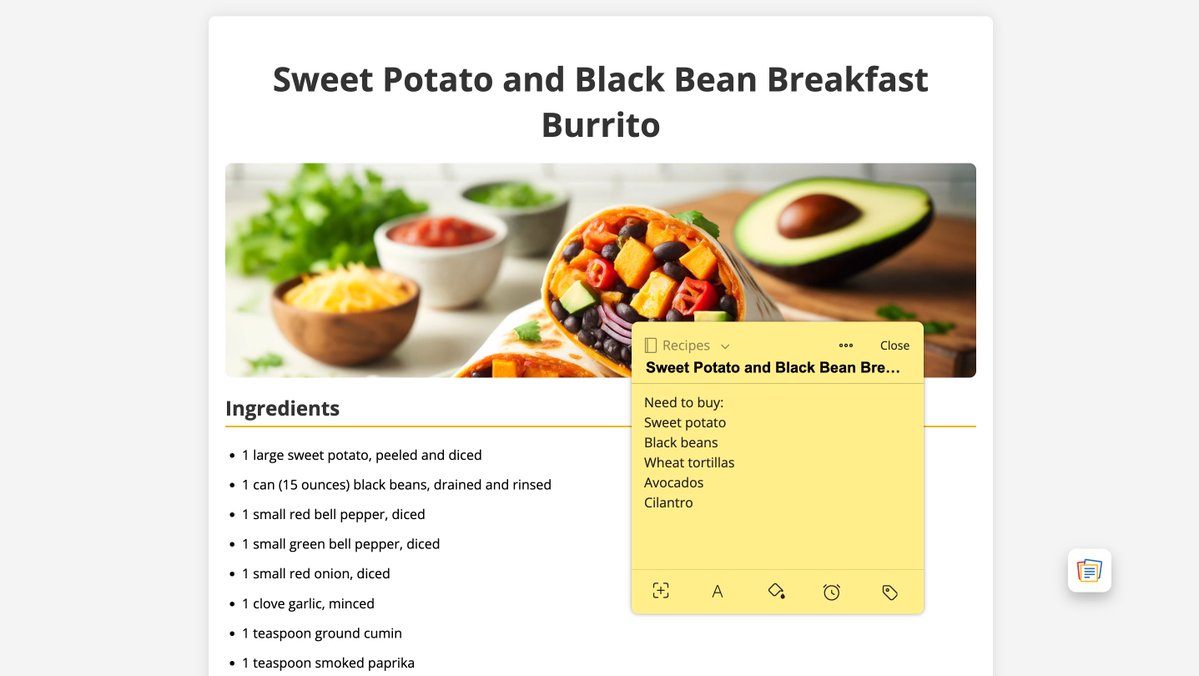
Browsing an article and wish you could leave a note right there? 🗒️ Sticky Notes, part of the Notebook Web Clipper, lets you add notes directly to any webpage while you browse. Your notes stay attached to that page, so when you return, your thoughts are right where you left them. 💭 Works well for: ✅ Saving thoughts while researching an article ✅ Noting ideas during online meetings or webinars ✅ Leaving reminders on pages you revisit often ✅ Capturing inspiration or recipe ideas while browsing Your notes stay synced in Notebook so you can access them anytime across devices. Try it out on your favorite browsers and see how much easier it is to keep track of ideas 👉 zurl.co/vqlVv #StickyNotes #WebClipper #NoteTaking
Zoho Notebook tweet media
English
0
0
2
160
Zoho Notebook
Zoho Notebook@ZohoNotebook·
It’s Holi! 🫟 Take a break, enjoy the colors, and soak in all the joy around you. Wishing you a happy #Holi from the Notebook team! ✨ #Holi2026
Zoho Notebook tweet media
English
0
0
7
131
Zoho Notebook
Zoho Notebook@ZohoNotebook·
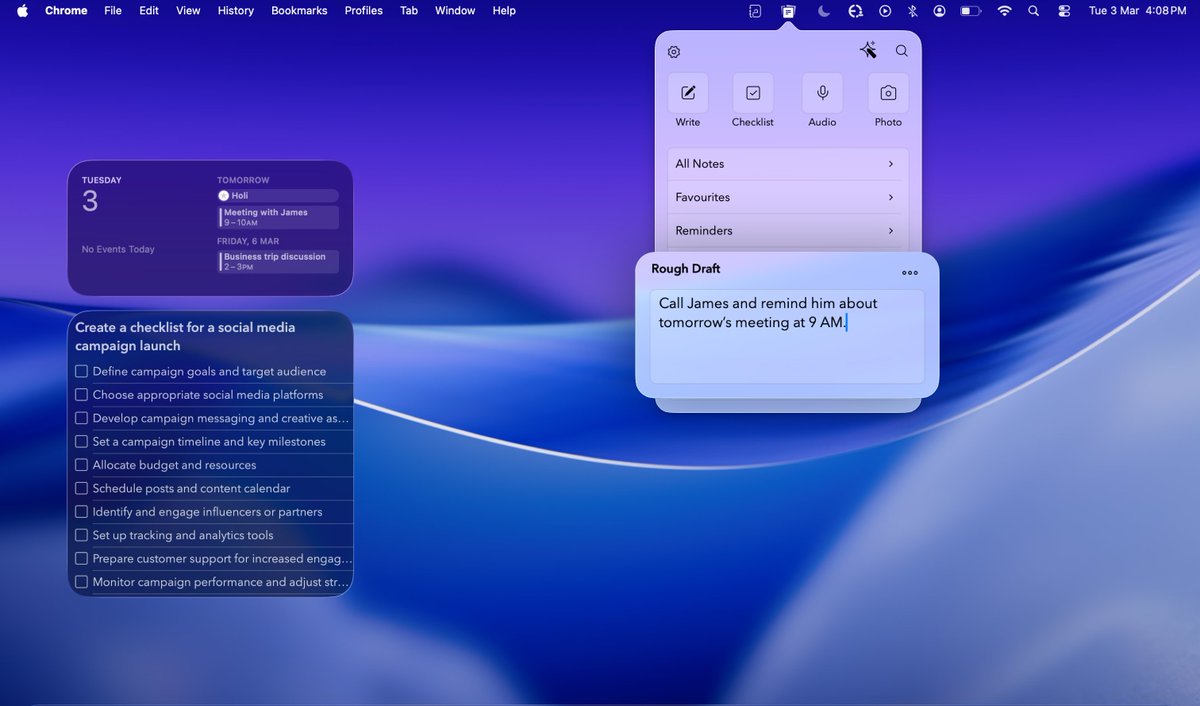
If you’re a #Mac user, you know how valuable focus is. 🔍 That’s what makes Notebook’s Menu Bar Quick Notes a go-to feature for Mac users! You can jot down ideas instantly — without switching apps, breaking focus, or losing your flow. Just click from the menu bar and capture the moment on the go. Perfect for: • Quick #meetingnotes • Call takeaways • To-dos that pop up mid-task • Sudden ideas you don’t want to lose Sometimes, all you need is a small space to keep your rough thoughts. Check it out 👉 zurl.co/qzBhi #DidYouNote #Productivity #MacApps
Zoho Notebook tweet media
English
0
0
3
163
Zoho Notebook
Zoho Notebook@ZohoNotebook·
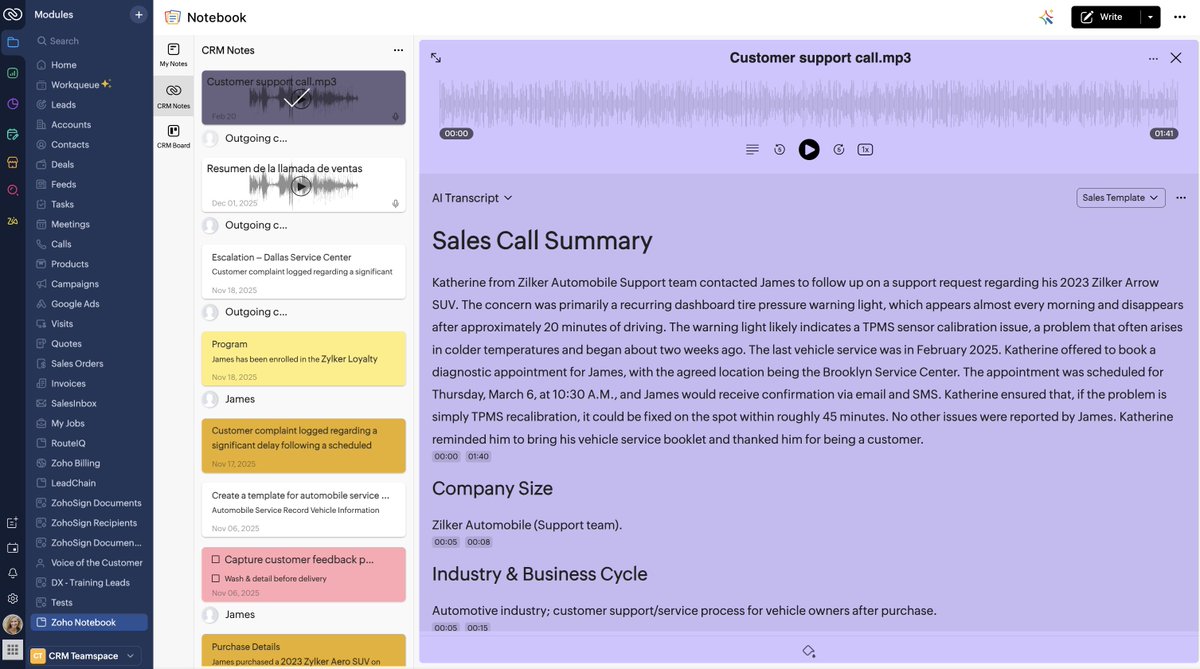
What if every sales call could turn into clear, actionable insights? 🤔 The Notebook for @ZohoCRM integration helps you automatically capture details from every Zoho Voice call into: ✅ Concise summaries ✅ Key discussion points ✅ Automated next steps Transform complex sales conversations into high-impact ideas. Our deep, native integration provides the clarity that high-performance teams need to move beyond simple documentation 👉 zma.page/NBcrmsm 🔗 zurl.co/2Qzf8 Standardize the output. Scale the results. 📈
Zoho Notebook tweet media
English
0
2
9
411
Zoho Notebook
Zoho Notebook@ZohoNotebook·
@BaratariaKing @Zoho Sorry you’re running into this, that definitely shouldn’t be happening. Could you please reach out to us at support@zohonotebook.com with a few details about the freeze? We’ll check this on priority and help you get it sorted.
English
0
0
0
39
SanchoPanza ⭐️
SanchoPanza ⭐️@BaratariaKing·
Notebook @Zoho asked for update even in macOS Monterey and now it doesn’t allow you to rename books, it freezes. Thanks God we have Joplin. We live in an clownish-updating world.
English
1
0
0
42
Zoho Notebook
Zoho Notebook@ZohoNotebook·
@harrysargodhia1 @svembu That’s a really interesting idea! While we don’t support this model at the moment, we truly appreciate you sharing your thoughts and will definitely keep this feedback in mind as we think about what’s next.
English
1
1
1
19
Zoho Notebook
Zoho Notebook@ZohoNotebook·
Going through every bit of a #lecture during revision can feel impossible. That's why Notebook AI creates concise summaries so you can review concepts faster and focus on what’s important. ✅ Need full explanations later? The complete transcript is there when you need it. Study smarter with quick recaps or go deeper with full context—your choice 👉 zurl.co/Pmjb6 #DidYouNote #Students #ExamTips
Zoho Notebook tweet media
English
0
2
7
194
Samir ranjan swain
Samir ranjan swain@Samirswain011·
@ZohoNotebook Sir i am using notebook but i found a issue. I pasted a html script and saved it,but when i copied it after some time then a red background is automatically added. SEE SCREENSHOT
Samir ranjan swain tweet media
English
1
0
0
15
Zoho Notebook
Zoho Notebook@ZohoNotebook·
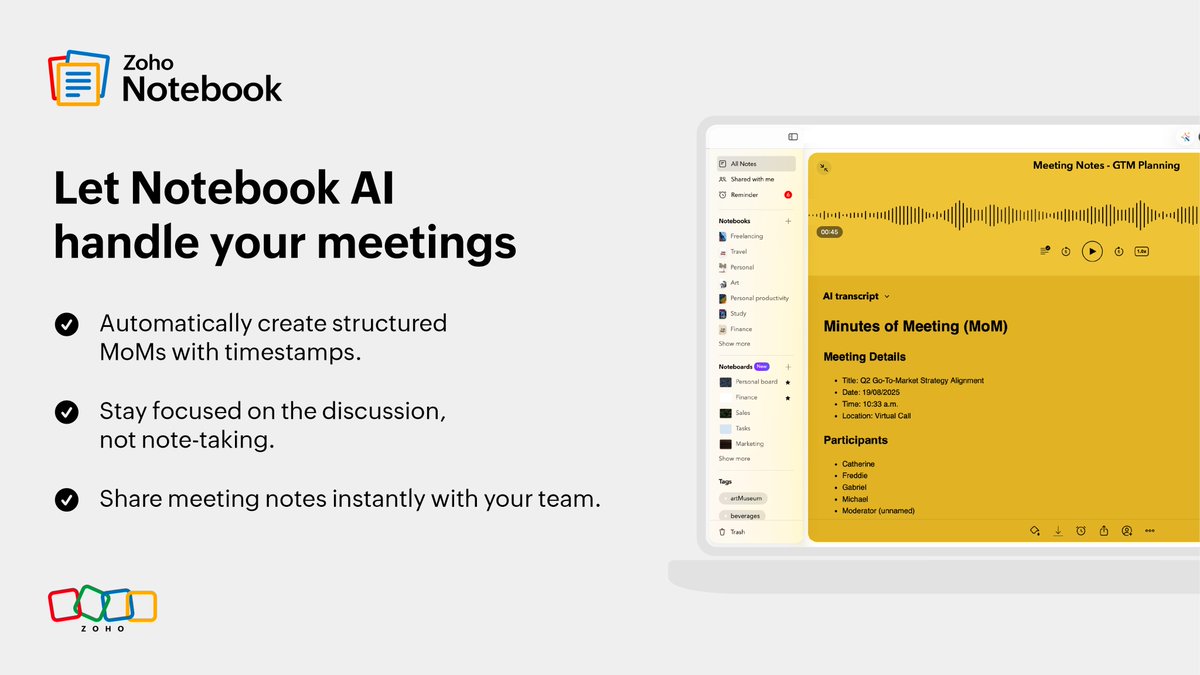
#DidYouNote Long meetings feel endless, we know. If you’re still jotting down meeting notes manually, it’s time to let #AIMeetingNotes in Notebook do the heavy lifting for you! ✍️ Check it out here 👉 zurl.co/yPEWf
Zoho Notebook tweet media
English
0
1
6
210
Zoho Notebook
Zoho Notebook@ZohoNotebook·
We’re incredibly proud to share that Notebook AI has been named a Gold Stevie Winner for AI Innovator of the Year at the 13th annual @AsiaStevies Awards. 🏆 Recognized as "Privacy-First Applied Intelligence Transforming Notes, Meetings, and Customer Conversations,” this award celebrates our commitment to building AI that is not just powerful — but responsible, secure, and truly helpful in everyday work. This means a lot to us! It reflects the continuous effort our team has put into making Notebook AI more meaningful for users. Grateful to the Stevie Awards panel for this honor — and to our users who inspire us to keep building better every day. 🫶
Zoho Notebook tweet media
English
1
4
24
1.5K
Zoho Notebook
Zoho Notebook@ZohoNotebook·
A great start to the day. Today, we’re App of the Day in Australia and New Zealand. 🥳 Happy to see Notebook right where it belongs. Thanks to @AppStore and every user who made this possible. ✨ There’s more ahead, and we can’t wait to share it. Stay tuned! #OnTheAppStore
English
0
1
7
371
Zoho Notebook
Zoho Notebook@ZohoNotebook·
Make space for your #RepublicDay thoughts. Capture reflections, plans, and ideas that matter to you. Notebook keeps everything organized in one calm, easy place. Happy Republic Day! 🇮🇳✨
Zoho Notebook tweet media
English
0
1
5
197
Zoho Notebook
Zoho Notebook@ZohoNotebook·
Plan your days better this year. A more productive year starts here. 🚀 Wishing you a happy New Year from Team Notebook! 🫶 #NewYear #NewYear2026
Zoho Notebook tweet media
English
0
0
3
221
Zoho Notebook
Zoho Notebook@ZohoNotebook·
@SachinR1208 @Zoho @svembu We’re already working on it, and you can expect this update to be released by January. Some of these are already available, and our support team can guide you through them. Please write to support@zohonotebook.com and they’ll be happy to assist you.
English
0
0
0
42
Sachin Rajbhar
Sachin Rajbhar@SachinR1208·
Hello Team Zoho, I have some suggestions to improve Zoho notebook. 1. Please utilise mark space for more notes in single line. (Second image for comparison) 2. Add more editing features 3. Add share as image option to share notes as single image @ZohoNotebook @Zoho
Sachin Rajbhar tweet mediaSachin Rajbhar tweet media
English
1
0
2
107