StepUpDevOps

640 posts

StepUpDevOps banner
StepUpDevOps

StepUpDevOps

@StepUpDevOps

Sharing simplified tech concepts on DevOps! Follow for easy-to-digest insights on Linux, Containers, Cloud, Kubernetes, CI/CD, IaC

Se unió Ekim 2023
176 Siguiendo74 Seguidores
Tweet fijado
StepUpDevOps
StepUpDevOps@StepUpDevOps·
The DevOps field is an ocean 🌊 Don't get overwhelmed by so many new tools. 🤔 Try to be strong in the basics 💪 - Linux - Git - Container - Networking - Security - Cloud concepts - Problem solving - General DevOps You'll learn the rest as you work on projects 💻 #DevOps
English
1
7
25
1.5K
StepUpDevOps
StepUpDevOps@StepUpDevOps·
How do you rollback deployments in Kubernetes? - Learn about critical difference between Deployment and ReplicaSets - Internal working of how kubernetes handles the rollback ? - What is --record command ? learnk8s.io/kubernetes-rol…
English
0
0
0
22
StepUpDevOps
StepUpDevOps@StepUpDevOps·
#AWS Learning roadmap that you can't miss!! Follow this step-by-step roadmap to learn #AWS
StepUpDevOps tweet media
English
0
0
2
44
StepUpDevOps
StepUpDevOps@StepUpDevOps·
It's poll time! Which Kubernetes object ensures the desired number of pod replicas are running?
English
0
0
0
36
StepUpDevOps
StepUpDevOps@StepUpDevOps·
You have nicely explained! Blue-Green is an important deployment strategy to know and understand when (not)to use!
Nikki Siapno@NikkiSiapno

Blue-Green Deployment Pattern Explained. Renowned for "zero downtime", blue-green deployment involves maintaining two identical production environments, called "blue" and "green". At any given time, only one environment is live (let's say blue), serving all production traffic. When a new version of software is ready, it's deployed to the inactive environment (green). After comprehensive testing without affecting live traffic, users are transitioned to the green environment, which becomes the live environment, while the blue environment becomes idle, ready for the next update. This minimizes downtime and reduces the risk of deployment failures. If an issue is discovered after switching environments, it's relatively easy to switch back. The main challenge is the cost and complexity of managing two environments. So how can blue-green deployment be implemented? 1) Set up two identical environments: Ensure you have two environments that mirror each other. 2) Deploy the new version to the inactive environment 3) Test extensively: Conduct comprehensive testing in the inactive environment to ensure everything functions correctly. 4) Switch traffic: Once satisfied, redirect user traffic from the active environment to the inactive environment. The state of the environments switch. 5) Monitor and roll back if necessary: Monitor the now active environment and be prepared to switch back to previous environment if issues are detected. Blue-green deployment is particularly beneficial when zero downtime, quick rollback capabilities, thorough pre-deployment testing, and a seamless user experience are top priorities. It’s an excellent choice for high-traffic applications, complex systems, and industries with stringent compliance requirements. ~~ Thank you to our partner Kickresume who keeps our content free to the community. Did you know you can turn your LinkedIn into a resume with one click? Check it out: drp.li/linkedin-to-re…

English
0
0
0
39
StepUpDevOps
StepUpDevOps@StepUpDevOps·
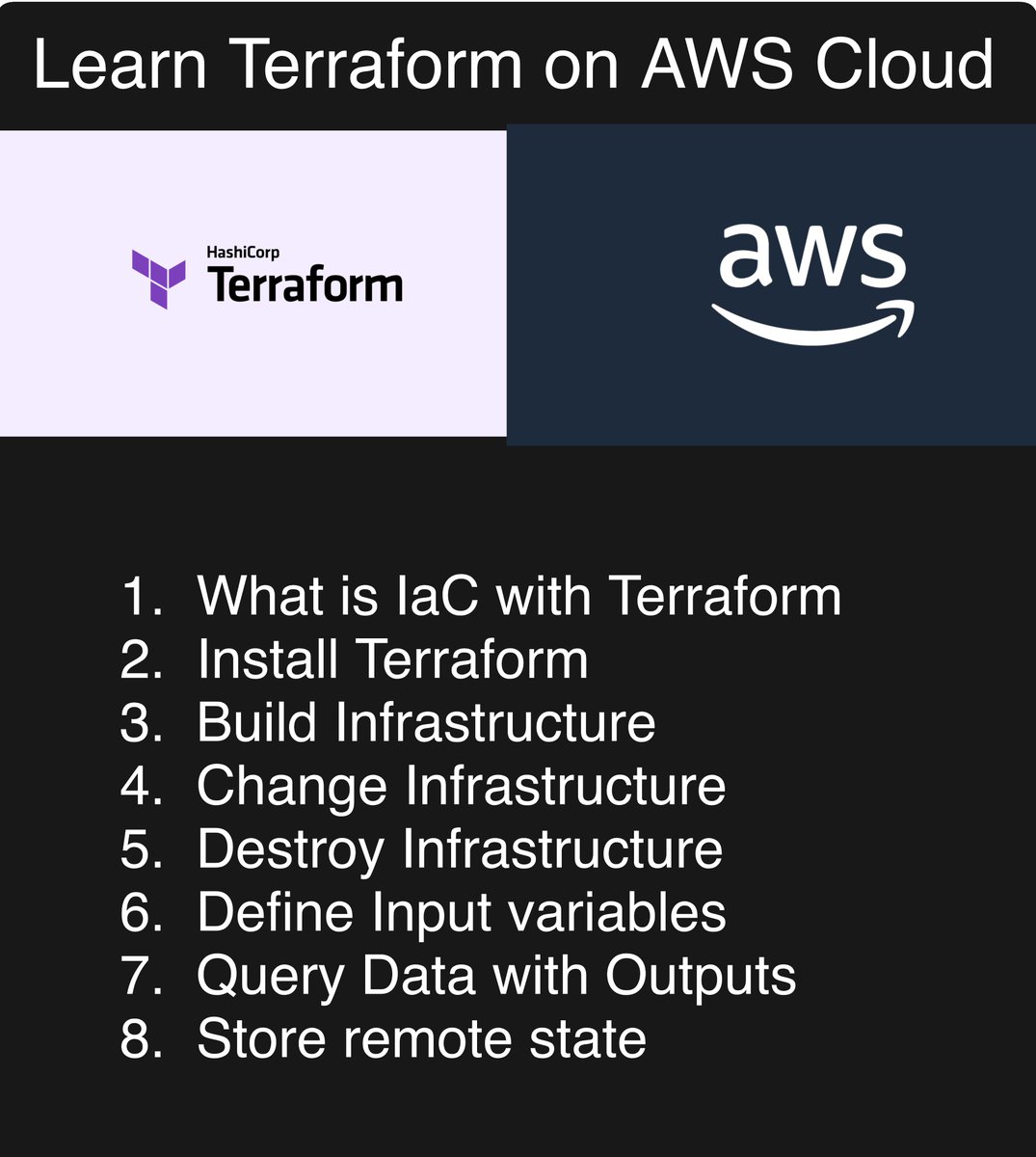
Learn #Terraform quickly on AWS cloud! Check the thread for the link 🔗
StepUpDevOps tweet media
English
1
0
1
31
StepUpDevOps
StepUpDevOps@StepUpDevOps·
Understanding #Kubernetes networking can be hard!! But knowing these is important if you are working on Kubernetes!! Go through these blogs to demystify the networking in #Kubernetes in terms of Pods, Services, and Ingress.
English
1
0
1
40
StepUpDevOps
StepUpDevOps@StepUpDevOps·
Learn docker for FREE! 🚢 Take some time and learn docker now! Checkout the thread for some of the best courses you can quickly go through and understand docker in detail.
English
1
0
1
41
StepUpDevOps
StepUpDevOps@StepUpDevOps·
Are you a beginner who wants to understand #Kubernetes and get your hands dirty? The easy guide to learning Kubernetes under an hour and doing a demo project in your local Kubernetes cluster. Check out! youtube.com/watch?v=s_o8dw…
YouTube video
YouTube
English
0
0
0
35
StepUpDevOps
StepUpDevOps@StepUpDevOps·
Do yourself a favor! Start learning 👇 - Linux and shell scripting - Networking and security basics - Git - CI/CD - Docker - One Cloud provider Learn DevOps and Thank me later!
English
0
0
1
46
Saurabh Dashora
Saurabh Dashora@ProgressiveCod2·
An interesting observation I had after talking to 31+ developers: Most know about Active-Passive DB replication. But just 15% knew about Active-Active and Multi-Active. Let’s change that today. [1] Active-Passive Yes, it’s the first replication setup most developers come across And they mostly stay with it forever. Why? It’s simple and easy to understand. A standby node is always ready to go in case the active node goes down. Data is continuously replicated to the passive node. It’s great but has a few downsides: If you replicate asynchronously, the replicas may not always be consistent. If you go for synchronous replication, you end up sacrificing availability if the passive node goes down. [2] Active-Active Scaling reads is relatively easy. The trouble starts when you want to scale the writes! Why? Because with reads, you just replicate the data to multiple nodes. The Primary node handles the writes and the Replicas handle the reads. Sure, there might be replication lag but you can deal with that. But scaling writes is a different game. To scale writes, you allow multiple nodes to handle the write requests. This is also known as an Active-Active setup. But this arrangement can result in conflicts and you need to have some means of conflict resolution. For example, last write wins, vector clocks, and so on. [3] Multi-Active What if databases also became democratic? That’s the multi-active setup. All replicas can handle read as well as write requests. But everything works on the basis of consensus. For example, if there are 3 replicas, a change is committed when a majority of replicas acknowledge the request. So, you can have failing nodes in the cluster but it doesn’t compromise on availability. The cluster stops responding only if a majority of nodes go down. So - which setup have you used the most often? And would you like to add more details to any one of them?
GIF
English
12
41
175
10K