

Dervish Software
253 posts
Dervish Software
@dervishsoftware
We make MailHub, the plugin for Apple Mail that learns where you file mail, and then starts making suggestions for filing new mail.
London, UK Se unió Şubat 2010
0 Siguiendo502 Seguidores
Missing 'Manage Mail Plugins...' button in Mail.app? In terminal.app, run:
sudo defaults write "/Library/Preferences/com.apple.mail" EnableBundles 1
Thanks to Frank for the advice.
English
If you don’t see the ‘Manage Mail Plug-ins...’ button in Mail.app, run this from terminal.app...
English
You don’t need this version if you already managed to install MailHub. No new functionality.
English
Latest version solves more issues with installation: dervishsoftware.s3.amazonaws.com/software/MailH…
English
Dear All, thanks for helping us debug the issues with MailHub for Mojave: couldn't do this without you! Further issues can be discussed here: dervishsoftware.freeflarum.com/t/mojave-beta
English
Third time lucky? New version fo MailHub:
dervishsoftware.s3.amazonaws.com/software/MailH…
English
@mighty_eric Hi Eric, please run: dervishsoftware.s3.amazonaws.com/software/MailH…
Start recording the logs.
Try enabling the MailHub bundle again in Mail.app. Restart Mail.app when prompted
when the 'Incompatible Plug-ins Disabled' message appears, click 'OK'.
Send us the logs. Thanks!
English
Here's a new version of MailHub, with a re-written installer to work with Mojave's new restrictions on Application Data: dervishsoftware.s3.amazonaws.com/software/MailH…
English
@lubeau05 Hi Luc, please run: dervishsoftware.s3.amazonaws.com/software/MailH…
Start recording the logs.
Try enabling the MailHub bundle again in Mail.app. Restart Mail.app when prompted
when the 'Incompatible Plug-ins Disabled' message appears, click 'OK'.
Send us the logs. Thanks!
English

@dervishsoftware Same here, not working after following all instructions
English
@davidlinguist OK. Thanks. What happens in the installer: do you get an error message, or do you get to the last sheet telling you how to enable the MailHub bundle in Mail.app?
English

@davidlinguist Thanks for the report. Are you running the public beta or the developer prreview?
English
@dervishsoftware Still not working for me after re-enabling System Integrity Protection. Not seeing any "Application Data" item in Security & Privacy preference pane, but added "MailHub Mojave.app" to "Full Disk Access" and "Accessibility" just in case. Am I missing something?
English
@davidlinguist Hi, please run the following in terminal . app , and send me the long alphanumeric string: /usr/bin/plutil -convert xml1 -o - /Applications/Mail.app/Contents/Info.plist | grep -A 1 PluginCompatibility
English
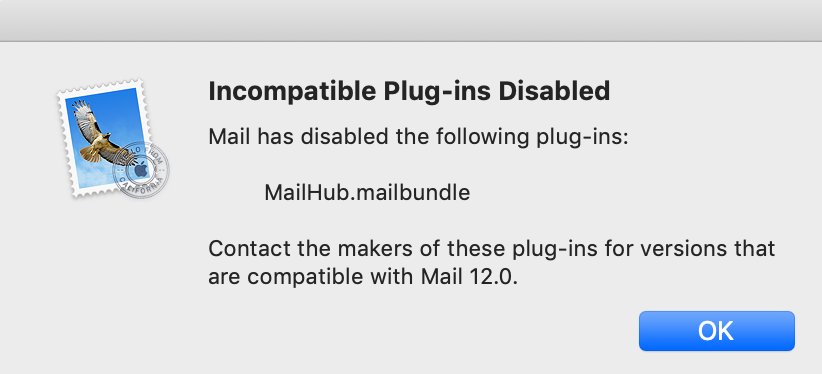
On Mojave after running the installer and re-starting Mail.app, you need to open Preferences, select the 'General' tab, and click on 'Manage Plug-ins...' button at the bottom. Then tick 'MailHub.mailbundle', and restart.
English
@mighty_eric Hi Eric, please run the following in terminal . app , and send me the long alphanumeric string: /usr/bin/plutil -convert xml1 -o - /Applications/Mail.app/Contents/Info.plist | grep -A 1 PluginCompatibility
English
@lubeau05 Hi Luc, please run the following in terminal.app, and send me the long alphanumeric string: /usr/bin/plutil -convert xml1 -o - /Applications/Mail.app/Contents/Info.plist | grep -A 1 PluginCompatibility
English
@dervishsoftware Incompatible according to the latest beta update I did today...It was removed by macOS
English
Dear All, here is the first beta of MailHub for Mojave: dervishsoftware.s3.amazonaws.com/software/MailH… Let us know via our support email of any issues or comments. Thank you.
English
Celebrate July 4th! 25% off all MailHub licences. Code: FIREWORK25. Valid through Sunday 9th
English
New Beta of MailHub for High Sierra Beta 2 only: dervishsoftware.s3.amazonaws.com/software/MailH…
English