CodeGlitch
17.5K posts

CodeGlitch
@codeglitch
Code, AI, Glitch. Hand-crafting bugs since before AI could do it for me.

Arizona | Matrix Inscrit le Nisan 2018
420 Abonnements2.7K Abonnés


@Charles_SEO @seo_notebook this mostly proves what we knew about crawlers/indexing, they like easy to read pages, without complex and bloated nested html tags
English

This was actually one of the (though lower in my priority) twenty four different techniques I included in my AI SEO webinar last week...
It's something @seo_notebook has been talking about for a long time too - AI info pages 🤖
And as agentic browsing becomes more common, they are becoming increasingly more useful to reduce hallucinations, improve branded sentiment and act as directives to funnel outputs toward target journeys.
I'm also working on an article on Agentic UX - Optimizing sites, pages etc... for the new era of browsing.

Wil Reynolds@wilreynolds
This one UGLY page got a month over month 1900% increase in ChatGPT citations. Here's the page, what we built, why we built it, where it might be risky, and how poorly it correlated with other metrics.
English


what the f*ck did Anthropic just release?
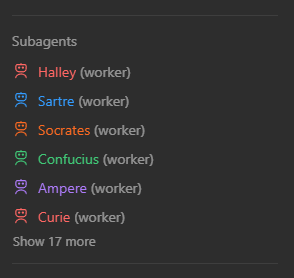
You can now spin up HUNDREDS of Claude subagents?
This new feature is the most powerful feature Anthropic has ever shipped.
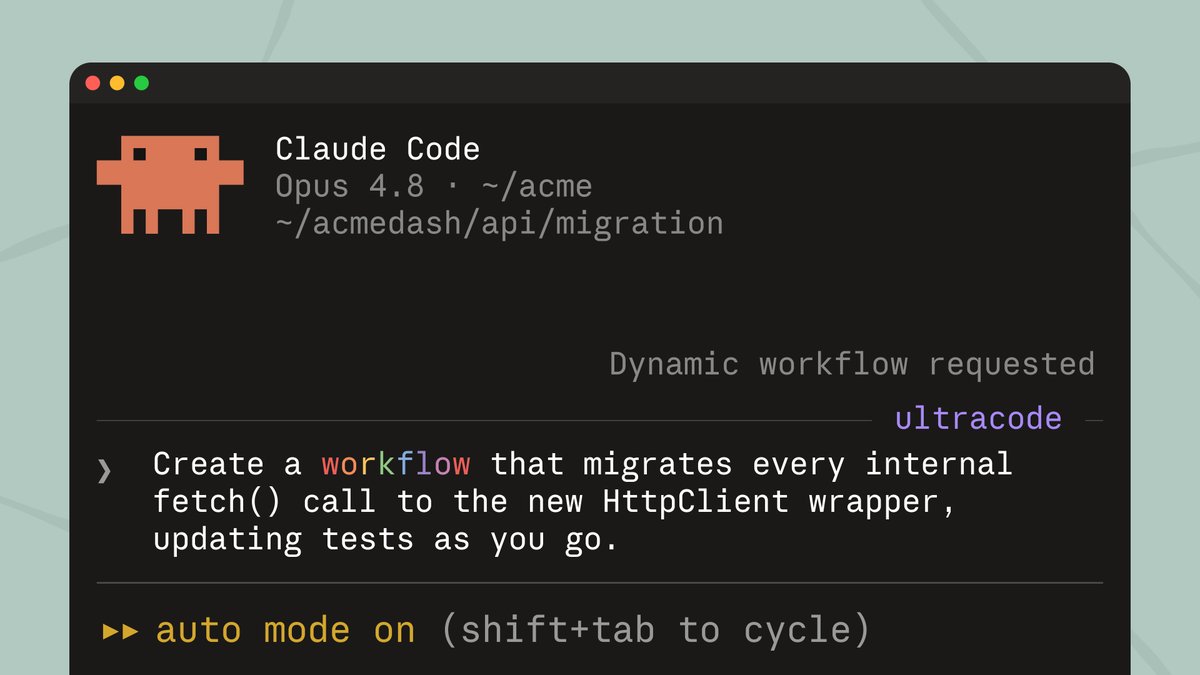
Dynamic workflows run scripts that can deploy tens to hundreds of parallel subagents in a single session.
Here's how to deploy these new dynamic workflows (explained in 60 seconds):
1. Open Claude Code CLI, Desktop, or VS Code extension
(must be on Max, Team, or Enterprise plan)
2. Turn on Auto Mode
This is required for the best experience with dynamic workflows.
(shift + tab to cycle)
3. Pick your starting method:
Option A: Ask Claude directly
"Create a workflow for [your task]."
Option B: Turn on Ultracode
Found in the effort menu. Sets effort to xhigh and lets Claude decide automatically when to spin up a workflow.
4. Confirm the run
The first time a workflow triggers, Claude shows you exactly what's about to run and asks you to confirm before anything starts.
5. Let it run
Claude breaks your task into subtasks, fans them out across parallel subagents, checks every result before folding it in, and hands you back a single
The best use cases right now:
- Codebase-wide bug hunts and security audits
- Large migrations touching hundreds of files
- Any critical work needs to be independently verified before it reaches you
Work you'd normally plan in quarters now finishes in days.
Save this and deploy your first workflow now.

English