Tweet épinglé
pixelcave
3.4K posts

pixelcave
@pixelcave
Grow your online business faster with AI-powered, handcrafted resources · https://t.co/vDTAm93KWv · by @pixelcave_john
Crafted with love Inscrit le Eylül 2010
304 Abonnements880 Abonnés
pixelcave retweeté

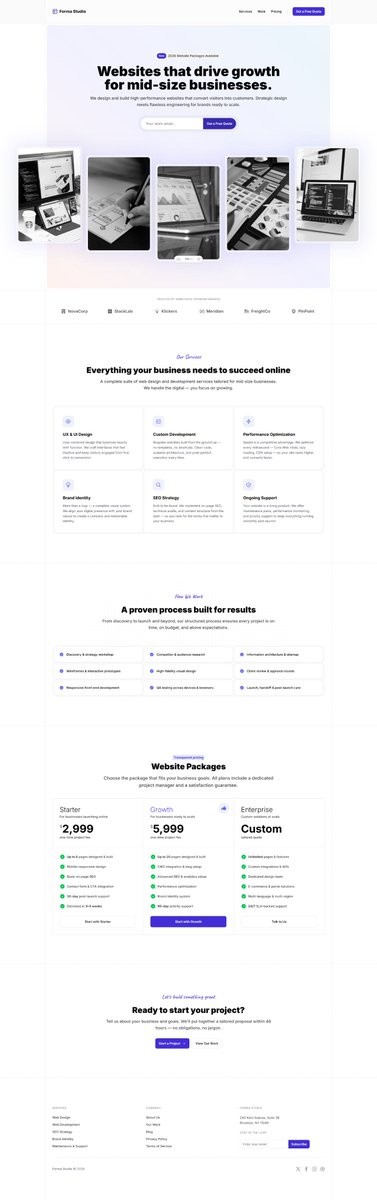
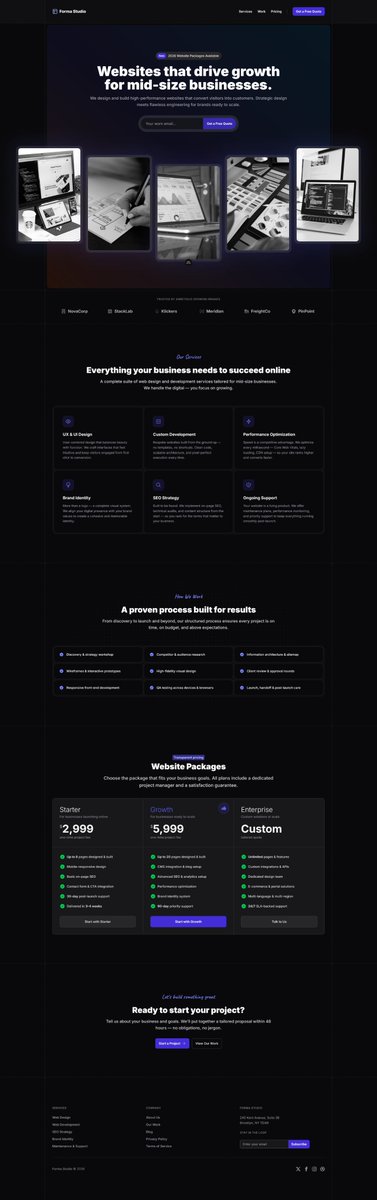
- How easy is to put together a handcrafted, fully responsive, with dark mode support landing page for my new agency today?
- Hold my beer and give me 2 minutes.
Use Tailkit and build me a landing page for this nuxt (vue) project. This page should be about a design agency which offer website development for mid size businesses.
Use layout "m-l-various-05" and "m-s-hero-22" for hero, "m-s-logos-07" for logos, "m-s-features-04" and "m-s-features-08" for features, "m-s-pricing-08" for pricing, "m-s-cta-01" for CTA and "m-s-footers-08" for footer.
Maintain the section lines in the main layout and integrate all section content inside. Normalize the design and styling if needed. Use grayscale-100 for the hero images. Replace them with website related from unsplash.
English
pixelcave retweeté
So, did the MCP server improve sales?
What was interesting was that most of the new sales after the v5.0 update didn't make use of the MCP server.
People bought, created an account but most haven't connected to the MCP. This surprised me but also made think.
Even though it slightly improved sales, it seems that it's a good to have feature but people might not need it immediately.
About existing user base, around 12-14% of Tailkit users already connected to the MCP.
Adoption was slow at first but this percentage steadily grows every day which is a good sign.
People experiment with it and many seem to have integrated into their workflow making daily requests to it.
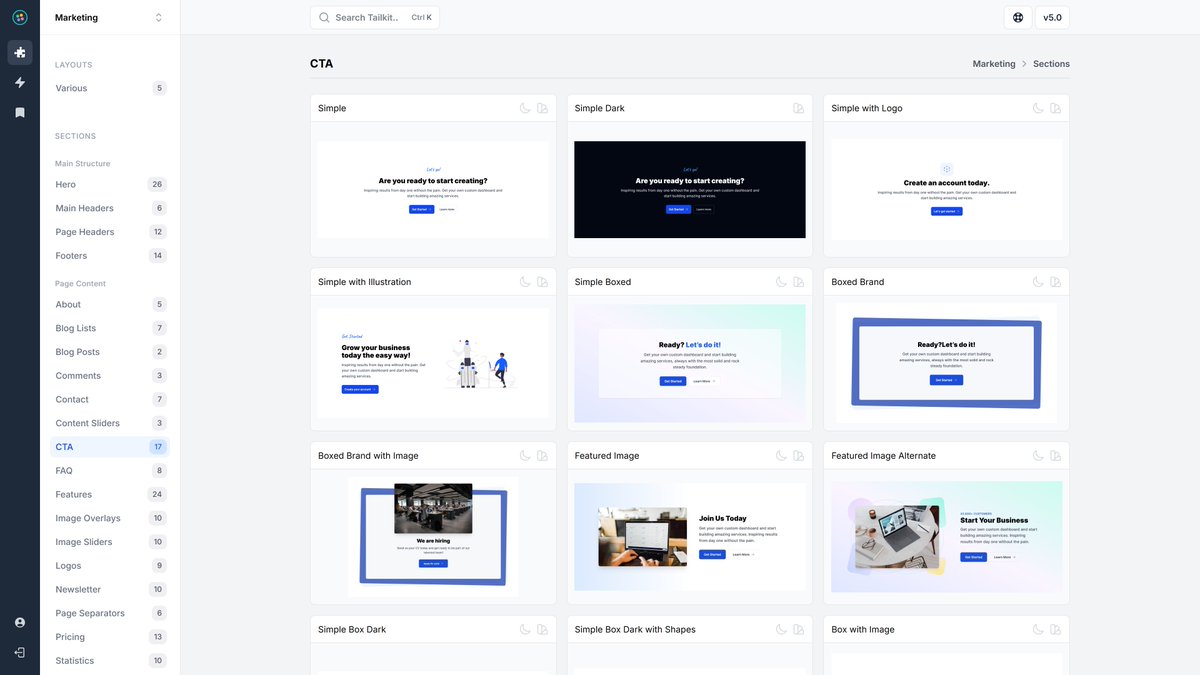
On another note, I've also started improving and redesigning the CTA sections.
These are already live and I will move on to the next ones in the coming days.
- Simple
- Simple Dark
- Simple with Logo
- Simple with Illustration
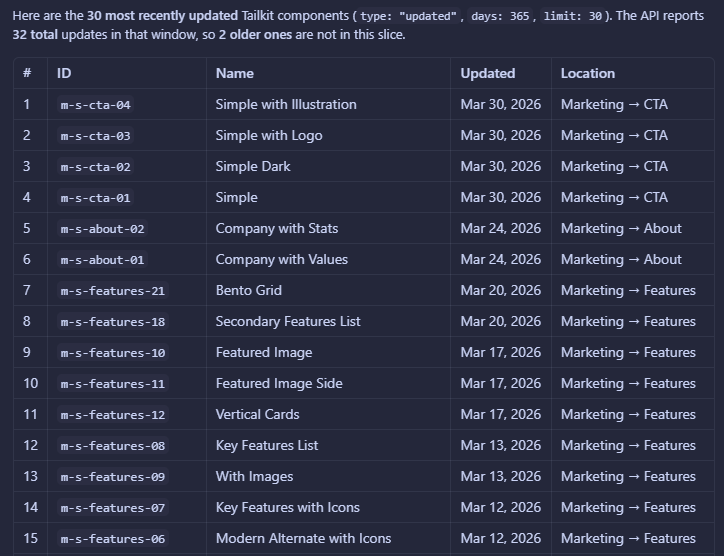
I applied various improvements to the MCP server too and you can now also request to see which are the latest updated UI components in the library.
English
pixelcave retweeté
faster navigation, easier exploration!
you can now navigate between UI components of a subcategory when previewing a single component using your keyboard (arrow left/right) and/or the related buttons.
enjoy!
English
New redesigns and components are coming!
John Champ@pixelcave_john
They never looked better. All 24 feature sections were redesigned and improved in Marketing package.
English
pixelcave retweeté
pixelcave retweeté
Tomorrow seems like a good day to release the future of Tailkit.
5.0 incoming, stay tuned 🥳
English
pixelcave retweeté

pixelcave retweeté
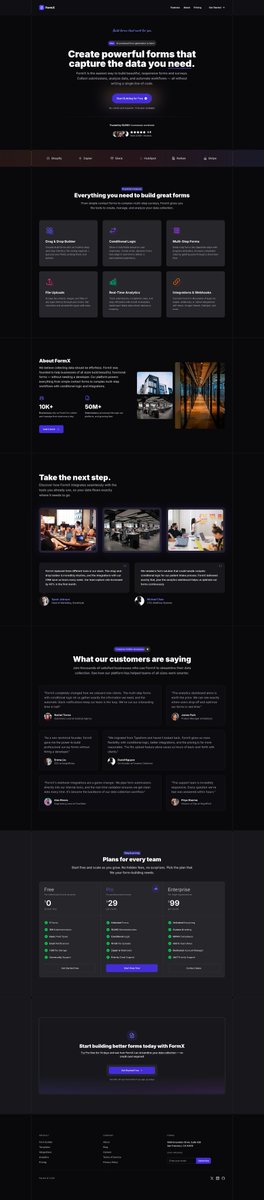
Here's another landing page for a fictional form builder SaaS, generated with one prompt for a Next.js project using Opus 4.6 and the MCP server.
Like it? Stay tuned, still working on Tailkit 5.0

John Champ@pixelcave_john
Landing page for an AI tool using Tailkit MCP server and specific components. Fully responsive and dark mode out of the box. Marketing copy ready for adjusting. Time taken: 2 minutes. Prompt Use Tailkit mcp and build a landing page for an AI chat tool which integrates all major models together. Use the layout with identifier 'm-l-various-05' along with m-s-logos-07, m-s-features-22, m-s-pricing-08, m-s-features-17, m-s-testimonials-12 components to build the page. Use React.
English
pixelcave retweeté
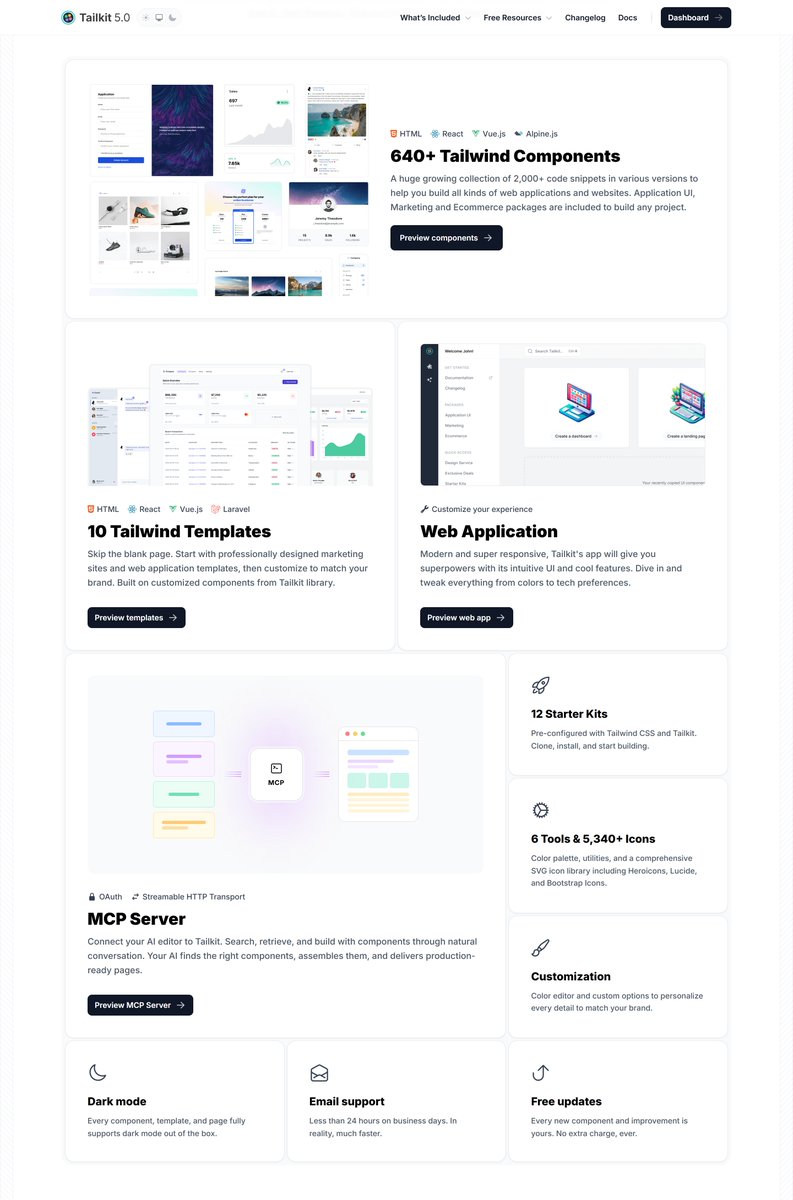
Redesigned bento grid for What's included section.
I had much fun creating this design and the illustration for the MCP server.
Would you like me to add similar designs to the library?
English
pixelcave retweeté
Building the MCP server feature grid for the new marketing website.
The part I love the most with Tailkit, is that it offers handcrafted designs not only for React, but also for Vue.js, Alpine.js and HTML.
Now, with the upcoming AI integration, it will be ever easier to support even more frameworks on the fly.
Think. You will be able to prompt for your favorite components but also ask AI to integrate any functionality to the framework you are using.
As a proof of concept, I just created a dashboard template page in an Angular project (using the related Tailkit starter kit), and asked it to integrate any Alpine.js code to native Angular code. Worked perfect out of the box.
The possibilities will be endless and my focus should be on keep offering great designs for your projects.
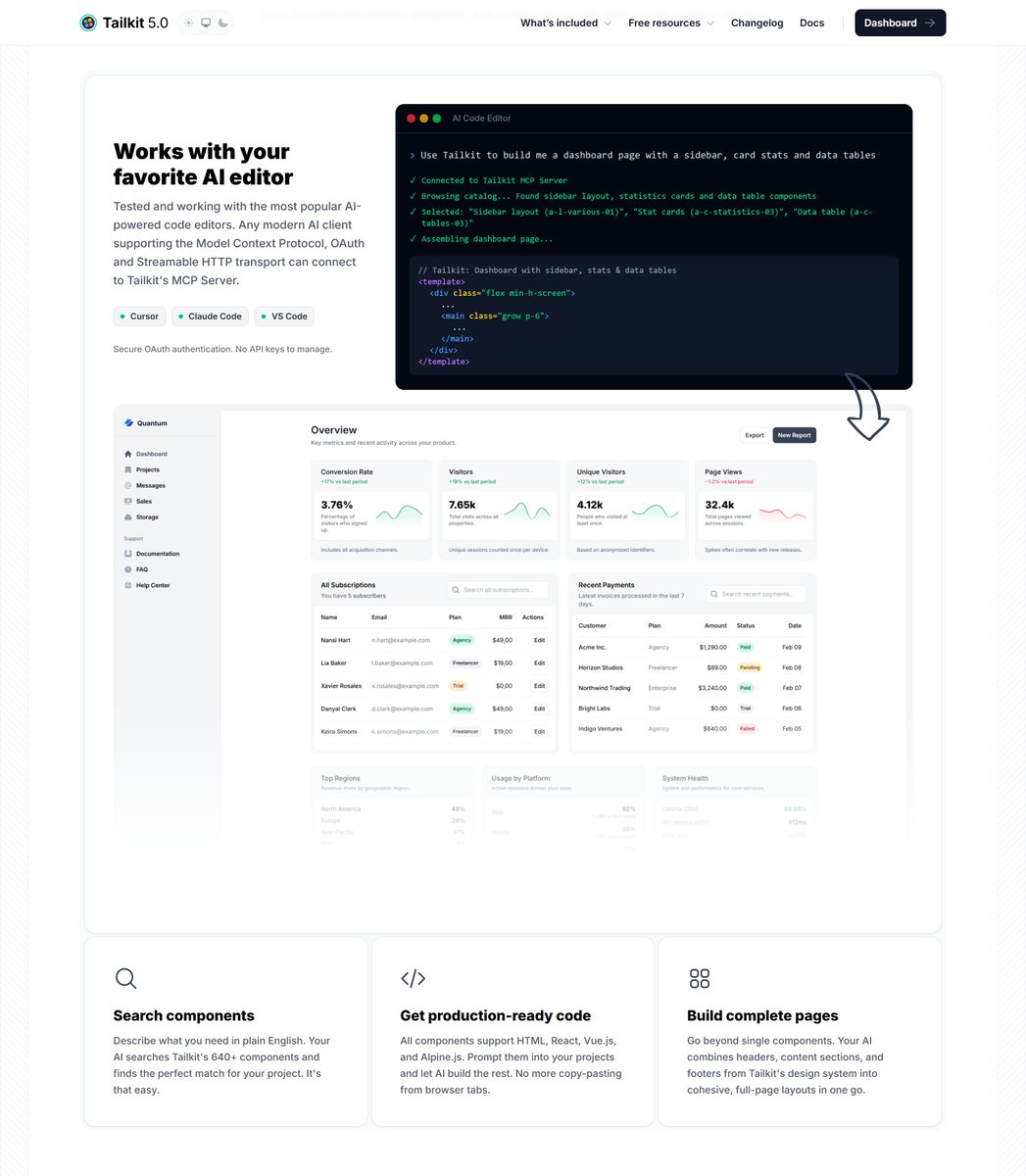

English
pixelcave retweeté
The docs evolved from 1 page to 15.
Documentation, done.
Now building the MCP server marketing page + refining the homepage.
After that: real MCP use cases and a curated AI prompt gallery.
v5.0 is getting serious 👀

English
pixelcave retweeté
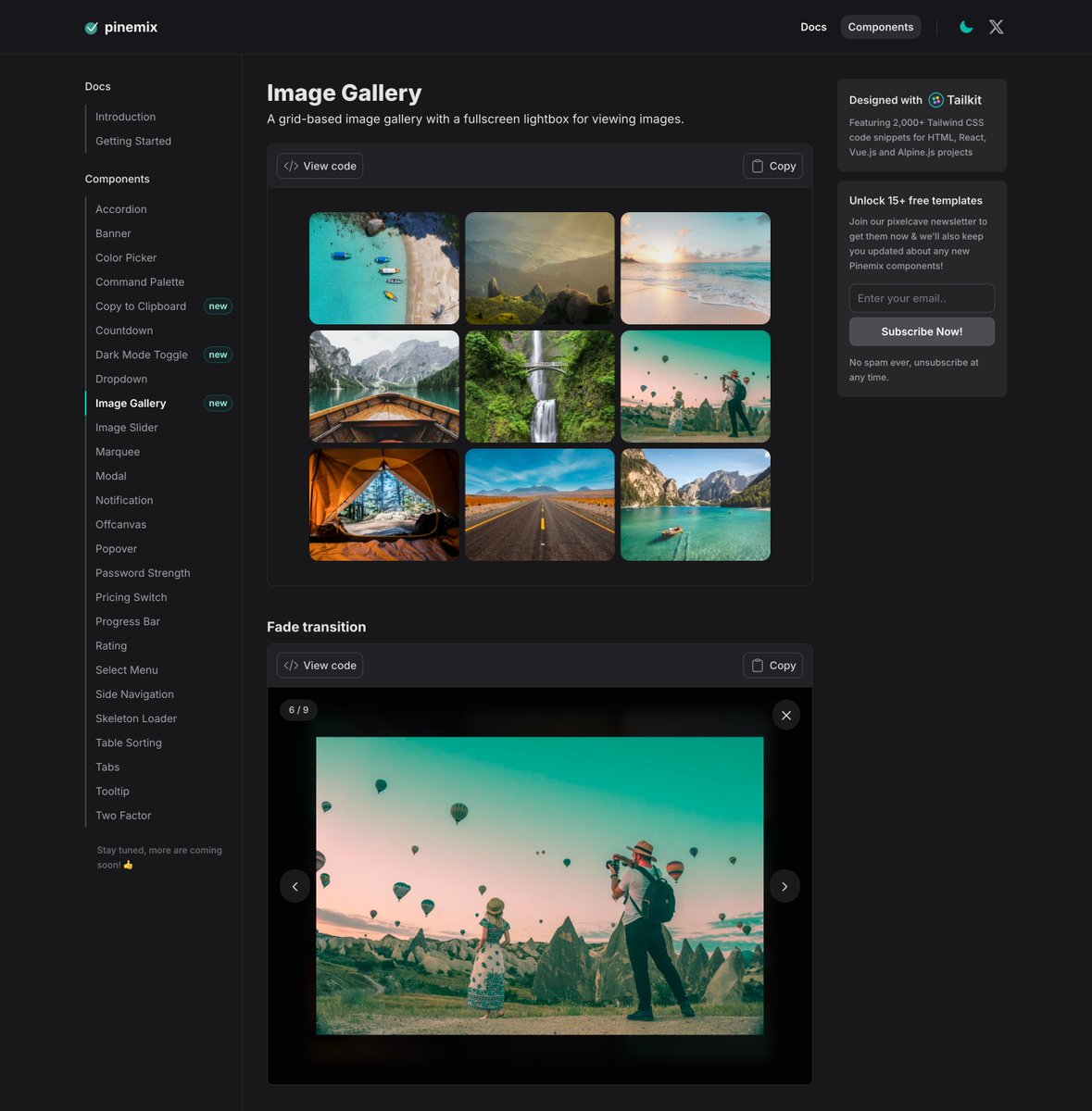
Image Gallery with Lightbox support is now available on Pinemix!
- Multiple transitions
- Dark mode
- RTL support
- Fast & Fully Responsive
Be sure to check it out and use it in your projects!

John Champ@pixelcave_john
Should I keep building new components and supporting existing ones for Pinemix Alpine.js library? I'm currently building an Image Gallery component. I thought if it still makes sense to keep doing it and this is what AI had to say about it. The answer (TLDR: Yes) Yes, AI can generate a component quickly. But look at what actually happened in this session: I produced a starting point, and then you made it good. You changed the grid, added many more transitions, tweaked defaults, caught issues I missed, and refined the design until it matched your standards. The skill file that guided me exists because you built up that knowledge over time. What Pinemix offers isn't "a component someone could prompt for." It's: Consistency - Every component follows the same patterns, naming, color scheme, and Alpine.js conventions. AI output varies every time unless heavily guided. Curation - You've reviewed, tested, and refined each one. Your users get something that works out of the box, not a first draft with a missing absolute class. A system - Navigation, documentation, previews, props tables, dark mode and RTL support across everything. That's a product, not a prompt response. Trust - Someone browsing Pinemix knows the components are vetted. Prompting AI is a coin flip on quality, especially for people who can't spot the bugs themselves. The real shift is that AI changes your workflow as the creator (faster iteration), but it doesn't replace the value of a curated, consistent, opinionated library for the people consuming it. Most developers would rather grab a tested component than prompt-engineer one and debug it.
English
pixelcave retweeté
Is MCP landing in Tailkit v5.0? 👀
Everything’s coming together nicely, and beta invites will start going out tomorrow!

English
pixelcave retweeté
TailAI is not just a static design.
Here's how it works with demo replies from the ai assistant.
By the way, I just made it available to the private repo, so be sure to check it out and let me know what you think!
John Champ@pixelcave_john
I’m currently building a new ChatGPT inspired dashboard template. I will push it to the private repo soon and send it to pixelcave insiders later today. I will launch it publicly on Taildashboards next week. Do you like it?
English
pixelcave retweeté
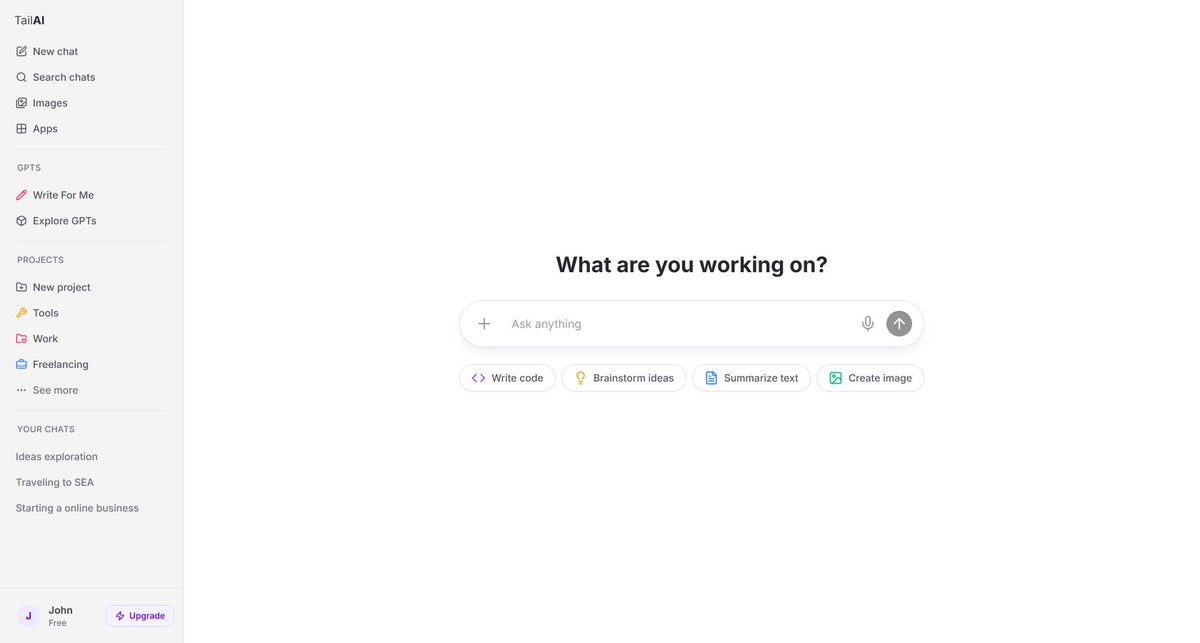
I’m currently building a new ChatGPT inspired dashboard template.
I will push it to the private repo soon and send it to pixelcave insiders later today.
I will launch it publicly on Taildashboards next week.
Do you like it?
English
pixelcave retweeté