I love the idea and have tried to use it, but it’s buggy as hell and unreliable. Until @xai polishes it up some, I’ll continue to use the native iPhone transcribe feature and copypasta to grok.
BTW groks transcribe does a horrible job separating conversations in a meeting setting—relying only on groks ability to understand the conversation. Grok does a great job, but makes the transcription horrible for pinpointing exact parts of the conversation. Once again the iPhone natively understands when different people are speaking and correctly breaks it up in thread.
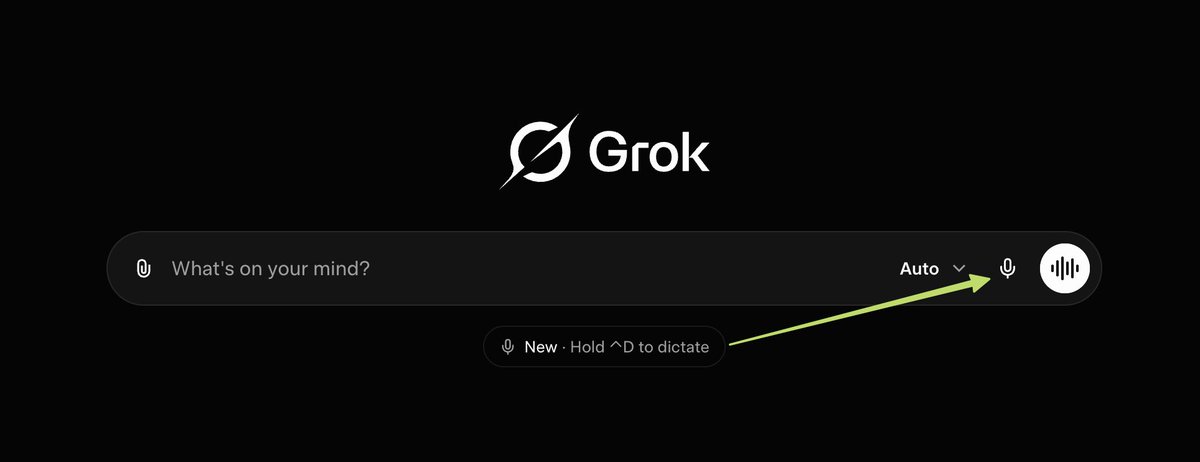
@techdevnotes Is this an actual dictation feature and not just it listens for a while and then shows you what you’ve dictated? So you can’t monitor what’s being interpreted?
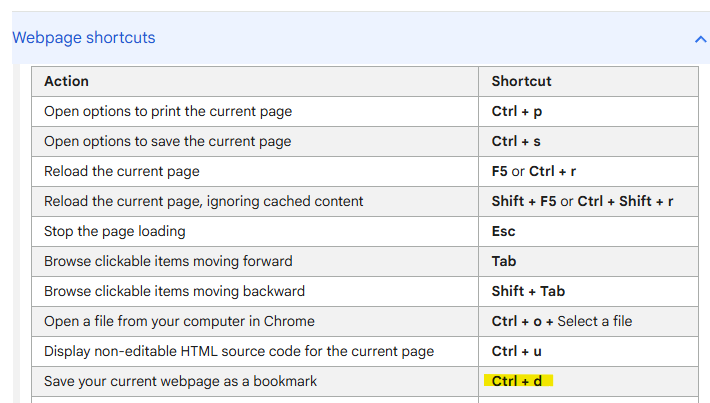
@techdevnotes Clean update. Just curious if this overrides the browser's default bookmark shortcut. If it’s remappable, that’s a massive win for power-user workflows. Voice prompting is the move
The Ctrl D shortcut turns Grok dictation into an instant habit on the web. Speak your thoughts and they flow straight into text.
This matters more than it appears. Voice removes the typing friction that still slows down so many people. It makes working with AI feel like having a conversation rather than operating software.
I love these little feature posts, but they REALLY need more text or a link to more information. Like this one - I can guess what a "dictate feature" might be - maybe voice entry of maybe a MS Word document, but I don't want to bother with trial and error if it turns out to be a list of the most famous dictators in history.
@techdevnotes I want to have a call open with Grok tbh. Real time for when I'm talking to fresh out of graduation lawyer or a state doctor that is trying to convince me that he can't do what state laws forces him to. How to care for my garlic too.
@techdevnotes Oh… depends on which that slide scales.
(Something greater than I is dictating)
Am not dictating
Am not a dictator.
In between well aware of position un super
“Ya can’t have it both ways.. because ya can’t take it both ways”