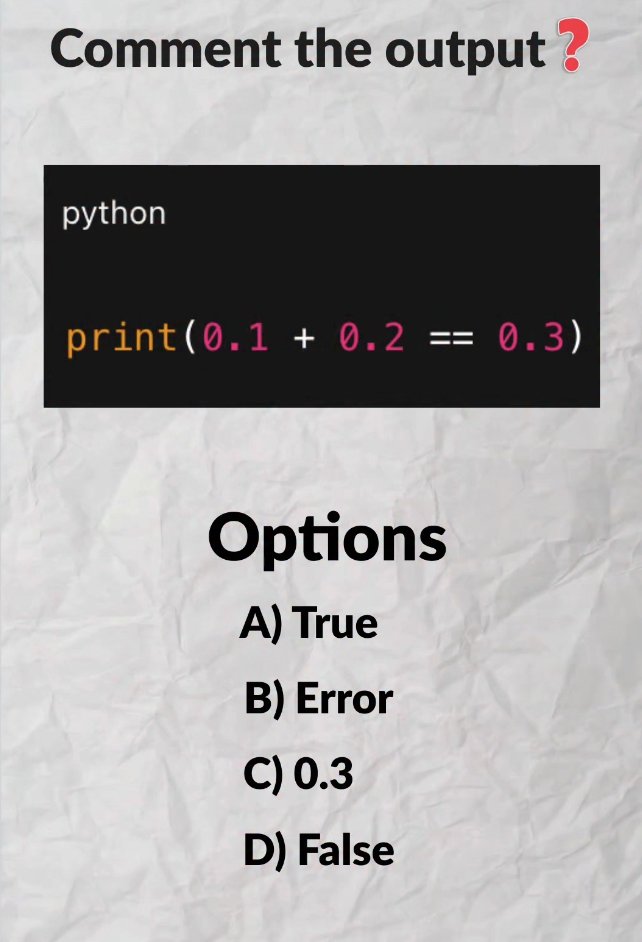
Answer: D) False
The 95% beginners trap: floating point precision.
› 0.1 + 0.2 isn't exactly 0.3 but a little bit more — because
floats in binary use fixed memory cells to store, causing tiny errors
› That's ok precision for most operations
Pro tip: never store money as float — rounding errors in financial
calculations can cause real legal issues. Use the decimal module instead.
Option D : False
Why??👇
In Python (and most programming languages), floating-point numbers like 0.1 and 0.2 cannot be represented exactly in binary.
0.1+0.2 interpret something like 0.30000000000001
✅ Tip: For such cases use math module.
import math
math.isclose(0.1 + 0.2, 0.3) # True
Correct answer: False ✅
0.1 + 0.2 ≠ 0.3 in Python (and most programming languages) because of floating-point precision.
In binary, 0.1 is actually ~0.10000000000000000555… and 0.2 is ~0.2000000000000000111…, so their sum ends up ≈ 0.30000000000000004
That's why 0.1 + 0.2 == 0.3 → False
Quick fixes:
• Use round(0.1 + 0.2, 1) == 0.3
• Better: from math import isclose → isclose(0.1 + 0.2, 0.3)
Classic gotcha that bites everyone at least once
@PythonPr D) False
Because of floating-point precision.
Computers store decimal numbers in binary, and some decimals (like 0.1 and 0.2) cannot be represented exactly in binary form.
So Python is basically checking: 0.30000000000000004 == 0.3
which is false
@PythonPr Output D) False. This is the classic floating-point arithmetic trap! Because of how floats are represented in binary, 0.1 + 0.2 actually evaluates to 0.30000000000000004 under the hood, so it doesn't strictly equal 0.3.
@PythonPr False.
They are infinite recurring fractions, and not binary.
Use this instead 👇👇
from math import isclose
print(isclose(0.1 + 0.2, 0.3))
Output: True
Or you can enclose on abs()