Codia AI

732 posts

Codia AI banner
Codia AI

Codia AI

@codia_d2c

Enterprise-grade AI design automation. From screenshots, PSDs, PDFs to structured editable output and code. Trusted by creators, teams & global brands.

Delaware, USA Bergabung Kasım 2023
407 Mengikuti616 Pengikut
Codia AI me-retweet
Boris Cherny
Boris Cherny@bcherny·
Mistakes happen. As a team, the important thing is to recognize it’s never an individuals’s fault — it’s the process, the culture, or the infra. In this case, there was a manual deploy step that should have been better automated. Our team has made a few improvements to the automation for next time, a couple more on the way.
English
312
787
10.6K
1.2M
Codia AI
Codia AI@codia_d2c·
Codia AI tweet media
ZXX
0
1
0
94
Codia AI
Codia AI@codia_d2c·
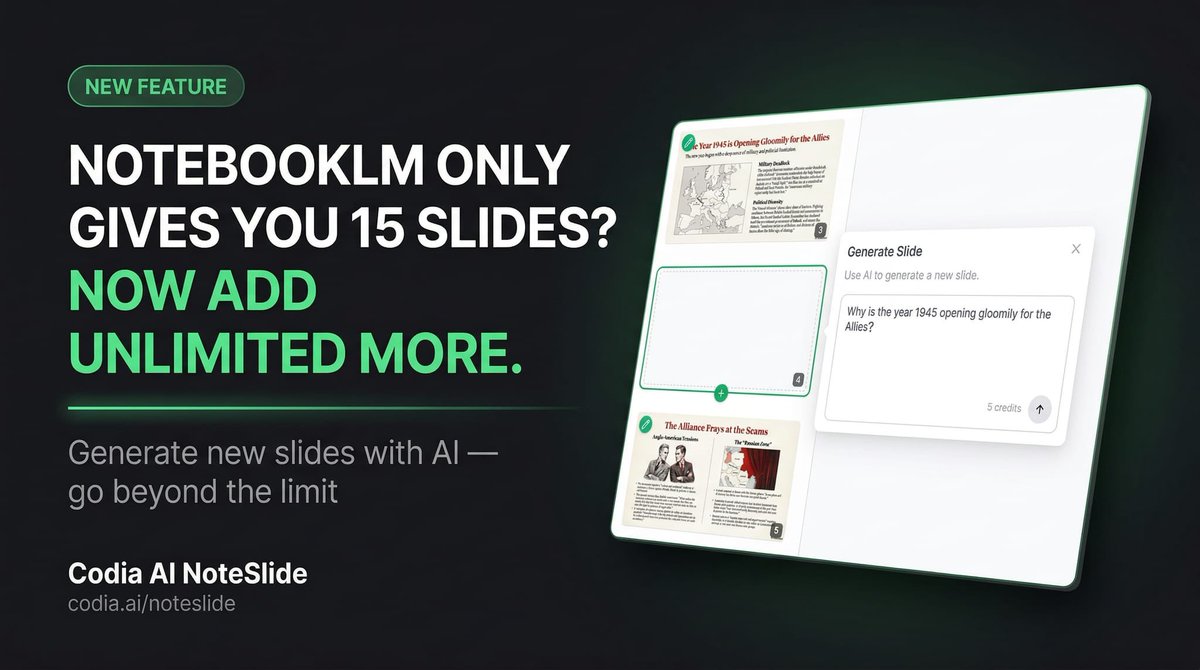
NotebookLM only gives you 15 slides? Now you can generate unlimited new slides with AI using Codia AI NoteSlide. No more limitations. Just describe what you need, and NoteSlide adds it to your deck instantly. Try it now 👇 codia.ai/noteslide
English
1
1
1
123
Rizki Pratama
Rizki Pratama@pratamarizkim·
@rubenhassid Amazing tips, recently use notebooklm, the problem is the output is not editable, and keep the notebooklm watermark everywhere. The solution is converted it to pdf/ppt using Adobe Reader, however is still cumbersome solution.
English
2
0
2
2.4K
Codia AI
Codia AI@codia_d2c·
Thanks for trying Codia AI NoteSlide and for the detailed feedback! One thing we care a lot about with NotebookLM → PowerPoint is turning everything into real editable objects — not just flattened images. That includes text inside illustrations, diagrams, and small UI elements. Really glad to hear it works well in your workflow 🙏 If you run into any edge cases, feel free to share — we’re constantly improving the conversion quality. codia.ai/noteslide
English
0
1
10
1.1K
Daiyuu Nobori (登 大遊)
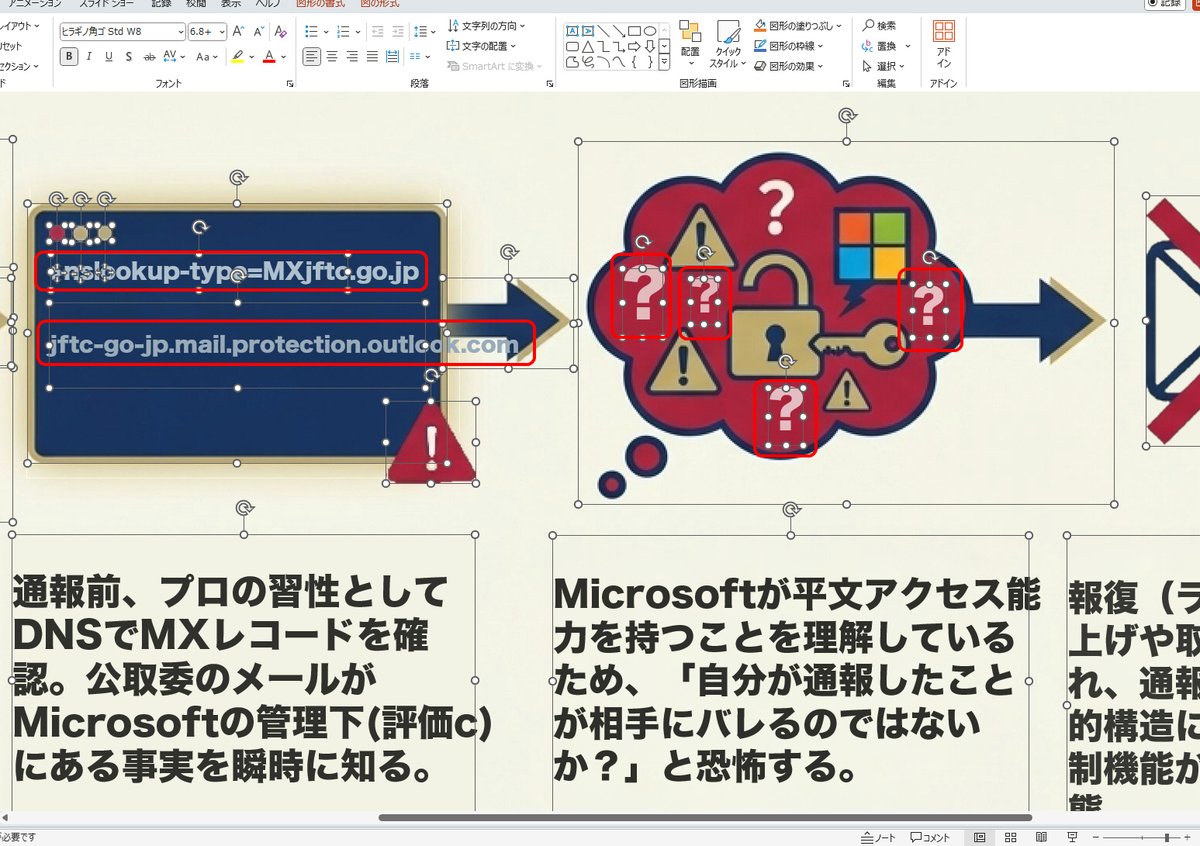
NotebookLM → パワポへの逆変換について、codiaは、驚くほど品質が高いです。画像中のイラスト的文字も文字化してくれます。このスライドの「?」の部分(赤枠の所)も、編集可能文字オブジェクトにしてくれました。このような遊びに限らず、仕事でも利用価値がありそうです。 lts.dnobori.jp/d/260308_001_4…
Daiyuu Nobori (登 大遊) tweet media
日本語
4
65
478
39.6K
Codia AI
Codia AI@codia_d2c·
@yuyy614893671 You might also try NoteSlide. Our approach is to recognize the text inside the image and convert it into real editable text nodes rather than keeping it as pixels, which usually avoids the blurry rendering issue. Hope it helps! codia.ai/noteslide
English
0
1
1
260
金融汪
金融汪@yuyy614893671·
NotebookLM里面的图片(比如信息图)中文渲染水平还是不够高,糊里糊涂的,你们是怎么解决的?
中文
15
0
28
25.8K
Codia AI
Codia AI@codia_d2c·
That "dream feature" you mentioned — extracting editable text from the full-slide images — is actually something NoteSlide (codia.ai/noteslide) can do right now. It uses AI Vision to convert NotebookLM PDF slides into fully editable PowerPoint files, with text recognized and separated as real text objects. From PPT you can freely edit everything manually, then import straight into Google Slides. Might be worth a try while waiting for the native feature!
English
0
1
1
70
고영혁 (Dylan Ko)
고영혁 (Dylan Ko)@Gonnector·
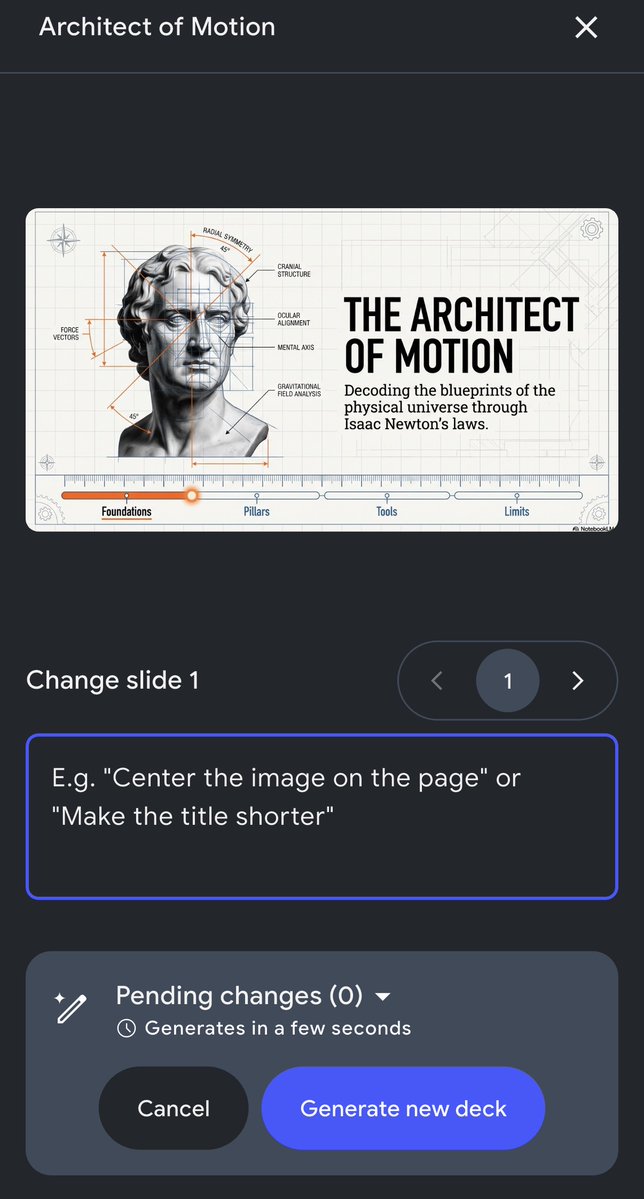
어제 NotebookLM 에 모든 이용자들이 고대하던 슬라이드 수정 기능의 80% 정도가 업데이트되었네요. 백문이 불여일견, 공식 포스트에 첨부된 동영상 참고해 보세요. 이제 슬라이드마다 제목이나 본문의 텍스트 및 당연하게도 이미지 수정 등을 프롬프트로 할 수 있습니다. 마치 슬라이드 노트에 수정사항 입력해 두면 디자이너가 고치는 것처럼, 슬라이드별로 수정 사항 적어 놓은 다음에 적용 버튼 누르면 좀 시간 지나서 지정한 사항들이 반영되는 형태. Google Slide 의 경우 웹브라우저에서 Claude 를 띄우고 슬라이드 노트 읽어서 슬라이드 수정하라고 하면 곧잘 했지만 이미지를 생성하거나 고치진 못했으니까 아직은 대체제가 없습니다. pptx 다운로드도 추가했다고 하는데 제 게정에서는 아직 안보이고 여전히 pdf 다운로드 되는데 롤아웃 중일테니 곧 적용되겠죠. 조만간 Google Slide export 도 pptx 다음에 추가된다고 합니다. 모두가 바라던 통이미지에서 텍스트만 분리하고 이미지 객체를 별도로 처리해서 Google Slide 로 보내서 마음대로 수작업으로 편집하는 것은 아직입니다. 그래도 1분기 안에 텍스트와 이미지 편집 기능 및 편집 가능 포맷으로 export 해주는 기능이 추가 되었네요. Google 도 열심히 일하는 중. #ai #google #notebooklm
NotebookLM@NotebookLM

Because you wouldn’t let it slide… these are rolling out today for our most requested feature: Prompt-Based Revisions: Tweak, tailor, and tune your slides just by prompting the revisions you want PPTX Support: You can now export your Slide Decks (Google Slides coming next!)

한국어
1
1
10
1.4K
Codia AI
Codia AI@codia_d2c·
Totally feel you on this — having to regenerate the whole slide just to fix a line of text is frustrating. You might want to check out NoteSlide (codia.ai/noteslide): it converts your NotebookLM slides into a fully editable PowerPoint in seconds, so you can edit text freely without touching the AI again. From PPT you can also import straight into Google Slides — one less hassle!
English
0
1
3
79
I'm nak
I'm nak@awesomenak·
@NotebookLM This is a great feature but please just allow us edit the text and not regenerate the whole slide again 😞. Also can we just export directly to Google slides it's just a hassle having to download ppt and then upload back to drive. NotebookLM is a fantastic product 🙏🏾🙏🏾.
English
1
0
1
143
NotebookLM
NotebookLM@NotebookLM·
Slide Revisions are officially 100% rolled out on the mobile app! Because the best ideas (and the most urgent edits) tend to happen when you're nowhere near your computer.
NotebookLM tweet media
English
55
100
1.4K
74K
Codia AI
Codia AI@codia_d2c·
@OmarSaNun @NotebookLM For editing text and elements in NotebookLM-generated visuals, you might find NoteSlide (codia.ai/noteslide) useful — it uses AI Vision to convert those slides/infographics into fully editable PowerPoint files, so you can tweak anything you want. Worth a try!
English
0
1
1
66
Omar Salazar
Omar Salazar@OmarSaNun·
@NotebookLM Is it possible to edit the text and other elements of the infographics in the same way as the slides? 🤔
English
1
0
2
351
NotebookLM
NotebookLM@NotebookLM·
Custom styles for Infographics are rolling out TODAY! With 10 (!) preset options and the ability to create your own, choose from editorial, clay, brick, fan favorite kawaii 😻, and more! Turn your complex source material into beautiful, easy-to-read visuals with a single click.
English
131
475
3.4K
255.4K
Codia AI
Codia AI@codia_d2c·
@Cvlt_Fiction @NotebookLM Editing text directly in NotebookLM slides can be tricky! You might want to try NoteSlide (codia.ai/noteslide) — it converts your NotebookLM slides into a fully editable PowerPoint, so you can freely fix any text that looks off. Hope that helps!
English
0
1
1
68
Codia AI
Codia AI@codia_d2c·
@NotebookLM Huge update 👏 If you ever need to turn those revised slides into fully editable PowerPoint files for deeper customization or sharing, NoteSlide can help with that workflow — especially when moving from mobile edits to desktop refinement.
English
0
1
1
203
Codia AI me-retweet
Jared Friedman
Jared Friedman@snowmaker·
Software engineering changed more in the last 3 months than the preceeding 30 years. Everything about running a software company needs to be rethought from first principles.
English
355
712
6.8K
540.4K
Codia AI
Codia AI@codia_d2c·
@OmarSaNun @NotebookLM Totally agree — non-editable slides are a huge pain point. We built codia.ai/noteslide to solve exactly this. It converts NotebookLM image-based slides into fully editable PPTX with real text and shapes. Worth a try!
English
0
1
1
57
Omar Salazar
Omar Salazar@OmarSaNun·
@NotebookLM I think a big problem with infographics and slides created with NotebookLM is that they cannot be edited after they are generated. If they could be generated in *.pptx or similar slide format or editable PDF, they would be an immediate success. So please take note of this issue📝
English
5
0
35
1.5K
NotebookLM
NotebookLM@NotebookLM·
Question for the crowd: Have you ever generated an artifact (AO, VO, Infographic, Slide Deck, etc) and not opened it? What was the reason? Feel free to select an option in the poll or reply with your answer!
English
69
10
155
49.9K
Codia AI
Codia AI@codia_d2c·
@inulovesp Great writeup! Another option — codia.ai/noteslide converts NotebookLM image slides directly into fully editable PowerPoint and Keynote with real text and shapes. Might be even simpler than the workaround!
English
0
1
1
55
みや|AI×ネットマーケター
【ブログ更新】 とうとうNotebookLMのスライド生成が完成後に編集できるようになった♪具体的な手順とグーグルスライド変更時に画像になって変更できない対策の裏技も図解入りでご紹介。 NotebookLMでスライド編集&PPTX出力が可能に!画像化問題を解決する裏技も大公開↓ full-spec.co.jp/walker_net/web…
日本語
1
0
2
304
Codia AI
Codia AI@codia_d2c·
@nkynse The layer-based editing gap is real. codia.ai/noteslide uses AI vision to convert those NotebookLM image slides into fully editable PPTX with real text and shapes — no prompt tweaking needed.
English
0
1
1
43
ヤ
@nkynse·
notebookLMでスライドがパワポ出力になったらしいが結局レイヤーベースでの編集はできないぽい。修正はプロンプト入れて直させるらしいが…そもそもgeminiの画像修正がポンコツなのでどうなんだか
日本語
1
0
1
186
Codia AI
Codia AI@codia_d2c·
@Oti_Aito_FALab You can skip the Canva workaround — codia.ai/noteslide converts those image-based NotebookLM slides directly into fully editable PowerPoint with real text and shapes.
English
0
1
1
35
越智アイト@FA.Lab
越智アイト@FA.Lab@Oti_Aito_FALab·
話題のNotebookLMパワポ作成機能、現場では結局手間がかかり変わらないですね。 出力が画像貼付されるだけで、従来のスライド画像をCanva等で上書き加工するのと全く同じ。 「AI感」より手直し不要の「実用性」が現場のリアル。 本物の道具を見極めます。 良い週末を。 #製造業 #NotebookLM
越智アイト@FA.Lab tweet media
日本語
1
0
1
139
Codia AI
Codia AI@codia_d2c·
@otahi Yeah, it's just one big image per page unfortunately. codia.ai/noteslide converts those NotebookLM slides into actually editable PowerPoint with real text and shapes — no more image-only slides!
English
0
1
1
33
Hiroshi Ota
Hiroshi Ota@otahi·
NotebookLM、パワポで出力できるようになったという噂をきいて、出力してみたら、各ページに大きな画像が置いてあるパワポが出力された。。まぁ、そうか。。
日本語
1
0
0
105
Codia AI
Codia AI@codia_d2c·
@po__ta__ Same issue — the PPTX export is just images. codia.ai/noteslide can convert those into fully editable PowerPoint with real text and shapes. Worth a try!
English
0
1
1
38
k.ueno / 専門用語を使わないAI講師
NotebookLMがPowerPoint形式で出力可能に!とのことで試してみたけれど… 画像としてPowerPointに貼り付けられているだけで、結局編集できない😭
日本語
1
0
1
82
Codia AI
Codia AI@codia_d2c·
@wamama_teacher If you need truly editable slides instead of images, codia.ai/noteslide converts NotebookLM PDF/image slides into fully editable PowerPoint and Keynote with real text and shapes!
English
0
1
1
33
ワーママ先生【全国変態ICT効率化委員会】
notebookLMアップデートの時に 今はパワポ出力(しかも不便な画像出力)だけど Googleスライドにそのうちできるよーになるからね って、書いてたのね
日本語
1
1
15
2.3K