
Smartlook
890 posts


Smartlook
@getSmartlook
Smartlook is a qualitative analytics solution for websites and mobile apps that helps you understand users' actions. Get your free trial at https://t.co/xeKbjyoBs1
Brno, Czech Republic Bergabung Ocak 2016
196 Mengikuti833 Pengikut
2. Create different types of dashboards based on projects and objectives
We recommend one major objective per dashboard. Think of each dashboard as a focused lens through which you can examine specific metrics and data points related to a particular goal or area of analysis.
English
1. Use product analytics software with data visualization capabilities.
Some tools offer limited customization capabilities & others struggle to provide up-to-date insights. Look for software that allows you to easily create, customize, & update visualizations to suit your needs.
English
See exactly how users are flowing through your app and identify any points of friction in the user journey.
Try it out for yourself👉 ow.ly/PYZO50JCrjZ
#productmanagement #productanalytics
English
Several factors determine #ProductExperience:
💻Usability: Is the interface user-friendly?
👨💻Functionality: Does the product include features users want?
🎨Design: Does it have appealing design?
🆘Support: Can users resolve issues fast?
💰Value: Does the product provide value?
English
#ProductAnalytics relies on session recordings. But when it comes to #flutter apps, it can be difficult to capture enough context without collecting sensitive data. Our wireframe rendering mode seamlessly avoids the capture of sensitive data. Learn more👉 ow.ly/BC7u50NzF44
English
Mobile users don’t like waiting ⌛.
They may have patience for a download but they won’t hesitate to abandon a slow app. Load times are essential for retaining mobile app users.
#mobile #mobileux #mobileuxdesign #uxdesign #mobileapp #appanalytics #productmanager
English
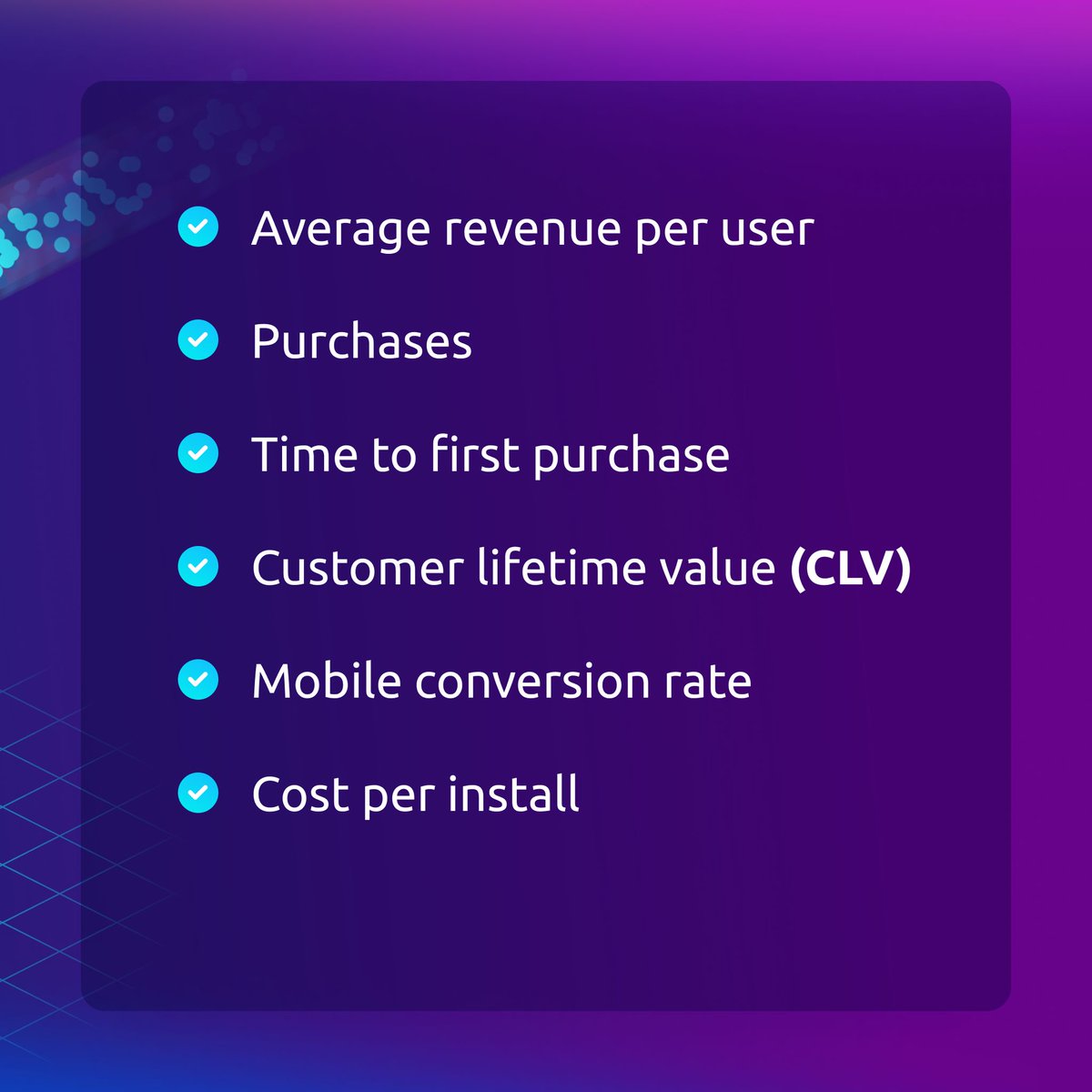
Revenue refers to the profit gained from your app through in-app purchases or purchases through the app. These metrics can be perceived as #mobileapp marketing KPIs, as many show the direct consequences of your marketing activities.
#mobile #mobileappanalytics #productmanager

English
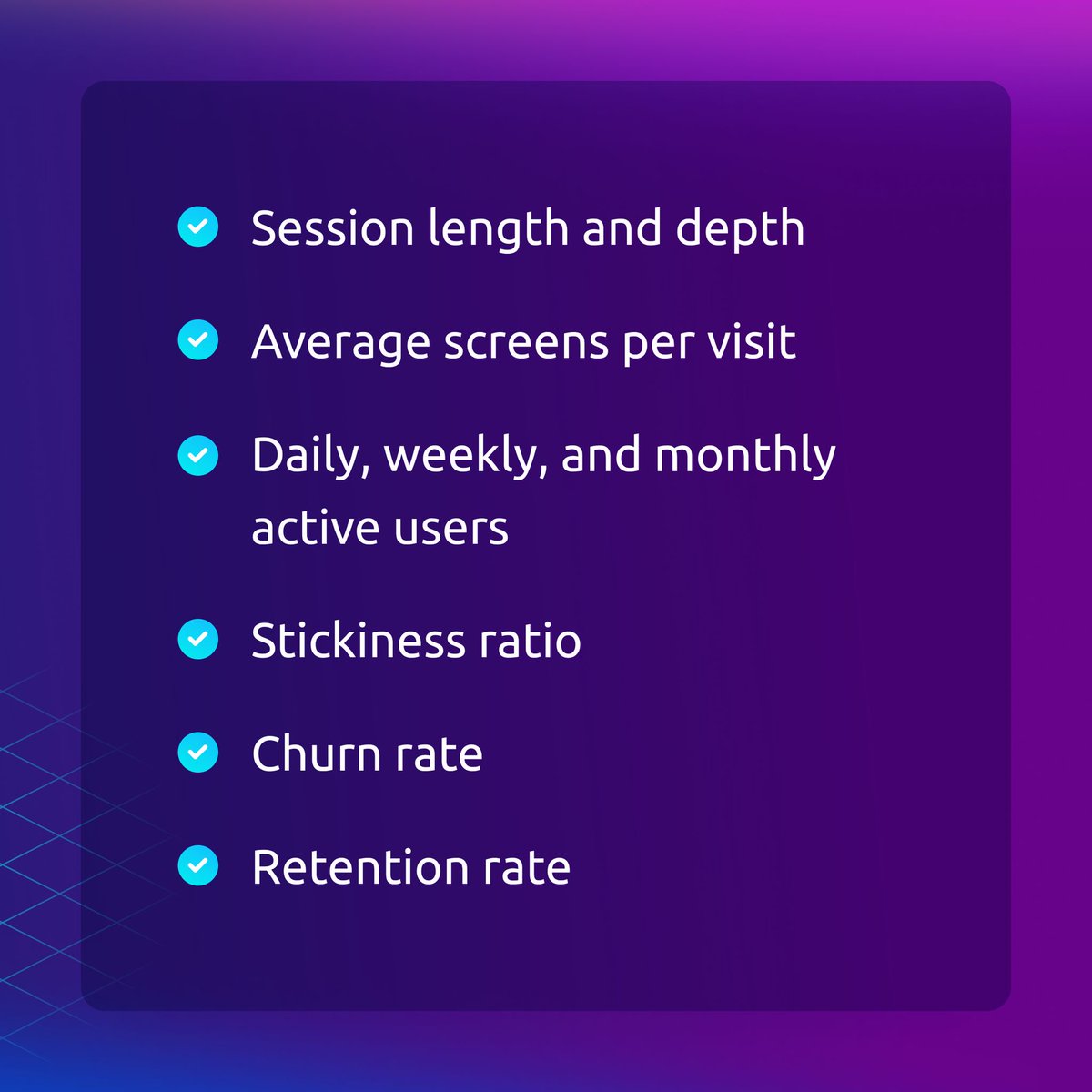
Engagement metrics show how users interact with your app. They enable you to determine whether your users like your app or not. #EngagementRates are directly related to your revenue — be sure to pay close attention to them. 👀
#mobile #mobileapp #appanalytics #productmanager

English
Mobile app performance metrics provide you with data that enables you and your development team to improve your app from a technical standpoint.
#mobile #mobileux #mobileuxdesign #uxdesign #mobileappanalysis #mobileapp #appanalytics #ProductManagement #productanalytics


English
#ProductExperience is the impression users get when interacting with your product. It's not just about what it does, but how it does it and how it makes users feel. Usability, functionality, design, support, and value all contribute to the overall experience. #CustomerJourney
English
Hubspot users, we have a gift for you🎁.
Your Smartlook session recordings will now be visible directly in HubSpot so you can gain more user behavior insights without leaving the platform.
#hubspotintegration #userbehavior #digitalmarketing #analytics
ow.ly/GMEc50OGBZ3
English
How to build a #ProductExperimentation framework:
1️⃣ Analyze product data
2️⃣ Create a hypothesis
3️⃣ Choose a testing model
4️⃣ Define KPIs
5️⃣ Set up tracking
6️⃣ Determine significant results
7️⃣ Run the experiment and evaluate
Get all the deets: ow.ly/kM4P50Nr5nT
#productmgnt
English
🛠️ Product Development
👩💼 Customer Support
📣 Marketing
💰 Sales
🎨 UX/UI
👨💼 Executives
What do these teams have in common? They ALL benefit from product feedback.
ow.ly/h38450NjVhk
#productmanagement #analytics #saas #UX #digitalmarketinganalytics #customersuccess
English
Smartlook me-retweet

What are the biggest #heatmap limitations?
1️⃣ Their information is usually obvious and non-actionable.
2️⃣ They can’t track a user’s journey across your site or app.
Heatmaps should be treated as a starting point for understanding #userbehavior.
ow.ly/3y9y50NTP5F
English