
Tweet Disematkan
kextcache
681 posts


kextcache
@kextcache
Self-hosting everything. Local AI, Hackintosh, homelabs. Running https://t.co/CaOshOVzzP so you don't have to Google twice.
India Bergabung Ocak 2020
72 Mengikuti39 Pengikut
kextcache me-retweet

@victormustar The useful test is whether the setup survives a restore or reboot, not whether it works once. Most homelab docs skip that part.
English

llama.cpp with MTP support makes local models fast enough to use as daily drivers 🚀
Qwen3.6-27B dense generation (on A10G):
From 25 tok/s → 45 tok/s (+78%).
Two flags on llama-server:
--spec-type draft-mtp --spec-draft-n-max 2
Georgi Gerganov@ggerganov
llama.cpp adds MTP for the Qwen3.6 family This is a significant milestone for the local AI ecosystem. The performance jump with these changes is massive and elevates local inference on commodity hardware further. Special thanks to Aman Gupta for leading this development! github.com/ggml-org/llama…
English

@WhatsupFranks @claudeai it came back up and ate my 35% usage just by reading implementation plan.
English

@claudeai Claude Code is currently down right now. Any ETA?
English

Claude Opus 4.8 is out today. Better agentic coding, sharper judgment, and notably more honest about its own progress, same price as 4.7.
Which makes Apple’s stance even more absurd: the M-series iPad has a Unix core and the horsepower to run TUI agents like Claude Code… but iPadOS still ships with no terminal, no shell, no command line.
The hardware is a workstation. The OS won’t let it act like one. Give iPadOS a native terminal, @Apple. The agents are ready, the sandbox isn’t.
English
@SummarySeriesUK @SummarySeriesUK 3060 is solid for 7B-14B at Q4. Main thing I would add: test tokens/sec with your actual GGUF before calling it done, because Ollama defaults can leave performance on the table. Watch nvidia-smi during a long prompt and check actual GPU utilization.
English

🔧 Most people overcomplicate their AI setup
Here's the truth:
◆ An old 3060 runs most models fine
◆ Ollama handles serving for free
◆ Open WebUI gives you ChatGPT-quality UX
→ Full guide: dominuscode.gumroad.com/l/aihomelab


English
@AllThingsTec @AllThingsTec 262k context on 16GB Mac is brutal. Create a Modelfile with PARAMETER num_ctx 8192 and see the speed difference immediately. The model will still handle long conversations, just with less prefix overhead.
English

a lot of “local LLMs are unusable on Macs” takes are just bad context settings
Took me way too long to realize my M3 MacBook Air 16GB wasn’t the problem.
My local qwen3.5:9b in Ollama was insanely slow because it was loading with a 262k context window.
English
@rubenssoto_ai minimax 2.7 + claude code is phenomenal. minimax is also releasing M3.0 with sparse attention and their token plan is absolute madness.
English

My $20 Codex plan is already hitting the weekly limit. At this price I get it but still frustrating. Thinking about MiMo 2.5 Pro, DeepSeek or Kimi as alternatives. Anyone actually using these for real dev work?
English

So, after acquiring 2 x AMD R9700 AI PRO 32GB and running a few local models (mainly unsloth Qwen 3.6 27B Q4_K_XL), I think I'm a bit disappointed by their performance and would not recommend them. Speed doesn't go above 25 t/s to 35~40t/s (MTP) with a full 256K context which is really not usable for local model (I'm looking for something closer to 150 to 200 t/s). Both ROCm and Vulkan, give similar results. It is still cool to have a dedicated machine that can run such models locally, and I will keep an eye on local LLMs improvements.
Alexandre Mutel@xoofx
I should receive an AMD AI PRO R9700 32G VRAM today to test some tiny LLM models locally. It feels the best bargain these days for local inference. 😎 2 of them like this and it reaches the price of a single RTX 5090 and from the specs, it's not that far in terms of perf. We will see!
English
@socialwithaayan @socialwithaayan 0.5GB numbers look clean but sustained inference is where it gets ugly. KV cache on edge quants blows up fast with ctx length. Test under real prompts not cold load, and watch nvidia-smi through the whole session
English

and it runs literally everywhere. here's the breakdown:
> FP16: ~2GB VRAM (GPU / MacBook / server, zero loss)
> INT8: ~1GB (laptop / edge box, near-lossless)
> INT4/Q4: ~0.5GB (phone / tablet / even a car system)
inference via llama.cpp, ollama, vLLM, Sglang, Hugging Face, and ArcLight.
ArcLight is their open-source CPU inference framework. you can run a full LLM inside a Chrome tab.
0.5GB. on a phone. let that sink in.
English
oh my.. this shouldn't be possible
a 1B model that runs inside your browser, beats every model its size, and comes with its own desktop pet.
MiniCPM-5 1B just changed the game for on-device AI.
here's everything you need to know 🧵
English
@djkenogata @djkenogata If you have not done it yet, SSD swap is the single biggest upgrade for 2015 MBP. OCLP can get you to Sequoia, but for something like 2026+ browser workloads, that 5th gen dual-core will struggle no matter what.
English

@oscarmartin @oscarmartin Ese flag es la diferencia mas grande para MoE con VRAM justa. En 8 GB el sweet spot suele estar entre 23-27. En 12 GB va de 30-38. Hay que tunearlo paso a paso y mirar nvidia-smi, no es lo mismo en cada tarjeta.
Español
Ollama me daba 21 tok/s con Qwen3.6 35B (12 GB VRAM).
Mismo modelo, misma GPU → llama.cpp + -ncmoe 15 = 70 tok/s.
No es magia. Es un flag que Ollama no expone.
Comando exacto:
llama-cli -m ~/models/Qwen3.6-35B-A3B-UD-IQ3_XXS.gguf -ngl 99 -ncmoe 15 -p "Hola"
Demo real aquí 👇
Català
@codeastar @codeastar The 1.2 overhead factor is solid but shifts with context length. KV cache quant (--cache-type-k q8_0 --cache-type-v q4_0) changes the math too, especially for longer prompts. Worth checking actual use with nvidia-smi or --verbose.
English

Since I am testing local LLMs, I would like to share how I estimate the required VRAM:
VRAM (GB) ≈ Parameters in billion × precision (bits per parameter)/8 × 1.2
e.g. I want to run a 9B LLM with 4-bit quantization:
9B x (4 / 8) x 1.2 = 5.4GB
Thus a GPU card with 8GB RAM should be able to handle it.
#LLM #localmodels #selfhosted

English
@Crashoverride_X @Chaos2Cured @Crashoverride_X KV cache quant is underused. Also worth testing asymmetric K vs V quant (--cache-type-k q8_0 --cache-type-v q4_0). K cache hits attention softmax harder, V cache is often cleaner. Saves more VRAM for model weights on tight cards.
English

@Chaos2Cured Flash Attention (OLLAMA_FLASH_ATTENTION=1) + KV cache quantization (OLLAMA_KV_CACHE_TYPE=q8_0) is one of the highest-leverage things you can enable on NVIDIA hardware. It meaningfully reduces VRAM usage and improves speed, especially at longer contexts.
English

To all Windows users.
I found a few hard issues that I needed to use a Windows computer to see.
I will be fixing the wizard for Windows.
CORS is a major issue and I am working on it. 🐉 •
English

Who is running local models on GPUs on OpenClaw?
I have started benchmarking different models this week. I am working on improving model selection and switching UX on OpenClaw, i.e. I run
/model vllm/gemma-e4b
to switch the model in a channel, and then a model controller automatically loads that into memory, gets it ready, or gives an insufficient memory error, if capacity is not enough for that. Like when you are using multiple models in parallel
I am going to try llama-swap, LM Studio and Ollama for this next and compare them. There are a ton of variants of models, weight formats and quantizations, which need benchmarking
I have been using unquantized original safetensors until now, which already gave me the ability to run ~5 parallel generations in my hardware
So if I am going to try LM Studio, I would rather use the bf16 ggml-org/gemma-4-E4B-it-GGUF instead of anything smaller --- because there is no point in nerfing an already smol model if your hardware can run 5 parallel sessions on the unquantized version
Will also release vibe reports and benchmarks on all this with @mervenoyann later this week
I would like to hear your thoughts if you have already tried these models on OpenClaw


English
@ARTLANDTIS1 @ARTLANDTIS1 RX 560 working clean on Haswell without framebuffer patches is a solid result. Most Polaris cards need WhateverGreen -radcodec or a device-id spoof on older platforms. Any custom device properties injected or stock config?
English

Update...
Boot Opencore 108
macOS Sequoia 15.7.7 (24G720)
On Asrock H81M DG5 CPU INTEL CORE i3 4170 3.70 GHZ RX 560 4GB RAM 8 GB
On HP Pro Desk G1 SFF i5 3.09Ghz Intel HD Graphics 4600 1GB RAM 16 GB


Polski
@blue_zima1 @YouTube @blue_zima1 also worth testing PBS restore to different node while the first VM is still broken. different storage layout, missing mount, then boot. catches bridge and bond drift that single-path restore misses
English
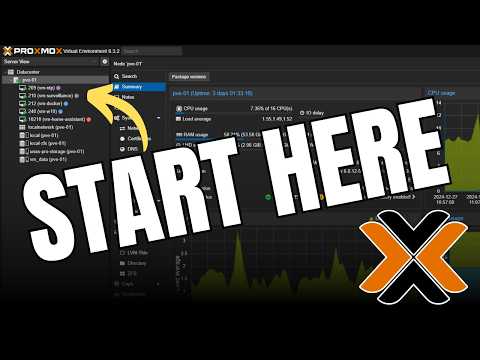
@blue_zima1 @YouTube @blue_zima1 For Proxmox beginners, I’d make the first lab deliberately ugly: one VM, one LXC, one VLAN tag, then restore both from PBS. That catches most storage and bridge mistakes early.
English

Proxmox Beginner’s Guide: Everything You Need to Get Started youtu.be/lFzWDJcRsqo?si… via @YouTube
YouTube
English