

Andrey Kisselev
5.8K posts
Andrey Kisselev
@AddiPPC
🛒 I am good with E-commerce Google Ads. Account management | Consulting | Audit. Work with me: https://t.co/5IEi3xA1QK
ÜT: 55.7443907,37.5830999 가입일 Nisan 2009
42 팔로잉515 팔로워

@AddiPPC there was an outage with media playback, but should be resolved
can you see your project now?
status.descript.com
English
.@descript I can't see a video on my @descript screen after today's update. Anyone experiencing this? #descriptissues
English
Most ecommerce brands running Google Shopping have never set up a promotion.
Not because they don't have sales. Because they didn't know Google could show it.
━━━━━━━━━━━━━━━━
𝐓𝐡𝐞𝐫𝐞 𝐚𝐫𝐞 𝐭𝐰𝐨 𝐭𝐲𝐩𝐞𝐬. 𝐓𝐡𝐞𝐲'𝐫𝐞 𝐧𝐨𝐭 𝐭𝐡𝐞 𝐬𝐚𝐦𝐞.
🏷️ **Sale Price Annotations** — the strikethrough price and "Sale" badge on your Shopping ad. Quick to set up directly in Merchant Center. Customers see the before/after price in the search results.
🎁 **Promotions** — the "Special offer" tag that appears below your ad. More powerful. Supports percent off, amount off, free shipping, free gift, cashback. Takes 12-24 hours to get approved (longer around Black Friday).
Most guides only cover one or the other. You want both.
━━━━━━━━━━━━━━━━
⚠️ 𝐎𝐧𝐞 𝐭𝐡𝐢𝐧𝐠 𝐩𝐞𝐨𝐩𝐥𝐞 𝐦𝐢𝐬𝐬.
Both need to be set up in two places: Merchant Center AND your actual store.
If your website shows full price but Merchant Center shows a discount, Google will flag it. Promotions get rejected. Or worse — approved, then pulled mid-campaign.
Update the price on your site first. Then set up the promotion.
━━━━━━━━━━━━━━━━
𝐀 𝐰𝐨𝐫𝐝 𝐨𝐧 𝐬𝐭𝐫𝐚𝐭𝐞𝐠𝐲.
Promotions drive clicks. Deep discounts hurt margins.
Run too many sales and customers learn to wait for the next one. 10-15% off is usually enough to move the needle without training bad buying behavior.
Submit promotions well before you need them live. Not the morning of. ⏰
━━━━━━━━━━━━━━━━
Are you using promotions in Merchant Center right now?
#GoogleAds #GoogleMerchantCenter #Ecommerce #MarketingStrategy
English

I can't believe @WisprFlow hard-coded a shortcut onto my Mac that I can't disable or change. A shortcut I was using dozens of times per day now simply doesn't work.
Their AI customer support has said that they have listed it as a priority bug, but I'm still surprised that in today's age you would hard-code a shortcut onto an app.
English
Andrey Kisselev 리트윗함

Andrey Kisselev 리트윗함

“Dad I still love you even though Bitcoin is down over -50% and you’re a terrible investor.”
English
Your RSA has 2,730 possible ad combinations right now.
Your campaign gets maybe 30 conversions a month.
That's one conversion per 90 variations. The algorithm is guessing. And it's guessing wrong.
━━━━━━━━━━━━━━━━
𝐓𝐡𝐞 𝐩𝐫𝐨𝐛𝐥𝐞𝐦 𝐢𝐬 𝐬𝐢𝐦𝐩𝐥𝐞.
You filled all 15 headline slots with different ways of saying "best prices" and "great deals."
Google shows 1-3 headlines per impression. With 15 headlines and 4 descriptions, that's 2,730 combinations to test.
30 conversions can't teach the algorithm anything useful. So it optimizes for CTR instead of conversion rate.
Clicks go up. ROAS drops. Campaign fades.
━━━━━━━━━━━━━━━━
𝐓𝐡𝐞 𝐟𝐢𝐱: 𝟓 𝐡𝐞𝐚𝐝𝐥𝐢𝐧𝐞𝐬, 𝟓 𝐝𝐢𝐟𝐟𝐞𝐫𝐞𝐧𝐭 𝐚𝐧𝐠𝐥𝐞𝐬.
Every ecommerce RSA should have one headline from each of these:
→ Keyword Standalone - "Compact Home Sauna"
→ Keyword + Modifier - "Best-Selling Compact Home Sauna"
→ Promotion - "Up to $500 Off This Week"
→ Ecommerce Trust - "Free Shipping Nationwide"
→ Social Proof - "10,000+ Happy Customers"
5 headlines. 60 combinations. Now the same 30 conversions give you 1 per 2 variations.
That's learnable.
━━━━━━━━━━━━━━━━
𝐓𝐡𝐞 𝐩𝐚𝐫𝐭 𝐧𝐨𝐛𝐨𝐝𝐲 𝐝𝐨𝐞𝐬.
Google now shows individual headline performance. CTR, conversion rate, ROAS - for every single headline.
Campaign → Assets → Performance → Headlines.
Sort by clicks. Kill anything with low CTR and low conversion rate. Replace with a formula you haven't tried. Do this once per quarter.
If that's all you do, you're ahead of 90% of advertisers.
━━━━━━━━━━━━━━━━
Credit to @AndrewLolk from SavvyRevenue for this framework.
Which of these five headline formulas are you not using right now?
#googleads #ecommerce #marketing #ecommercemarketing #RSAads #searchcampaigns
English
Most ecommerce accounts I audit have too many shopping campaigns.
Seven campaigns. Four campaigns. Twenty campaigns.
And not enough conversions in any of them for smart bidding to actually learn.
Here's the problem.
Splitting products into more campaigns feels like the right thing to do. More control. More granularity. Better performance.
But each campaign needs at least 30 conversions per month for smart bidding to work properly.
Split too early and every campaign starves for data.
I've taken accounts from 20 campaigns down to 5, and performance improved. Simply because the remaining campaigns finally had enough volume.
The golden rule.
Make one campaign profitable first.
If you can't make a single campaign work, no amount of clever segmentation will save you.
Once that's working, there are only two good reasons to split:
Products have meaningfully different conversion rates
You need ROAS targets at least 20% apart
If neither applies, keep it simple.
Five structures that actually work:
- One-campaign baseline (start here)
- Bestsellers + Main
- Main vs Secondary product lines
- Promotional vs Full Price
- Seasonality
Pick one. Don't stack them. And validate by checking conversion rates, not ROAS.
Simple and profitable beats complex and mediocre. Every time.
How many shopping campaigns are you running right now?
#googleads #ecommerce #marketing #ecommercemarketing
English
I disabled one setting in Performance Max.
Conversions dropped immediately.
Turned it back on. They came right back.
3 months of data. No seasonality. The only variable was one toggle.
Here's the full story
---
I manage Google Ads for a brand selling medical devices for dogs.
Consistent demand, no holiday spikes. Solid blog with decent organic traffic.
In November, I disabled final URL expansion, thinking tighter control = better results.
It was a mistake.
---
November: conversions dropped. Cost per conversion got worse.
Revenue down.
December: re-enabled it. Conversions came back. Revenue up.
Like a light switch.
---
Why it works:
When final URL expansion is on, Google can use your blog posts as PMax landing pages.
Someone searches a question your blog answers? PMax sends them there instead of a generic product page.
Your blog builds trust. This setting turns that trust into
conversions.
---
The setting:
Campaign Settings → Asset Optimization
→ Enable text customization
→ Enable final URL expansion
Both on. That's it.
---
The caveat: this works best if your blog already gets decent organic traffic.
Thin blog with no visitors? Probably won't move the needle.
Strong content library? Go check this setting today. Give it 30 days. Then check Assets → Expanded Final URL Assets and filter by "blog."
#googleads #ecommercemarketing #ecommercePPC #performancemax
English
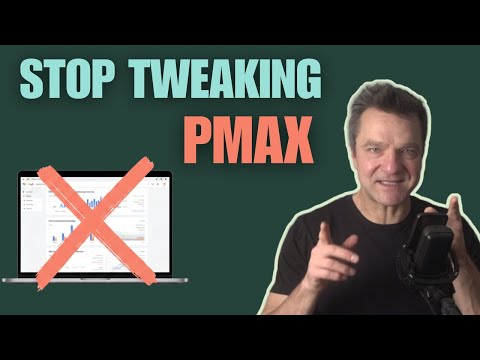
The best thing you can do for your Performance Max campaigns is stop touching them.
I know. That sounds insane.
You're spending thousands on Google Ads every month. Every instinct says you should be in there daily, tweaking and adjusting.
But the advertisers getting the best PMax results make way fewer changes than you think.
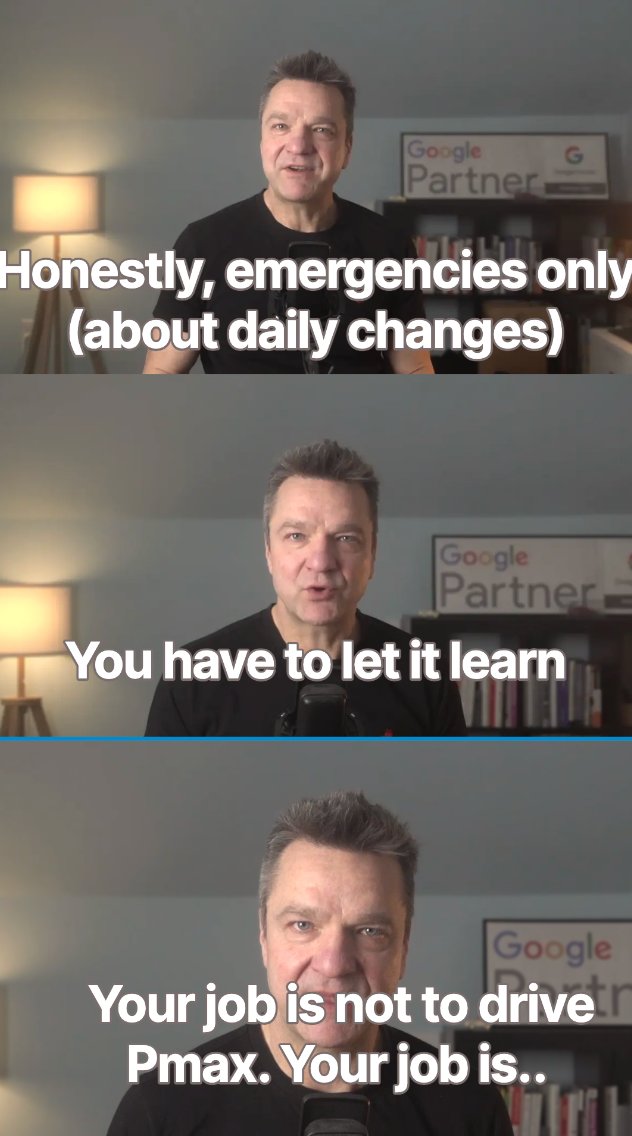
Your job isn't to drive Performance Max. It's to give it a destination and fuel, then stay out of the way.
I just published a complete PMax optimization playbook. The short version:
━━━━━━━━━━━━━━━━
𝐓𝐡𝐞 𝟑𝟎 𝐜𝐨𝐧𝐯𝐞𝐫𝐬𝐢𝐨𝐧 𝐭𝐡𝐫𝐞𝐬𝐡𝐨𝐥𝐝
→ Fewer than 30 shopping conversions/month? Start with Standard Shopping
→ PMax is a data-hungry system. Without enough conversions, it can't learn
𝐓𝐡𝐞 𝟖𝟎/𝟏𝟓/𝟓 𝐜𝐚𝐝𝐞𝐧𝐜𝐞
→ 80% of your optimization effort should happen monthly
→ 15% weekly
→ 5% daily (emergencies only)
𝐁𝐢𝐝𝐬 𝐚𝐧𝐝 𝐛𝐮𝐝𝐠𝐞𝐭𝐬
→ 10-20% adjustments max. Give the system a full month to respond
→ Flatlined? Lower your ROAS target to let the algorithm explore
𝐂𝐚𝐦𝐩𝐚𝐢𝐠𝐧 𝐬𝐭𝐫𝐮𝐜𝐭𝐮𝐫𝐞
→ Start with one campaign for all products
→ Only split at 60+ conversions/month with distinct product tiers
→ Underperforming? Combine campaigns, don't fragment them
𝐏𝐫𝐮𝐧𝐞 𝐰𝐡𝐚𝐭'𝐬 𝐧𝐨𝐭 𝐰𝐨𝐫𝐤𝐢𝐧𝐠
→ Check placement reports. Your ads might be running on kids' cartoon channels
→ Free exclusion list with 9,000+ placements in the video
𝐏𝐫𝐨𝐝𝐮𝐜𝐭 𝐟𝐞𝐞𝐝 + 𝐚𝐝 𝐜𝐨𝐩𝐲
→ Better feed = better ad relevance = higher ROAS
→ Use 4-5 distinct headlines. Don't fill all 15 slots with similar copy
━━━━━━━━━━━━━━━━
Performance Max works when you respect the learning phase and make strategic moves over time.
Not when you panic and change everything daily.
The link: youtu.be/k0ex0Ita46c
#googleads #ecommercemarketing #performancemax #management #optimization
YouTube
English
Feed-only or full-asset PMax?
Stop guessing. Let your data decide.
Here's the thing about Performance Max—it mixes Shopping, Search, Video, and Display in one campaign. One budget. One target.
But these channels do completely different jobs.
Video and Display build awareness. Shopping and Search capture intent.
Mixing them with one target creates a fundamental problem. You can't optimize each channel when they're fighting over the same budget.
That's why feed-only became popular. It isolates Shopping—usually the strongest performer.
But here's what changed in 2025:
Google added a channel performance report. You can now see exactly where your budget goes.
And feed-only is now an official option in the interface. Not a workaround anymore.
So which setup is right for you?
My framework: run both.
Create two asset groups in one campaign. One with full assets. One feed-only.
Week 1: Check if Video/Display are eating more than half the budget. If yes, pause full assets.
Week 4: Review ROAS by channel. Keep whatever setup performs better.
Once you hit 50 conversions/month consistently, you have a stable foundation to scale.
The answer isn't "always feed-only" or "always full assets."
The answer is in your data.
#googleads #feedonlyPmax #performancemax #pmax #feedonly
English
Your Google Ads dashboard shows 4X ROAS.
Meta shows 1.7X ROAS.
You cut Meta's budget and double down on Google.
Revenue drops 30% the next month.
Sound familiar?
𝐓𝐡𝐢𝐬 𝐢𝐬 𝐜𝐡𝐚𝐧𝐧𝐞𝐥 𝐛𝐥𝐢𝐧𝐝𝐧𝐞𝐬𝐬 𝐢𝐧 𝐚𝐜𝐭𝐢𝐨𝐧.
Traditional attribution is broken. iOS updates killed it. Cookie consent finished it off.
In-channel ROAS creates a dangerous illusion. Each platform claims credit for the same sale.
But here's the problem: You make decisions based on noisy data.
I call it the "whipsaw effect" - reactive moves that hurt long-term growth.
𝐁𝐥𝐞𝐧𝐝𝐞𝐝 𝐑𝐎𝐀𝐒 𝐢𝐬 𝐲𝐨𝐮𝐫 𝐭𝐫𝐮𝐞 𝐧𝐨𝐫𝐭𝐡 𝐬𝐭𝐚𝐫.
Simple formula: Total Revenue ÷ Total Ad Spend
→ Can't be manipulated by platforms
→ Reflects real business impact
→ Shows the full customer journey
In that example above? Meta was doing crucial top-funnel work. Google captured the bottom-funnel conversions. Both were essential.
While your competitors chase inflated platform metrics, you'll optimize for what actually matters.
Sustainable revenue growth.
What's your current blended ROAS? Drop it in the comments.
English
Everyone's saying AI killed Google search, but Google's $50 billion quarterly revenue tells a different story.
The real changes happening to Google Ads are much more subtle - and far more important for your e-commerce business.
In this video, I break down:
✅ Why Google's revenue is actually growing despite AI competition
✅ The real threat: impressions up, clicks down
✅ Google's AIX strategy replacing keyword precision with intent matching
✅ What e-commerce brands must do NOW to stay competitive
The Bottom Line: Google Ads is shifting from surgical keyword targeting to AI-driven intent matching. Your product feeds and website structure are now your "keywords."
The future of Google Ads is here. The question is: will your brand be prepared to thrive in it, or will you be left behind? Don't wait to find out.
#GoogleAI #googleads #ecommercemarketing
English
You're ranking #1 for your brand name.
Your agency is still spending on brand ads.
You're wondering if that money is being wasted.
Here's how to find out.
The Problem
An ecommerce owner asked Reddit: "I rank in the top 5 for my brand name - usually only beaten by Amazon. Yet my agency keeps spending on brand campaigns. Am I wasting money?"
Their logic makes sense. People would scroll and click the organic result anyway.
But that's not the real question.
The Real Question
How much extra traffic do brand ads bring - and at what cost?
You don't guess. You test.
Test Method 1: Geographic Split
Split your brand campaigns into two geographies.
Stop bidding on brand in one geography.
Compare back-end sales after a month.
Not Google Ads data. Back-end sales.
If there's no difference in sales trends, you can safely stop brand ads.
If geography without brand ads shows lower sales, brand campaigns provide incremental sales.
Test Method 2: On/Off Testing
Turn off brand campaigns for a week.
Turn them on for another week.
Repeat twice more.
Compare total website sales during on vs off periods.
Simple. Clean data.
If Brand Ads Work, Optimize Costs
Found that brand campaigns drive incremental traffic?
Don't just accept the current cost.
Run a cost-reduction experiment:
→ Use manual bidding with exact match keywords
→ Or target impression share with CPC limits
→ Halve your maximum bid
→ Or reduce impression share target from 95% to 90%
→ Add a max CPC cap ($0.50 - $1.00)
Expected result: 50-80% cost drop with no meaningful revenue loss.
The Bottom Line
With no real competition, you're often paying Google for sales that would happen anyway.
But not always.
Test first. Optimize second.
The data usually points to major cost savings - or eliminating brand campaigns entirely.
Your saved budget can go to higher-value non-brand campaigns.
Test. Don't guess.
#googleads #ecommercemarketing
English
Think your Feed-Only Performance Max campaigns only show Shopping ads?
Think again.
Even in Feed-Only setups, Google can still serve Search and Display ads if "Text Customization" is enabled.
This means your "product-only" campaigns might be running text ads you never created, using auto-generated copy that doesn't match your brand.
🔍 **What to check right now:**
→ Go to your Feed-Only Performance Max campaigns
→ Check campaign settings > Asset Optimization
→ Look for "Text Customization" - is it enabled?
→ Review your asset groups for unexpected Search/Display assets
⚠️ **The hidden problem:**
You set up Feed-Only thinking you'd have complete control over ad formats. But Google's been quietly generating headlines and descriptions for Search and Display placements you didn't know existed.
💡 **Quick fix:**
Turn off "Text Customization" in your campaign settings. Your existing auto-generated assets will stop serving, giving you back control over your ad messaging.
This is one of those "gotcha" features that catches even experienced advertisers off guard.
Have you checked your Feed-Only campaigns lately? What did you find in your asset groups?
#GoogleAds #ecommercemarketing #performancemax
English
Most e-commerce advertisers have no idea this is happening.
Google automatically generates headlines and descriptions in Performance Max campaigns - even in Feed-Only setups where you think you have complete control.
This means your brand messaging might be completely different from what you intended.
🔍 What to check right now:
→ Go to Asset Groups > View Details
→ Look for "GOOGLE AI" in the Added by column
→ Check performance data for these AI-generated assets
→ Review if they align with your brand voice
⚙️ How to regain control:
1. Disable "Text Customization" in Asset Optimization settings
Your existing auto-generated assets will stop serving.
💡 Pro tip: Use the account-level Assets View to audit all campaigns at once for duplicate messaging and performance gaps.
This 3-minute video shows exactly where to find these hidden assets and how they're performing.
Have you checked your Performance Max campaigns for automatically created assets? What did you find?
#GoogleAds #ecommerce #performancemax
English

Gemini 3 just dropped yesterday… and if you run ecom, you better lock the f*ck in.
I’ve spent the last 5 months testing every major AI model for ecom
Claude Sonnet 4.5
GPT-5
DeepSeek R1
Higgsfield
All killers. All useful.
But Gemini 3?
It’s a complete shift in how ecom brands will operate.
Here’s what I saw in the first 48 hours:
→ It identifies winning ad angles in seconds (shit that used to take agencies weeks)
→ It breaks down competitor funnels with scary accuracy
→ It rewrites hooks in your brand voice without losing tension
→ It builds offer variations that actually convert, not generic template trash
→ It generates new creative concepts faster than you can test them
This isn’t “AI that helps.”
This is “AI that replaces 3 people on your team without blinking.”
I ran it through 150+ creative tests, 12 funnels, and 40+ product angles.
The results were insane:
5 new creative concepts that hit above 1.7 ROAS on cold
CPC dropped 22% on two of my testing campaigns
It found competitor patterns inside Gethookd that I didn’t even see
It generated STATIC ads that looked handcrafted — not AI-goo
It gave me 20 hooks from one single winning angle (no more blank page syndrome)
And here’s the part nobody is ready for:
Your competitors who adopt Gemini 3 early will scale faster than you can react.
Not because they're smarter…
But because their creative volume just multiplied overnight.
Ecom is a speed game.
If you’re still:
launching 3 creatives a week
guessing angles
manually analyzing competitors
spending days writing scripts
relying on outdated product research methods
…you’re gonna get buried by brands using Gemini to pump out:
50 creatives a week
6–8 new angles every Monday
daily funnel audits
real-time offer iteration
instant competitor teardown
This is the “GEM” moment for ecom — the same way Meta’s GEM update punished slow advertisers, Gemini 3 is about to punish slow operators.
If you want to stay relevant in 2025 ecom:
Start using AI as your creative engine
Build systems around it
Scale faster than your competitors can blink
And if you want the exact Gemini prompts I’m using to generate high-performing angles, hooks, scripts, and PDP upgrades:
Connect with me
Comment “GEMINI" and I'll send it over.
English
🎯 Will a Black Friday Search campaign hurt your PMAX performance?
A Reddit advertiser with a 5-year rock-solid PMAX campaign asked this exact question. They want to capture Black Friday searches but are terrified of disrupting what's already working.
Here's the reality:
✅ Small, targeted search campaigns typically complement (not cannibalize) established PMAX setups
✅ PMAX continues handling most traffic while Search captures specific high-intent queries PMAX might miss
✅ The key is checking if your PMAX already covers these Black Friday searches
My recommendation:
Before launching anything, audit your PMAX search terms report. Look for gaps in Black Friday coverage.
Two solid approaches:
1️⃣ Run a small search campaign alongside PMAX (keep budget modest, monitor closely)
2️⃣ Add Black Friday assets to your existing PMAX campaign (often simpler and safer)
Bottom line:
Don't let fear of disruption keep you from capturing high-intent holiday traffic. Test small, monitor closely, and have a rollback plan.
#GoogleAds #PMAX #BlackFriday #PPCStrategy #DigitalMarketi
English