Corey Ganim
25K posts

@coreyganim
Simplifying AI for non-technical entrepreneurs. Built an eCom biz to $16 M+ revenue. Built (then sold) a coaching biz to $340 k ARR.


How to build a vertical AI agent cash-flowing startup: find painful workflow in a boring industry → talk to 10 people who do that workflow every day → map every step, every tool, every spreadsheet, every phone call → do the workflow manually first → be the agent before you build the agent → find the edge cases that break everything → document them in obsidian as structured markdown → set up your agent stack → hermes for the harness → obsidian vault as the knowledge base → composio for authentication across apps → build your first 1-3 skills that solve the core pain → use claude code or codex to build the product → use agents to set up other agents → use perplexity MCP and context7 for up-to-date docs → let the agent handle the scaffolding while you focus on the workflow logic → ship the agent to your first 5 customers for free → watch what they actually use it for → they will surprise you → the thing you built for isn't always the thing they need most → build content around the niche → not "building in public" content → useful content → the tips, the shortcuts, the pain points that only someone who does this workflow would know → become the person for that niche → charge per outcome not per seat → per lease renewed, per claim processed, per candidate sourced → the ROI conversation takes 10 seconds when it's tied to a result → set up watchdogs and alerts → your agent emails you when a cron job breaks or a skill fails → the customer should never have to tell you something is broken → connect to open router → see exact costs per model per task → use GPT 5.5 for tool calls → use open source for lightweight tasks → route the right model to the right job → watch your margins double → let hermes write to its own memory after every task → the agent compounds → the longer it runs the better it gets → that accumulated memory becomes your moat → a competitor can clone your product but they can't clone 6 months of context → expand the workflow → you started with one step → add the next → then the next → now you own the entire workflow end to end → you went from a tool to the operating system for that vertical → stack the agents → one agent is a side project → five agents across five customers is a business → each one runs in its own environment → you check in once a day → raise only if you need capital not credibility → most agent businesses should never raise → the margins are too good to give away equity → stay lean → stay profitable → repeat i'm rooting for you

Maybe stupid question here, but as I'm learning how to provide ai agents for clients, here we go: should I create and deploy agents on customers' infrastructure (their own vps) or should I only deliver what they need (be it a spreadsheet, an email, etc) and deploy their agents on my own vps?

How to build a vertical AI agent cash-flowing startup: find painful workflow in a boring industry → talk to 10 people who do that workflow every day → map every step, every tool, every spreadsheet, every phone call → do the workflow manually first → be the agent before you build the agent → find the edge cases that break everything → document them in obsidian as structured markdown → set up your agent stack → hermes for the harness → obsidian vault as the knowledge base → composio for authentication across apps → build your first 1-3 skills that solve the core pain → use claude code or codex to build the product → use agents to set up other agents → use perplexity MCP and context7 for up-to-date docs → let the agent handle the scaffolding while you focus on the workflow logic → ship the agent to your first 5 customers for free → watch what they actually use it for → they will surprise you → the thing you built for isn't always the thing they need most → build content around the niche → not "building in public" content → useful content → the tips, the shortcuts, the pain points that only someone who does this workflow would know → become the person for that niche → charge per outcome not per seat → per lease renewed, per claim processed, per candidate sourced → the ROI conversation takes 10 seconds when it's tied to a result → set up watchdogs and alerts → your agent emails you when a cron job breaks or a skill fails → the customer should never have to tell you something is broken → connect to open router → see exact costs per model per task → use GPT 5.5 for tool calls → use open source for lightweight tasks → route the right model to the right job → watch your margins double → let hermes write to its own memory after every task → the agent compounds → the longer it runs the better it gets → that accumulated memory becomes your moat → a competitor can clone your product but they can't clone 6 months of context → expand the workflow → you started with one step → add the next → then the next → now you own the entire workflow end to end → you went from a tool to the operating system for that vertical → stack the agents → one agent is a side project → five agents across five customers is a business → each one runs in its own environment → you check in once a day → raise only if you need capital not credibility → most agent businesses should never raise → the margins are too good to give away equity → stay lean → stay profitable → repeat i'm rooting for you


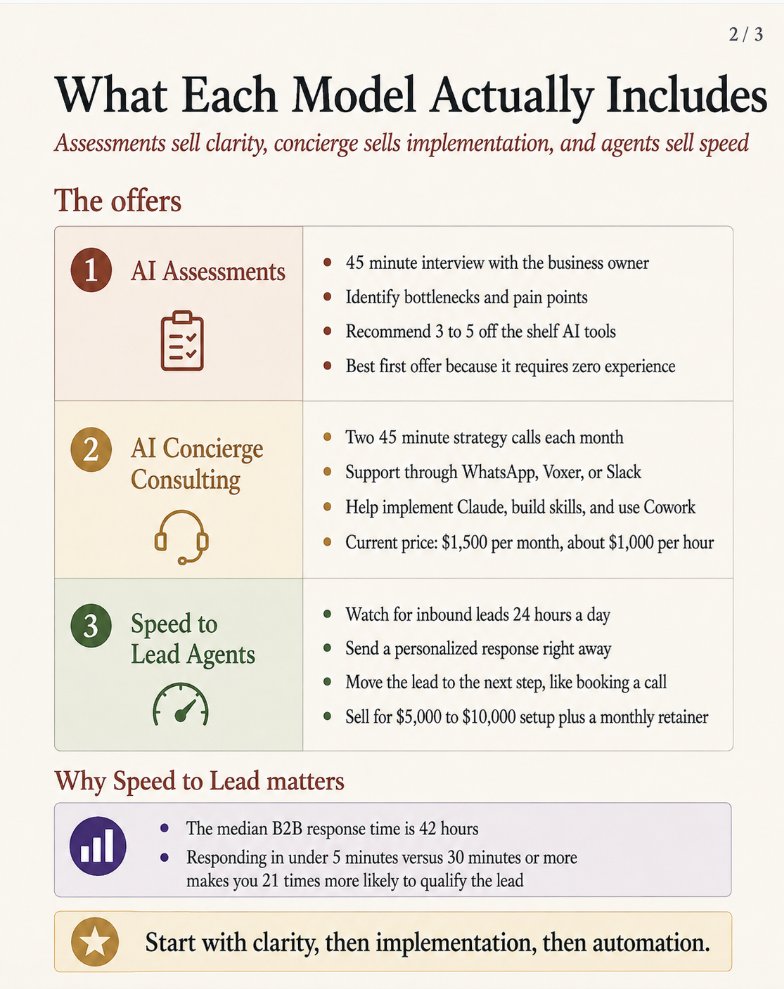
Full breakdown of the AI Concierge offer that I'm using to make $1,000 per hour: (anyone can do this)


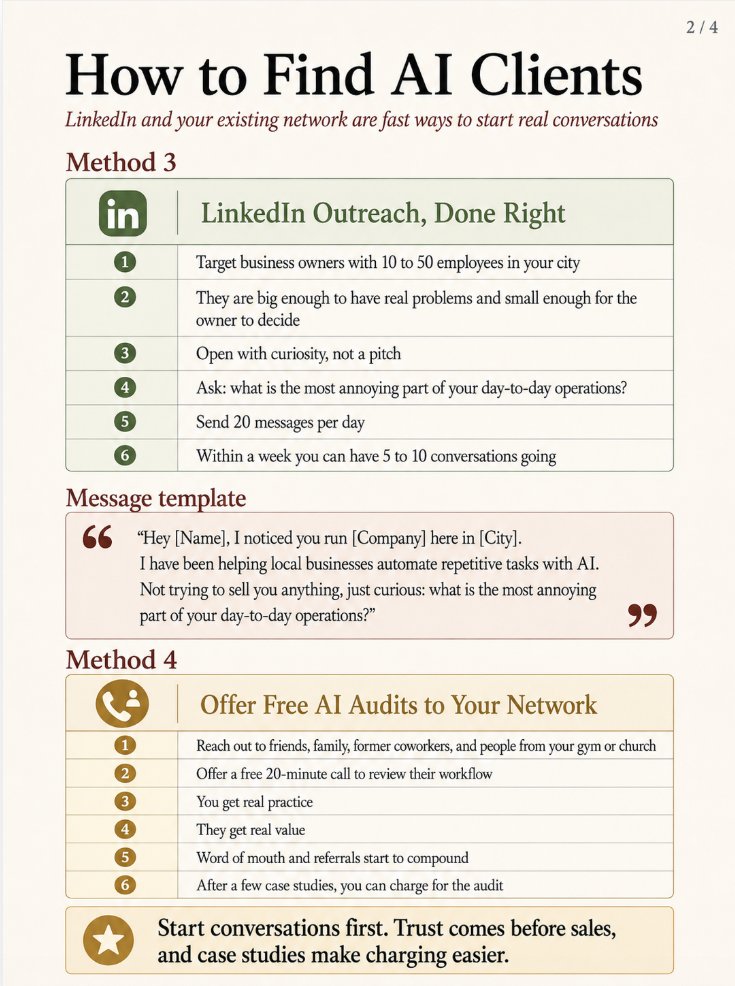
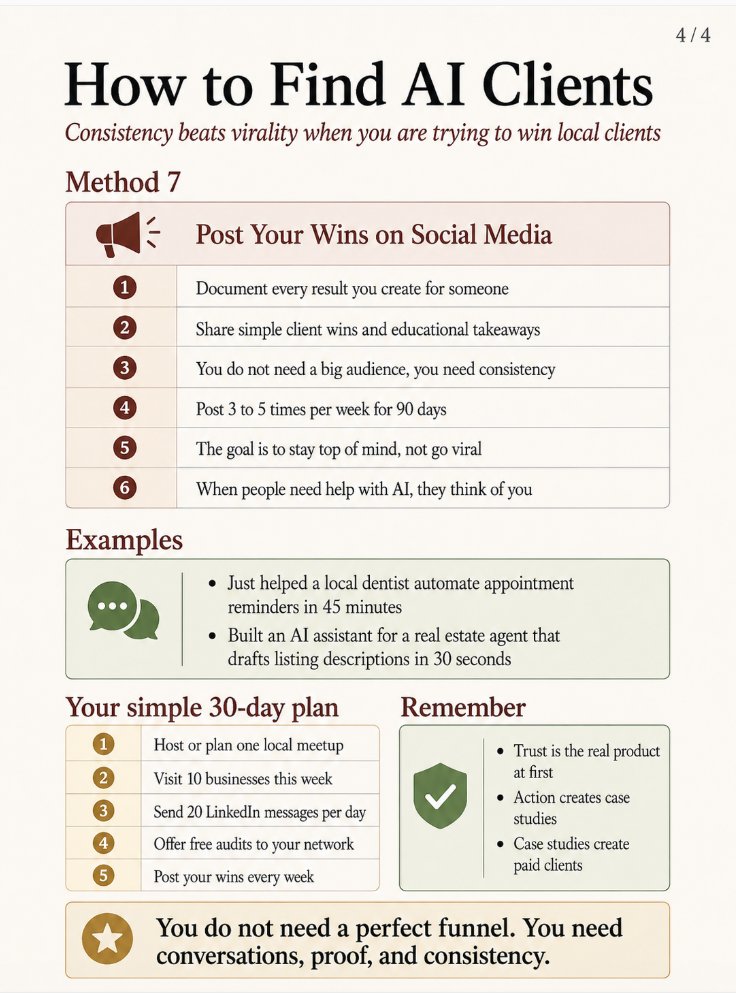
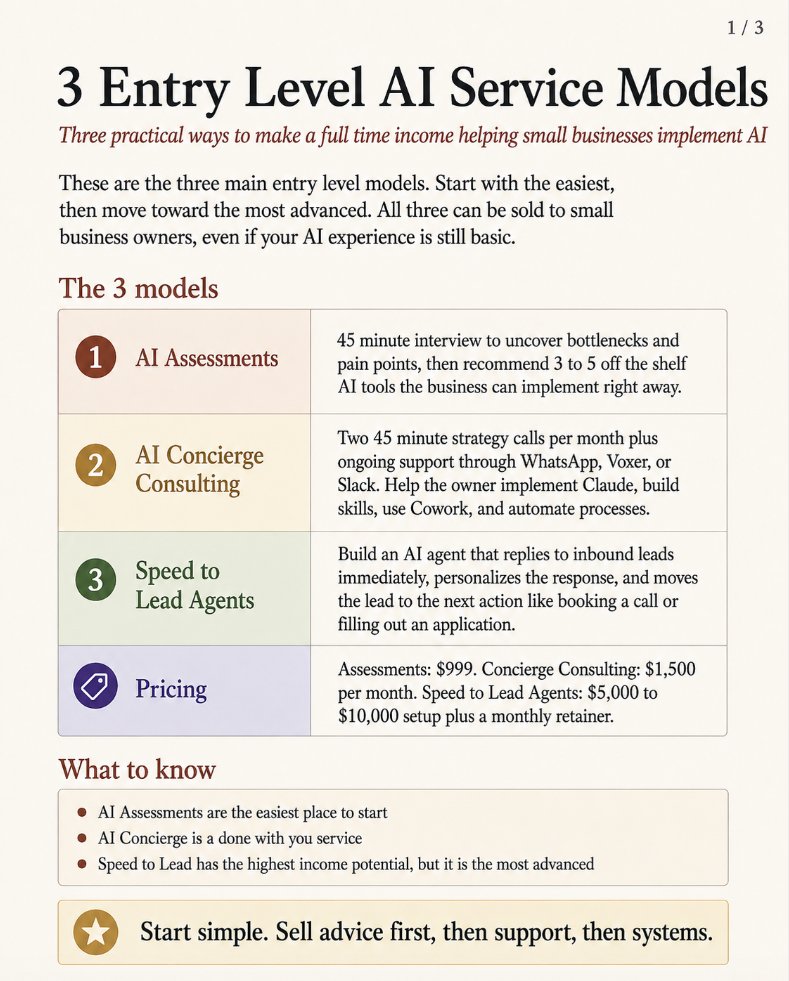
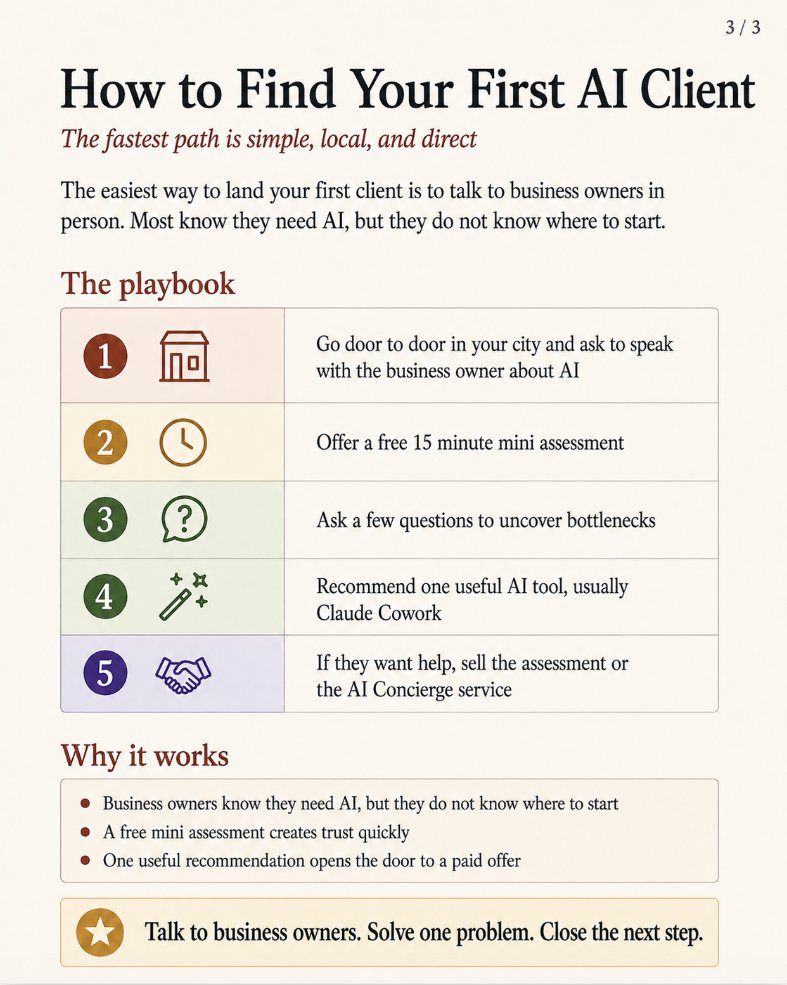
3 AI business ideas that can replace your full time income: (All 3 models explained + easiest way to get clients 👇)


How I'm making $1,000/hour as an AI Concierge: (full model explained 👇)