Sorry, something went wrong with Diigo extension earlier. Issue has been resolved a few hours ago. Please try again. Our sincere apologies for the troubles and concerns caused.
@HerveTourpe@diigo Yeah it’s a bummer! @diigo keeps disconnecting itself from my Google Blogger account. I reset it earlier this evening and it has disconnected itself again! I’ll give Royal shit to them tomorrow!
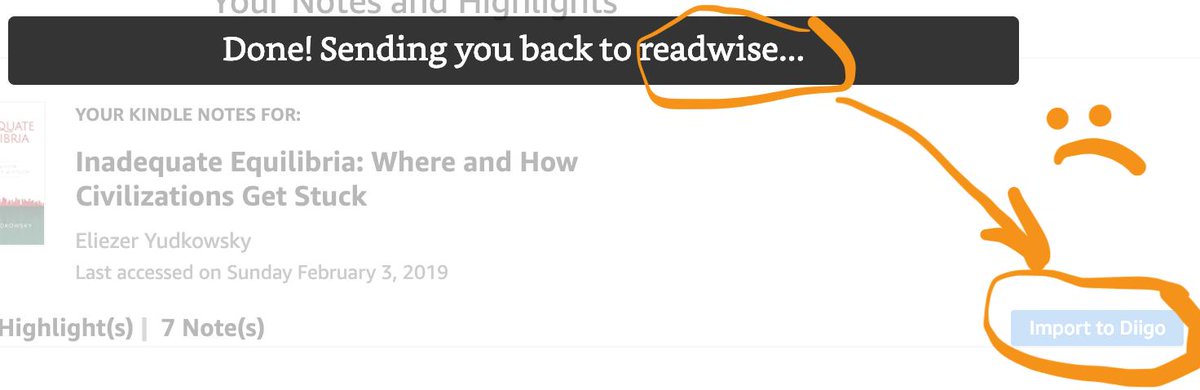
Today in niche problems: @readwiseio and @diigo Chrome extensions are competing for my Kindle highlights, and Readwise seems to win! Dearest Readwise and Diigo devs, when you have a minute, would you help?
Or save a page then open it in library to organize with outliner in split view. The problem seemed to be caused by a bug of Chrome and we have reported the issue to Chrome. Currently waiting for the update.
There's an issue with dragging text from a web page into an outliner in the sidebar in Chrome Version 71.0.3578.98. We're looking into this issue. Please try using Diigo extension on Firefox for now.
@diigo hey guys. I just searched for a bookmark by its tag in the app and didn’t get a hit. I finally found it by scrolling back a few months of history and it had the tag I searched. Is that expected? I now updated the bookmark with keywords in the title as a workaround
@diigo have you just recently started parsing #-signs in the description of links to make them proper tags or have I just taken my time to notice?
Is there some way to turn this off? Otherwise that completely kills my workflow by flooding my taxonomy with other people's logic.
@theodorosc Please try again. If problem persists for you, send us a message via the feedback button in your library so that we can look into it. Thanks.
@diigo Hi I am a frequent user, I have a problem with the tags for the bookmarks I have done. The tags are not reading so if I do a tag it will say "no tags for ".