

CryptoPaul
946 posts

CryptoPaul
@CryptoDudarino
Mad for the revolution that is cryptocurrency. $BTC $SOL $RBNT $RNDR $SAITO $BNKRW $CLAWD(base)
Blaine, MO Katılım Ağustos 2021
358 Takip Edilen167 Takipçiler

The AI game just changed forever.
A 35-year-old Chinese marketer made $300,000 in 30 days using only Claude.
Wallet: @marketing101" target="_blank" rel="nofollow noopener">polymarket.com/@marketing101
No coding.
No team.
Just an AI agent swarm trading BTC markets on Polymarket.
Claude = the brain.
Agents = the execution.
The bot doesn’t predict the market.
It exploits mathematical inefficiencies.
The smart people can easily replicate it. Comment “101” and follow me, I will share his full process to some of you.
Knowledge is free, you have just to put small efforts.
English

i should never share this but f*ck it
Seedance 2.0 + claude code + tiktok is THE best combo for AI videos
i cracked the formula for generating videos that look hyper realistic & make your audience think "holy shit this person gets me"
i'm finally sharing my FULL system with you...
here's what you're getting:
- my prompting method for realistic voices (works every time)
- my realistic human movements & breathing claude skill (this is key for realistic videos)
- my exact method on how to make infinite length videos that maintain consistency
- how to get AI tools for dirt cheap (90% off)
RT + reply 'UGC' and i'll send you the step-by-step system (must follow so i can dm)
English

this golf glove ad is 100% ai
16 minutes to make. $0.70 in compute.
no creator. no studio. no real glove.
every ai ugc operator is making the same skincare ads
golf gear. fishing tackle. hunting accessories. outdoor brands. 90% of the dtc catalog is wide open
one ai creator can shoot for any brand in any niche. never gets sick. never asks for residuals
the example above is a golf brand. the stack runs anything
drop "glove" and ill dm you the full stack (must follow so i can dm)
if you're a brand and want this for your products launch a campaign on Affiliate Network below
link.affiliatenetwork.com/sam
English
CryptoPaul retweetledi

$28k+/day ads are using formats like this
phone-in-hand demos
scrolling, tapping, reacting in real time
feels like normal content
not an ad
real faces
real reactions
zero overthinking
but here’s the catch
a lot of these “people” are ai
indistinguishable from real ugc
claude writes the flow + talking points
seedance turns it into realistic clips instantly
no creators to manage
no reshoots
no delays
just prompt → phone demo → ready to run
same format across products
different personas, apps, outcomes
one idea → dozens of variations fast
that’s why these scale so easily
rt + comment “phone” and i’ll send the setup
(follow for dm)
English

Clawdbot + Kling = 550 videos/day.
No creators.
No inventory.
No delays.
Just nonstop TikTok Shop content driving sales 24/7.
Here’s the crazy part:
One prompt → 500+ cinematic, ready-to-post ads.
The stack:
→ AI builds a full UGC persona (face, voice, personality)
→ Arcads delivers natural voiceovers instantly
→ CapCut auto-edits hooks, captions & pacing
→ Phone farms push content straight to TikTok Shop
→ Cruva identifies winning hooks before production
The outcome?
100+ hooks tested in days — not weeks.
While others spend $5K testing 10 videos…
this system finds winners and scales fast.
AI isn’t just a tool anymore.
It’s your entire creative team.
TikTok doesn’t reward perfection.
It rewards volume + conversions.
And the brands posting the most?
They win.
Agencies are slow.
Creators are inconsistent.
Automation is the edge in 2026.
Want the full system?
Comment “SYSTEM” and I’ll send everything — prompts, tools & workflow.
English

I have made over $30k/month by generating AI content of girls
All I do is generate content on higgsfield, post this content on instagram then make more content to sell on fanvue…
And the best part is, it’s a copy & paste strategy that will work consistently once you learn how to do it.
Comment below if you want me to send you my FREE Guide on this!




English

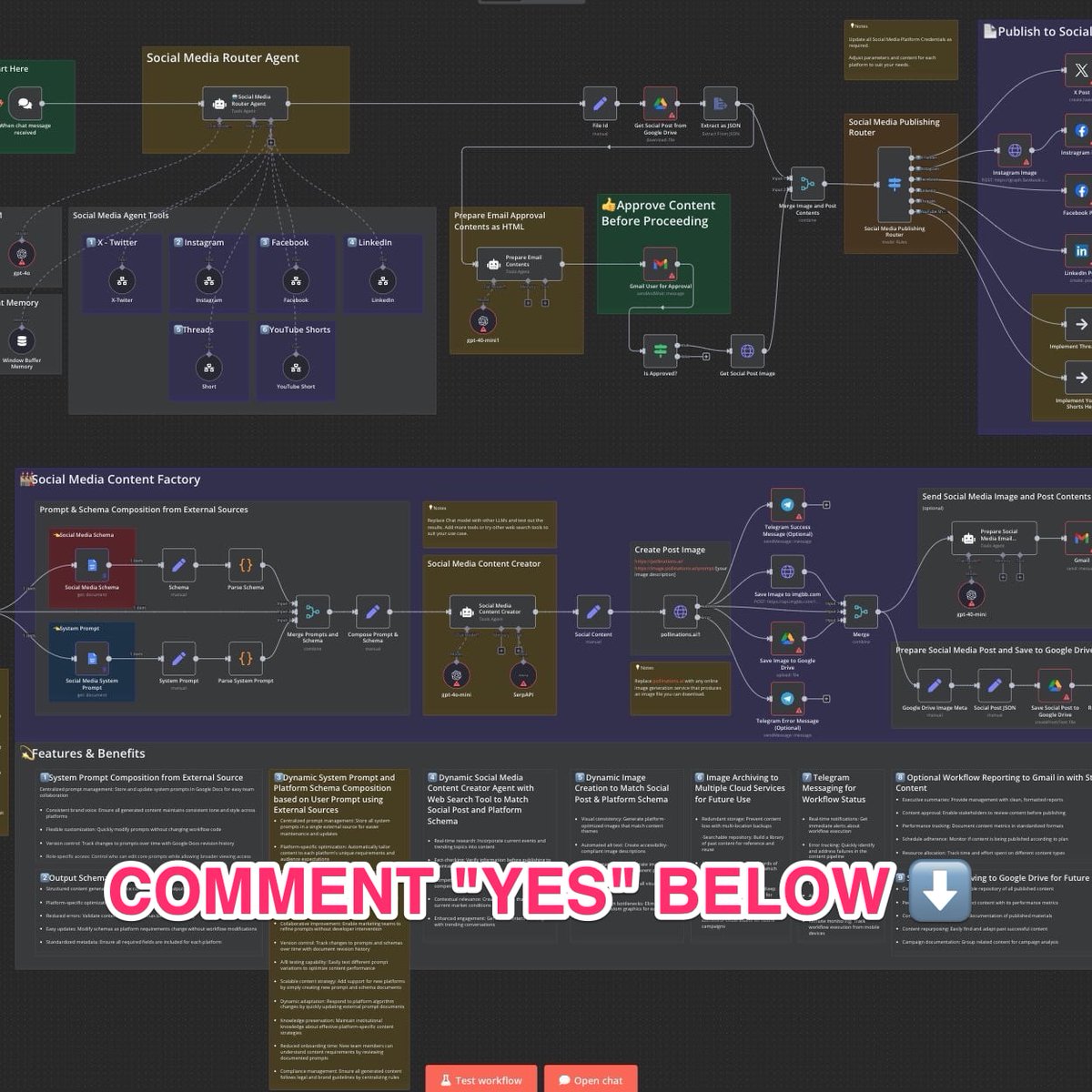
⚡ I BUILT AN AI AGENT THAT RUNS MY SALES FOR ME
This thing works 24/7… even when I’m offline.
Last night alone:
→ Followed up with 86 leads
→ Closed 4 deals automatically
No human needed.
Here’s what you’ll learn:
• How to build an AI voice agent for appointment confirmations
• How to connect your calendar to a dialer system
• How to enable real-time responses with GPT-5
• How to access the full template (free)
• How to set everything up without coding
Like + reply “YES” & I’ll send you the FULL workflow + setup FREE!
English

AI animated videos are converting harder than anything i've tested this year - and they look insane
spent months figuring out the exact system, finally got it dialed in and sharing it ALL with you
here's everything you get:
- the animation prompting framework that gets cinematic results first try
- how i keep characters & scenes consistent across unlimited clips
- the method i use to scale to 30+ creatives a day without losing quality
- script writer to write best scripts on autopilot
rt + reply 'ANIMATE' and i'll send you step-by-step playbook (must follow so i can dm)
MAX@maxxmalist
this is f*cking insane ai animated videos are converting harder than anything i’ve tested this year, and they look unreal i’ve cracked a formula for generating animations that look like they cost $50k to produce and instantly stop people from scrolling on top of that, you’re saving $2,000+ on 3d animators and skipping weeks of waiting this is literally one of the most in-demand skills right now, do not miss on this AI gold rush
English
this ad is 100% ai
8 minutes to make $0.60 in compute
no creator. no studio. no actor.
the realism layer keeps getting cleaner
if you saw this scrolling tiktok tonight you wouldnt clock it as ai
we're past the "is this real" phase
we're in the "does this convert" phase
brands running ugc and dtc campaigns on Affiliate Network are paying $2-3 per 1000 views for this exact format right now
real ugc creators charging $400 per clip are about to find out
drop "ugc" and ill dm you the realism stack im running this week (must follow so i can dm)
English

This AI Trading Bot Is Printing Money on Autopilot.
I've made the exact step-by-step guide to set up this AI trading bot from scratch.
Get My Full Setup Tutorial For Free.
No coding. No manual trading.
Just set it up and let it run.
Free for 24 hours. To get it:
1. Comment "Money"
2. Like and Retweet
3. Follow me @codewithimanshu (so i can DM you)
The full video tutorial covers it all:
- Getting started with the bot
- Market settings and choosing the right currency pairs
- Proven tips to boost profit
- A live trade walkthrough
While you’re still clicking buy and sell, the bot runs 24/7 placing trades for you.
Set it up once. Let it trade nonstop.
Watch the full tutorial attached.
Save this post, you'll need it when you sit down to install.
You Must Follow me @codewithimanshu, so i can send you DM.
Himanshu Kumar@codewithimanshu
CANCEL Your Weekend Plans, & Learn Claude Code Today. This Claude Code teaches more about vibe-coding in 30 mins than most tutorials do in hours. Save this, it'll change how you build forever People are building entire apps and charging clients $5,000 to $20,000 using Claude Code. This Claude Code video is a goldmine. Full Claude Code tutorial. Beginner to pro. Every feature. Every setup step. Every best practice. Zero prior knowledge needed. Save it. Watch it tonight. Not tomorrow. Tonight. Follow @codewithimanshu so you don't miss the breakdowns for each feature. This is your complete Claude Code roadmap. Lose it and you lose the next 12 months of income. ↓ 1. Understand What Claude Code Actually Is. You think Claude Code is just another chatbot. It's not. And that misunderstanding is why you're broke. ChatGPT gives you text. Claude Code gives you software. It runs in your terminal. It reads your entire codebase. It writes files directly to your project. It runs commands on your machine. It debugs errors autonomously. It builds features end to end. You're not chatting. You're deploying a developer. One that works 24/7. Never asks for a raise. Never calls in sick. Never pushes broken code at 5 PM on a Friday. People are charging clients $5,000-$10,000 for apps they built with Claude Code in 3 hours. And you didn't even know this tool existed because you're still asking ChatGPT to write you a to-do list. The gap between you and people making money with AI isn't intelligence. It's awareness. Now you're aware. Save this post. Follow @codewithimanshu for the complete breakdown of every Claude Code feature. ↓ 2. Set Up Claude Code Properly. Most people quit here. "It's too complicated." "I don't know terminal." "I'll set it up later." Later never comes. And "complicated" means "I watched for 30 seconds and gave up." The setup takes 10 minutes. Install Node.js. Install Claude Code via npm. Authenticate your account. Open your terminal. Done. 10 minutes. You spent longer this morning deciding what to have for breakfast. The video walks through every single click. Every command. Every screen. Assuming you know absolutely nothing. If you can download an app on your phone, you can set up Claude Code. It's the same level of difficulty. But you'll still tell yourself it's "too technical" because that excuse is more comfortable than admitting you're just scared to try something new. This is the setup that everything else builds on. Skip it and nothing works. ↓ 3. Use the Desktop App. You don't even need to live in the terminal if you don't want to. Claude Code has a desktop app. Clean interface. Visual feedback. Everything you need without touching command line. But here's the thing most people don't know: The desktop app isn't just a pretty wrapper. It lets you manage projects visually. See file changes in real time. Switch between projects instantly. The people making money with Claude Code use the desktop app for client projects because it's faster to manage multiple builds simultaneously. You're still opening 14 browser tabs to organize one project. They open one app and everything's there. Efficiency isn't a personality trait. It's a tool choice. Save this post. Follow @codewithimanshu for the desktop app workflow that handles 5 client projects at once. ↓ 4. Install the Right Dependencies. This is where beginners silently fail and blame the tool. Claude Code needs certain dependencies installed to work properly. Miss one and everything breaks. Then you go on Twitter and say "Claude Code doesn't work." It works fine. You just didn't read the setup guide. The video covers every dependency you need. What to install. How to install it. How to verify it's working. No guessing. No Stack Overflow rabbit holes at midnight. No "why isn't this working" for 3 hours. Watch the dependency section once. Follow every step. Never deal with setup issues again. You spent more time last week troubleshooting a printer than this takes. ↓ 5. Work Inside Your Code Editor. Claude Code integrates directly with your code editor. VS Code. Cursor. Whatever you use. It's not a separate window you alt-tab between. It's right there. In your workflow. You type a request. Claude writes the code. The code appears in your editor. You review it. Accept it. Done. No copy pasting between windows. No reformatting code that got mangled in transit. No "which version was the right one." It's like pair programming with someone who never gets distracted, never argues about naming conventions, and actually writes code that works on the first try. Your current coding process is: Google the problem, read 5 answers on Stack Overflow, copy the wrong one, debug for an hour, find the right one, paste it in, break something else, repeat. Claude Code's process is: describe what you want, get working code, move on with your life. Same hour. One method produces working software. The other produces frustration and a browser history full of Stack Overflow tabs. Stop coding the hard way. Save this post. Follow @codewithimanshu for code editor setup guides and integration tips. ↓ 6. Master Basic Usage. Most people learn 5% of a tool and say they "know" it. You "know" Photoshop because you can crop an image. You "know" Excel because you can sum a column. You "know" Claude Code because you asked it one question. Basic usage means: How to give Claude Code context about your project. How to ask for changes to existing code. How to generate new files and features. How to review what Claude produces. How to iterate when the output isn't perfect. These basics are the foundation of everything. Skip them and every advanced feature feels confusing. Master them and every advanced feature feels obvious. The video breaks down each one with real examples. Not theory. Actual usage on actual projects. You've been using AI tools at 5% capacity and wondering why your results are 5% of what others get. Save this post. Follow @codewithimanshu for daily Claude Code usage tips. ↓ 7. Learn Every Command. Claude Code has commands that most users never discover. Because most users type one message and expect magic. That's not how professionals use it. Professionals use specific commands that tell Claude Code exactly what to do, how to do it, and what constraints to follow. The difference between a beginner and someone making $10K/month with Claude Code is knowing which command to use and when. The video walks through every single one. Not just what they do. But when to use each one. And why one command is better than another for specific situations. You've been using Claude Code like a hammer. These commands turn it into a full toolbox. Stop treating a power tool like a blunt instrument. Save this post. Follow @codewithimanshu for the command cheat sheet I use daily. ↓ 8. Understand Modes and Shortcuts. Speed matters. The person who builds an app in 2 hours charges $5,000. The person who builds the same app in 2 days charges $2,000. Same app. Same quality. Different speed. Different income. Claude Code has modes that change how it operates. And shortcuts that cut your workflow time in half. Most people don't know either exists. They use Claude Code in default mode for everything. Like driving a car in first gear on the highway. Technically it works. But everyone is passing you. The video shows you every mode. Every shortcut. Every time-saving trick that separates the people charging $2,000 per project from the people charging $10,000. Speed is money. Literally. Save this post. Follow @codewithimanshu for the shortcuts that cut my build time by 60%. ↓ 9. Write a Proper Planning Prompt. This is the section that separates amateurs from professionals. And it's the section most people skip. A planning prompt tells Claude Code what you're building before you start building it. Architecture. File structure. Technologies. Features. Constraints. Edge cases. Without a planning prompt, Claude Code guesses. And guessing produces garbage. With a planning prompt, Claude Code executes a clear plan. And clear plans produce working software. The video shows you exactly how to write a planning prompt that makes Claude Code produce professional-grade output on the first try. "But I just want to start coding." That's why your code breaks every time. That's why you restart projects 4 times. That's why nothing you build ever gets finished. Because you refuse to plan. A 5-minute planning prompt saves you 5 hours of debugging. But you'd rather skip the 5 minutes and suffer through the 5 hours because patience isn't your thing. And that's exactly why you're not making money. Planning is the most underpaid skill in coding. And the most overpaid when you master it. Save this post. Follow @codewithimanshu for the planning prompt templates I use for every client project. ↓ 10. Choose the Right Model. Claude Code lets you select different AI models. Not all models are the same. Not all tasks need the same model. Using the most powerful model for a simple task wastes credits. Using a basic model for a complex task wastes time. The video explains: Which model to use for quick fixes. Which model to use for complex architecture. Which model to use for debugging. Which model to use for code generation. Most people pick one model and use it for everything. That's like using a sledgehammer to hang a picture frame. Model selection is strategy. And strategy is money. The people making $10K/month with Claude Code are strategic about every credit they spend. You're burning through credits because you use the most expensive model to write a hello world. ↓ 11. Use Git and Version Control. If you're not using version control, you're one mistake away from losing everything. Claude Code integrates with Git. Every change tracked. Every version saved. Every mistake reversible. Without Git: Claude makes a change. It breaks something. You can't undo it. You start over. 3 hours wasted. With Git: Claude makes a change. It breaks something. You roll back in 5 seconds. Keep working. Version control isn't optional. It's insurance. And the people not using it are the same people who say "I lost my entire project" like it's something that just happens. It doesn't just happen. It happens because you didn't set up Git. The video walks through the entire Git integration. Save this post. Follow @codewithimanshu for the Git workflow that's saved every project I've ever built. ↓ 12. Set Up Claude MD and Memory. This is the feature that makes Claude Code feel like a real team member instead of a stranger you explain everything to every time. ClaudeMD is a memory file. You tell Claude Code about your project once. It remembers forever. Coding style preferences. Project architecture decisions. Technology stack. File naming conventions. Business logic rules. Without ClaudeMD: Every new conversation starts from zero. You explain the same things repeatedly. Output is inconsistent. With ClaudeMD: Claude knows your project. Claude follows your rules. Claude produces consistent, professional code. The difference between a sloppy freelancer and a reliable agency is consistency. Claude. MD gives you consistency without the agency overhead. Most people don't set this up and wonder why Claude Code gives different answers every time. ↓ 13. Automate with Tasks. This is where Claude Code stops being a tool and starts being an employee. Tasks let you define repeating workflows. "Every time I push code, run tests." "Every time I create a new file, add boilerplate." "Every time I start a session, check for errors." Automated. Hands-free. Consistent. You're doing these things manually every single day. The same checks. The same steps. The same routine. Tasks do them automatically. So you can focus on the work that actually makes money. Every manual task you automate is time you get back. And time is the only thing you can never make more of. Save this post. Follow @codewithimanshu for the task automation templates that run my entire workflow. ↓ 14. Explore Features Most People Never Touch. The video covers features that 95% of Claude Code users don't know exist. Because they watched a 3-minute TikTok about Claude Code and think they're experts now. They're not. They're using 5% of a tool that can do everything. The full tutorial goes deep into features that most tutorials skip because they're "too advanced." They're not too advanced. They're too valuable for lazy creators to bother explaining. This video explains all of them. Clearly. For beginners. The 5% of features you don't know about are the 5% that make people rich. ↓ Let's zoom out. I just broke down 14 sections of Claude Code. Setup and installation. Desktop app. Dependencies. Code editor integration. Basic usage. Commands. Modes and shortcuts. Planning prompts. Model selection. Git and version control. Memory and Claude. MD. Tasks and automation. Advanced features. All in one video. All free. All beginner friendly. The person who masters even half of these in the next 2 weeks will be in the top 1% of Claude Code users. The top 1% of Claude Code users are the ones charging $5,000-$10,000 per project and building them in a single afternoon. Everyone else is asking ChatGPT to fix their resume. Same tools. Same access. Completely different outcomes. Because one person treats AI like a toy. And the other treats it like a business. ↓ Here's the hard truth nobody wants to hear. You don't have a talent problem. You don't have an intelligence problem. You don't have a resources problem. You have an action problem. Everything I just listed has a free tutorial right here in the attached video. 33 minutes. That's it. 33 minutes to learn the tool that people are using to build $5,000-$20,000/month businesses. You spent more time today scrolling Twitter than it takes to watch this video. You spent more time this week watching Netflix than it takes to master Claude Code basics. You spent more time this month doing nothing than it would take to completely change your income. The information is free. The tool is accessible. The opportunity is here. The only thing missing is you caring enough to start. ↓ CANCEL your plans this week. This isn't optional anymore. The people learning Claude Code right now will be building apps for the people who didn't learn it. That's not a prediction. That's already happening. Companies are replacing $150/hour developers with one person and Claude Code. If you code: learn Claude Code or become half as valuable by next year. If you don't code: learn Claude Code or miss the biggest opportunity to start earning from tech without a CS degree. There's no path forward that doesn't include AI coding tools. None. You have one window. Right now. This week. ↓ Here's your action plan for the next 7 days: Day 1: Watch the full video. Install Claude Code. Set up dependencies. Day 2: Learn basic usage. Try 5 different commands. Day 3: Write your first planning prompt. Build a small project. Day 4: Set up Claude. MD. Configure your memory file. Day 5: Master modes and shortcuts. Build a second project faster. Day 6: Set up Git integration. Automate with tasks. Day 7: Build something real. A tool, an app, a website. Ship it. 7 days. One tool. One completely different skill set. One completely different income potential. Or 7 more days of scrolling Twitter watching other people build things while you "plan to start." Your call. ↓ This is the most important video you'll watch this year. 33 minutes. Complete Claude Code mastery. From zero to building real projects. Save this post. Come back to it every single day this week. Check off each section as you complete it. Follow @codewithimanshufor daily Claude Code breakdowns, advanced tutorials, and the exact workflows that are turning beginners into $10K/month builders. The only thing between you and $10K/month with Claude Code is this video and 7 days. Don't waste them. You Must Follow me @codewithimanshu, so i can send you DM.
English

Ai + YouTube + freelancers = $30k/Month
If you aren't starting a faceless youtube channel in 2026 what the heck are you doing?? This week I'm going LIVE to reveal how to:
• Pick a 6 figure channel idea
• Hire freelancers to do all the work
• Use Ai tools that make million view videos
• Systemize everything and work 1hr per week
This will be THE BEST training of 2026 and YOU DO NOT want to miss out (unless you prefer your suffering of course lol)
Comment "TRAINING" & I'll dm you the invite (must be following)
English

This Claude bot on Polymarket made $78,083 in 5 days.
Nobody built it to be smart.
They built it to be fast.
$7 → $3,595
$30 → $11,063
$142 → $13,356
$1,205 → $37,939
I found this wallet three days ago.
Spent 48 hours reverse engineering every trade.
Same markets.
Same logic.
Over and over.
Watch BTC price.
Compare to Polymarket odds.
Enter when they don’t match.
Exit when they do.
While you were analyzing charts — this bot was already in and out.
While you were deciding — it was compounding.
While you were sleeping — it was printing.
Most traders try to be right.
This bot just tries to be faster.
$78,000 in 5 days.
Just Claude. Running a loop.
I don’t know who built this.
But I know how they did it.
And it’s all in the article below.
Giving This Free for 24 hours.
To get it:
1. Comment the word 'DM'
2. Like and Retweet this post
3. Follow me
@Jubayer7792821
English

Claude Code + Higgsfield MCP is f*cking cracked 🤯
I built an entire DTC ad campaign inside Claude Code using the new Higgsfield MCP.
One product URL → hero static, animated hero shot, 2 UGC clips with a creator wearing the product.
5 assets. One Claude conversation. 3 Higgsfield models.
All inside Claude Code.
Perfect for DTC brands and agencies who need full campaign packages without booking a shoot or briefing a designer.
If you're spending hours every week generating statics in one tool, briefing a motion designer for the hero clip, then chasing a UGC creator for the talking-head shots — this MCP eliminates the entire pipeline:
→ Drop a product URL into Claude Code
→ Claude pulls the brand brief — voice, hero SKUs, visual style, target customer
→ Generates the hero static with ChatGPT Images 2.0
→ Animates it into a 5-second cinematic opener with Seedance 2.0
→ Generates a UGC creator with GPT Image 2
→ Drops her in the product and generates 2 native UGC video clips with Seedance 2.0
No tab-switching between tools.
No copy-pasting prompts between platforms.
No briefing 3 different vendors for one campaign.
What you get:
→ A complete campaign package — static, animation, UGC — from one product URL
→ Brand-specific outputs that pull from a real brief, not generic AI slop
→ Claude making creative decisions between every step (which variation wins, which creator fits the persona, which clip needs a re-spin)
→ A repeatable pipeline you can run for any product in your catalog
Built 100% in Claude Code with the Higgsfield MCP.
I recorded a full walkthrough showing exactly how this works: the MCP setup, every prompt, every model, the full campaign output.
Want the full video walkthrough?
> Like this post
> Comment "MCP"
And I'll send it over (must be following so I can DM)
English
AI animation ads are crushing on Meta right now 🤯
And I built the entire 8-step workflow to make them in Claude.
Images, videos, voiceover, music, captions, all generated with AI.
One workflow covers claymation, Pixar, anime, Wes Anderson miniature, retro cartoon, and hyperrealistic CGI.
Perfect for DTC brands and agencies who want creative that actually stands out in the Meta feed instead of blending in with every other UGC talking head and static.
Animated ads break the entire pattern:
→ Claude writes the script, scenes, and voiceover
→ Nano Banana Pro generates every image
→ Kling 3.0 animates the scenes into video
→ Gemini rewrites the voiceover to match the footage
→ ElevenLabs generates the voice
→ Suno generates the background music
→ CapCut stitches everything into the final ad
No freelancers.
No booked studios.
No looking like every other ad in the feed.
What you get:
→ Every prompt I used across all 8 steps
→ The exact tool stack and the order to run them in
→ A workflow that works for paid Meta AND organic TikTok, Reels, and Shorts
→ One system that covers claymation, Pixar, anime, Wes Anderson, retro cartoon, and CGI
Built across Claude, Nano Banana Pro, Kling 3.0, Gemini, ElevenLabs, Suno, and CapCut.
I put together the full prompt pack so you can build your own animated ads from scratch.
Want it for free?
> Like this post
> Comment "CLAY"
And I'll send it over (must be following so I can DM)
English

I just created a full 1-hour course with almost everything I know about YouTube Automation
This is literally the most valuable video you can watch if you want to make money with faceless YouTube channels
Comment "COURSE" and I'll send it to you
English

Clawdbot + Kling = 550 videos/day.
No creators.
No inventory.
No delays.
Just nonstop TikTok Shop content driving sales 24/7.
Here’s the crazy part:
One prompt → 500+ cinematic, ready-to-post ads.
The stack:
→ AI builds a full UGC persona (face, voice, personality)
→ Arcads delivers natural voiceovers instantly
→ CapCut auto-edits hooks, captions & pacing
→ Phone farms push content straight to TikTok Shop
→ Cruva identifies winning hooks before production
The outcome?
100+ hooks tested in days — not weeks.
While others spend $5K testing 10 videos…
this system finds winners and scales fast.
AI isn’t just a tool anymore.
It’s your entire creative team.
TikTok doesn’t reward perfection.
It rewards volume + conversions.
And the brands posting the most?
They win.
Agencies are slow.
Creators are inconsistent.
Automation is the edge in 2026.
Want the full system?
Comment “SYSTEM” and I’ll send everything — prompts, tools & workflow.

English

YouTube is not luck. If you start a faceless YouTube channel today, you could be making $10,000 per month in July 2026.
Like + comment 'YT' and I'll send you my in-depth guide 100% FREE.
Must follow me to get this killer guide in your DM now.
FREE for the next 48 hours only.

English