哈哈 第一个知识付费X博主跑路 这是谁带的🤣 也太离谱了吧 大家知识付费各种星球、小报童和其他课程,最好还是认准长期营业的博主 一开始就不看好,跑了个3M的浏览量就开始分享经验,弄付费群 🤨中推少来点这些人
Truman
1.7K posts

@rumanT260775
💻独立开发者 出海网站收入稳定🔪 HappyShip零代码建站工具(https://t.co/apFYYiSg2J) Cursor中文教程网( https://t.co/7eqYhJzQTN) 持续分享我做产品路上的所见所闻 | 感谢关注😁

哈哈 第一个知识付费X博主跑路 这是谁带的🤣 也太离谱了吧 大家知识付费各种星球、小报童和其他课程,最好还是认准长期营业的博主 一开始就不看好,跑了个3M的浏览量就开始分享经验,弄付费群 🤨中推少来点这些人

哈哈 第一个知识付费X博主跑路 这是谁带的🤣 也太离谱了吧 大家知识付费各种星球、小报童和其他课程,最好还是认准长期营业的博主 一开始就不看好,跑了个3M的浏览量就开始分享经验,弄付费群 🤨中推少来点这些人


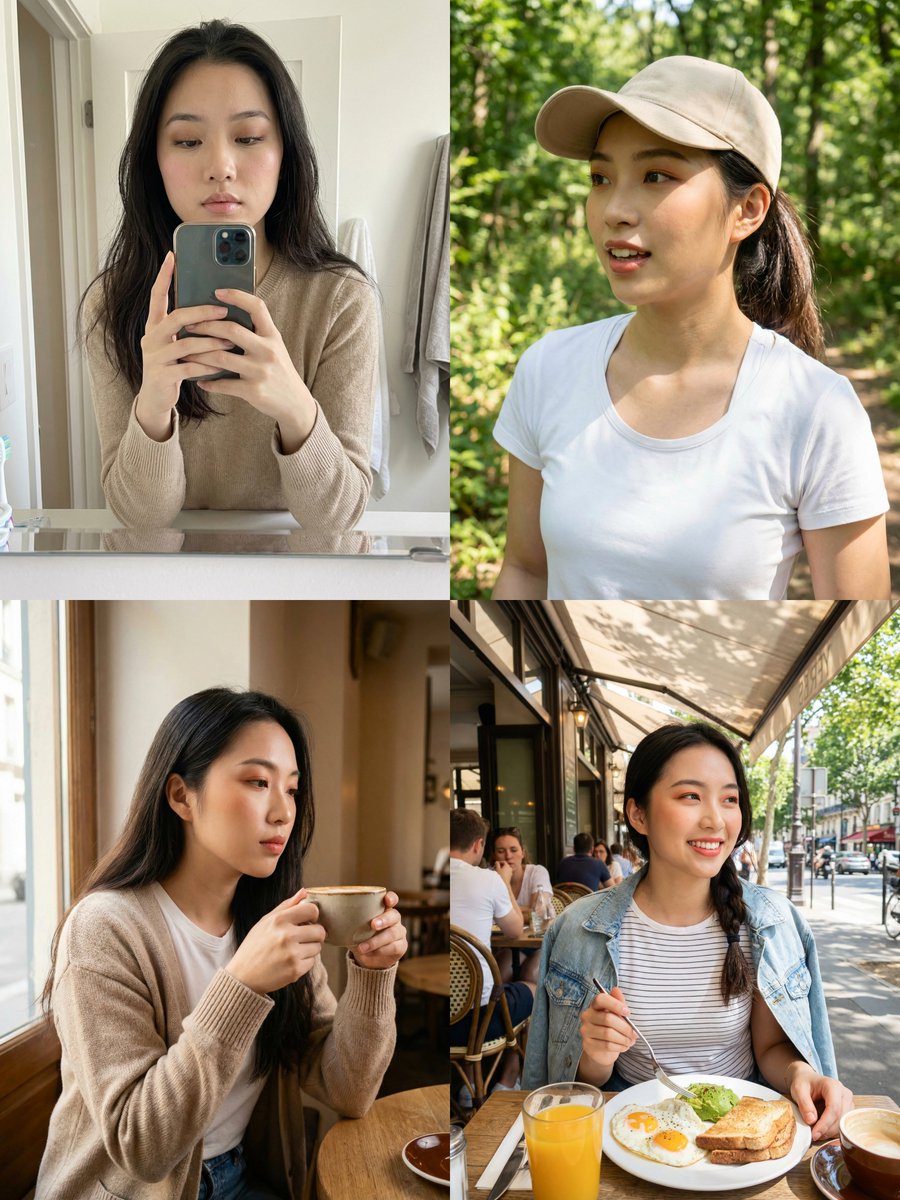
Ana de Armas Photos Gemini Nano Banana 3.0 Prompt: { "system_architecture": { "version": "22.0_terminal_logic_grid", "project_id": "Consistent_Identity_Daily_Routine_Log", "framework": { "format": "2x2 Quadrant Grid", "aspect_ratio": "3:4", "engine_mode": "Hyper-Realistic Neural Synthesis", "fidelity_tier": "8K RAW / Zero-Retouch / Authentic" } }, "biometric_anchor": { "subject_id": "Ana de Armas", "identity_logic": { "fidelity_index": 1.0, "consistency_lock": "100% Geometry Match across all quadrants", "surface_parameters": [ "Natural skin texture (pores, vellus hair)", "Zero beauty-filter smoothing", "Sub-surface scattering (SSS) enabled", "Authentic facial contours and proportions" ] } }, "quadrant_temporal_logic": { "quadrant_01": { "id": "MORNING_WAKEUP", "perspective": "Mirror Reflection / Bathroom Selfie", "state_logic": { "facial": "Sleepy / Puffy eyelids / Subtle soft morning smile", "hair": "Unstyled bedhead / Natural morning volume / Messy", "apparel": "Loose-fit random cotton T-shirt" }, "environmental_logic": { "location": "Domestic Bathroom", "lighting": "Standard cool-white overhead bulb", "composition": "Imperfect framing / Phone visible in reflection" } }, "quadrant_02": { "id": "MID_ACTION_RUN", "perspective": "Arm-Extension / High-Motion Selfie", "state_logic": { "facial": "Focused intensity / Labored breathing / Flushed skin", "apparel": { "primary": "Hot-pink shimmery athletic set", "accessory": "White technical running cap" } }, "environmental_logic": { "location": "Sidewalk / Running Path", "lighting": "Natural morning sunlight / Sharp highlights", "dynamics": "Motion energy / Hair tucked under cap" } }, "quadrant_03": { "id": "COFFEE_REST", "perspective": "Close-Proximity / Handheld Selfie", "state_logic": { "facial": "Thoughtful / Relaxed / Averted gaze", "interaction": "Holding ceramic coffee cup mid-sip" }, "environmental_logic": { "location": "Indoor Cafe / Table Setting", "lighting": "Soft window-diffused daylight", "composition": "Deep focus / Minimal background separation" } }, "quadrant_04": { "id": "OBSERVED_BREAKFAST", "perspective": "Third-Person Candid / Non-Selfie", "state_logic": { "facial": "Off-guard / Natural / No camera awareness", "interaction": "Using cutlery / Eating breakfast naturally" }, "environmental_logic": { "location": "Outdoor Breakfast Patio", "lighting": "Bright overhead noon daylight", "composition": "Off-center framing / Real-life atmosphere" } } }, "technical_pipeline": { "optical_simulation": { "lens_profile": "24mm Smartphone Wide-Angle", "sensor_logic": "CMOS Mobile Noise / Zero Denoising", "depth_map": "Deep Focus (f/8 simulation) / No Bokeh", "color_science": "Standard RGB / High Dynamic Range / Raw Tones" }, "prohibition_matrix": { "lighting": "No Studio / No Cinematic / No 3-point setups", "posing": "No Influencer Pouts / No Symmetrical Posing", "editing": "No Retouching / No Symmetrization / No LUTs", "atmosphere": "No Overpolishing / No Editorial Glamour" } } }

我把这种食物爆炸的效果做成了一条快节奏的寿司美食商业广告视频😏只花了5分钟就搞定!上传3张图片,AI自动生成几万价值的广告效果。没错,完全不需要什么首尾帧生成!👌 这次直接上传了3张寿司照片,然后在对话框里说: "开头依次按照寿司食材层层推进,突出食材的质感和光泽,中间快切展示制作过程“ 等了大概5分钟,预览出来,镜头推进的节奏、转场的速度、食材的光泽感都对了。不是那种一眼就能看出来的AI生成视频,是真的能当商业片用的质量。 然后我试着调整细节: "第二个镜头太快了,慢一点" "最后加个特写效果" "配乐音效节奏感再强一点" 每次说完,它都能精准改到位。不用我去拖时间轴、调参数、重新渲染,就是对话,然后改完了。这种感觉就像你在跟一个剪辑师沟通,但响应速度是秒级的。 而且它还会记住上下文。比如我说"把第一个镜头的感觉用到第三个镜头",它就知道我在说什么,不用我重复描述一遍参数。 做完寿司视频后,我突然想到这个东西应该不只能做美食吧?就试着传了几张产品图进去,又做了个产品宣传片;传了几张视频教程截图,又生成了个教学视频;传了些参考图,做了个MV。 基本上你能想到的视频类型——动画、漫画分镜、抖音短视频、教程、MV、广告片——它都能做,而且都是同样的方式:上传素材或参考图,然后对话。 这跟我之前用过的那些AI视频工具完全不一样。那些工具要么就是一键生成,结果不能改;要么就得写复杂的Prompt,还得不断调参数。这个工具的逻辑是:你先生成一个大概的版本,然后通过对话不断精修,直到符合你的预期。 最关键的是角色和风格的一致性。比如做MV的时候,我只给了一张角色参考图,整个视频里的角色特征都保持得很好,不会出现那种"每一帧都是不同人"的情况。 它还有轨道编辑功能。如果你想手动精调某个地方,可以切到轨道模式,它导出的是可编辑的剪辑工程文件。所以你可以选择:要么完全用对话解决,要么对话+手动精修,两种方式都行。 如果你也经常做视频,尤其是需要快速出片但又不想牺牲质量的场景,可以试试这个思路。我现在手里攒了几个不同类型的案例,如果有人想看具体操作流程,评论区说一声,人多的话下期出个详细教程。 新用户可以免费🔗→ medeo.app #AIVideoCreation #AITools #VideoEditing #ContentCreation


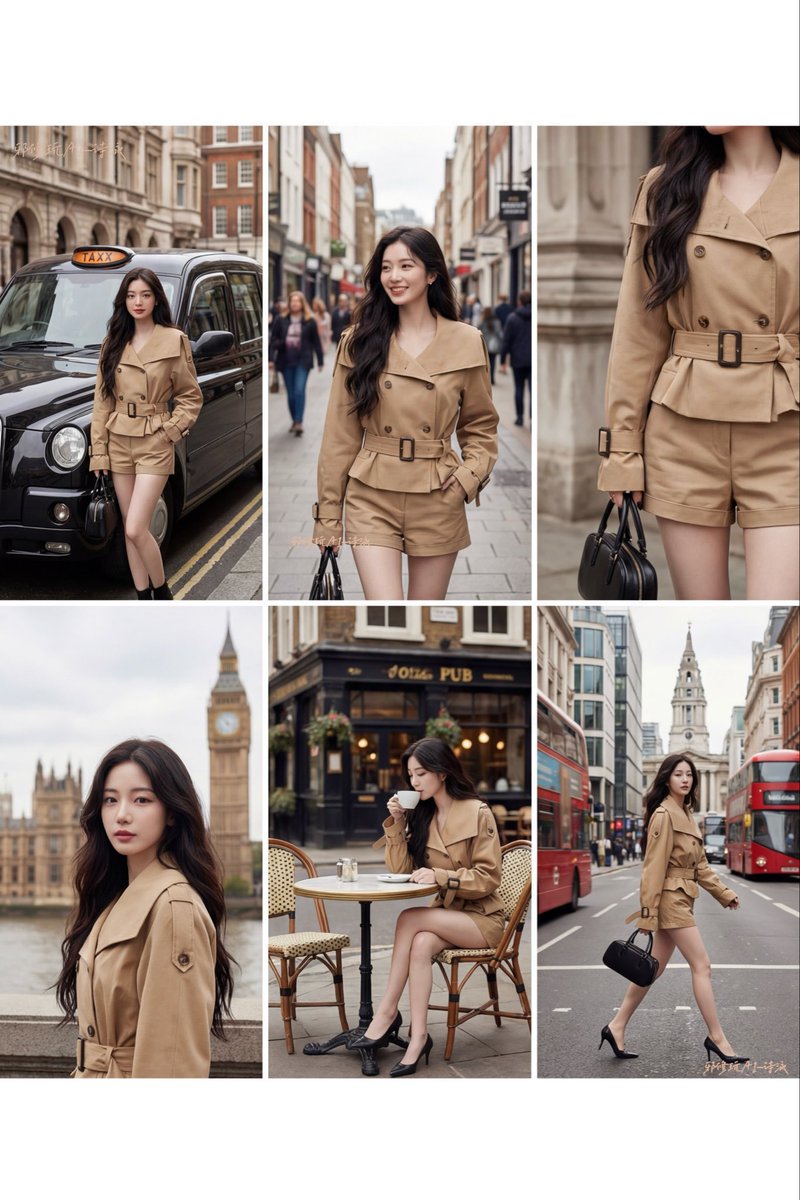
我刚用 Nano Banana Pro 30 秒做出👇 一张 4K「3×3 分镜神图」——难怪广州有小伙靠这套方法一年帮服装企业省了 100 万。 4K/9个角度/瞳孔高光都能给你整出来!同时细节强化达到专业水准,来看实测表现:4K超高清“3x3分镜网格图”,简直是电商神图!🔥 这就是AI时代的时尚营销: ❌ 传统:飞伦敦拍摄 = 机票+酒店+场地 = 5万+ ✅ AI生成:30秒 = 9个场景 = 0元 3 步上车💡& 万能提示词) 1️⃣ 上传你的服装平铺/挂拍参考图 2️⃣ 复制我给的“万能分镜提示词” 3️⃣ 点击生成 → 30 秒出图,随便拉都是大片 👇 想要提示词的扣「1」,我把最稳的版本放在评论区!


these 2 prompts for Nano Banana Pro will save you a ton of time. just upload an image, generate the cinematic grid, and pull the frames you like! examples made in Higgsfield AI, and prompts below 👇


Nano Banana Proで遊ぼう 【デスクトップマスコット化プロンプト】 ⠀ 参照画像のキャラクターを デスクトップマスコット化して PC画面に配置した画像を生成する プロンプトです。 ⠀ キャラクターがウィンドウの上に 寝そべったり、腰かけたり アイコンを触ったりします。 OSをWindows風/macOS風から 選択できます(リプ欄で説明)。 ⠀ お気に入りのイラストを デスクトップマスコットに しちゃいましょう! ⠀⠀ プロンプト: os_environment: - Choose one: "Windows 11 style desktop" or "macOS Sonoma style desktop" - If not specified, let the model choose the most natural OS UI - Use authentic UI elements based on the selected OS subject: - A character based on reference image A - Rendered with semi-3D, anime-style shading - Clear solid shadows and highlights defining volume - Appears as a desktop mascot overlay interacting with real OS UI composition: - A realistic computer desktop in 16:9 aspect ratio - Include authentic-looking application windows and icons - Character positioned naturally on or around these UI elements action: - Allow the model to freely choose mascot-like behaviors such as: - lying across the top edge of a window - sitting on a window frame - touching, inspecting, or reacting to icons - peeking from behind folders or apps - Actions should feel physically grounded and slightly playful location: - Displayed on a real OS-style desktop (Windows/macOS) - Show recognizable UI elements (e.g., Chrome window, folder icons, taskbar/dock) - Icons and windows appear authentic but used only as background elements style: - Semi-3D anime shading (soft cel-shaded look) - Defined shadows instead of rim lighting - Clean digital rendering that blends naturally with real desktop UI camera_lighting: - Neutral frontal or top lighting to create solid, directional shadows - Soft ambient light to keep color harmony with the desktop - Screenshot-like straight-on camera angle colors: - Desktop in cool OS-like tones - Character colors follow reference A accurately - Shadows emphasized for 3D volume text: - None unless needed edit_instructions: - Use reference A for character accuracy - Emphasize 3D-like volume with clear shadow planes - Ensure the character appears layered above real desktop UI elements - Keep real UI assets unmodified and only as contextual background references: A: "Character appearance reference" extras: - high resolution - realistic OS UI rendering - clean compositing and precise layer separation - allow creative mascot-like movement