AkiraGFX retweetledi
AkiraGFX
103 posts

AkiraGFX
@smileyfacegu
JP/EN. I create song cover art's :D
Japan Katılım Haziran 2025
179 Takip Edilen20 Takipçiler
AkiraGFX retweetledi

以前制作した、ループ仕様のPADサウンドサンプルを共有いたします。
ぜひ音楽制作にご活用ください。
なお、無断転載および再販売は不可とさせていただきます。🙏
▼ Google Drive Link ▼
drive.google.com/file/d/1ObcEqZ…

日本語
AkiraGFX retweetledi

#aftereffects #motionGraphics #アフターエフェクト #RPPathRepeater
Want to make this in After Effects?
1. Prepare an image sequence.
2. Create a path.
3. Adjust the Time Sampling option and Offset values.
Done.
Download
buymeacoffee.com/graphicmarket/…
Umoru@theumoru
saw this path-based marquee animation on instagram a while back and had to try recreating it using @motiondotdev

English
AkiraGFX retweetledi

Not a big fan of gatekeeping but he showed enough that even a beginner like me could recreate it 😅
Here's a breakdown of how I made it, hope this helps someone learning AE.
りゅぷ@32Ryx
今回のMVのパーティクルシーンを試験的に新しくなった CC Ball Action で遊んでみたので、初めて制作についてのポストしてみます!
English
AkiraGFX retweetledi

I recently switched to Blender, so here’s my new method of modeling Metalheart abstracts!
1. Start with a simple Mesh - You can use anything, an Ico Sphere, Cylinder, or in this case, a Suzanne.
2. Enter Edit mode, and begin randomly selecting faces on the object. I like to subdivide these faces, re-position them, and arbitrarily rotate them.
3. If you want the tattered / shredded look, you should arbitrarily select faces and delete them as shown.
4. The primary object modifiers I like are Subdivision and SimpleDeform, these are very similar to what I’m used to in Cinema4D and are what has helped the transition the most! Twist and Bend.
5. Duplicate the mesh around, rescale, and repeat the above steps!
That’s purely for the geometry, I’ll dive deeper into shading later. However, for starters, I love using Add Shader and mixing Glass BSDF with Principled BSDF. Fresnel on Base Color and Alpha work really well when applied to either.
Spawn a sun light, adjust the angle, and set the camera’s focal length to be really low, 5mm - 10mm.
I use the Cycles renderer, but Eevee seems to provide similar results depending on your shading/material.
That’s the gist! I’ll go into further detail on YouTube as always.
English
AkiraGFX retweetledi

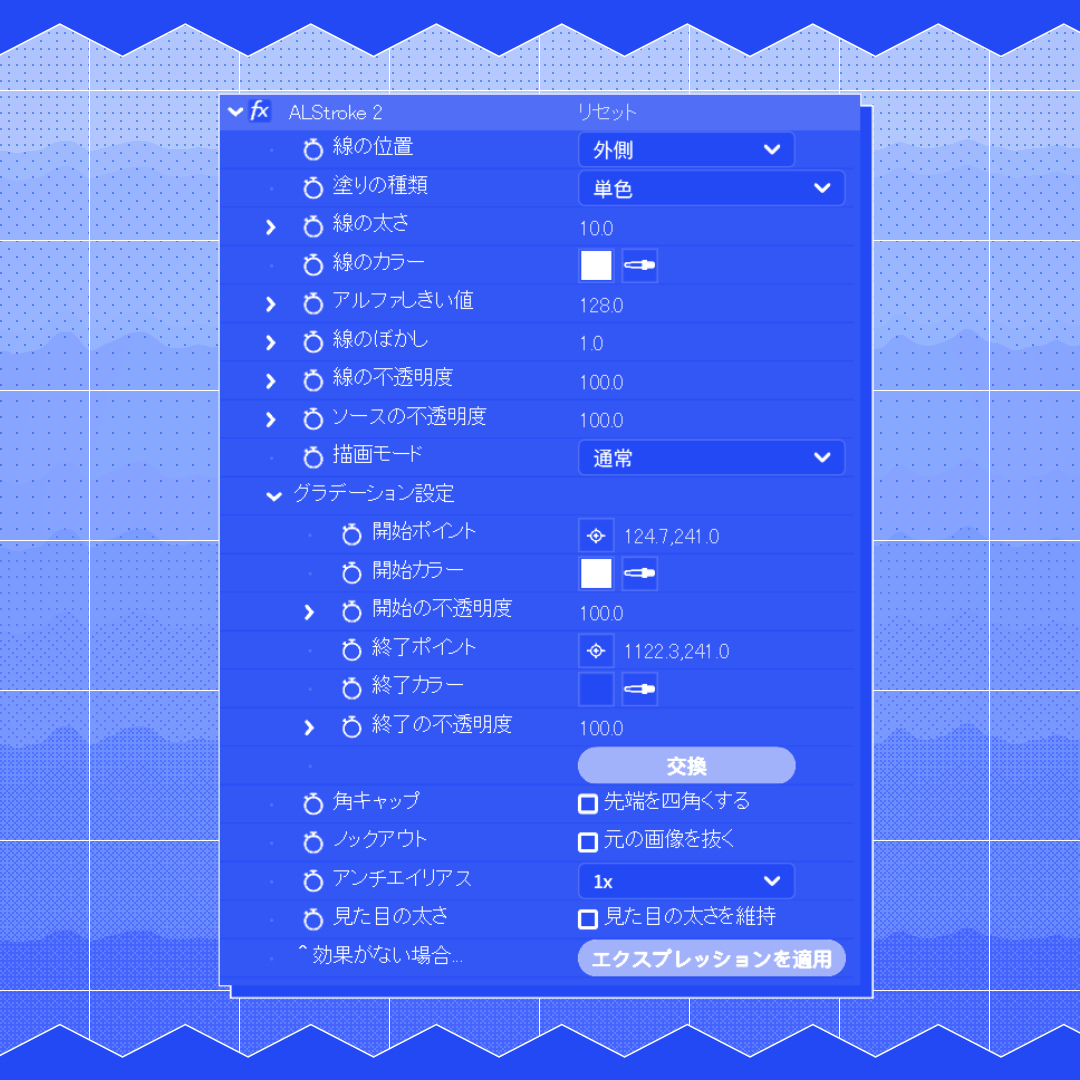
Ae用多機能ストロークプラグイン「ALStroke 2」を公開しました!
🔹線の位置・塗りの種類・描画モードを自在に調整
🔹3Dレイヤー&モーションブラー対応
🔹アンチエイリアスで境界も滑らか
🔹コア最適化で標準の2〜6倍高速
Boothにて販売中👇
adorelowen.booth.pm/items/7747398
#aftereffects #プラグイン


日本語
AkiraGFX retweetledi

#aftereffects #motionGraphics #アフターエフェクト #RPArray
원 레이어로 뭐든지 간편하게 밀도를 높여보세요
1レイヤーで 何でも手軽に密度を高めましょう。
Download
buymeacoffee.com/graphicmarket/…
日本語
AkiraGFX retweetledi