Si En Ng (Timothy)

39 posts

Si En Ng (Timothy) banner
Si En Ng (Timothy)

Si En Ng (Timothy)

@MATRICES_tim

Creating weird sensors in lab :) Interested in technologies for sensing, computing and transmitting.

Singapore Entrou em Kasım 2020
193 Seguindo44 Seguidores
Tweet fixado
Si En Ng (Timothy)
Si En Ng (Timothy)@MATRICES_tim·
very excited to share our work on #rscposter #RSCMat #RSCENG Using our understanding of recombination in perovskite-organic tandem interfaces, we designed a single pixel LED that changes emission from red to green! This efficiently preprocess images, enabling real-time display.
Si En Ng (Timothy) tweet media
English
2
9
38
1.5K
Massimo
Massimo@Rainmaker1973·
Flight of the Shima Enaga, a Japanese bird who looks like a cotton ball
English
646
7.3K
55.9K
2.7M
Si En Ng (Timothy) retweetou
omri_drory
omri_drory@omri_drory·
Pre order your plants today at light.bio
English
0
1
5
1.2K
Si En Ng (Timothy) retweetou
Khoa Vu
Khoa Vu@KhoaVuUmn·
PhD course in applied econometrics be like
English
14
266
2.3K
0
Si En Ng (Timothy) retweetou
Device
Device@Device_CP·
Passive thermal management of electronic devices using sorption-based evaporative cooling by Ruzhu Wang & co-workers cell.com/device/fulltex… Highlights: • Cooling performance is evaluated both experimentally and numerically • The proposed method could achieve a maximum 20°C temperature reduction • The cooling power of the proposed method could reach up to 602 W/m2 • The proposed method is evaluated in a state-of-the-art 5G base station
Device tweet media
English
1
1
0
157
Si En Ng (Timothy) retweetou
Device
Device@Device_CP·
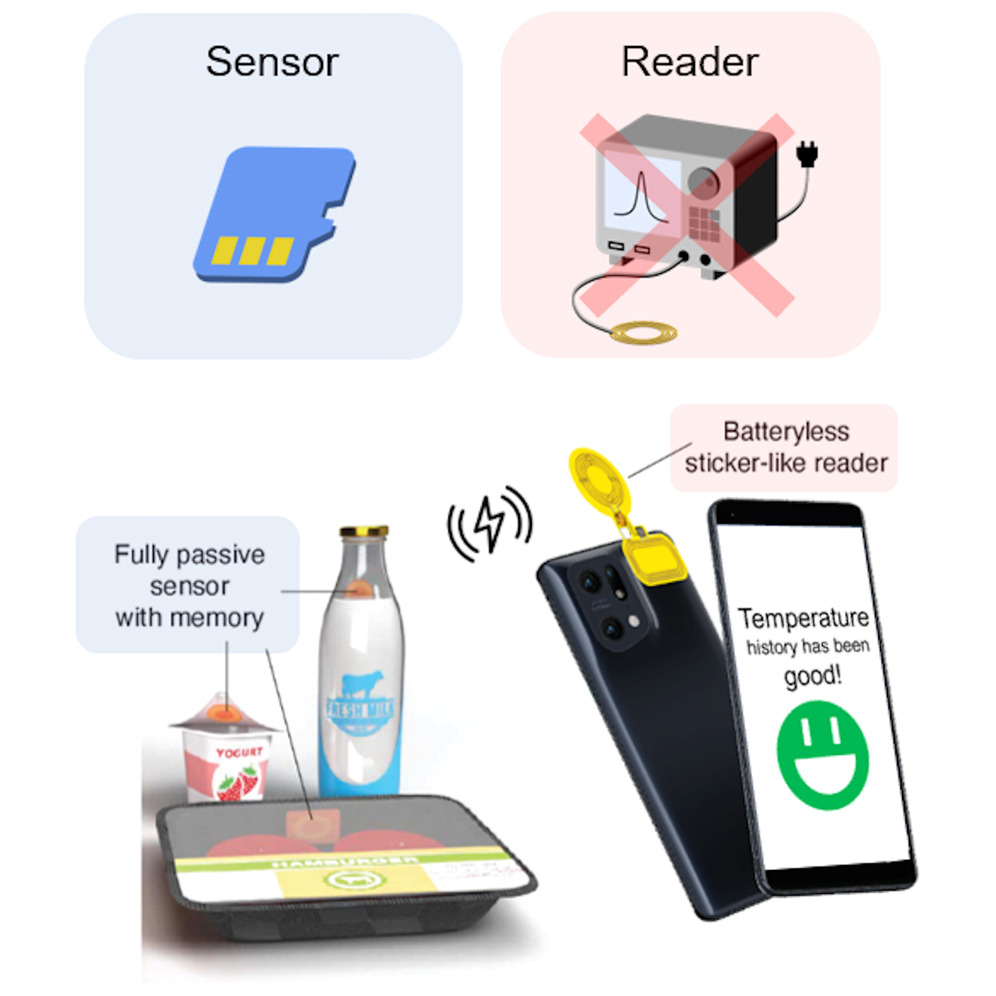
A disposable reader-sensor solution for wireless temperature logging by Ada Poon & co-workers cell.com/device/fulltex… Highlights: •A battery-free, sticker-like reader for wireless passive sensors •A passive wireless sensor capable of recording temperature abuse history •Uses self-oscillation for reader simplicity rather than forced excitation
Device tweet media
English
0
1
0
155
Si En Ng (Timothy) retweetou
Shengwu Li
Shengwu Li@ShengwuLi·
Even more. Find the most-eigenvalue component in the model’s latent space.
Shengwu Li tweet media
English
2
5
82
64K
Si En Ng (Timothy) retweetou
Alberto Salleo
Alberto Salleo@asalleo·
Just out, probably some of the most fundamental and intricate work from the group! We prove that the conventional mid-gap model used for decades to interpret the absorption of field-induced polarons in conjugated polarons is incorrect …1/5 pubs.rsc.org/en/content/art…
English
4
10
91
13.1K
Si En Ng (Timothy) retweetou
Superatom.bsky.social 💉💉💉 💉
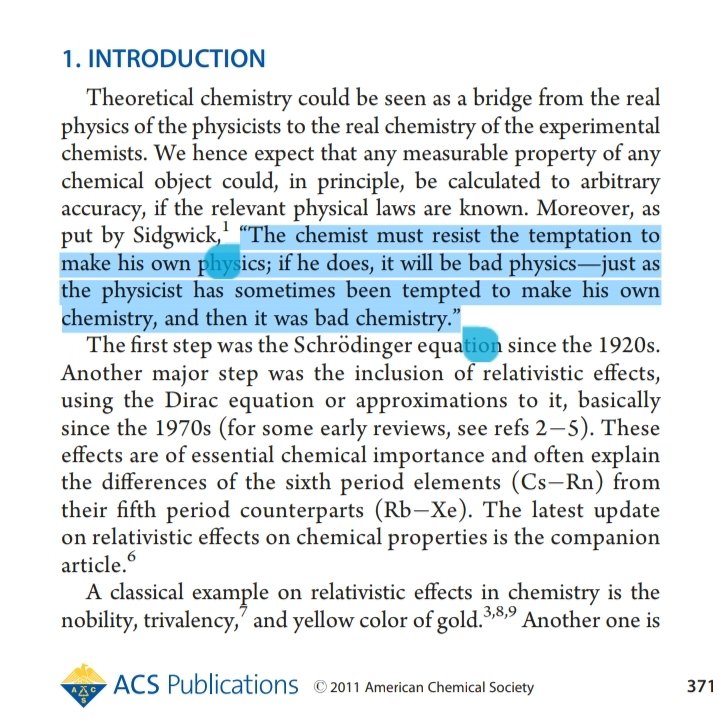
"Chemist must resist the temptation to make his own physics; if he does, it will be bad physics - just as physicist has sometimes been tempted to make his own chemistry, and then it was bad chemistry." #weekendread
Superatom.bsky.social 💉💉💉 💉 tweet media
English
6
50
246
39.9K
Si En Ng (Timothy) retweetou
Alexandru B Georgescu
Alexandru B Georgescu@AlexandruBG·
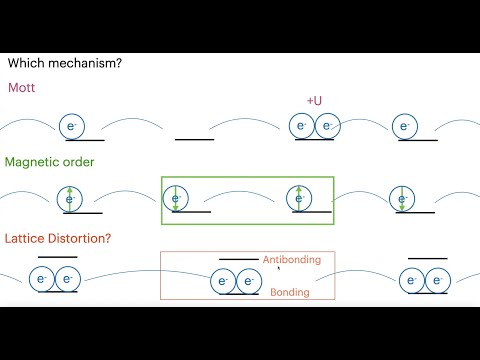
My intro to correlated electron materials passed 1000 views, thank you! I made this as an intro to the group and for incoming students. This way they can watch on their own time, and should feel more comfortable asking questions: youtube.com/watch?v=sp_f8U…
YouTube video
YouTube
English
1
9
64
5.2K
Si En Ng (Timothy)
Si En Ng (Timothy)@MATRICES_tim·
@NTUsg Thank you SNIC for the award and the opportunity to meet really impactful chemists at @astar_research ISCE2 on Jurong Island! Very interesting experience! And thank you @NTUsg MSE for the great education opportunities.
English
0
0
1
55
Si En Ng (Timothy) retweetou
NTU Singapore
NTU Singapore@NTUsg·
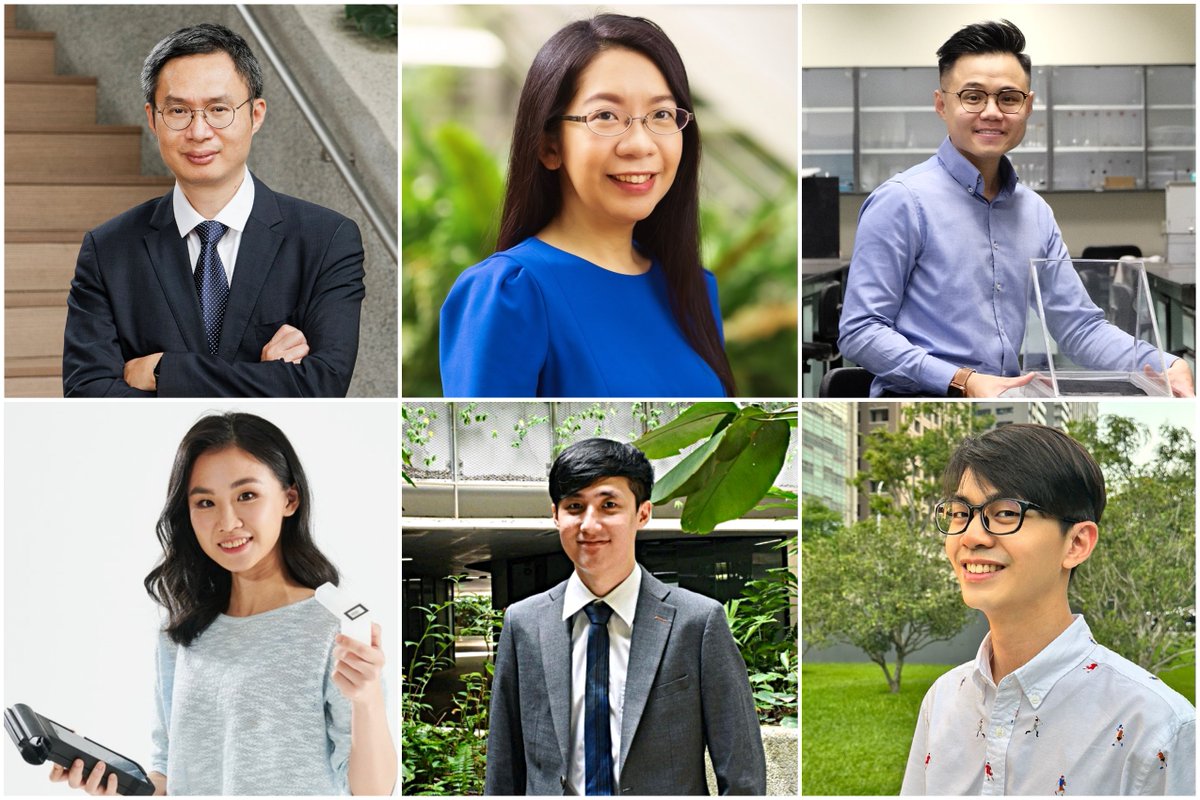
Congrats to three #NTUsg professors and three researchers who were honoured with the Singapore National Institute of Chemistry (SNIC) Awards for their outstanding contributions to the field of #chemistry. #NTUsgProfs #NTUsgStudents
NTU Singapore tweet media
English
1
2
16
4.3K
Si En Ng (Timothy) retweetou
Andrew Ng
Andrew Ng@AndrewYNg·
I'd like to have a real conversation about whether AI is a risk for human extinction. Honestly, I don't get how AI poses this risk. What are your thoughts? And, who do you think has a thoughtful perspective on how AI poses this risk that I should talk to?
English
658
663
3.6K
832.7K
Si En Ng (Timothy) retweetou
Ella Marushchenko
Ella Marushchenko@Ella_Maru·
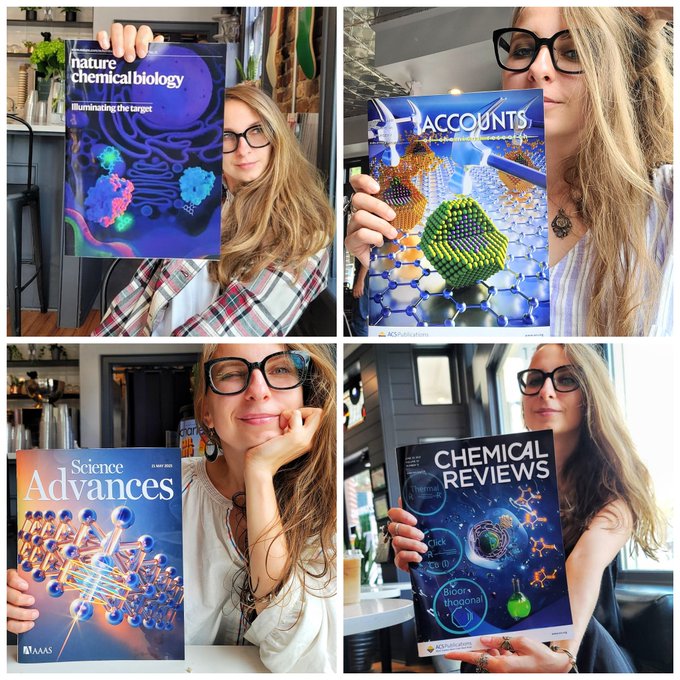
"What software can I use to make 3D scientific illustrations?" I receive this question almost every day and below is my answer (long read)🧐 #sciart When it comes to creating scientific illustrations, 3D design software can be a powerful tool for creating accurate and visually engaging images. However, with so many different 3D design software options available, it can be challenging to decide which one is the best fit for your needs. Below I will discuss the pros and cons of some of the most popular 3D design software options for scientific illustrations. Blender Blender is a free and open-source 3D design software that is widely used in the scientific community. It offers a wide range of features, including modeling, animation, and rendering. One of the biggest advantages of Blender is its community support, which is highly active and constantly improving the software. Additionally, Blender can be used on a wide range of platforms, including Windows, macOS, and Linux. Pros: Free and open-source Wide range of features Community support Cross-platform compatibility Cons: Steep learning curve User interface can be overwhelming for beginners Limited compatibility with other software Maya Maya is a popular 3D design software used in the film and gaming industries, but it is also used in scientific illustration. It offers a range of features, including modeling, animation, and simulation. Maya is highly customizable and can be integrated with other software, making it a versatile tool for scientific illustrators. Pros: Wide range of features Highly customizable Integration with other software Strong community support Cons: Expensive licensing fees Steep learning curve Can be overwhelming for beginners Cinema 4D Cinema 4D is a 3D design software that is widely used in the advertising and motion graphics industries. It offers a range of features, including modeling, animation, and rendering. Cinema 4D has a user-friendly interface that is easy to navigate, making it a good option for beginners. Pros: User-friendly interface Wide range of features Integration with other software Strong community support Cons: Expensive licensing fees Limited features compared to other software Not as widely used in the scientific community SketchUp SketchUp is a 3D design software that is widely used in architecture and engineering, but it can also be used for scientific illustration. It offers a range of features, including modeling and rendering. SketchUp is known for its user-friendly interface and ease of use, making it a good option for beginners. Pros: User-friendly interface Easy to use Integration with other software Large library of 3D models available Cons: Limited features compared to other software Not as widely used in the scientific community Limited community support 3ds Max 3ds Max is a 3D design software that is widely used in the architecture, gaming, and visual effects industries, but it can also be used for scientific illustration. It offers a range of features, including modeling, animation, and rendering. 3ds Max is highly customizable and can be integrated with other software. Pros: Wide range of features Highly customizable Integration with other software Strong community support Cons: Expensive licensing fees Steep learning curve Can be overwhelming for beginners ZBrush ZBrush is a 3D design software that is widely used in the film, gaming, and digital sculpting industries, but it can also be used for scientific illustration. It offers a range of features, including digital sculpting and painting. ZBrush is known for its advanced sculpting tools and the ability to create highly detailed and organic shapes. Pros: Advanced sculpting tools Integration with other software Strong community support Large library of 3D models available Cons:Expensive licensing fees Limited features compared to other software Can be overwhelming for beginners In conclusion, when choosing 3D design software for scientific illustration, it's important to consider the specific features and capabilities that you need, as well as your budget and level of experience. Each software option has its own unique pros and cons, so be sure to do your research and choose the software that best fits your needs.
Ella Marushchenko tweet media
English
19
276
1.6K
390.8K
Si En Ng (Timothy) retweetou
Castellanos Lab
Castellanos Lab@Andres_2DMat·
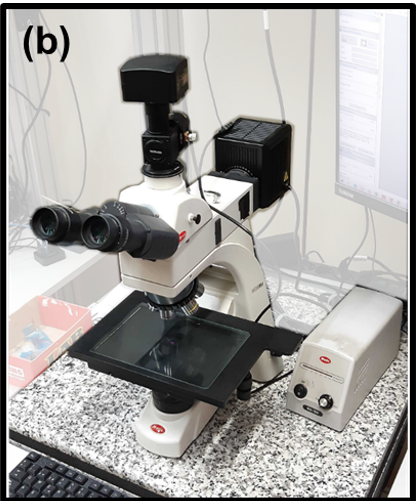
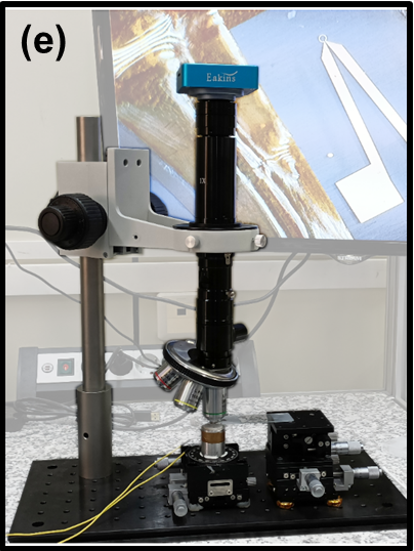
In my opinion, the winners would be the Motic BA310 MET-T (4000Eur) or the system based on the zoom lens with the turret of objectives (1000eur). The zoom lens based one can be easily used to do deterministic transfer as well (as shown in the picture), so 2 systems by the same $
Castellanos Lab tweet mediaCastellanos Lab tweet media
English
1
1
7
827
Si En Ng (Timothy) retweetou
SynSense
SynSense@SynSenseNeuro·
The whitepaper preprint of #NeuroBench project:NeuroBench: Advancing Neuromorphic Computing through Collaborative, Fair, and Representative Benchmarking:lnkd.in/g6k4E-Nx We are so excited to be involved with this project!
SynSense tweet media
English
0
4
10
973
Si En Ng (Timothy) retweetou
Castellanos Lab
Castellanos Lab@Andres_2DMat·
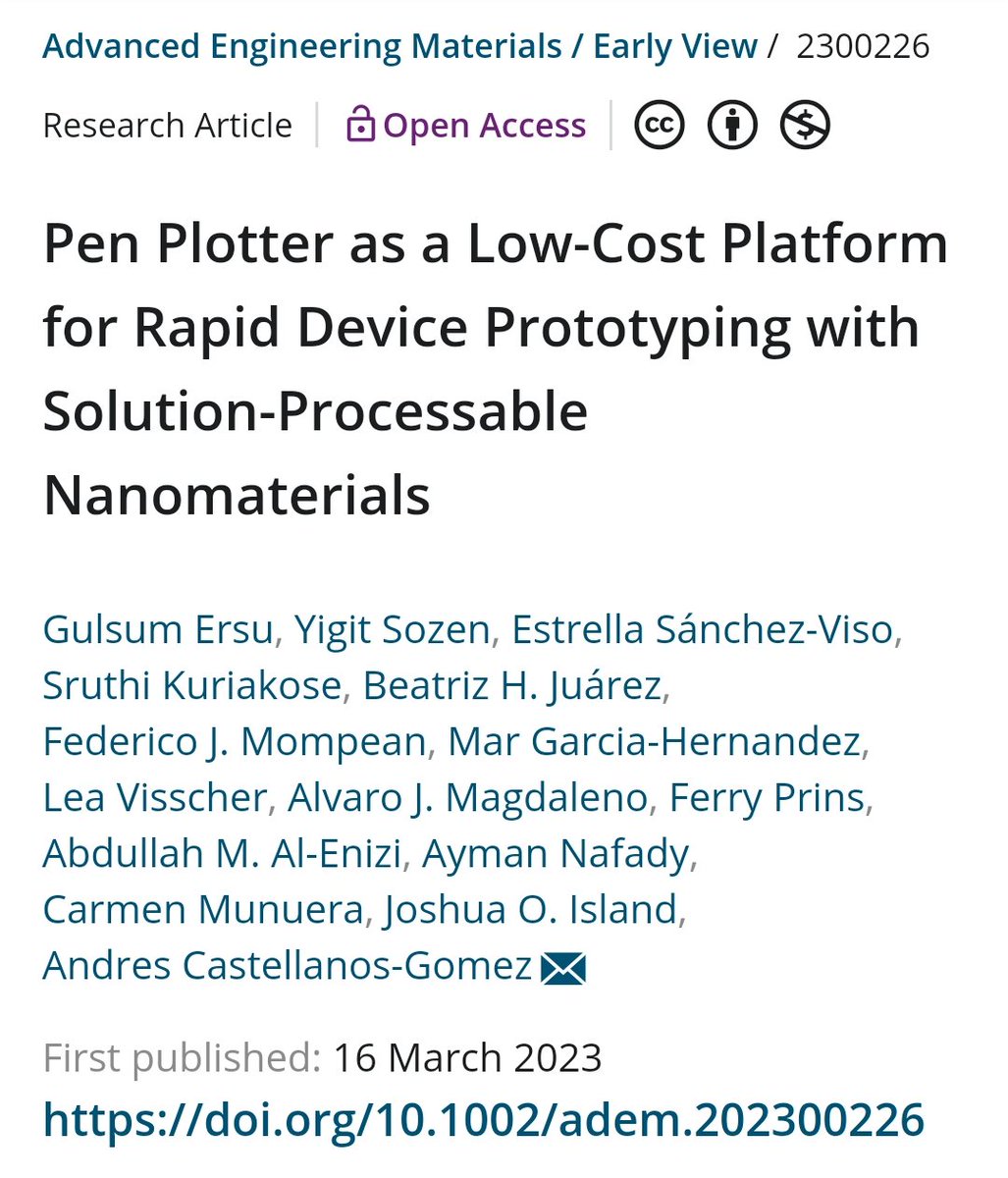
Thanks to all the co-authors, we had a lot of fun plotting all your inks!
Castellanos Lab tweet media
English
1
2
22
2.8K
Si En Ng (Timothy)
Si En Ng (Timothy)@MATRICES_tim·
@Ella_Maru Amazing realistic art, especially in the area of anatomy. I am an engineer that could only draw inanimate shapes like circles and squares 😅. Any tips on creating simple figures with complex shapes (e.g. tracing perhaps)
English
1
0
0
1.7K
Ella Marushchenko
Ella Marushchenko@Ella_Maru·
Tips for designing figures for your manuscript! #sciart 1) Keep it simple: The figure should clearly and concisely convey the information you are trying to present. Avoid clutter and unnecessary detail that can distract from the main message. 2) Use appropriate software: Choose software that is suitable for your type of figure. For example, use vector graphics software like Adobe Illustrator for creating diagrams and line drawings, and use graphing software like Excel or Origin for creating graphs. 3) Label everything: Ensure that all labels, axes, and other text are clear and easy to read. Use a font size that is appropriate for the size of the figure, and avoid using too many colors or fonts that are difficult to read. 4) Choose appropriate colors: Use colors that are easy on the eyes and that are easily distinguishable from each other. Consider color-blindness and choose colors that are accessible to all readers. 5) Use high-quality images: Use high-quality images with a high resolution. This will ensure that the details of the image are clear and crisp. 6) Get feedback: Share your figures with colleagues and ask for feedback. This can help identify potential issues or areas for improvement that you may have missed. 7) Follow journal guidelines: Follow the guidelines of the journal you are submitting to regarding figure format, size, and resolution. This will ensure that your figures are presented in the best possible way and meet the requirements of the journal. 8) Keep a record of your figures: Keep a record of all the figures you create, including any changes you make during the editing process. This will help you keep track of the different versions of your figures and ensure that you use the correct version when submitting your manuscript. 9) Be consistent: Ensure that all figures are consistent in terms of style, font, and size. This will help to create a cohesive and professional-looking manuscript.
Ella Marushchenko tweet mediaElla Marushchenko tweet mediaElla Marushchenko tweet mediaElla Marushchenko tweet media
English
12
261
1.1K
259.8K