Procreate

60.3K posts

Procreate banner
Procreate

Procreate

@Procreate

Unleash your creative potential with our powerful illustration and animation apps, Procreate and Procreate Dreams.

Australia Присоединился Nisan 2013
720 Подписки313.9K Подписчики
Закреплённый твит
Procreate
Procreate@Procreate·
Find out about everything arriving in the free Procreate Dreams 2 update, available now. Head to our YouTube channel for the full video. #ProcreateDreams #Procreate
English
26
181
1.4K
597K
Procreate
Procreate@Procreate·
@Trspak1 Thanks for the feedback! 🙏 The ideas for improving QuickShape and the Interpolation methods in Procreate are both listed as requested on our end. We have added your support vote, and these ideas are tracked by our team in case they can be considered for future development
English
1
0
1
11
Tr@spak
Tr@spak@Trspak1·
- A scalation tool for those forms that avoids that still annoying (for me) quality loss even if adjusting the “bi-cubic” and so on options. Any chances for further developments on these topics someday @Procreate team?? #procreate #ipad
English
1
1
0
24
Tr@spak
Tr@spak@Trspak1·
What I still miss when using @Procreate on and ipad for drawing after several years…. - A more accurate tool for drawing more precise forms for selection afterwards , based on a “pen tool” like the main software used on desktop computers…👇➕
English
1
1
0
18
Procreate
Procreate@Procreate·
Hi there! Procreate currently limits the canvas in terms of Dimensions and maximum layers based on your iPad's model / RAM, to make sure you can work smoothly without running into issues like crashes or data loss due to the iPad being overworked. However, we truly care about providing the best user experience and we aim to improve this in the future, to allow working on larger canvases with more layers 🙏. For now, to increase your available layers you could try setting smaller canvas Dimensions, or a lower DPI value if your canvas is set with physical Dimensions. If you would like to be sure of the exact layers available for different canvases and iPad models, you can check out Procreate's Layer calculator: procre.at/layerlimit
English
0
0
31
5.5K
𝔅𝔩𝔬𝔴𝔫
Why does procreate make it impossible to work in a larger format.
English
1
0
0
5.2K
Procreate
Procreate@Procreate·
@bippa_carast @_jebs__ @Apple Thanks for the feedback! 🤗 We are interested in bringing the Procreate features and improvements to desktop as well
English
1
0
1
37
ビッパ
ビッパ@bippa_carast·
@Procreate @_jebs__ @Apple 最高やん!!! 出来たらMac版にも付けれないか検討してください
日本語
1
0
0
52
Procreate
Procreate@Procreate·
@KBunink Hi there! Yes, we are considering including adjustable anchor points for the Transform mode. We will note down your suggestion and add your vote of support to it. ❤️
English
0
0
1
18
Procreate
Procreate@Procreate·
@Spacefam972 @AddyAddyO Hi there! We will add your vote of support to this feature request, which is recorded internally in our system! 😃
English
1
0
2
24
Spacefam972
Spacefam972@Spacefam972·
@AddyAddyO @Procreate Additionally a drop shadow tool …. I shouldn’t have to dipe the layer , alpha lock the dupe , fill with a colour , turn opacity down , reposition the layer …. Just for a drop shadow @Procreate
English
1
0
1
27
Adeline 🖌✨📝
Adeline 🖌✨📝@AddyAddyO·
Dearest @Procreate , the love my life, the creator of my dreams—I am once again asking for outline or outer glow tool. Please. PLEASE. Using the bloom tool on a copied version of the layer, and having to copy and paste that bloomed layer 9 times to get the glow I need is HEINUS.
GIF
English
2
0
2
134
Procreate
Procreate@Procreate·
@yeoppupo Hi there! This is currently a known issue, and our team is investigating this. We will release a fix as soon as we can.
English
0
0
1
46
midiatonic
midiatonic@yeoppupo·
@Procreate is there a way to fix the glitch where all my brushes keep duplicating with the "_original" next to it 😅 i keep having to reorganize my brushes and it's messing up my workflow
English
1
0
0
30
nev
nev@mah0vany·
@Procreate stop changing shit for the worse I already lost 700 brushes bc of yall
English
1
0
1
171
nev
nev@mah0vany·
Why the fuck did procreate take away the manga/comic font, the new one is genuine ass
English
1
0
13
492
Procreate
Procreate@Procreate·
@tanalilt Hey there! Please see our reply below as well. You may be able to repeat this upgrade process: Actions (Wrench) > Help > Repeat brush upgrade. We're here to help if there is still any trouble (procre.at/support). 🙏
English
0
0
0
542
🌌 Tanalilt ✨Comms Open!
@Procreate All of mine also got actually deleted when the library updated, and I am still trying to sort through and re-install all of my brushes and settings the way I had been working with them. Hopefully you guys can find the cause!
English
2
0
7
3K
🌸✨RaxasPie✨🌸
🌸✨RaxasPie✨🌸@RaxasPie·
DO NOT UPDATE YOUR @Procreate APP ALL MY CUSTOM BRUSHES GOT DELETED! Every brush I personally made since 2020 just gone, poof, I haven't found a way to restore them, I only have the brush sets I've purchased from others 🥹 I'm devastated
English
2
1
61
33.6K
Procreate
Procreate@Procreate·
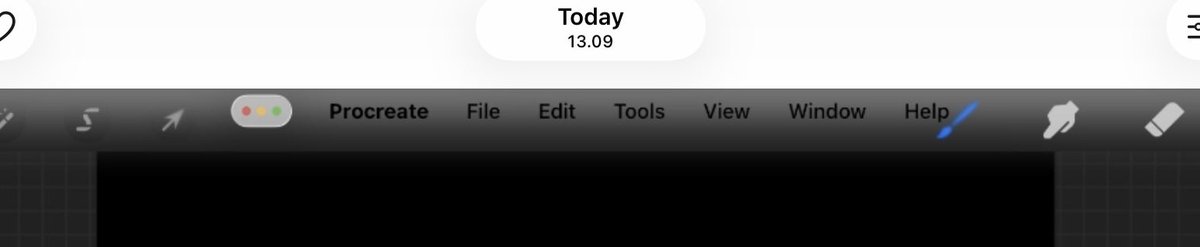
@ippurappur @ProcreateTuts Sorry for the confusion 😅. This looks expected when using the Windowed app view, as this menu bar is supposed to show with certain gestures (Check out this article: support.apple.com/125309). What gesture do you use to bring Procreate back to full screen?
English
0
0
0
44
ruppi
ruppi@ippurappur·
hi Procreate team, I’m wondering if this is a bug? That menu keeps appearing every time I minimize the app than disappear for a sec. This hasn't happened before I updating to iPadOS 26.3.1 @Procreate @ProcreateTuts
ruppi tweet media
English
1
0
0
121
Procreate
Procreate@Procreate·
@timokuilder @tanalilt If the initial update to Procreate 5.4 didn't bring your brush files over to the new library yet, you may be able to try the brush upgrade again: Actions (Wrench) > Help > Repeat brush upgrade. We're here to help if there is still any trouble (procre.at/support). 🙏
English
0
0
1
203
Timo Kuilder
Timo Kuilder@timokuilder·
@tanalilt @Procreate had the same problem. It updated on spotty internet when traveling and lost all my brushes.
English
1
0
1
148
Procreate
Procreate@Procreate·
@Enoderen We hear you! Thank you for sharing your feedback and recommendations. 🙌 We've noted your support for these Adjustment tool additions and improvements. 🤗
English
1
0
2
47
Eno XD
Eno XD@Enoderen·
add EVEN MORE THAN I LISTED BTW just start adding STUFF i want OPTIONSSS AND FUN OPTIONS TO DO FUN STUFF just start DOING THINGS @Procreate PLEAAASSEEEEE
English
1
0
6
617
Eno XD
Eno XD@Enoderen·
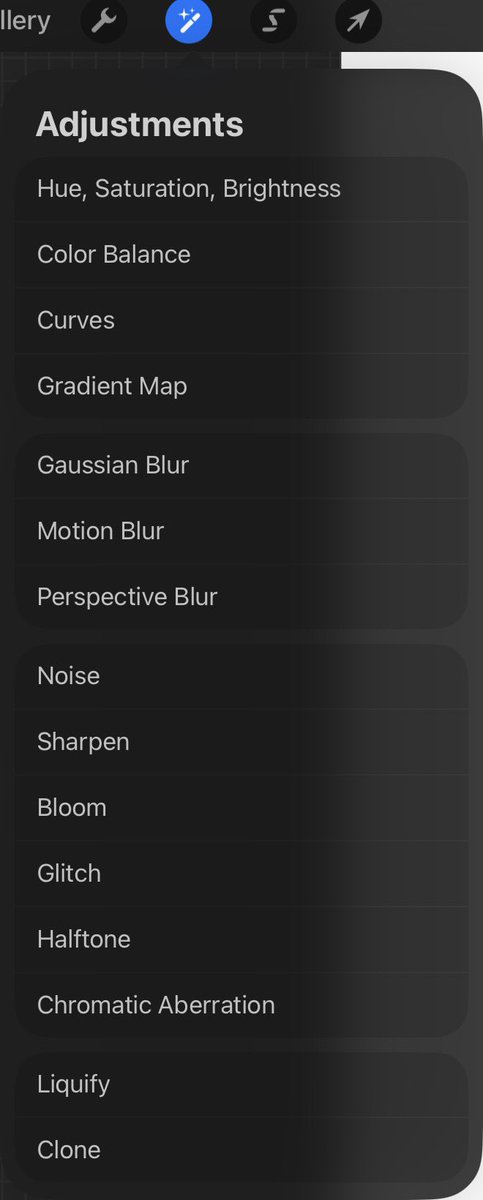
procreate please have an update that adds more adjustments please like adding more blurs or more color adjusts like posterization or more color options for aberration or a consistent outline option with nearest neighbor of bilinear options Please hear my cries @Procreate
Eno XD tweet media
English
1
1
27
1.2K
Procreate
Procreate@Procreate·
@KikisArtBakery @Solic_1 Eina 01 and Jack Armstrong BB were licensed for personal use only (not for commercial use). We did what we thought was best for our artists moving forward 🙏
English
1
0
1
77
SETH
SETH@Solic_1·
I am in fucking shambles the font Jack Armstrong Bb is the only font I’ve ever used for fun comic works and it got fucking REMOVED FROM PROCREATE. GREEDY FUCKING ASSHOLES.
English
2
0
4
165
Procreate
Procreate@Procreate·
@HeartlessLefty We're here to help! This isn't expected behaviour, and we'd like to collect more information. Please submit a support form here: procre.at/support. For now, a force restart (procre.at/restart) may help with temporary performance troubles. 🙏
English
0
0
0
89
Heartless.Barbie
Heartless.Barbie@HeartlessLefty·
@Procreate when are fixes going to be put out for this most recent update? I can literally only use this app for 5 minutes now without an issue happening. It freezes, closes randomly, and so much more.
English
1
0
0
23
Procreate ретвитнул
marie 🐸 commissions open
marie 🐸 commissions open@bubblesartcraft·
milkfrogs & white clover 🧡
marie 🐸 commissions open tweet media
English
4
146
1K
21.2K
Procreate
Procreate@Procreate·
@Sunne_Three Hi there! We have flagged this with the relevant team for correction. Thanks for bringing this to our attention.
English
0
0
1
57
Sun
Sun@Sunne_Three·
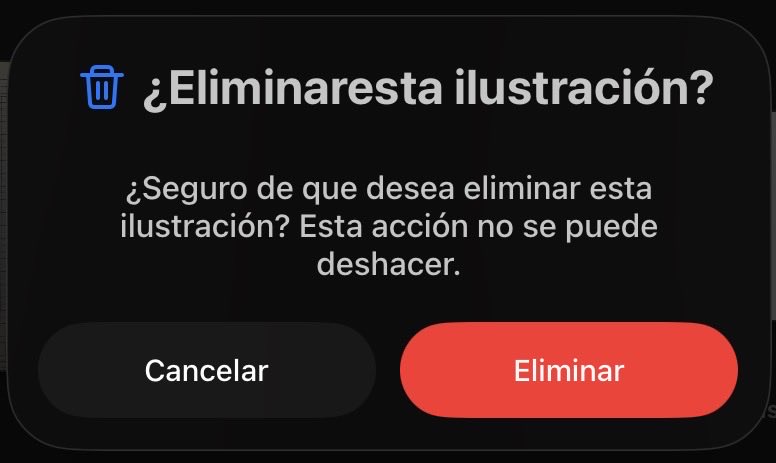
Maybe someone already pointed it out but @Procreate text error in the latam Spanish version Lack of space between eliminar esta
Sun tweet media
English
1
0
2
2.1K
Procreate
Procreate@Procreate·
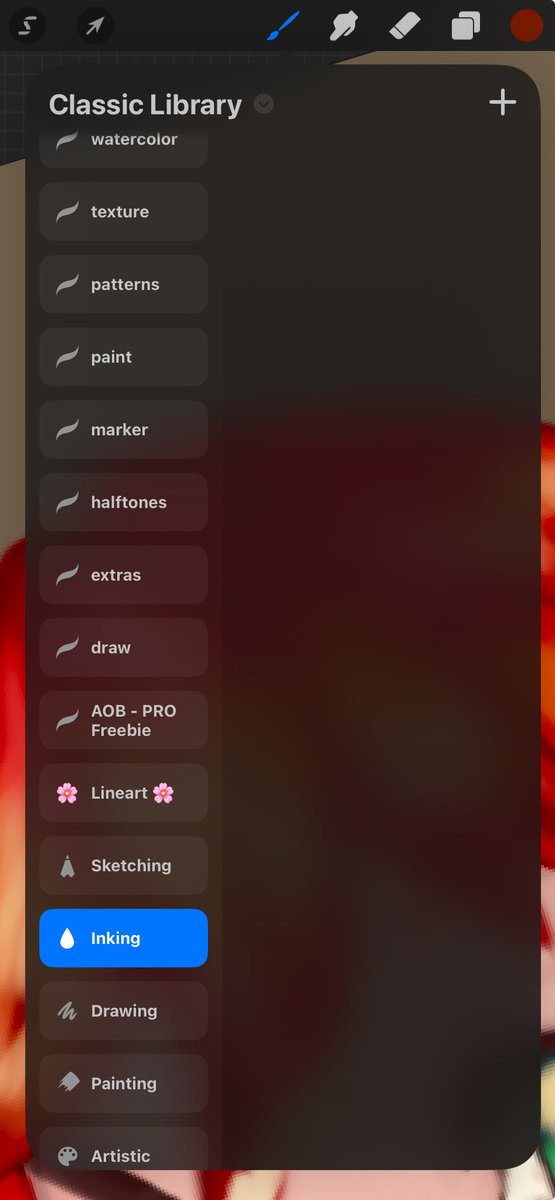
Hello! Sorry to see this has happened. Brushes should be stored in either your iPad's local storage or iCloud and accessed by your Procreate app for you to use. I have seen similar reports of brushes not showing due to how these files are managed and synced. We recommend trying the following steps to see if we can identify what could be causing this issue: Sync iPad with iCloud: go to Settings app → (Your Name) → iCloud → Drive → Sync this iPad. Confirm the Brush location: We recommend going to Actions (wrench) > Prefs > and toggling 'Store brushes to iCloud' two times > and select the 'All Brushes' option each time. This should re-consolidate any of your Brush Library to one location again and reload your brushes within the app. If your brushes are still not showing, please check the Brushes files: Visit both your iCloud Drive and On My iPad and locate the Procreate brushes folder. Tap and hold the folder to see more information (in both locations if available), and screenshot this information to share with us.
English
0
0
34
7.1K
Ram
Ram@darkittypark·
HELP WHAT HAPPEN???😨😨
Ram tweet media
English
4
0
23
7.5K
ruppi
ruppi@ippurappur·
@Procreate @ProcreateTuts no issue in other apps whenever I minize them! I hope it’s not a big problem I just felt weird to see file-edit-help menu on procreate 🥲
English
1
0
0
67