Procreate

60.3K posts

Procreate banner
Procreate

Procreate

@Procreate

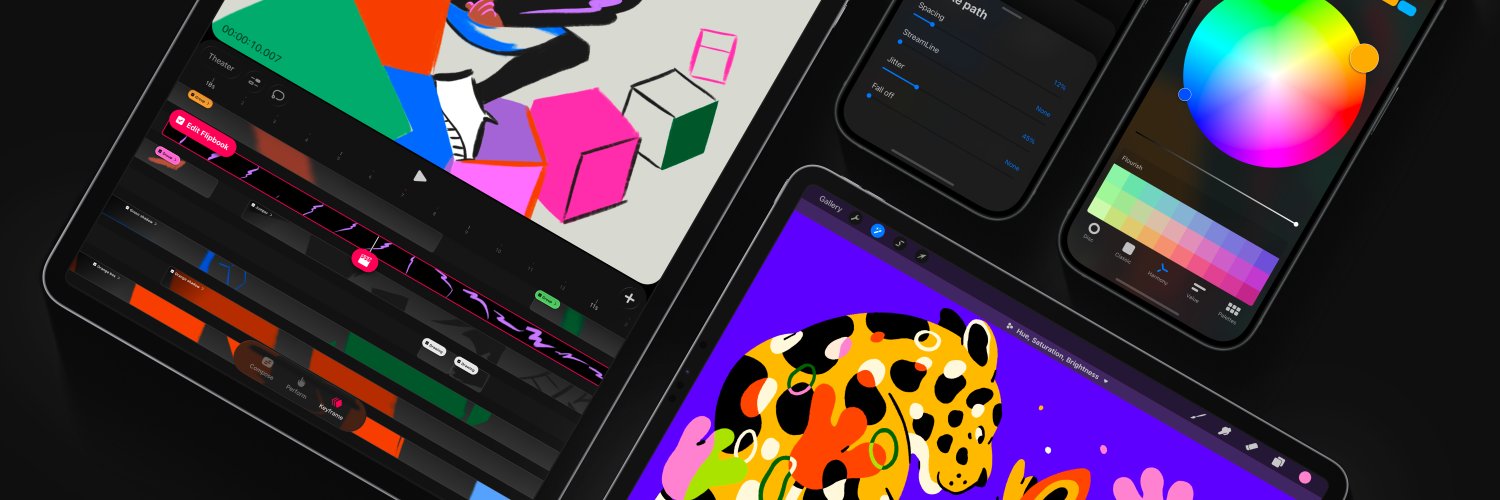
Unleash your creative potential with our powerful illustration and animation apps, Procreate and Procreate Dreams.

Australia Katılım Nisan 2013
720 Takip Edilen314.2K Takipçiler
Sabitlenmiş Tweet
Procreate
Procreate@Procreate·
Find out about everything arriving in the free Procreate Dreams 2 update, available now. Head to our YouTube channel for the full video. #ProcreateDreams #Procreate
English
27
180
1.4K
598.7K
Procreate
Procreate@Procreate·
We're sad to hear this and are here to help! Procreate should access brush files via the Files app, and there may be trouble accessing these files. Can you see the brush files in the Files app > Procreate Brushes folder from either iCloud or On My iPad? ➡️ To troubleshoot, we recommend syncing: go to Settings app → (Your Name) → iCloud → Drive → Sync this iPad. As a next step, confirm your Brush location: open a canvas and go to Actions (wrench) > Prefs > and toggle 'Store brushes to iCloud' two times > and select the 'All Brushes' option each time. This should re-consolidate any of your Brush Library to one location again and reload your brushes within the app. Let us know how you go! 🙏
English
0
0
0
17
Adrian de Largue
Adrian de Largue@adriandeLargue·
@Procreate hey guys, I just lost all my brush library with brushes I purchased, I don’t know if there was an update or something that triggered this 🥲
English
1
0
0
55
Procreate
Procreate@Procreate·
Hey there! The Reference layer will inform all of your other layers. ColorDrop will apply to your other layers while respecting the line work of your Reference layer. You may like to turn off Reference for your layer to apply ColorDrop specifically to line work on a seperate layer. Please share a screenshot of your Layers panel if we can be of any help in looking into the layer setup. 🤗
English
0
0
0
478
Utsav Sheth
Utsav Sheth@utsav_v_sheth·
Hey @Procreate i found one issue. When i enable reference, they try to fill colour, automatically filling the entire page instead of one particular object. Version: 5.4.10 Can you please check and tell me how to solve it Thank you :)
English
0
0
0
497
Procreate retweetledi
mist 𓅨𓅻
mist 𓅨𓅻@hirundinifaye·
quick whooping crane doodles on procreate from the other day
mist 𓅨𓅻 tweet media
English
2
26
465
5.3K
King Leó
King Leó@leonardokih·
Working on The World’s National Treasure @Cristiano via arguably the best drawing application @Procreate in the world and I am startled with a variety of intriguing coloring options ✍️. May we be blessed with multiple streams of income in this New Month. Happy New Month All
English
1
0
0
4
Procreate
Procreate@Procreate·
Hi there! We would like to help you with your brushes 🙏. Could you please confirm with us if you recently updated your Procreate app to the new Brush Library system? If not, do your brushes appear with a dotted / cloud preview, or with empty Brush Sets maybe? You can also share a video or photos of the issue you are experiencing, so we can assist you accordingly.
English
0
0
0
111
LE꩜
LE꩜@realashleo·
I LOST ALL MY DOWNLOADED BRUSHES SET?????
English
4
0
3
252
Procreate
Procreate@Procreate·
Hi there! We are glad to hear that the iCloud Backup for your iPad was helpful to recover your accidentally deleted projects 🙏. We understand that backup or restoration options can be useful, and we are actively working towards better backup solutions for the future - we plan to bring our new engine from Procreate Dreams into Procreate, which will include automatic iCloud syncing with your files, and access to the Recently deleted folder in Files app. This complex engine change may take some time in development, but we work very hard to improve our apps further!
English
1
0
0
55
塞守
塞守@saegami2·
Procreate民、iCloudの自動バックアップちゃんと設定しような…… 誤操作で1企画分のスタック全消しして、バックアップのおかげで事なきを得たうっかりより……(ファイル数のせいで復旧に15、6時間かかりました)
日本語
1
0
0
167
Procreate
Procreate@Procreate·
@harrisonJNIOR We're keen to bring the Reference layer to Procreate Dreams in the future! We've noted your support for this feature. 🫶
English
1
0
9
1.4K
HARRISON fell off ✨
HARRISON fell off ✨@harrisonJNIOR·
Procreate dream users, please write to @Procreate and tell them you need reference layers, I don’t think they know what it means and how important it is.
English
2
1
6
1.6K
Procreate
Procreate@Procreate·
Thank you for flagging these issues with us! We're sad these are affecting you. 1. The Gallery menu issue is a known bug, and we are working to resolve this. 2. This looks like a keyboard bug that sadly can be triggered by using the floating keyboard and the number pad in Procreate. Try using two fingers to move this, or tap your canvas title to open the letter keyboard and reverse pinch to expand the keyboards back to full size again before using the number keyboard. 3. We are also tracking a bug where the active colour (in the top right corner) can also appear darker when the colour panel is opened. We have noted your report of this, and if you would like to, updating to iPadOS 26 can help to improve compatibility and reduce the impact of issues 1 and 3. 🙏
English
0
0
1
51
zhou
zhou@zhoucre8·
@Procreate Hi, I’m experiencing several issues with Procreate: 1. The color displayed in the top-right circle appears darker than the actual selected color. 2. Regardless of whether the screen is in landscape or portrait mode, part of the keyboard gets cut off when in use.
zhou tweet mediazhou tweet media
English
2
0
0
84
Procreate
Procreate@Procreate·
Thank you for flagging these issues with us! The Gallery menu issue is a known bug, and we are working to resolve this. We are also tracking a bug where the active colour (in the top right corner) can also appear darker when the colour panel is opened. We have noted your report of this, and if you would like to, updating to iPadOS 26 can help to improve compatibility and reduce the impact of these issues. 🙏
English
0
0
1
45
zhou
zhou@zhoucre8·
3. The menu disappears when I select an item, instead of staying visible as expected. My iPad and Procreate are both updated to the latest versions. I have also reinstalled Procreate twice, but the issues still persist. @Procreate Could you please help me resolve this?
zhou tweet media
English
1
0
0
83
Zet
Zet@ZetsuboWhite·
@Procreate @onetupthree A seamless 2D pattern / wraparound canvas tool. Basically a mode where anything painted past one edge continues onto the opposite edge in real time, so you can paint perfectly tileable textures and patterns directly on the canvas
English
1
0
0
47
Tuppy 🧀
Tuppy 🧀@onetupthree·
water studies
Tuppy 🧀 tweet mediaTuppy 🧀 tweet media
English
2
5
184
7K
Procreate
Procreate@Procreate·
We're working to improve this so we can offer the best experience for our customers. There's still work in development to be done to ensure the highest quality and reliability with any changes to file management. For now, please check out the backup advice on our Help Centre: procre.at/handbookbackup 🙏
English
0
0
0
36
rspt
rspt@spryeeet·
@Procreate IT'S BEEN YEAAARS, can we atleast have a recently deleted section? and easier backup solutions 🙏🙏🙏
English
2
0
12
190
Jason Hateart
Jason Hateart@thehateart·
So happy to finally share “The Gentle Giant” my projection mapping piece created for OFFF Barcelona 2026 / The Screen. A small story about softness, quiet strength, and choosing peace over battle. Made in @Procreate #procreateart
Jason Hateart tweet media
Jason Hateart tweet mediaJason Hateart tweet media
English
1
3
35
9.3K