GeoPixels

27 posts

GeoPixels banner
GeoPixels

GeoPixels

@GeoPixels

GeoPixels Official Account

Sumali Ağustos 2025
3 Sinusundan468 Mga Tagasunod
GeoPixels
GeoPixels@GeoPixels·
@Christophe14415 You have to change to inspect mode. First click on the 🛠️ icon at the top left, then on the 🎨 icon, it'll switch you to inspect mode, t hen when you click a pixel you'll have see a popup with that pixel's information, at the top left of that information there is 📍 to click
English
0
0
1
184
GeoPixels
GeoPixels@GeoPixels·
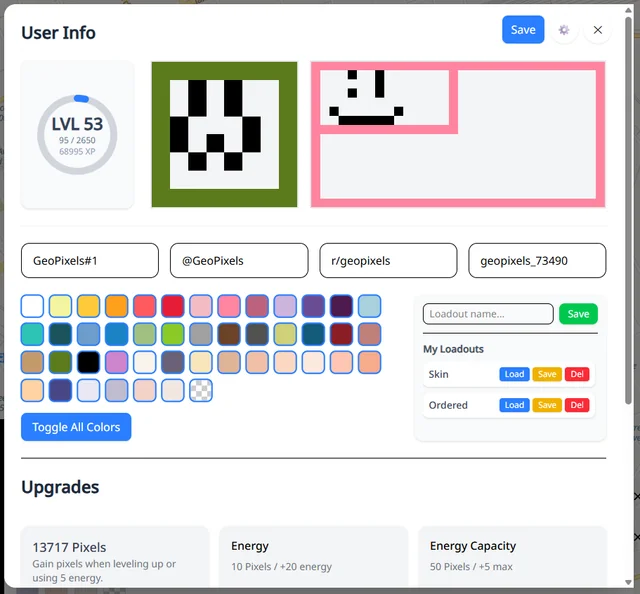
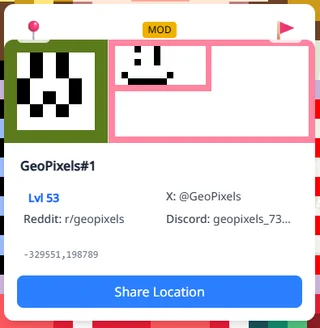
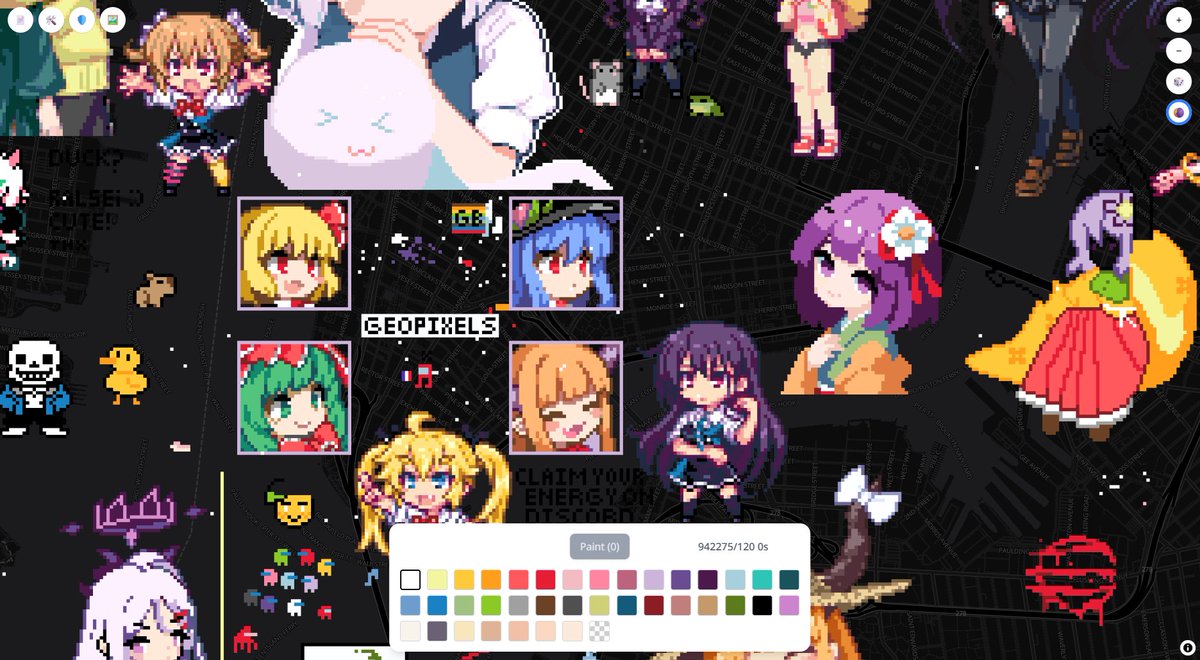
Small Update. Added profile pictures and banner pictures, both of these can be unlocked in the shop and start at 8 x 8 and 8 x 16, going up to 128 x 128 and 128 x 256 for banners as you upgrade the level of them. Alongside that a couple of tweaks have been done to the error scanning and error finding of the ghost images. And for mobile users i moved the draw/erase, inspect/action, and shift lock buttons to be on the bottom controls to ideally make it a bit smoother to draw on mobile. As usual do let me know of any bugs or odd behavior related to these updates or any other matter on the side
GeoPixels tweet mediaGeoPixels tweet mediaGeoPixels tweet mediaGeoPixels tweet media
English
2
1
15
8.7K
GeoPixels
GeoPixels@GeoPixels·
@Christophe14415 @Penguinart69 While i prefer to let people have any discourse about the site, i'd like to reassure people that we are firmly against removing or moving non offending art, the only kind that gets removed is those making allusion or apology of illegal subjects, or some other such matter.
English
1
0
1
148
GeoPixels
GeoPixels@GeoPixels·
Come join us making PixelArt. Almost anything is allowed. Normal art greatly appreciated but we won't judge you!
English
138
489
16.6K
10.2M
GeoPixels
GeoPixels@GeoPixels·
Lastly, we've changed the rendering method for the pixels once more. Ideally, you will see some improvements in performance, but if any issues arise please do let me know.There are currently two known issues, the placement of transparent pixels, which may take a little time to update with this new rendering method, and a slight misalignment of the queued, preview, and ghost image pixels compared to the placed ones, but once painted they'll be placed where expected. Also, for the sake of saving memory, the images may look a little fuzzier at just the right zoom level, but otherwise they should remain crisp and pixel perfect when zoomed in to draw. If anyone is curious as to the reason why, you can read the more detailed technical explanations and see all of these changes happening in real time in our discord server. From here on out, I think I'll do updates in more of a changelog format to keep track of everything that has changed, because in most cases one single extra feature or update isn't worth sending announcements or updates for. These patch notes will group them all up as I've already done when referring to tweaks, just ideally with a bit more detail.
English
1
0
10
6.6K
GeoPixels
GeoPixels@GeoPixels·
We've also implemented the first steps towards proper user customization. Currently it's only in the form of custom tags from joining a guild. These tags will let others know which guild you are a part of, and are set by the guild owner, and will also show if a user is a moderator or a guild captain. If you aren't yet aware, you can switch to pixel inspecting mode by pressing the mode toggle key (default is P) or by clicking on the palette icon on the top left menus under the wrench submenu.
GeoPixels tweet media
English
0
1
6
5.7K
GeoPixels
GeoPixels@GeoPixels·
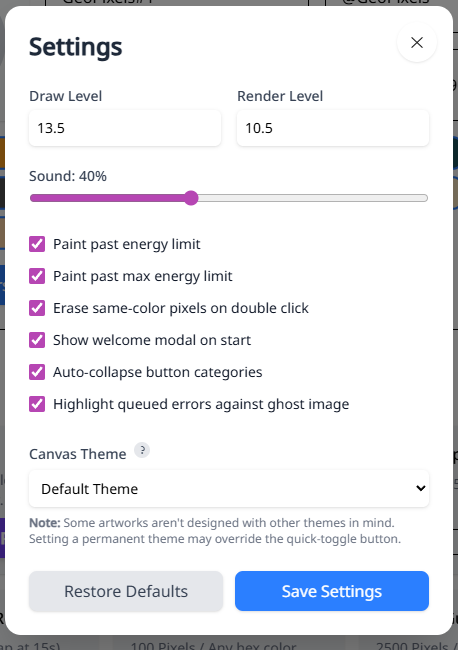
Regarding options, we also have added a few new ones since the last time we showed them off. Namely the option now to set a permanent theme of your choosing, be it the built in dark mode, or custom themes you can build using Maputnik. The tooltip in the options menu gives a more in-depth guide on how to clean up and build your theme's json to successfully load it into the system, but otherwise you can set your theme to whatever you like, whether it’s of your making or one already built. Another notable option is that of error checking. As of now, it only applies when the pixels are queued, before they are painted, but if you’re placing pixels and have accidentally picked a similar but incorrect shade, or this will indicate the error. Please note that if the anti fingerprinting is enabled you'll see some false positives for now, but that's something that'll be fixed in future updates.
GeoPixels tweet media
English
0
1
4
3.8K
GeoPixels
GeoPixels@GeoPixels·
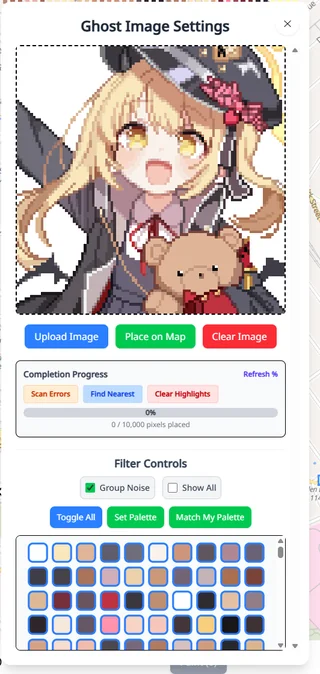
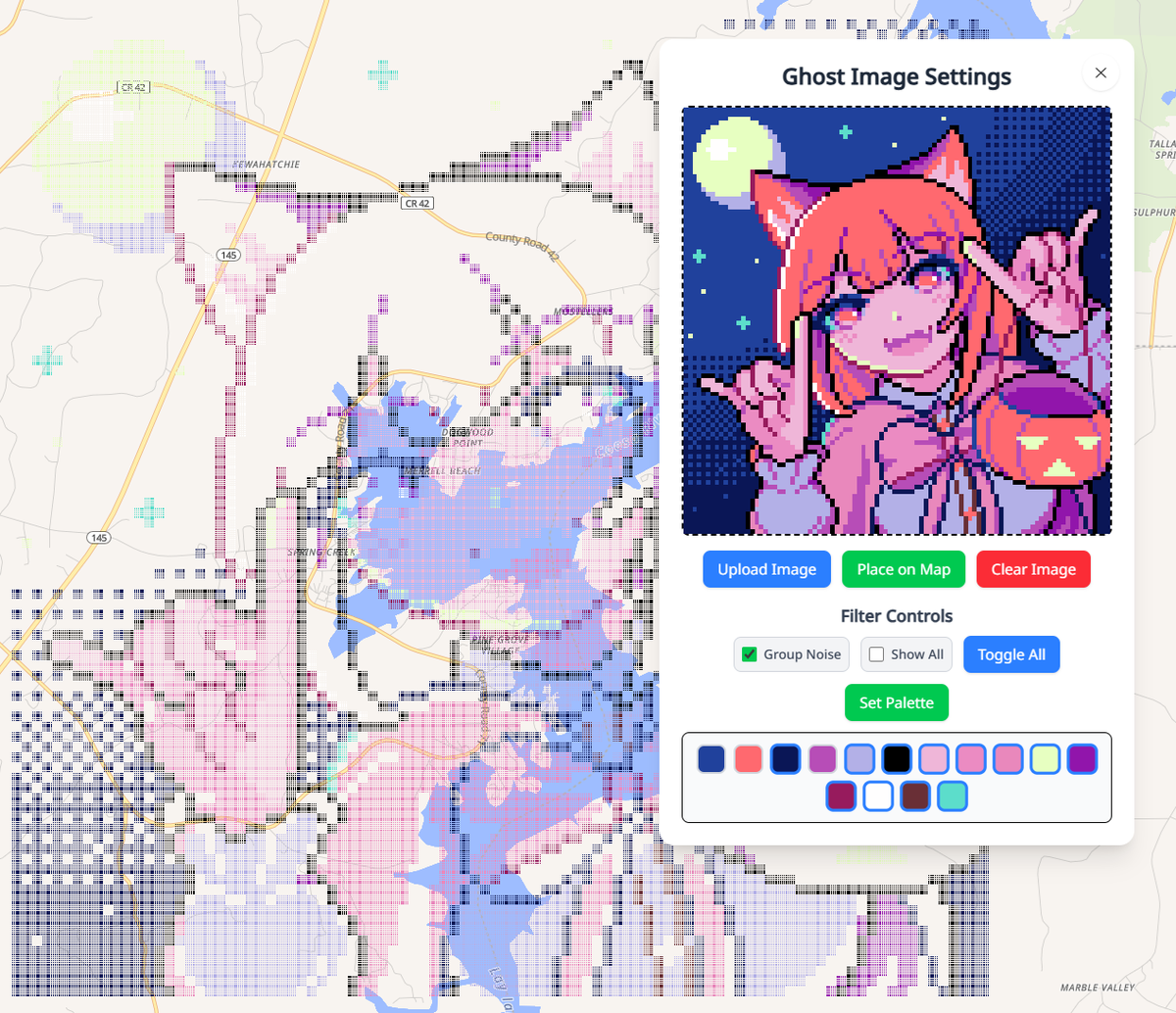
Ghost images have a new feature called 'Group Noise' that will be very user dependent. What it does is group colors that are very similar together, so grouping the noise, and is intended for browsers that have anti fingerprinting technology such as Brave and Firefox. This specific privacy feature of these browsers adds noise to any uploaded picture, which includes any files that are uploaded to the ditherer, the ghost image, and project images. This noise will affect the ghost image filter and display a bunch of near shades if not enabled. However, if you disable the anti fingerprinting for the site, or are using a browser without those features such as Google Chrome, then you should have no issue nor see any difference with this checkbox toggled on and off. Here’s a tip for those who don’t know: the colors shown at the bottom of the ghost image window are filters, and you can click on any color to toggle it on or off to choose exactly which you want to display.
GeoPixels tweet media
English
0
1
9
3.1K
GeoPixels
GeoPixels@GeoPixels·
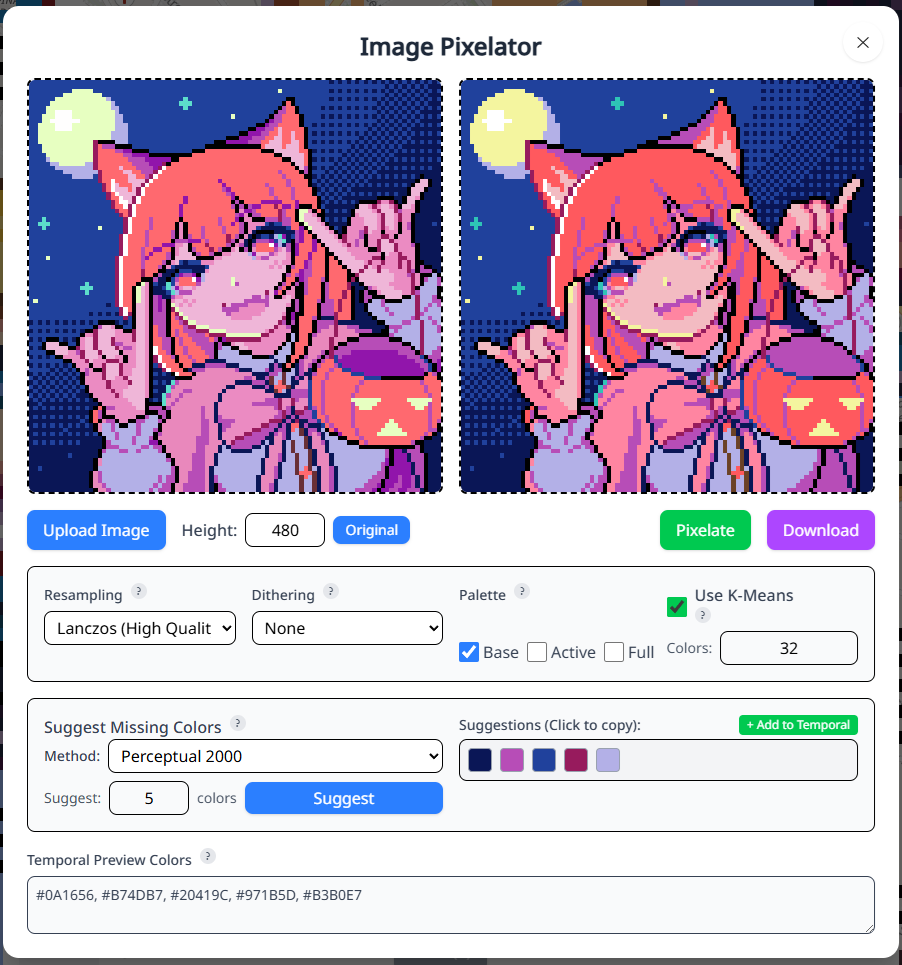
Major Update. A lot of changes and tweaks since last update. For starters we have added more functionality to the pixelator and ditherer. There is now the option to chose the starting color palette as the base when creating templates, in order to easily share them with new users if your friends are interested in joining. Also implemented is the ability to add any unowned colors you want to the template and preview how the image will look with those chosen colors, helping you make more informed color purchases. To go hand in hand with this, multiple color suggesting algorithms have been added to the pixelator that can suggest a specified number of missing colors for the image. You may need you to reroll a few times and test out each set of options given, but from what we've tested they do a good job. A couple more minor improvements include a button to set the height of the template the same as the image, if one wants to simply color cast instead of downscaling the image, and the ability to color pick from the original image by clicking anywhere on it to get the hex color copied to your clipboard. For more detailed explanations of any of these functions and options, hover over the ? symbols next to each.
GeoPixels tweet media
English
0
0
6
2.4K
GeoPixels
GeoPixels@GeoPixels·
And is it only the pixels, you can still see the map and pan around? Also could you tell me if there is any error on console, or ideally share a screenshot of what you see there? And another matter a bit unrelated, but have you experienced other glitches regarding the size of a webpage elsewhere?
English
0
0
0
142
GeoPixels
GeoPixels@GeoPixels·
@scrimgl Hi, can you give me more details? What browser are you using, and have you tried with another browser, or checked if any of your extensions isn't playing nicely with the page?
English
0
0
0
75
GeoPixels
GeoPixels@GeoPixels·
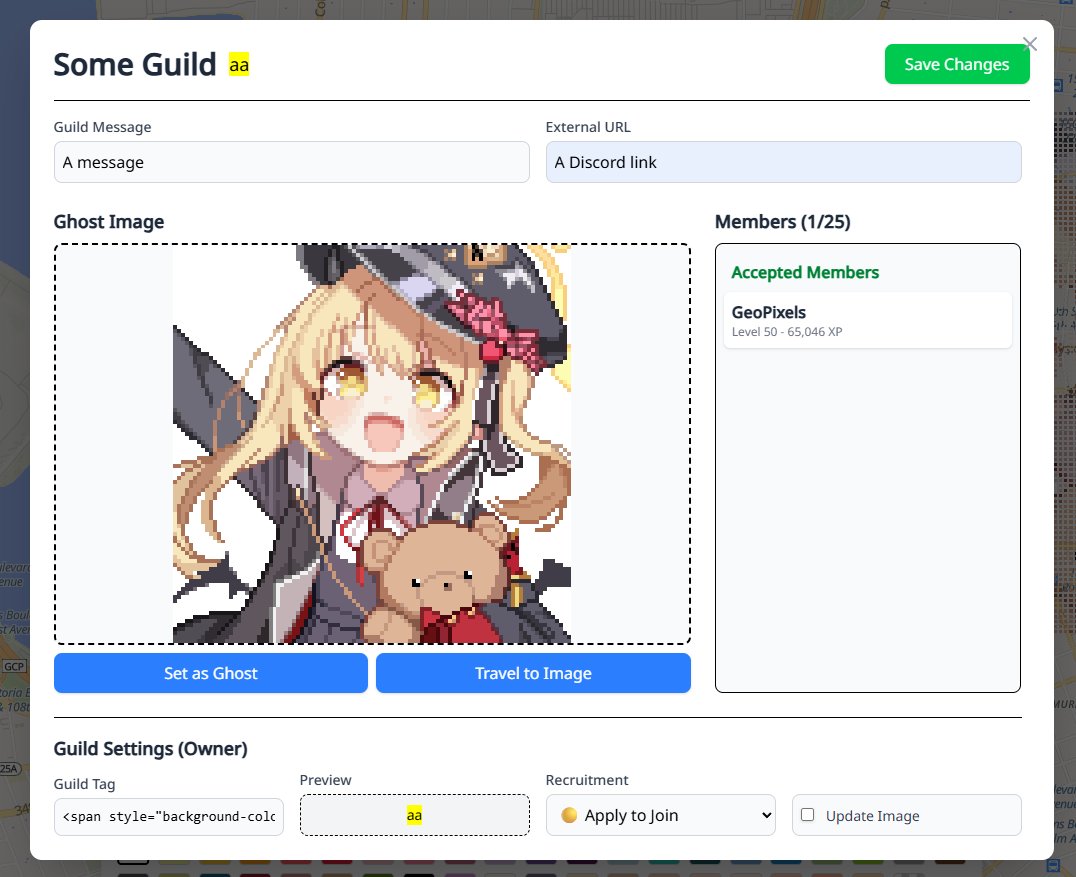
Basic guild's system implemented, you can create your own in your profile menu, or join an already existing one. Right now it's use is just to coordinate amongst users, but i'll be implementing more features to the guild in the following days. Also added the nuances section to the rules, and even for those who read the first version I've added a few more, please be sure to give them a read, the rules are mostly the same, just better defined.
GeoPixels tweet media
English
0
2
6
3.3K
GeoPixels
GeoPixels@GeoPixels·
Minor update: More tweaks. Ghost images now resets where it was last placed when reloading. Implemented a timed dark mode, used to find hard to see near whites, but not for permanent use as some artworks aren't designed with that in mind.
GeoPixels tweet media
English
2
1
7
3.7K
GeoPixels
GeoPixels@GeoPixels·
Minor Update: WASD keybinds. Eyedropper now works on ghost images too. Moderators now have a simple reminder whenever a report is submitted. And some groundwork for better performance. I also made tiles refresh a bit faster given the extra bandwidth for now, and i tested it on my own older phone so it should still be fine.
English
0
0
2
2.2K
GeoPixels
GeoPixels@GeoPixels·
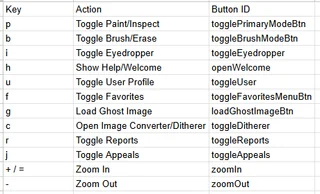
Minor Update: More settings. More tweaks. And a few simple shortcuts. Also now eraser by default it drag erases without needing to press shift, so Firefox users shouldn't have to deal with that issue anymore
GeoPixels tweet mediaGeoPixels tweet media
English
0
0
2
3.3K
GeoPixels
GeoPixels@GeoPixels·
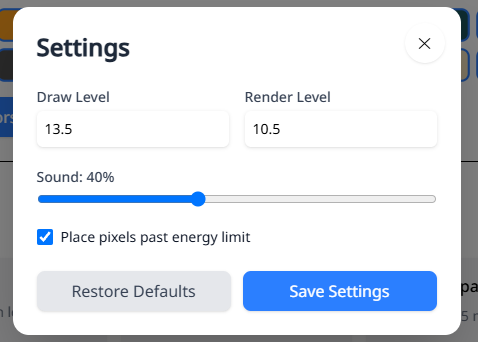
Minor Update: Implemented the config menu. For now it has a few options but it'll grow overtime. And also many little tweaks
GeoPixels tweet mediaGeoPixels tweet mediaGeoPixels tweet media
English
0
0
2
2.8K
GeoPixels
GeoPixels@GeoPixels·
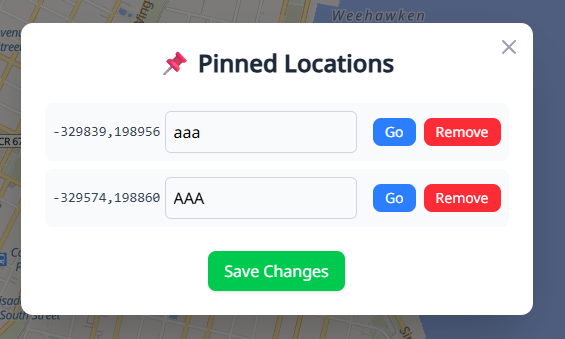
Minor Update: The Pinned Locations now can have names. And added sounds to placing and committing of pixels.
GeoPixels tweet media
English
0
0
1
2.6K
GeoPixels
GeoPixels@GeoPixels·
Minor Update: Eyedrop function implemented. Use it to copy the color to your clipboard if you don't own it, or to select and switch to that color if you do own it.
GeoPixels tweet media
English
0
0
0
2.5K
GeoPixels
GeoPixels@GeoPixels·
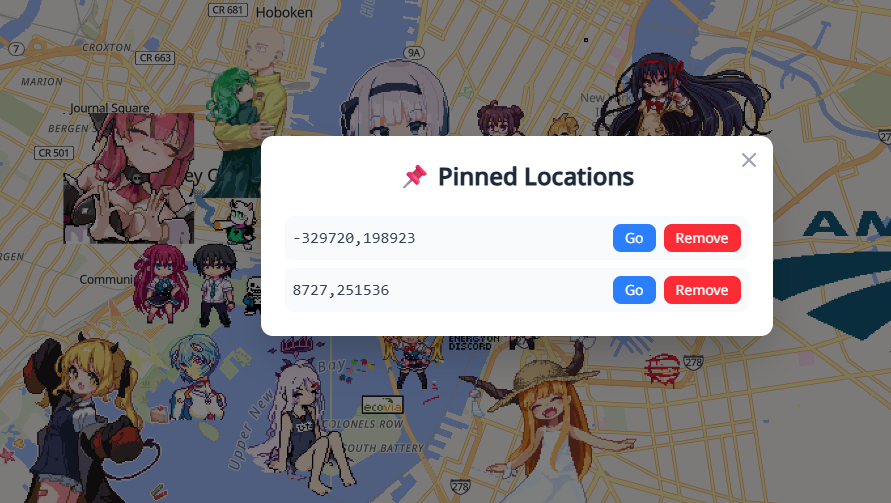
Implemented a pinned locations feature. Now you can go back to any location of interest or for future drawings
GeoPixels tweet mediaGeoPixels tweet media
English
0
0
5
2.6K
GeoPixels
GeoPixels@GeoPixels·
Added a explore button. Use it to find random art around. If the feature isn't working make sure to refresh the cached page with Ctrl + F5
GeoPixels tweet media
English
0
0
5
2.4K
GeoPixels
GeoPixels@GeoPixels·
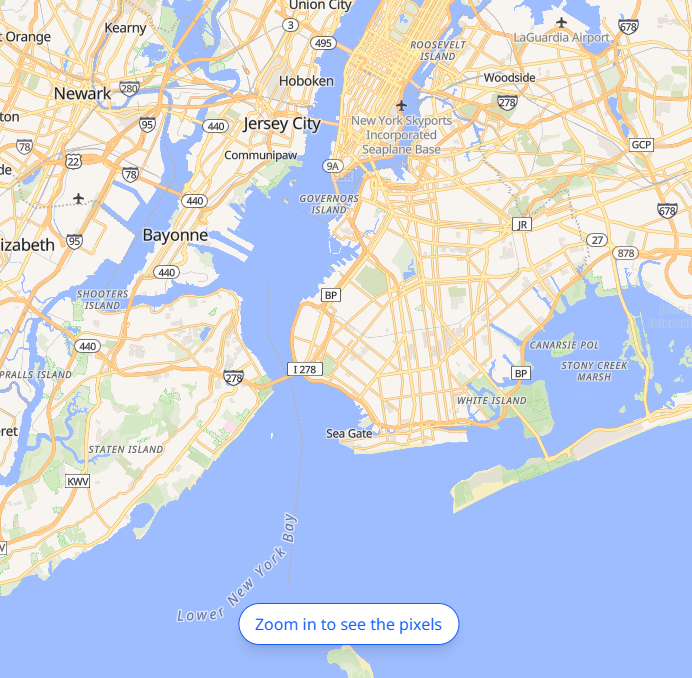
Things are filling nicely
GeoPixels tweet media
English
0
0
2
2.7K