
Naka-pin na Tweet
NotePlan
4.1K posts

NotePlan
@NotePlanApp
NotePlan combines your: 🗒️ notes, ⭐️ tasks, 📅 calendar All in one place. Plan your days to stay on track, manage projects and build a Second Brain.
Sumali Mart 2016
1 Sinusundan4.6K Mga Tagasunod

@xTechLedger @satoshisats @heynavtoor NotePlan also has an MCP server now for Claude Desktop/Cowork/Code and OpenAI Codex, so they can run as efficiently as possible:
help.noteplan.co/article/277-ho…
English

@satoshisats @heynavtoor Should this framework be set up directly on your local drive or in any other location using other tools like Obsidian or @NotePlanApp?
English

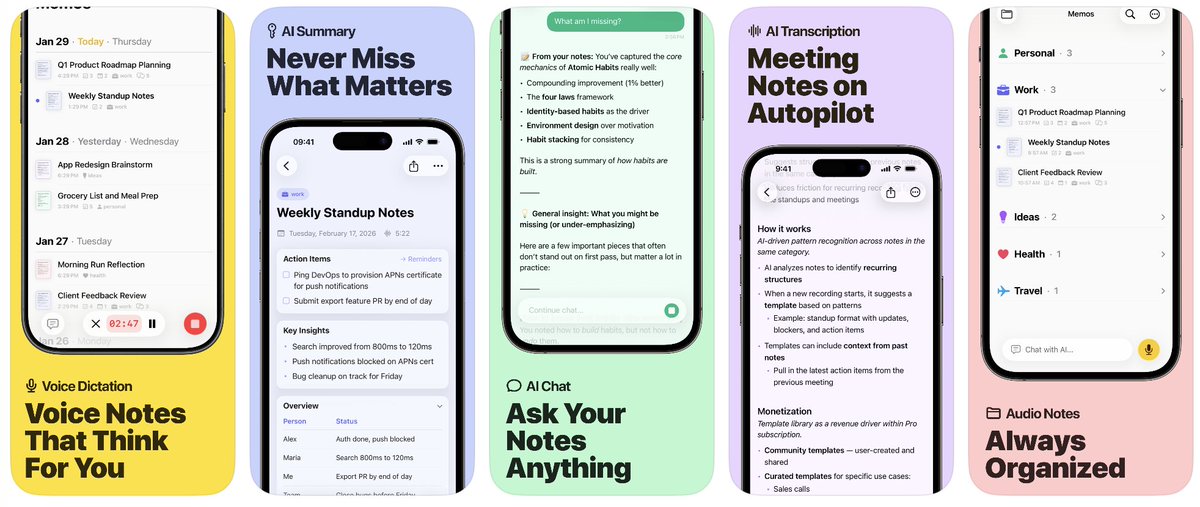
@ParvSondhi You can send notes to NotePlan from Memo.
NotePlan has voice transcription already but memo is optimized for this and fully AI native. Too big of a change for NotePlan. Would change the core purpose. We don’t want to make NotePlan a voice first app
English

@NotePlanApp How does it play with NotePlan ? I am assuming notes are not synced across both?
Also curious behind why this is standalone vs integrated into NotePlan?
English

@IamCrazYves Let us know what feedback you have! We added Mistral as EU provider due to user feedback we received :)
English

@NotePlanApp I love the fact you are providing an EU alternative for the AI processing . Thanks a lot I will test the app and share it on my newsletter
English

Join the TestFlight today: testflight.apple.com/join/VfQVHkDV
More details: noteplan.co/memo
English

8/ Full setup guide with video walkthrough: help.noteplan.co/article/277-ho…
Let us know if you have any feedback, we keep tweaking the server continuously. Restarting Claude Desktop is all you need to get the updates.
English

7/ Restart Claude Desktop. Done.
To use the advanced features (create themes, plugins and control the UI), download NotePlan's TestFlight version: testflight.apple.com/join/fm9q4OjE
English

@ParvSondhi Not only local MDs, we also have an MCP server now, that's more token efficient, knows how NotePlan works and can do advanced stuff like writing Themes and Plugins for you: help.noteplan.co/article/277-ho…
English

You can also recreate most of the same workflow with other note apps that have local md files like @NotePlanApp
Nick Milo@NickMilo
Obsidian has officially won the note wars [Video] Everyone seems to be scrambling to install complex protocols, paying for plugins or built-in AI subscriptions—or just switching apps once again—as their current app fails to catch up to the latest AI developments. Meanwhile, in Obsidian, AI integration looks like this: Point AI at a folder. And you're done. Or, if you're like many, don't integrate AI at all. Either way, with Obsidian, it's your choice. Watch 👇
English

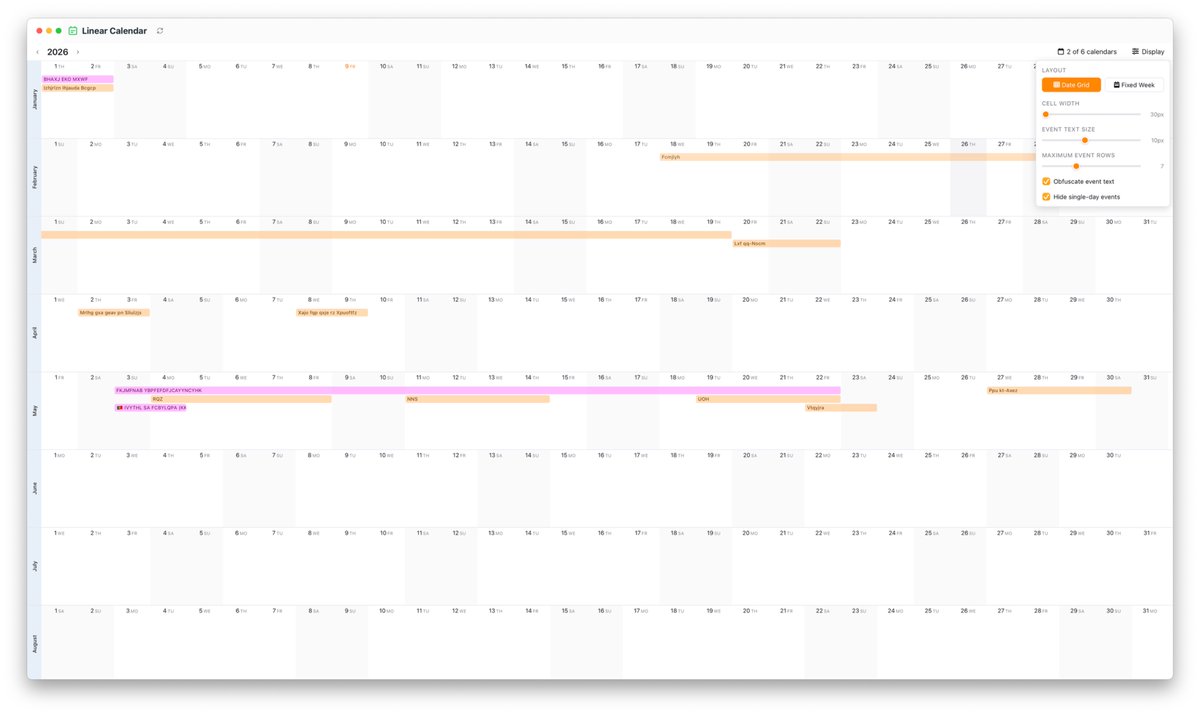
Just discovered that @NotePlanApp has a Linear Calendar that gives you an overview of the whole year. It makes it so easy to visualize multi-day events.
This app is seriously amazing omg

English

@thejameszhan @NotePlanApp I downloaded that but I don’t see it on the left side.
English

RT @mayurzzz: My choice is NotePlan @NotePlanApp for 2026. It was a good 5 year run with Things (which I still love but I needed a deeper s…
English

@NotePlanApp is a great local-first notes and task app. Eduard, how does it work to point Cowork at the local files? Can we edit locally?
English

@NotePlanApp Is it possible to change the time periods a periodic note covers? E.g. to set the quartlery notes to not cover the calendar Qs, but instead the academic calendar or fiscal calendar within a business?
English