
Michaela Light

7.1K posts

Michaela Light banner
Michaela Light

Michaela Light

@TeraTechCF

CEO of TeraTech: The ColdFusion Experts: Development, Optimization, Security. CF Alive podcast. Author CF Alive book.

Rockville, MD Sumali Ağustos 2009
1K Sinusundan983 Mga Tagasunod
Naka-pin na Tweet
Michaela Light
Michaela Light@TeraTechCF·
Get your free copy of my CF Alive book Read on to see how to get your free copy of my CF Alive book. But first, what is the book about? ColdFusion is a vibrant and modern language for complex, data-driven enterprise apps. While some companies have abandoned CF as dying, more farsighted dev teams have embraced CF. Learn how they are making it the most modern, secure and state-of-the-art web development ecosystem. Bar none. The CF Alive book explains how you can: * Modernize your legacy CF apps with 14 best practices for easy-to-maintain apps * Discover 27 state-of-the-art tools from my hand-picked list that will make you more efficient at CF development * Inspire others developers and young programmers with our proven 21 outreach methods * Learn 8 keys to improve CF Marketing and be proud of using ColdFusion * Contribute to making CF more alive this year You can buy the book on Amazon or you can get a free copy by commenting on this post saying “I want CF Alive” and optionally saying why you want it. What readers are saying about CF Alive: "In CF Alive, the author explores best practices surrounding modern web development, recommending specific software tools and other resources for implementing these best practices for Adobe ColdFusion and other CFML application developers. What I liked best about the book (Kindle version), is that I could read about a recommended software tool, then link directly to a CF Alive Podcast between the author and a highly-experienced ColdFusion developer with expertise in using that tool." - G Cantor "This book is taking on a tough challenge: convince the web development world that ColdFusion is worth investing in. There's a lot working against ColdFusion: its age, its decline in popularity, its perception as stagnant. What this book does, however, is line up all the many responses to those criticisms. It reaches out to new and former ColdFusion developers with the words of the very community that writes ColdFusion code today. It also speaks to existing ColdFusion developers and encourages them to embrace the latest techniques and technology that the ColdFusion community offers to help bolster and improve the name of ColdFusion in the development community. If you are a current or former ColdFusion developer or simply curious about developing for ColdFusion, you should check this book out." - Miles Rausch "I love the inspirational quotes throughout the book, and all the contributions from other CF community members. This reminds me of the Fusion Authority articles and the great sense of community support that they provided. The “Outreach” chapter is excellent in this regard — reading it brought back a lot of the feelings I got when I first met people in the CF community and shows how passionate the CFML community still is. This is an excellent reference for people new to CMFL looking to get a jump start on recommended practices, and a great resource for anyone doing web development that just needs to be inspired again. (Full disclosure: I was interviewed for this book and also helped with the technical editing." - Nolan Erck "We have all seen legacy developers stuck in their ways. It is time for ColdFusion developers to step up and modernize! CF Alive is a great resource written to provide the necessary tools and resources to update, secure, scale and deploy new and better applications with ColdFusion. This book helps from the newbie CF developer to the larger team of developers looking at ways to support and move forward with ColdFusion. Additional topics include containers, ways to bring more applications to the cloud, better security of our application source, testing environments, opportunities to use the open source Lucee engine and more. It is time to bring more educational opportunities to developers with the rapid application development of ColdFusion. This book hits it straight on. CF is Alive!" - William Frankhouser About the author Michaela Light is the host of the CF Alive Podcast and has interviewed more than 60 ColdFusion experts. In each interview, she asks “What Would It Take to make CF more alive this year?” The answers inspired this book. Michaela has been programming in ColdFusion for more than 25 years. She founded TeraTech in 1989. The company specializes in ColdFusion application development, security and optimization. She founded the CFUnited Conference and runs the annual State of the CF Union survey. Get your copy of CF Alive now You can buy the book on Amazon at amazon.com/CF-Alive-Makin… Or you can get a free copy by commenting below. Just say “I want CF Alive” and optionally why you want it. And I will PM you back with the book PDF and Mobi file. Easy!
Michaela Light tweet media
English
0
0
4
481
Michaela Light
Michaela Light@TeraTechCF·
ColdBox just gained a little AI helper that actually understands your stack: Agentic ColdBox. "One does not simply copy-paste generic scaffolding into a real HMVC codebase!" - Boromir, CF dev The ColdBox Command Line Interface now includes an AI namespace that sets up “framework-aware” coding agents. Think of it as having a helpful little Hobbit by your side. Your assistant walks into the project already briefed on ColdBox conventions, your module ecosystem, and the patterns your team expects. It’s like the Council of Elrond, except everyone agrees on routing, dependency injection, and folder structure. What ships with it: Guidelines and Skills that agents can load with intent, so you spend less time re-explaining the basics and more time shipping. Agent config files generated for common tools (Claude, GitHub Copilot, Cursor, Codex, Gemini, OpenCode), which help teams keep consistent output across different assistants. 30+ Model Context Protocol servers bundled for tool connections, plus diagnostics and context analytics to keep prompts lean. My favorite detail: the docs describe a “subagent” style approach. Core framework knowledge stays handy, and module guidance loads on demand, which keeps the context window from turning into Moria. If you build ColdBox apps and have watched AI tools generate “almost-right” code, this upgrades your quality-of-life. Bravo Luis Majano @lmajano, Ortus Solutions, Corp and the whole team! #ColdBox #CFML #BoxLang #CommandBox #DeveloperTools #AI #ModelContextProtocol #SoftwareEngineering #WebDevelopment
Michaela Light tweet media
English
1
0
0
3
Michaela Light
Michaela Light@TeraTechCF·
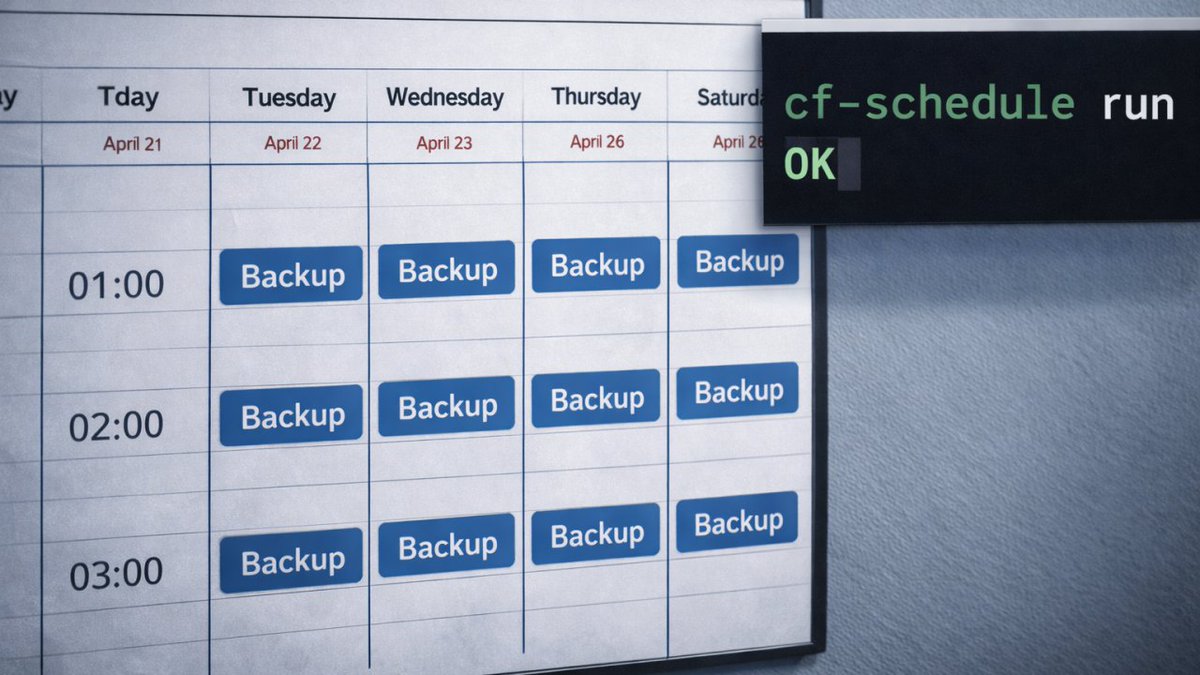
The Wizardry of 3-2-1 Backups with ColdFusion Scheduled Tasks (Part 1): Start with Source Control, Then Protect the Real Data A backup plan looks solid right up until the day it has to perform. If a ransomware note or a fat-fingered delete landed on your desk tomorrow morning, would your team restore the app and the data on a predictable timeline, with the steps written down and rehearsed? 👉 A Quick Coffee Call: need a fast sanity check on your CF backup plan or a second set of eyes on restores? Book a 15-minute call teratech.com/coldfusion-cof…, and we will walk your team through a practical, CF‑specific checklist. What this two-part series covers This series turns “3-2-1” from folklore into a working routine for a production ColdFusion application. * Part 1 (today): the foundation (source control, file backups, and the 3-2-1 structure) * Part 2 (next week): the parts teams forget (ColdFusion Administrator settings, scheduled tasks, database strategy, restore tests, and recovery targets) What 3‑2‑1 really means for CFML teams It’s annoyingly simple. Three copies of your data. Two different storage types. One copy offsite and offline, or at least logically isolated. In practice, for ColdFusion Markup Language (CFML) platforms like Adobe ColdFusion, BoxLang, and Lucee, that usually looks like this: * Primary: your production database and CF app files * Secondary: a local encrypted snapshot or archive on different media * Tertiary: an off-site, immutable object store with versioning enabled Your goal is boring reliability: the same routine, the same outputs, the same verification, every day. Step 1: Make version control the source of truth Application code rarely belongs in “backup zip files.” Code belongs in a version control system. A practical baseline: 1. Put all application code in a private repository (GitHub, GitLab, or Bitbucket). 2. Use tagged releases so you can roll back to an exact production state. 3. Store deployment artifacts and build steps in the repository (or alongside it), so a restore includes “how to ship.” This is the first lever that turns a restore into a repeatable procedure instead of a scavenger hunt. Step 2: Back up the file system parts that Git does not cover Even when Git is rock solid, most real systems still include important files outside version control. Focus file system backups on: 1. The web root, especially if anything deploys outside Git 2. /WEB-INF/ (custom tags, components, includes that may not be tracked) 3. Upload directories (user uploads, generated reports, exports) 4. Integration artifacts (templates, certificates, job scripts, private configuration files) Tools teams actually use: * rsync to a second host or to an object store * Duplicati (free and open source) to encrypted backup targets * Cloud provider backup tools when the application runs fully in a managed environment Where ColdFusion Scheduled Tasks fit in Part 1 Scheduled tasks help when you treat them as orchestration. Use scheduled tasks to: 1. Trigger a backup workflow at the same time every day 2. Verify the result (checksum + file count + size thresholds) 3. Record a success or failure signal into logs and alerts A practical pattern: * Scheduled task calls a single, locked-down endpoint such as /tasks/backup-health.cfm * That endpoint triggers CF scripts that perform file sync and verification * Logging includes a correlation identifier and safe metadata (counts, sizes, timestamps) If your environment lacks Git today, a “quick and dirty” stopgap can help while you migrate: * Create a nightly archive of the web root and upload directories * Encrypt it * Ship it offsite That stopgap is a bridge. Git should be your long-term backup backbone. A simple 3-2-1 stack you can explain to leadership A typical, easy-to-defend structure: 1. Primary: production data and application runtime 2. Secondary: encrypted backups on a different system or different storage 3. Tertiary: offsite object storage with versioning and immutability A retention schedule your CF team can remember: * 7 daily * 4 weekly * 12 monthly Part 1 sets the stage: source control for code, file system backups for what lives outside source control, and scheduled tasks as a reliability engine. But there’s more… 🌟Onward! Part 2 of this CF Alive Newsletter series delves into the components that make restores succeed on the first attempt: ColdFusion Administrator settings, scheduled task backups, database strategy, and recovery target definitions. P.S. If your CF app restore depends on a single person’s memory, it might be time for a 3-2-1 playbook your whole team can run. Send us a message or DM, and TeraTech’s ColdFusion team will turn your backup routine into a tested, repeatable recovery plan.
Michaela Light tweet media
English
0
0
2
52
Michaela Light
Michaela Light@TeraTechCF·
ColdFusion vs. PHP on Security Defaults: What Protects You on a Bad Day? Creating features in any development platform is fun. Avoiding a 2 a.m. incident call isn’t (which is why so many lead devs neglect the work). Security defaults are the built‑in guardrails that keep secrets hidden, inputs sane, and errors quiet when humans are rushed. They also let you spend more time doing the fun stuff. Which is why platform choices matter. ColdFusion and PHP are both great ways to develop useful apps for your company. But only one keeps security at the forefront. 👉 Quick note before we dive in. If you want a fast security‑baseline gut check that turns into a practical action plan, we do quick, 15‑minute coffee calls focused on security defaults for Adobe ColdFusion. Decaf or regular? teratech.com/coldfusion-cof… What are “security defaults”? They are the safe behaviors a platform enables without extra work: no verbose errors to end users, secure cookies by default, validated inputs, least‑privilege sessions, and logging that masks sensitive data. Where ColdFusion leans secure by default ColdFusion centralizes security in the Administrator and ships with Auto Lockdown, hardened images, and straightforward controls for cookies and sessions. cfqueryparam makes parameterized queries the norm, cutting injection risk. First‑party tools help small teams: the Security Code Analyzer spots risky patterns, and the Performance Monitoring Toolset supports audit trails. Standardizing session hardening in Application.cfc (HttpOnly, Secure, SameSite, timeouts, throttling) keeps apps consistent. Third‑party tools that strengthen ColdFusion Foundeo: HackMyCF (server checks), Fixinator (static analysis), FuseGuard (application firewall). Intergral: FusionReactor (observability with masking and alerting). Ortus: CommandBox/CFConfig (configuration as code) to keep environments consistent. Add ModSecurity with the OWASP Core Rule Set, OWASP ZAP in continuous integration (CI), and a secrets vault for keys. Where PHP can excel, if you standardize PHP’s core is lean, so defaults come from your framework. Choose Laravel or Symfony and adopt their middleware for Cross‑Site Request Forgery protection, validation, and secure headers. Treat php.ini and web server settings as code under version control. Pair Composer with software composition analysis and a tight, vetted dependency set. A quick checklist you can apply this week Both stacks: turn off detailed error pages for users, set HttpOnly/Secure/SameSite cookies, parameterize every query, validate input and encode output, centralize secrets in a vault, and add privacy/security tests to continuous integration (CI). ColdFusion: run Auto Lockdown in production, make cfqueryparam non‑negotiable in code review, set session defaults once in Application.cfc, and run the Security Code Analyzer or Fixinator before each release. PHP: standardize on a mature framework and its security middleware, version a safe php.ini template, add software composition analysis, and centralize error handling that scrubs tokens from logs. Which is “more secure by default”? ColdFusion is the security winner here. With strong platform‑level baselines with fewer moving parts. PHP can match that posture when you commit to a single framework baseline, disciplined production configuration, and curated dependencies. But this depends on human developers staying security focused every day. Pick the stack your team can keep safe on a bad day. 🌟 Onward! In the next issue of the CF Alive Newsletter, we’ll see how to get backups running in ColdFusion with scheduled tasks. Don’t be late! P.S.If your CF app still leaks stack traces or sets weak cookie flags, it might be time for a security‑defaults tune‑up. Send us a message teratech.com/contact/?utm_s… or DM and TeraTech’s ColdFusion team will lock down the basics and raise your baseline.
Michaela Light tweet media
English
0
0
1
23
Michaela Light
Michaela Light@TeraTechCF·
Programming Secrets and Safe Error Handling Let’s continue our focus on ColdFusion error handling, zooming in on programming secrets: what counts as a secret, where secrets tend to leak, and how to protect them so errors stay helpful to engineers and private for everyone else. 👉 Quick coffee call: want a 15-minute review of where secrets leak in your application and how to lock them down? Book a Coffee Call, and we will map a short remediation plan your team can ship teratech.com/coldfusion-cof… Programming secrets: what they are In programming, secrets are values that grant access or establish trust. Examples include database passwords, application programming interface keys, encryption keys, signing keys, service account credentials, webhook signing secrets, and third-party tokens. Secrets leak in boring ways: hardcoded values in repositories, copies pasted into tickets or chat, configuration files that drift into the wrong backups, and exception output that prints headers or connection strings. A baseline that protects secrets A reliable baseline is simple: * Store secrets outside source control, even in private repositories. * Keep secrets out of user-facing error output and out of logs. * Rotate secrets, scope them to least privilege, and expire them when possible. Practices that hold up in real teams Use a secrets manager or vault as the source of truth, then inject secrets at runtime. Separate environments so development credentials cannot access production data. Use distinct accounts and keys per service, per application, and per environment. Add automated secret scanning so credentials are caught before they merge. Add a redaction layer in your logging pipeline so tokens and headers do not land in logs. Protecting secrets in ColdFusion ColdFusion projects leak secrets most often through configuration files and exception output. Keep secrets out of Application.cfc and any versioned configuration files. Prefer environment variables, container secrets, or your organization’s vault, then load them at startup. Treat error handling as a hard boundary. Disable robust exception information in production. Keep production error templates enabled. Avoid dumping runtime objects to the response. Log third-party failures in a redacted form, for example, “failed to connect to database A,” rather than echoing a connection string. A practical rule helps teams classify risk: if a value can impersonate a user, access a system, or decrypt data, it is a secret. Governance and privacy Logs are a data store. Apply retention windows, access control, and encryption at rest. Maintain a runbook for common incident patterns with exact remediation steps. 🌟 Onward In the next issue of the CF Alive Newsletter, we will compare security defaults across ColdFusion and PHP. P.S. If your CF app spreads secrets through logs or configuration files, it might be time for a secrets hardening pass. Send us a message or DM teratech.com/contact/?utm_s…, and TeraTech’s ColdFusion team will isolate secrets, add redaction, and help you rotate keys safely.
Michaela Light tweet media
English
0
0
1
27
Michaela Light
Michaela Light@TeraTechCF·
A Zero-Leak Error Pipeline for ColdFusion Errors happen. Users deserve calm, helpful messaging. Engineers need clear, actionable diagnostics. Secrets belong behind the scenes. 👉 Quick coffee call: want a 15-minute error-handling audit that finds leaks and leaves you with a short action plan your team can ship this week? Book a Coffee Call, and we will walk through your logs, templates, and settings together teratech.com/coldfusion-cof… Your mission Build an error pipeline that protects privacy and keeps production stable. A good pipeline separates user-facing responses from developer diagnostics and works for both web pages and application programming interface responses. Here is a familiar reminder: “Keep it secret, keep it safe.” Your error layer should live by that rule. Anti-patterns to retire Start by rooting out these leak-prone habits: * Showing full stack traces to end users * Returning database errors verbatim in application programming interface responses * Logging personally identifiable information (PII) or secrets in plain text * Mixing user-facing copy with developer diagnostics * Enabling robust exception output in production A secure error pipeline for ColdFusion Markup Language Catch Catch exceptions at natural boundaries using cftry and cfcatch. Add global guards in Application.cfc with onError and onMissingTemplate, plus onRequestStart or onRequestEnd when useful. Classify exceptions by type, such as database, security, validation, and unknown. Decide Map exceptions to stable error codes, for example APP-VAL-001 for invalid input, APP-AUTH-002 for unauthorized, and APP-SRV-500 for unexpected server errors. Assign a severity level and attach a short remediation note for your runbook. Log Emit structured logs in JavaScript Object Notation (JSON) with fields like timestamp, code, severity, requestId, userIdMasked, ipAnonymized, and stackHash. Redact or hash emails, tokens, session identifiers, and query parameters. Store raw secrets in a vault, not in logs. Tip: LogBox can log errors and application events, which helps when running ColdFusion in a container where local files can disappear. Notify Send alerts for high-severity events only. Everything else belongs in logs for triage. Respond For web pages, show a friendly template that apologizes, provides a reference number, and offers next steps. Keep file paths, stack traces, and version info out of the response. For application programming interface responses, return a consistent schema and the correct status code. Guard Gate verbose diagnostics behind a feature flag intended for non-production use. Use role checks for privileged views. Minimal CFML error handling pattern Error handling checklist Induce controlled failures for database, file access, external service, and template not found. Confirm users never see stack traces or paths. Confirm logs contain redacted data, correlation identifiers, and exception type. Confirm application programming interface responses return the right status codes and schema. Confirm alerts fire only for high-severity classes. Common pitfalls and quick fixes Leaking query text. Fix by parameterizing queries and logging only a hash of the statement or a safe label. Verbose 500 pages. Replace with a single neutral template and configure custom errors in Internet Information Services (IIS) if you run on Windows. Mixed application programming interface shapes. Standardize one error schema. Secrets in logs. Add a redaction layer for tokens, emails, and identifiers. 🌟 Onward! In the next issue of the CF Alive Newsletter, we’ll cover the thing that makes error handling truly safe: secrets hygiene. P.S. If your CF app still exposes stack traces or file paths to users, it might be time for a zero-leak error strategy. Send us a message teratech.com/contact/?utm_s… or DM and TeraTech’s ColdFusion team will lock it down and leave you with a clean, human-safe error layer.
Michaela Light tweet media
English
0
0
1
27
Michaela Light
Michaela Light@TeraTechCF·
CSRF, CORS, and SameSite: Securing CF Forms and APIs One does not simply post a form without a token. If your ColdFusion forms and APIs touch customer data, getting Cross‑Site Request Forgery, Cross‑Origin Resource Sharing, and SameSite cookie settings right is the difference between quiet dashboards and a boardroom fire drill. This guide shows you how to harden forms and endpoints in ColdFusion Markup Language, with practical steps your team can ship this week. 👉 Quick note before we dive in. If you want a fast, hands‑on check of your token strategy, cookie flags, and API headers, we do 15‑minute CF coffee calls. We will review your Adobe ColdFusion, BoxLang, and Lucee settings and leave you with a one‑page fix list you can ship. Book with us now. I’ll get the espresso machine warmed up teratech.com/coldfusion-cof… The quick map: what each thing is and why it matters Cross‑Site Request Forgery (CSRF) is when an attacker tricks a logged‑in user’s browser into sending a valid request, for example changing a password or wiring funds. This happens via cloned web page on the attacker's site that users were phished to. And submits to your site. The server sees a legitimate cookie and accepts the action. A server‑verified anti‑forgery token stops this. Cross‑Origin Resource Sharing (CORS) controls which sites may call your API from a browser. Correct CORS headers allow specific origins and methods, block the rest, and protect credentials. SameSite cookies tell browsers when to send cookies during cross‑site navigation. Lax and Strict reduce CSRF risk by withholding cookies on most cross‑site requests. Lax allows cookies for safe top-level GET navigations (like links) but blocks them for POSTs, iframes, or AJAX from other sites; Strict blocks all cross-site requests entirely. None is allowed for third‑party flows, but only with Secure over Transport Layer Security. CSRF, CORS, SameSite in CFML, step by step CSRF: tokens everywhere state changes 1. Generate a server‑side random token per session or per form. Include it as a hidden field for forms or a custom header for XMLHttpRequest and fetch calls. 2. Verify the token on every state‑changing request, for example, POST, PUT, PATCH, DELETE. Reject and log on mismatch. Rotate the token after authentication and sensitive actions. 3. Pair with cookie defenses. Set HttpOnly, Secure, and SameSite on your session cookies. Scope session lifetimes tightly. CFML tips: When processing tokens in your CF code, prefer parametrised SQL queries with cfqueryparam, avoid storing tokens in the URL, and centralize verification in an interceptor or Application.cfc method so it cannot be “forgotten.” CORS: allow only what you intend 1. Use an allow‑list of origins, never * when credentials are used. Example: Access-Control-Allow-Origin: app.example.com. 2. Explicitly declare methods and headers you accept. Keep the list short. Honor the preflight request and return only what you support. 3. Credentials rules. If you must allow Access-Control-Allow-Credentials: true, you cannot use * for origin and you must send cookies with intent using withCredentials on the client. 4. Keep Access-Control-Max-Age modest so changes propagate, for example, 600 seconds. CFML tips: Emit headers in a single filter layer, not ad hoc per handler. Log origin, method, and decision, for example, allowed or blocked. SameSite: pick the right level per cookie 1. Default to SameSite=Lax for most session cookies. Browsers will send cookies on top‑level POST redirects and normal navigation, but not on most cross‑site requests. 2. Use SameSite=Strict for high‑value cookies that should never leave first‑party contexts, for example admin. 3. Use SameSite=None; Secure only when you truly need cross‑site cookies, for example federated login in an embedded frame. None always requires Secure and Transport Layer Security. CFML tips: Set cookie flags where you create the cookie. Apply Secure and HttpOnly. Review defaults in your ColdFusion Administrator or Lucee Server admin to avoid silent regressions. Common mistakes that cause breaches * Relying on SameSite alone instead of verifying a CSRF token. * Allowing * in CORS while also allowing credentials. * Mixing cookie names or rotating tokens without checking old tokens, which creates race conditions. * Forgetting to protect non‑HTML endpoints, for example JSON handlers that also mutate state. * Omitting redaction in logs, so tokens and secrets leak to log storage. A one‑sitting hardening plan 1. Add a CSRF verifier to your Application.cfc and require it on every state‑changing route. 2. Set Secure, HttpOnly, and a SameSite value for all auth cookies. Audit with your browser’s Application tab. 3. Centralize CORS headers and move to an allow‑list. Remove wildcards where credentials are used. 4. Add a privacy test to continuous integration that exercises forms and APIs with missing or bad tokens and expects 403 responses. 5. Log an audit record on every token failure and every blocked origin with request metadata and no sensitive payloads. Testing and tooling * Browser devtools to verify cookies and CORS preflight behavior. * Simulate cross‑site requests and confirm headers. * OWASP Zed Attack Proxy to probe CSRF and header gaps during staging. * Performance Monitoring Toolset or FusionReactor to trace requests and confirm header policy is consistent. 🌟 Onward! In the next issue of the CF Alive Newsletter, we’ll explore how to handle errors so your ColdFusion secrets and vital data remain… well, secret. P.S. If your ColdFusion forms are missing tokens or your cookies are sent everywhere, it might be time for a security tune‑up. Send us a message or DM and TeraTech’s ColdFusion team will lock down your forms and APIs before trouble finds them.
Michaela Light tweet media
English
0
0
1
24
Michaela Light
Michaela Light@TeraTechCF·
Many CIOs with legacy #ColdFusion systems aren't managing a platform. They're managing the unpredictable volcano Mount Doom - and every release is another step closer to the edge. 3am CF crash calls. Board meeting explanations. Vacations that never happen because you're afraid of what you'll come back to. Here's what I've seen after 29 years in the ColdFusion space - CF crashes don't come out of nowhere. They come from small risks that grow over time. Memory pressure. Long-running CF requests nobody wants to touch. Slow API calls. Architecture that breaks every time traffic spikes or a release goes out. The CIOs who get out of firefighting mode don't start by fixing crashes. They start by changing how stability is understood and owned. Three things that actually move the needle: 1) Shift from reacting to incidents to recognizing patterns. When does the system destabilize? What changes precede crashes? That reframe alone changes your board conversations. 2) Stop letting tribal knowledge live in one person's head. (We call this the Pippin(*) problem - all the knowledge of a hobbit dev, none of it written down.) 3) Separate stabilization from modernization. Bundling them together is how rewrite panic starts. Full breakdown in the article - link in first comment. (*) name changed to Pippin to protect innocent CF dev hobbits
Michaela Light tweet media
English
1
0
1
42
Michaela Light
Michaela Light@TeraTechCF·
CIOs: Prevent the ColdFusion Breach Before the Board Asks “What happened?!” There is a particular silence that falls in a boardroom after the words “data breach.” As a Chief Information Officer (CIO), your job is to make sure that silence never arrives. The easiest win is to prevent the predictable incidents that cost your company big. That starts with a disciplined, ColdFusion‑aware security program that turns good intentions into weekly habits as good as second breakfast. 👉 Quick note before we dive in. If you want a fast, board-focused security gut check on your ColdFusion footprint, we do quick, 15‑minute coffee calls. We will walk your risk hotspots and hand you a short action plan you can share upstairs. Let’s brew a cup of CF magic teratech.com/coldfusion-cof… Why teams get burned Incidents in Adobe ColdFusion, BoxLang, or Lucee shops rarely come from one exotic zero‑day. They come from three boring patterns. One, unpatched servers running “temporary” settings in production. Two, weak administrative controls on the platform and its perimeter. Three, secrets in code and logs that leak at the worst time. Fix those first and you remove most of the board‑level risk. Your seven‑step playbook 1. Patch on a calendar: Treat platform updates as a release, not a chore. Establish a monthly patch window and report your compliance rate to leadership. 2. Lock down the platform: Run Auto Lockdown in production, force strong administrator credentials, restrict the ColdFusion Administrator by Internet Protocol allowlists, and require multi‑factor authentication for all privileged paths. 3. Shift‑left code safety: Enable the Security Code Analyzer on every build, enforce parameterized queries with cfqueryparam, and add input validation. Lint, test, and review before code merges. 4. Encrypt what matters: Use modern algorithms for data at rest and Transport Layer Security for data in transit. Set cookies with HttpOnly, Secure, and SameSite. 5. Guard secrets: Move keys, tokens, and passwords to a vault and rotate them on a schedule. Ban secrets from repositories and logs. 6. Prove you can recover: Run quarterly restore drills from offline, immutable backups. Record your recovery time objective and recovery point objective so you can promise numbers, not vibes. 7. Watch the right signals: Turn on the Performance Monitoring Toolset, centralize logs, add alerting for authentication, configuration, and data‑access anomalies, and rehearse your incident runbook. ColdFusion specifics that reduce board risk Use the platform features you already own. Auto Lockdown hardens the server in one pass. The Security Code Analyzer spots risky patterns before code ships. The Administrator gives you opinionated defaults for sessions, cookies, and headers that auditors like. These controls apply whether your apps run on Adobe ColdFusion, BoxLang, or Lucee. Make it board‑ready Translate engineering work into four numbers the board can track each quarter: 1. Mean time to patch. 2. Percentage of applications scanned before release. 3. Restore success rate from last drill. 4. Percentage of secrets removed from code and stored in a vault. Put those in a one‑page dashboard and update them without drama. The quiet outcome If you do the boring work consistently, the board meeting feels routine, your audit trail looks tidy, and your team sleeps better. Keep Sauron’s eye off your logs by patching on time, locking down the basics, and proving you can recover. That is how you prevent a disaster before it happens. 🌟 Onward! In the next issue of the CF Alive Newsletter, we’ll look at securing CF forms and APIs via CSRF, CORS, and SameSite to make sure you’re only building fortresses. P.S. If your CF app is leaving footprints in Mordor via verbose logs, it might be time for a privacy hardening pass. Send us a message teratech.com/contact/?utm_s… or DM and TeraTech’s ColdFusion team will seal the leaks and validate your controls.
Michaela Light tweet media
English
0
0
1
28
Michaela Light
Michaela Light@TeraTechCF·
ColdFusion vs Node/Python: Who Handles Privacy Better? Part 2: Compliance, Checklist, Verdict Before we delve into privacy concerns, first understand the General Data Protection Regulation (GDPR) and California Consumer Privacy Act (CCPA) don’t care what stack you build on. The real separator is friction and auditability: how fast you can prove consent, retention, and least‑privilege access, and who touched what, without a weekend of log diving. When it comes to comparing ColdFusion and Node/Python, it begs the question: If an auditor walked in tomorrow, which stack would hand you clean receipts? 👉 Have findings to prioritize and no time to debate frameworks? Book a 15 minute coffee call and we will turn your privacy to do list into a sprint plan for Adobe ColdFusion, BoxLang, or Lucee. Let’s brew a cup of CF magic! teratech.com/coldfusion-cof… Compliance posture and auditability Before you pick a stack, let’s compare how ColdFusion, Django, Flask, and Node.js reduce friction when you need trustworthy logs, reproducible settings, and evidence that stands up under scrutiny. ColdFusion. A centralized Administrator, consistent logging, hardened deployment guidance, and fewer moving parts help small teams produce audit trails faster. The Performance Monitoring Toolset connects code paths to incidents so investigators can move quickly. Django. Privacy-friendly defaults and a strong admin interface make auditors smile. Security settings such as SECURE_*, cookie flags, and Cross Site Request Forgery protections ship ready for production. Node.js and Flask. Both can be excellent, but you must standardize security middleware, logging formats, and secrets handling across services. Software Composition Analysis becomes a non negotiable practice. Keep the palantír in a locked room. Encrypt at rest, pin Transport Layer Security, and log what matters with redaction. A practical checklist Use this quick checklist to bake privacy into your daily workflow before code ever ships. For every stack 1. Map your data flows and delete paths for Personally Identifiable Information. 2. Enforce encryption at rest and in transit. 3. Centralize secrets in a vault. 4. Redact logs by default. 5. Add privacy tests to your continuous integration. Prove consent and retention with reports. ColdFusion specific 1. Run Auto Lockdown in production. 2. Use the Security Code Analyzer on every release. 3. Prefer cfqueryparam everywhere. 4. Set HttpOnly, Secure, and SameSite on cookies. 5. Use the Performance Monitoring Toolset for audit trails. Node.js specific 1. Standardize on Helmet, rate limiting, input validation, and secure cookies. 2. Add Software Composition Analysis to your pipeline. 3. Centralize error handling that scrubs sensitive output. Python specific 1. In Django, enable SECURE_* settings, rotate keys, and use per-field encryption when needed. 2. In Flask, adopt a security baseline blueprint and stick to vetted extensions only. Verdict ColdFusion lowers friction for privacy by design, especially for teams that value strong defaults and fewer dependencies. Django’s defaults make Python a close second for privacy-friendly setups. Node.js can equal them with the right baselines, but you must assemble and enforce those baselines yourself. Pick the stack your team can keep private on a bad day. That wins more than any single benchmark on a good day. Final note from the Shire Gandalf insists on three things before second breakfast: consent on record, keys in a vault, and logs that tell the truth. Follow that and even a Nazgûl audit will pass. 🌟 Onward! In the next issue of the CF Alive Newsletter, we’ll give CIOs strategies to keep away the dreaded “security breach” conversation with the CEO and board. P.S. If your CF app feels like it’s been patched together by orcs in the dark, it’s probably time for a proper rebuild. Send us a message or DM, and TeraTech’s ColdFusion experts will help set things right.
Michaela Light tweet media
English
0
0
1
24
Michaela Light
Michaela Light@TeraTechCF·
CEOs: Your ColdFusion application crashes. Your IT team says "we're working on it." You ask "when will it be fixed?" They say "soon." Next week, it crashes again. And again. And again. Sound familiar? Here's what I've learned after 25 years modernizing legacy ColdFusion systems with performance problems. The absence of clarity IS the risk. Most CEOs don't need their IT team to explain why a JVM heap dump occurred at 3am. They need answers to five business questions: 1. Downtime Exposure - If this crashes tomorrow, which revenue streams stop? For how long? At what cost per hour? 2. Predictability - Do we know WHY it crashes, or are we just crossing our fingers and hoping Gandalf shows up? 3. Hidden Costs - Why are we spending six figures annually on maintenance" that doesn't prevent the next emergency? 4. Growth Constraints - Is this platform ready for 2x growth? Or will it buckle under the weight of success like the Bridge of Khazad-dûm? 5. Due Diligence Risk - Would this system pass investor scrutiny? Or torpedo your valuation? If your IT team can't answer these clearly, you don't just have a technical problem. You have a visibility problem. And visibility problems become board-level problems faster than you think. The good news? You don't need a $2M+ rewrite to reduce risk. You need to know WHERE the risk lives and WHICH issues will repeat. I wrote a short guide for CEOs on how to start that conversation with your team. Link in comments. 👇 What's your experience with legacy CF system crashes? Drop a comment.
Michaela Light tweet media
English
1
0
1
27
Michaela Light
Michaela Light@TeraTechCF·
ColdFusion vs Node/Python: Who Handles Privacy Better? Part 1 Privacy is a habit your team builds. If you are choosing between ColdFusion Markup Language (CFML), Node.js, or Python for privacy sensitive applications, the better question is which stack makes privacy by design easier for your developers to do every single day. 👉Quick note before we dive in. If you’re facing your own doubts about choosing CFML or the competition, TeraTech does quick, 15 minute coffee calls. Let’s brew a cup of CF magic teratech.com/coldfusion-cof… What we will cover • The core privacy pillars that matter in real apps • Where ColdFusion, Node.js, and Python help or hinder • A practical checklist you can apply this week Side note for accuracy lovers: When we say CFML we include Adobe ColdFusion, BoxLang, and Lucee. The privacy pillars Strong privacy practice usually rests on the same foundations. Name them openly and wire them into your definition of done. * Data minimization and purpose limitation. Collect only what you need and record why. * Consent capture and auditability. Store proof of consent with time, source, and scope. * Encryption in transit and at rest. Require Transport Layer Security for every endpoint and encrypt sensitive data at rest with modern ciphers. * Secrets management. Keep keys and tokens in a vault with rotation and access logs. * Fine grained access control and least privilege. Authorize actions on the server. Keep powerful tools behind narrow roles. * Traceable logs with redaction. Centralize logs, scrub sensitive fields, and keep them long enough to investigate. * Retention policies and deletion workflows. Build delete paths for Personally Identifiable Information on day one. One does not simply collect data without consent. Keep Sauron’s eye off your database. Where ColdFusion shines Built in security tooling. Adobe ColdFusion ships a Security Code Analyzer, Auto Lockdown, secure session configuration, cookie flags, and a hardened Administrator. CFML gives you Encrypt, Decrypt, Hash, and parameterized query support through cfqueryparam, which reduces accidental leaks in data access code. Opinionated admin and deploy story. The platform nudges you toward secure defaults in the Administrator. Modern releases provide hardened container images and Performance Monitoring Toolset integration for better auditing. Small team advantage. A compact standard library and fewer external dependencies mean less surface area to patch. That translates to fewer supply chain surprises and easier audits for sensitive data. Gandalf would approve of fewer doors to guard at night. Where Node.js excels and what to watch Ecosystem power. Express, Fastify, Helmet, rate limiters, JOI or Zod for schema validation, and mature key management integrations give you everything you need for privacy by design. You assemble the defaults. The minimal core is a blessing and a burden. You must opt in to secure headers, cookie flags, structured validation, and log redaction. The Node package ecosystem is vast, so dependency due diligence and Software Composition Analysis become mandatory. Great for event heavy workloads. Real time systems benefit from Node.js. Enforce consent, retention, and redaction at the edge rather than after the fact. Where Python stands out Django privacy by default. Cross Site Request Forgery protection, secure cookies, robust authentication, form validation, and an Object Relational Mapper that parameterizes queries are all on by default. Add django-axes, General Data Protection Regulation helpers, and server side sessions to strengthen privacy. Flask is closer to Express. Lightweight and flexible, but you assemble the guardrails yourself. Use itsdangerous, werkzeug security helpers, and a strict extension policy. Python’s cryptography and secrets modules are excellent for key handling. Data science adjacent. If you process sensitive datasets, the Python ecosystem is strong. That raises the bar for access control, reproducible pipelines, and deletion workflows. Today’s verdict Pick the stack that helps your team do the right thing on a rushed day. In Part 2, we will cover compliance posture, a practical cross stack checklist, and deliver a verdict. 🌟 Onward! In the next issue of the CF Alive Newsletter, we’ll settle this debate with a sound verdict. P.S. If your CF app feels more fragile than a hobbit in Mordor, it’s time to call in some backup. Send us a message or DM and TeraTech’s ColdFusion experts will help carry the load teratech.com/contact/?utm_s…
Michaela Light tweet media
English
0
0
1
37