Srinivas Sarkar

268 posts

Srinivas Sarkar banner
Srinivas Sarkar

Srinivas Sarkar

@random_techy

DevOps | Cloud | Kubernetes | Terraform

Hyderabad, India Sumali Ağustos 2021
228 Sinusundan66 Mga Tagasunod
Srinivas Sarkar
Srinivas Sarkar@random_techy·
@devops_nk and the fun part is they dont trust eachother, every component needs to prove thier identity to eachother via certs(mTLS) before establishing connection.
English
0
0
1
26
Nandkishor
Nandkishor@devops_nk·
Kubernetes Control Plane Summary: API Server – Entry point to the cluster; validates and processes all requests Scheduler – Assigns Pods to suitable worker nodes Controller Manager – Ensures desired state matches the actual state etcd – Stores the entire cluster state as key-value data Cloud Controller Manager (CCM) – Integrates Kubernetes with cloud provider services
Nandkishor tweet media
English
2
8
36
1.7K
Srinivas Sarkar
Srinivas Sarkar@random_techy·
@devops_nk Kubelet bahut kaam ki cheez hai bhai 🫪 that's the guy responsible to create those static pods in the first place.
English
0
0
1
26
Nandkishor
Nandkishor@devops_nk·
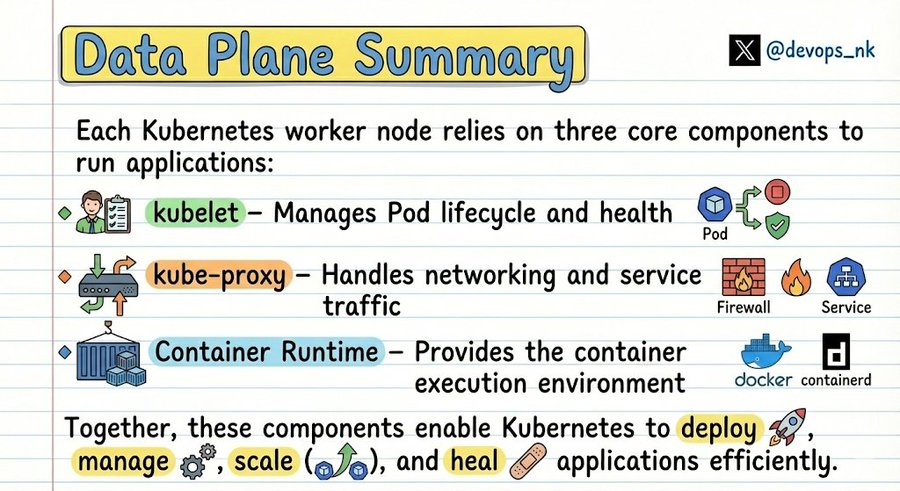
Kubernetes Data Plane Summary: Kubelet → Manages Pod lifecycle and health. Kube-proxy → Handles networking and service traffic. Container Runtime → Provides the container execution environment.
Nandkishor tweet media
English
2
5
51
1.3K
Srinivas Sarkar
Srinivas Sarkar@random_techy·
@suryanox7 @cloclodma maxUnavailable: 0 would make sure to keep all the 5 pods alive until 5 more gets created while maxSurge > 0 ain't it? While maxUnavailable:2 would make sure to keep 3 pods alive while other 2 new pods gets ready, as per the requirement?
English
1
0
3
34
Sooraj
Sooraj@suryanox7·
@cloclodma Use RollingUpdate with maxUnavailable 0 and maxSurge > 0. This ensures new Pods are added before old ones are removed, keeping at least 3 Pods running during rollout.
English
1
1
1
355
clovis
clovis@clovisdsdo·
Kubernetes questions Your team requires zero-downtime updates. How do you configure a deployment to ensure at least 3 Pods stay alive during a rollout of 5 total replicas?
English
4
6
54
4.6K
M Scott
M Scott@TheodRRRe·
Kubernetes gudhala modda.
Filipino
44
16
668
84K
الجوهرة
الجوهرة@G5II11·
يضحكني كيف الرجال توهم مصدومين من هالشي الحين وأنا عارفته من يوم كان عمري 15
الجوهرة tweet media
العربية
495
183
3.4K
4.9M
Srinivas Sarkar
Srinivas Sarkar@random_techy·
@devops_nk Static Pods let the control plane bring itself up from nothing. Static Pods exist so Kubernetes can run its most critical components without depending on Kubernetes itself.
English
0
0
1
77
Nandkishor
Nandkishor@devops_nk·
This question was asked in my last DevOps interview. What is Static Pods in Kubernetes ? A Static Pod is created and managed directly by the kubelet on a node, not through the Kubernetes API server. It works by placing a pod manifest file on the node, usually in: /etc/kubernetes/manifests The kubelet continuously monitors this folder and automatically creates or restarts the pod if needed. Where are Static Pods used ? - Mostly for control plane components in self-managed clusters (like kubeadm), because these components must run even if the API server is not fully available. Examples: • kube-apiserver • kube-scheduler • kube-controller-manager • etcd Important: kubelet starts them directly on the node, ensuring the control plane can bootstrap itself. Where Static Pods are NOT used ? In managed Kubernetes services like: • Amazon EKS • Google GKE • Azure AKS The control plane is managed by the cloud provider, so these components are not visible as static pods. On worker nodes you typically only see components like: • kube-proxy • CoreDNS • CNI plugins Save it for your next interview and follow for more.
English
2
12
55
2.4K
Srinivas Sarkar
Srinivas Sarkar@random_techy·
CRI talks to kubelet via gRPC. CRI then calls CNI for networking. CSI is called by the kubelet separately for storage. The chain is: kubelet → CRI (run container) → CNI (give it a network) and kubelet → CSI (give it storage). Don't mix up who calls who.
Srinivas Sarkar tweet media
English
0
0
0
36
Srinivas Sarkar
Srinivas Sarkar@random_techy·
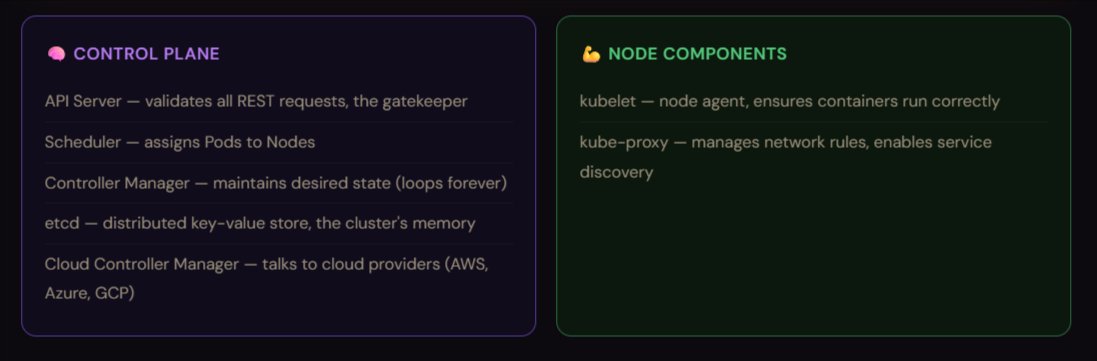
Kubernetes has two kinds of machines: Control Plane (the brain) and Nodes (the workers). Don't confuse them.
Srinivas Sarkar tweet media
English
0
0
0
32
Nandkishor
Nandkishor@devops_nk·
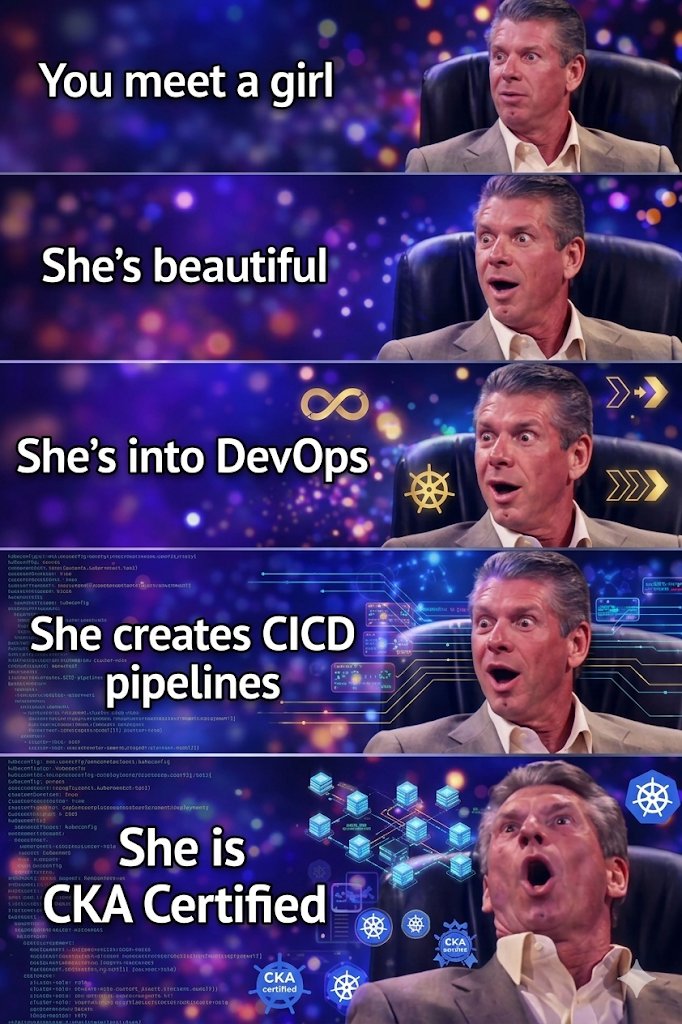
Finally !
Nandkishor tweet media
English
14
39
471
13.3K
Immanuel
Immanuel@immanuel_vibe·
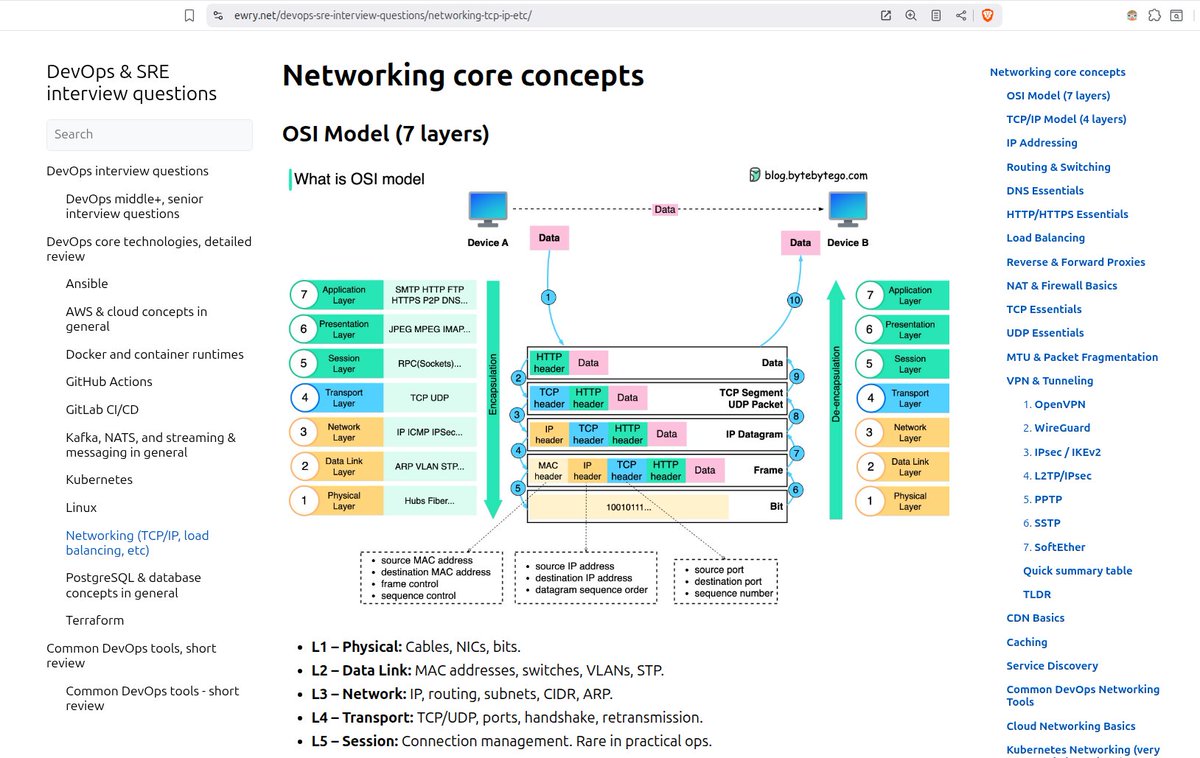
Prepping for a DevOps / SRE interview? Don't sleep on this free q&a hub 👉 ewry.net/devops-sre-int… Its like a compact roadmap of what you actually need before interview day hits you Everything's grouped by real tech areas: - Ansible, AWS, Docker, GitHub Actions, GitLab CI/CD, Kubernetes, Linux, networking, Terraform, PostgreSQL - and more That's the whole point You study by stack, not by random trivia that goes nowhere. Here's how to actually get the most out of it: 1. Run topic drills, pick one area - say Kubernetes. List the core internals. Then walk through real stuff like readiness vs liveness probes, or ingress vs service mesh. Why would you pick one over the other? Think it through 2. Turn questions into cheatsheets. Write your own notes. Real-world tradeoffs - canary vs blue/green, circuit breakers, retries, timeouts. In your own words, not copy-paste 3. Mix basics with system thinking. For networking, don't just memorize ports. Trace a request through a 3-tier app and ask yourself - where can this actually break? 4. Connect concepts to reliability goals. Map IAM, VPCs, autoscaling to SLOs and error budgets. The goal is explaining why decisions get made, not just what they are 5. Practice talking through outages. Pick a "service is down" scenario. Walk through metrics -> logs -> traces -> recovery. That's literally what SRE interviews are testing for No fluff, no filler #interview_questions #devops #sre #cloud #kubernetes #k8s #terraform #linux #interview #aws
Immanuel tweet media
English
8
74
398
17.9K
Srinivas Sarkar
Srinivas Sarkar@random_techy·
@__karnati 1. Slim images 2. Multi stage builds 3. Minimize layers 4. Proper caching
English
0
0
2
593
Sri
Sri@__karnati·
Your Docker image size is 2GB Your app image is 2GB. Deployments are getting slow. CI takes forever to build. How do you reduce the size of the image and improve deployment speed?
English
25
5
142
24.1K
AWS Developers
AWS Developers@awsdevelopers·
Reply to this tweet with "AWS" and we’ll tell you which AWS Service you are
English
3.3K
58
2K
549K
Nandkishor
Nandkishor@devops_nk·
If you launched an EC2 instance in a private subnet and it cannot access the internet to install packages. What could be missing ?
English
47
7
197
50.5K
Nandkishor
Nandkishor@devops_nk·
Only for Linux Lovers: Me: will you be my valentine ? She: no way Me: sudo will you be my valentine ? She: yes .. yes.. yes ! Let's go !
English
26
24
290
10K
Sri
Sri@__karnati·
@random_techy Network adress translation, nice concept to work with
English
1
0
1
387
Towards AWS
Towards AWS@TowardsAws·
Want to level in Cloud in 2025?☁️ I am looking for 100 cloud builders who want to learn and build together. If you are interested write "CLOUD" in the comment and I will send you invitation.
English
276
11
173
21.7K
Srinivas Sarkar
Srinivas Sarkar@random_techy·
@devops_nk #L12" target="_blank" rel="nofollow noopener">github.com/srinivassarkar… Check here: Access ECR via OIDC in GitHub Actions: 1. Create an OIDC provider in AWS IAM. 2. Create an IAM role with OIDC trust policy. 3. Configure GitHub Actions workflow.
English
1
0
1
213
Nandkishor
Nandkishor@devops_nk·
Hi Everyone , Anyone implemented GitHub Actions workflow to access ECR via OIDC instead of AWS creds? If yes, pls share your GitHub repo URL. Planning to implement, need for reference.
English
3
1
9
1.1K
Nandkishor
Nandkishor@devops_nk·
Day 3 of making your DevOps Journey Easy 👇 Get FREE servers to practice real Linux & DevOps troubleshooting. 🐧 - Most people learn DevOps. - Very few actually practice troubleshooting. - Try SadServers a platform that gives you free, real Linux servers with intentionally broken scenarios. What you do: - Get access to a real server - SSH into it - Investigate logs, services, and configs - Fix real-world issues (services, disk, permissions, networking, Docker, Kubernetes) - No tutorials - No step-by-step answers. - Just pure troubleshooting exactly like production. 🐧 SadServer: sadservers.com #Linux #DevOps
Nandkishor tweet media
Nandkishor@devops_nk

Day 2 of making your DevOps journey easy 👇 Stop blindly applying for jobs in the era of smart tools. Use a resume–JD matching & Autofill application extension ! ✅ Shows how much your skills match the job (%) ✅ Apply even if it’s 70% match (no one is perfect) ✅ Autofills the application – no more manual work ✅ No complicated setup – just install and upload your resume ✅ Automatically fetches the JD and does the comparison Save time. Apply smarter, not harder. 🔗 Extension link in the next thread 👇 Follow me for more useful tips, tricks and learning material.

English
11
52
318
25.2K
Mashood tried Ops
Mashood tried Ops@fromcodetocloud·
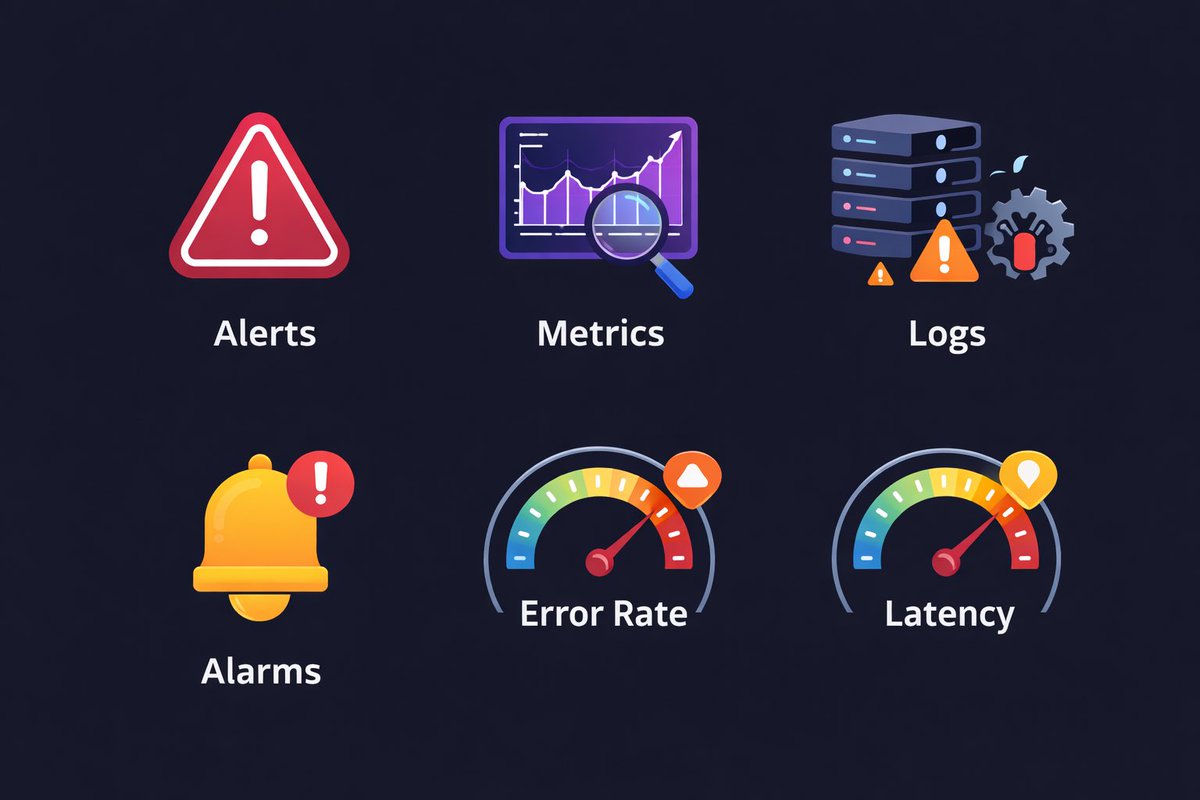
Observability in DevOps in one-liners✅ Metrics – what is happening Logs – why it is happening Alarms – when it becomes a problem Alerts – who needs to act Latency – how slow it is Error rate – how broken it is Availability – is it up or not If you miss any one of these, you’re flying blind in production. Tools change, These fundamentals don’t.
Mashood tried Ops tweet media
English
25
40
212
33.7K