Atlas Chroma | shape shifting Slimevtuber

10.6K posts

Atlas Chroma | shape shifting Slimevtuber banner
Atlas Chroma | shape shifting Slimevtuber

Atlas Chroma | shape shifting Slimevtuber

@Atlas_Chroma

🔞MDNI | check out my twitch (they/them) 😊 #Vtuber Variety Streamer | 🎲 D&D | 🔴 LIVE weekly | LGBTQ+ | ADHD | (27) 💛🤍💜🖤 ❤️art tag: #AtlasChromaFanArt

they/them. شامل ہوئے Temmuz 2016
1.1K فالونگ1.2K فالوورز
پن کیا گیا ٹویٹ
Atlas Chroma | shape shifting Slimevtuber
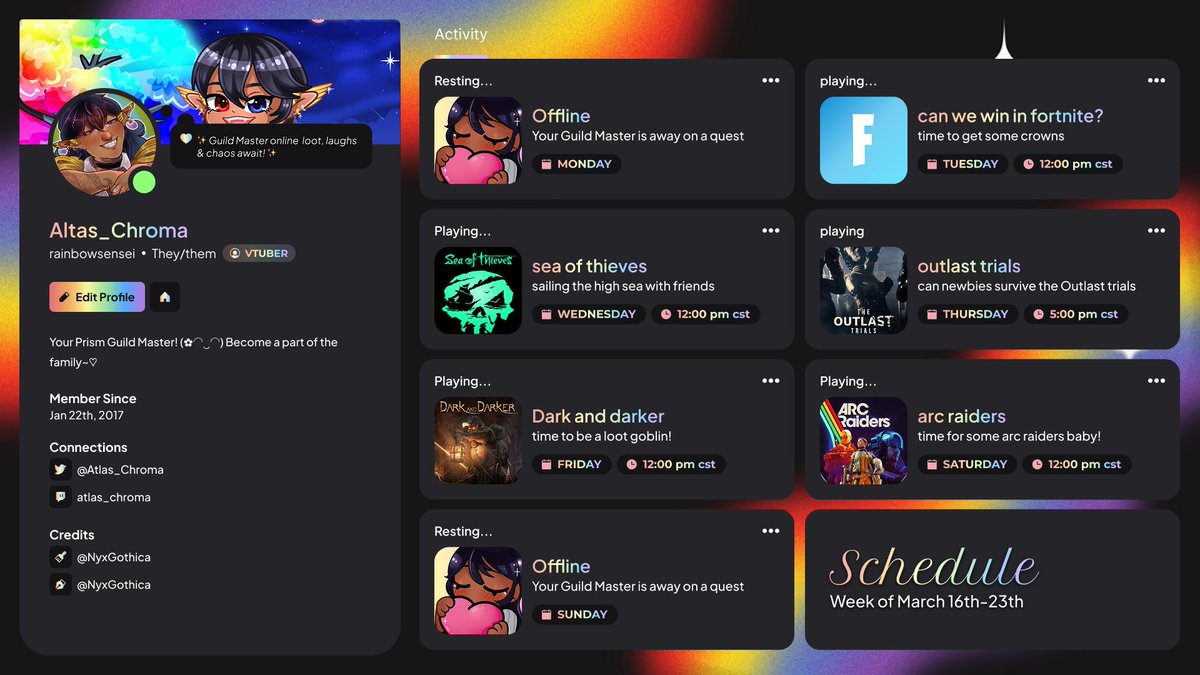
✧•◇◇•✧・ PRISM GUILD WEEKLY Mar 16th – Mar 23rd ・✧•◇◇•✧・ °˖✧◝(⁰▿⁰)◜✧˖° Hey guys!! New week, new games! I'm bringing you a whole lineup of games! some solo and with friends! So grab your snacks, drinks, and get comfy, because it's gonna be a fun one and you won’t want to miss it! Love you guys! ( ´ ∀ `)ノ~ ♡
Atlas Chroma | shape shifting Slimevtuber tweet media
English
0
1
4
137
Atlas Chroma | shape shifting Slimevtuber ری ٹویٹ کیا
Noemi Lan✨Design & Animation
[ FREE TO USE / F2U ] - Only in 48 hours 💮Cherry Blossom Animated Overlay Set✨ Spring is coming ~ This is my first overlay for first Spring day ^^! Available on my #Vgenshop ♥︎ + ↻ supper appreciated! #VTuberAssets 🔗below:
English
4
15
50
1K
Atlas Chroma | shape shifting Slimevtuber ری ٹویٹ کیا
Atlas Chroma | shape shifting Slimevtuber
🔴 LIVE NOW 🗡️ DARK AND DARKER 🗡️ Going full loot goblin mode 💰 Solo dungeon dive! Will I escape stacked with loot… or lose everything? 👀 Grab your weapons & potions and come watch 👇Link in comments👇
GIF
English
1
2
3
55
Atlas Chroma | shape shifting Slimevtuber
👀 Oops… my hand slipped 😏 ✨ My VTuber model art is officially DONE!! ✨ Rigging is on the way and should be ready in about ~3 weeks (maybe sooner… who knows 👀) 🤪 I’ve also got a ref sheet coming, BUT you’ll get to see the full model reveal first Come hang out with me + follow along! atlaschroma.carrd.co 🎨 Art by: @/Honeyyruu #VtuberDebut 🌈 #Vtuber 🌈 #ENVtuber
Atlas Chroma | shape shifting Slimevtuber tweet media
English
1
5
8
189
Atlas Chroma | shape shifting Slimevtuber ری ٹویٹ کیا
Atlas Chroma | shape shifting Slimevtuber
🔴 LIVE NOW FORTNITE SHOWDOWN New mode just dropped we’re diving in & climbing RANKS ⏰ 5PM CST Switching to The Outlast Trials with @Fredbear4202884 & @Phantom64_TV Grab snacks, get cozy, and come hang out! 👇 Link in comments 👇
GIF
English
1
2
3
122
Atlas Chroma | shape shifting Slimevtuber
🔴 LIVE NOW! me & @Fredbear4202884 are out here in Sea of Thieves 🏴‍☠️ will we find treasure? will we sink in the first 10 minutes? grab your grog, your snacks, get comfy, and come vibe with us. link in bio
GIF
English
1
2
4
100
Atlas Chroma | shape shifting Slimevtuber ری ٹویٹ کیا
도련 Doryeon ㅣ RAUM ㅣ Coloso
[48시간 무료 클튜 브러쉬 배포] 요즘 브러쉬를 자주 만들어오네요 같이 날로먹어요~! 옷주름용... 필압에 따라 부드러움과 크기가 바뀝니다 [Free csp brush for 48 hours] I customized a brush that makes it easy to render clothes! assets.clip-studio.com/ko-kr/detail?i…
도련 Doryeon ㅣ RAUM ㅣ Coloso tweet media
한국어
0
1.8K
7.5K
250.7K
Atlas Chroma | shape shifting Slimevtuber
:3 hey!! does anyone know any good (free & easy) sites or apps to help keep track of time and days for collabs? i really want to get better at managing my time, but i’m super forgetful 😭 i’ve tried using calendars before, but they just don’t seem to work for m if you have any suggestions, please let me know!! 👀💖
GIF
English
0
1
3
84
Atlas Chroma | shape shifting Slimevtuber ری ٹویٹ کیا
Firozera the Disastrous Kaiju ☄️🦎【VIRTULANTES】
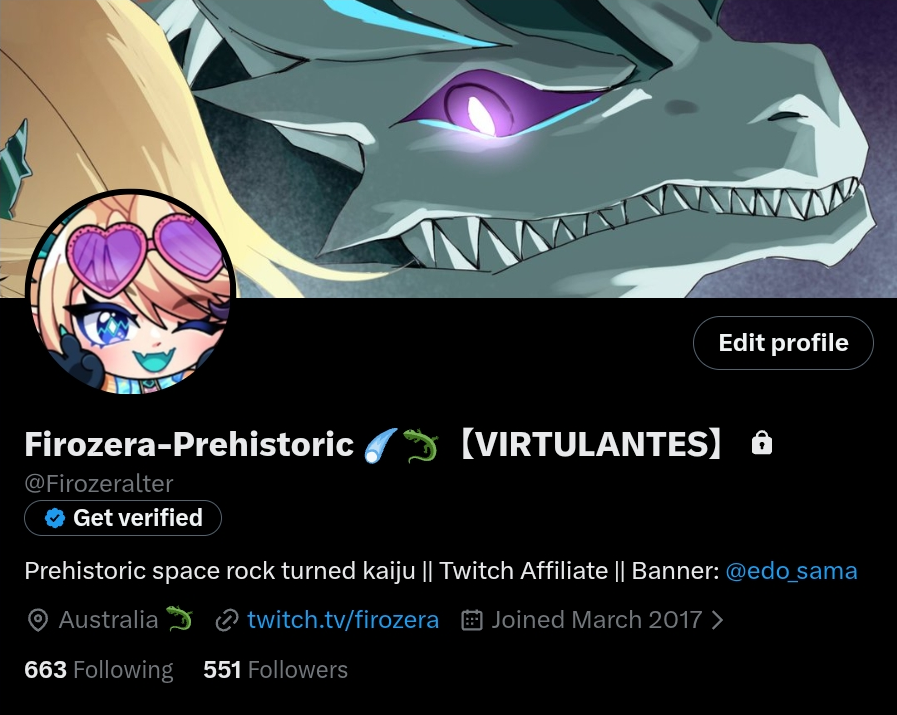
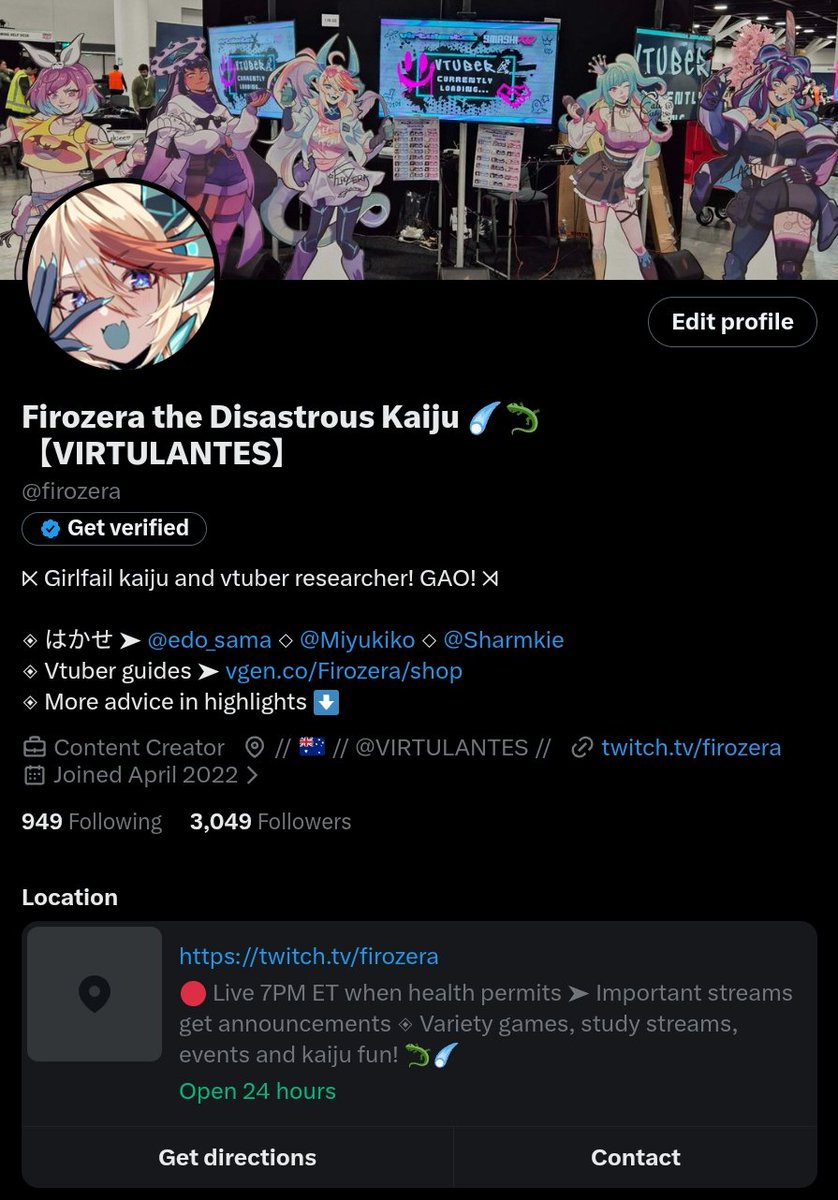
‼️ ═══《 𝗗𝗼𝗻'𝘁 𝗡𝗲𝗹𝗴𝗲𝗰𝘁 𝗬𝗼𝘂𝗿 𝗕𝗶𝗼! 》═══ ‼️ PSA for vtubers! ➤ Extended bios have been removed! If you have relied on your extended bio for extra info, credits or anything like that, you may want to put them somewhere else now. There is no information indicting if they will return. Due to that, let's go over bios and how to make them the best they can be. Your bio on any social media site is the first way many people will get to know you. It will show everyone who you are, what you do, where else they can find you, and how professional you are. It's your first step for building trust and promoting yourself. And while it's ok to go completely serious with your bio, I think vtubers are better off striking a balance between serious and fun. We're not just appealing to sponsors, we're also able to connect with our audience and other vtubers. 「 ◈ 𝗙𝗼𝗻𝘁 𝗦𝘆𝗺𝗯𝗼𝗹𝘀 𝗮𝗻𝗱 𝗙𝗼𝗿𝗺𝗮𝘁𝘁𝗶𝗻𝗴 」 —— You have very limited room in your bio (and with extended bios being removed, it feels even more restricted), but we can still be creative. One little touch you can add to your profiles and branding is using font symbols! ☆ They're a nice flourish that draw the eye and can make things look professional but in a fun way. Come up with a small list of symbols you can use in both your bios and across your posts. Here are two examples: ◇ Firozera ➤ ⋉⋊ ◇◈ ✧ VIRTULANTES » // ✧ ═ The symbols I have picked for mine reflect my design, with geometric shapes being the focus. Coincidentally, the ⋉⋊ shapes I use in my divider are extremely close to the pattern I have around my neck! I use ➤ in place of a dash or colon and ◇ or ◈ for dot points. VIRTULANTES, my vtuber group, has very different branding from myself, using Neo-Y2K and Vectorheart aesthetics. So I matched features we already had in our branding graphics to similar font symbols. There are heaps to choose from, so search for font symbols and pick out a few. I also suggest formatting your bio into separate lines to make each piece of info stand out nice and clear. Use the symbols you've chosen to create pretty dot points. 「 ◈ 𝗪𝗵𝗮𝘁 𝘀𝗵𝗼𝘂𝗹𝗱 𝗜 𝗽𝘂𝘁 𝗶𝗻 𝗺𝘆 𝗯𝗶𝗼? 」 —— There's no set way to lay out your bio but it should have the most prominent and important information. Personally, I love reading about what sort of vtuber a person is. I want to know what a person's concept is and/or what they do, so create a short sentence that sums that up. For example, mine is "Girlfail kaiju and vtuber researcher! GAO!" (because GAO is very important for kaiju ☝️🤓). That sort of direct description can instantly make people curious to check you out and get a vibe for your content! You may want to split your concept and niche into separate dot points, so experiment and see what feels best. Other things you may want to consider is putting credits in for your model - or else put them and other credits in your pinned post or website. As for links, ALWAYS put the main platform for your content in the website section, or at least in your bio. If you only have a linktree or carrd, people will likely not go to it just to find your twitch or youtube link. Think of it this way: Someone sees a promo post of yours that interests them. Since your posts get punished by the algorithm for including a link, you didn't include it. The viewer understands the easiest way to find a twitch link normally is by clicking your name to get to your bio. Except the link isn't there, it's a website. The viewer doesn't know what's on the website and doesn't want to deal with potentially needing to search through the site to find it. So they give up and move on. Their momentum of their curiosity was interrupted by something they found inconvenient. I think it's always worth having one direct link to your content platform of choice. If you have any other important links, such as a vgen link if you're also an artist or a business email, you should squeeze that in your bio too. More than two link addresses will probably confuse people though, so if you have any more, put them to your pinned post. However, we have one extra option we can use (if you're verified)... 「 ◈ 𝗧𝗵𝗲 𝗽𝗼𝘄𝗲𝗿 𝗼𝗳 𝗮 𝗽𝗿𝗼𝗳𝗲𝘀𝘀𝗶𝗼𝗻𝗮𝗹 𝗯𝗶𝗼! 」 —— You may have seen a funny little option in your edit profile area that says "switch to professional profile". By clicking this you get access to a whole extra section you can add to your account - LOCATION! And we can cheat a little on this by using it as an additional info box (thank you to @/blossumvt for making a guide on this, go check her out for full instructions on how to use it). I've used mine to put what time I usually stream and some info on my content. I also have my business email under the contact button (which I feel more comfortable with since I want to avoid spam, although it comes at the cost of being less visible). You may notice I have my twitch link twice but I wanted to keep the link in the area people are most familiar with. You may want to do things differently and that's totally okay! Experiment with your bio and ask friends to look at it. I've included two bio examples to look at, which one do you think looks the most interesting? You're welcome to copy my homework if you want!
Firozera the Disastrous Kaiju ☄️🦎【VIRTULANTES】 tweet mediaFirozera the Disastrous Kaiju ☄️🦎【VIRTULANTES】 tweet media
English
14
43
431
19.2K
Atlas Chroma | shape shifting Slimevtuber
you guys really blew up my debut sneak peek on Bluesky and Twitter 🥰 it honestly means so much to me seeing how excited you all are it makes me feel really loved and supported, and i can’t even explain how happy that makes me 🥹 i love you all so much. thank you for always being here for me 💖
GIF
English
0
2
11
74
Atlas Chroma | shape shifting Slimevtuber ری ٹویٹ کیا
Nyxiabel 🎀 Designer
Nyxiabel 🎀 Designer@NyxGothica·
Why I use Figma for my Schedule Templates... #NyxGothicaTips 1. Components make editing much easier for clients. By having 'Master' components, the design can be created to scale and it can be edited without breaking. Clients don't need to deal with moving layers around or accidentally breaking the design, since everything is designed using components that adapt to the content. 2. Figma allows you to create 'custom' editing panels, depending on the content within each component. So clients can edit the text and other parameters without having to even interact directly with the canvas. They just go to the panel and edit everything from there, so it's much faster. 3. Creating the design using adaptive components is so much easier, which means faster delivery on my end. Everything snaps into place seamlessly, no need to wonder how to organize things since Auto Layout basically organizes things for you. Auto Layout also makes the design responsive, which means that if I were to make the component bigger or smaller, the parts within would adapt to that size automatically. I know Figma might seem intimidating to non-designers, but I genuinely believe that once you have a well-organized file and clear instructions, editing your schedule is a breeze... Even faster than in PSD or Canva. That's why I started to include a detailed manual with my schedule templates, to help users become familiar with Figma's interface. :3 I promise it's not hard or scary! 💞
GIF
English
12
11
141
3.6K