For now the solution is to disable Samsung's grammar plugin when using Inkpad.
- Go to: Settings > General management > Samsung keyboard settings > Suggest text corrections > Manage apps
- Toggle the slider next to "Inkpad" to the off position to disable the plugin for Inkpad.
We've discovered an issue is caused by a bug in a recent update to Samsung's grammar plugin on Android. If you're experiencing issues, there is a solution.
@DJSicFanny Android, iOS, or the web? Email us at support@inkpadnotepad.com with more details and we'll figure it out. For more details to send: Go into Settings, Tap ⓘ in the top-right corner, and then 'Copy all' and paste that text back to us. Thanks!
@InkpadNotes WHAT HAPPENED?!
It updated the other day when I had to log back in and it looks awful and is suddenly responding to my text input like a ZX81 with a full buffer!
I was on the edge of paying for it as it has become a trusted friend!
Happily - at last use - the mobile app is OK!
xx
@sherilynn2008 Our turnaround time on emails is about 3 days. If you haven't received a response yet, you can direct message us here with your email address or concerns and we'll get you a response.
@BSLizardette Can you provide some details about your browser? We've been looking into this issue.
Try these steps to ensure switching counts goes smoothly:
- Sign out of any signed in account through the Inkpad side menu
- Refresh the web page
- Sign in
@InkpadNotes Just tried to use this for the first time. I like the clean look, but it keeps kicking me out on both my premium account and my free one. If I'm just reading, it's all good, but if I type something, it asks for a new log in. It also carried one note over to the other account.
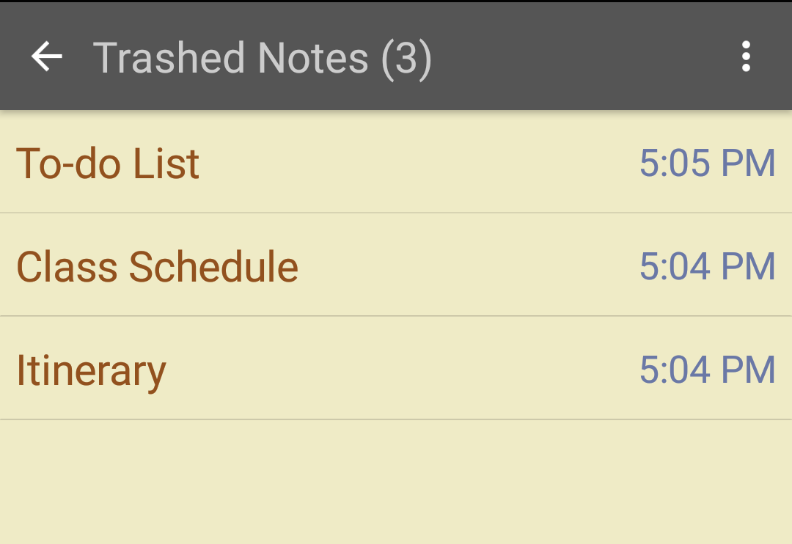
New feature for Android, Trashed notes!
- Notes that are deleted from the notes list will now be moved to the trash, found in the app drawer
- Restore or delete notes permanently from the trashed notes list
- Trashed notes are automatically deleted after 30 days
Storage permissions are still required for automatic backups.
Additionally, we fixed an issue that was causing ads to bounce the note list and editor down as they loaded.
New version of Inkpad Notepad rolling out today! 😎
📝 Look for version 4.3.24 or higher 📝
App permissions have been adjusted. We no longer require:
- Location: No longer used for serving local ads
- Contacts: Google Sign In no longer requires a list of accounts on your device
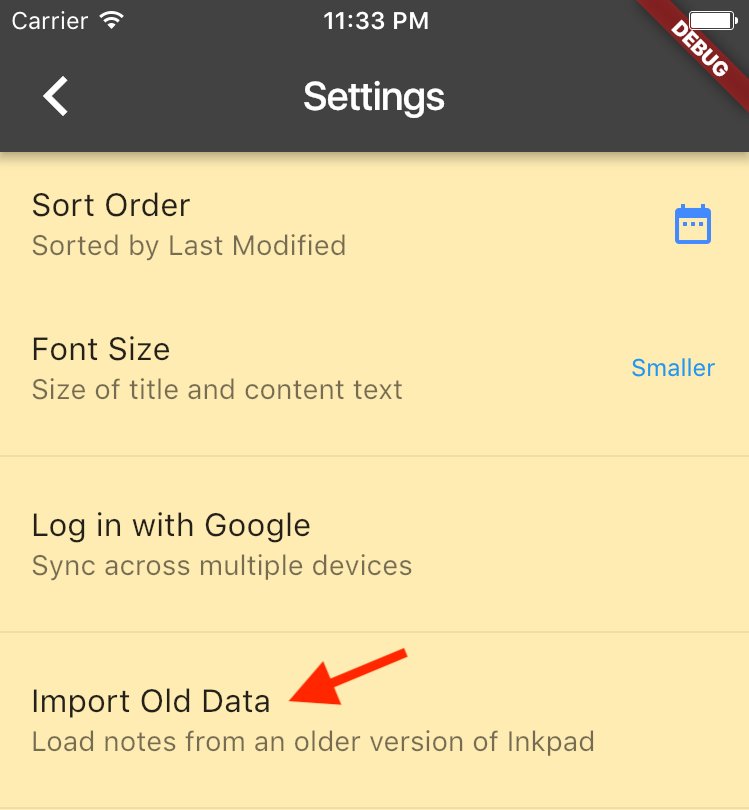
🆕 Our latest release should fix an issue causing some users' notes to not be properly imported from our old app. 🙇♀️🙇♂️ If you still aren't seeing your old notes, try the Import Old Data option in the app Settings.