
Post
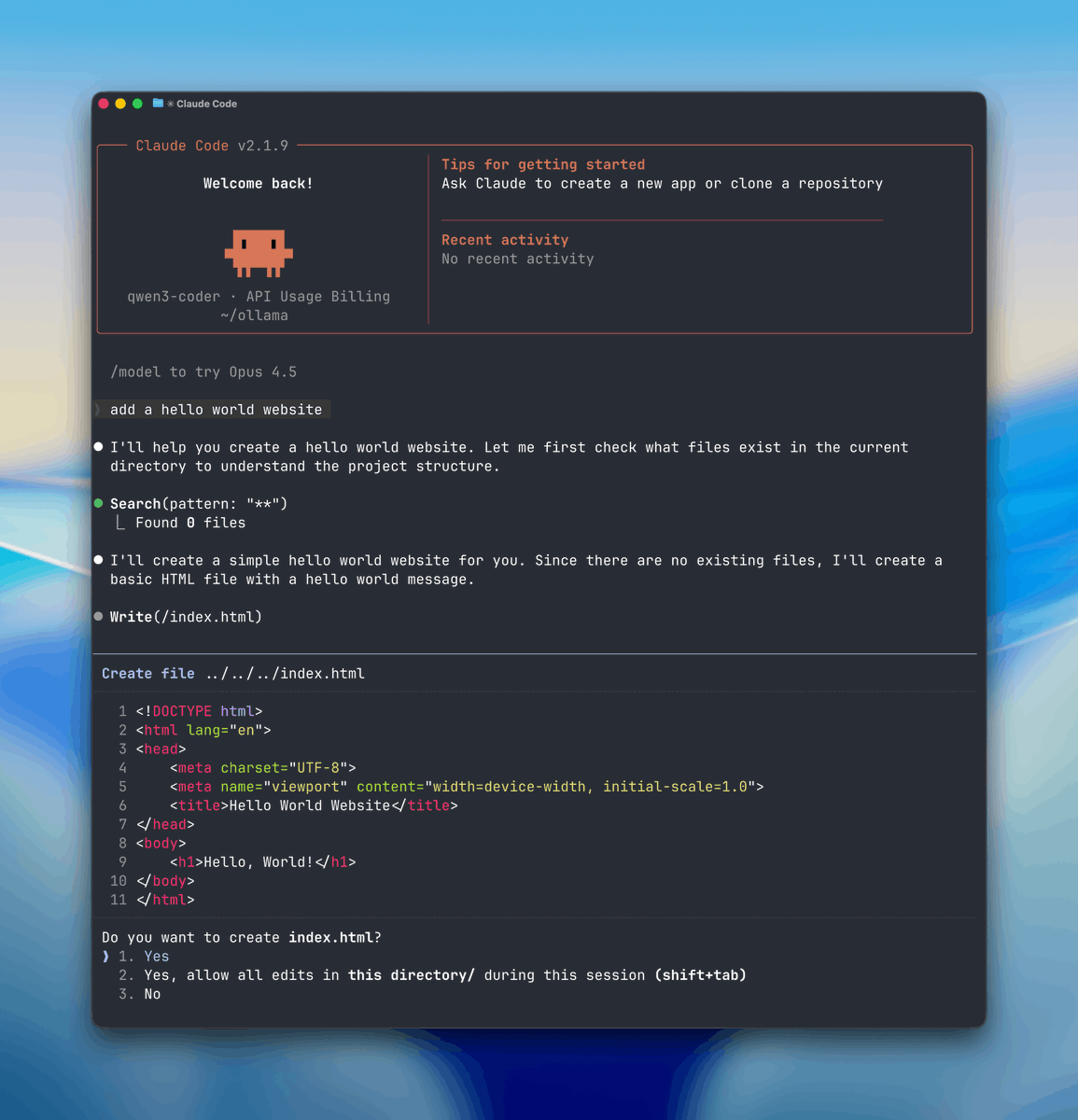

STEP 1: Select Your Local “Brain” (Ollama)
First you need a local engine that can run AI models and handle tool or function calls.
Here we will use Ollama so download ollama.com
Once it’s installed, Ollama runs quietly in the background on both Mac and Windows.
English
First, you need to get a special computer program for coding.
If your computer is really powerful, you can download a bigger program like qwen3-coder:30b.
If your computer isn't as strong, smaller programs like gemma:2b or qwen2.5-coder:7b will work just fine.
Once you choose one, open your computer's terminal and start downloading it by typing:
English
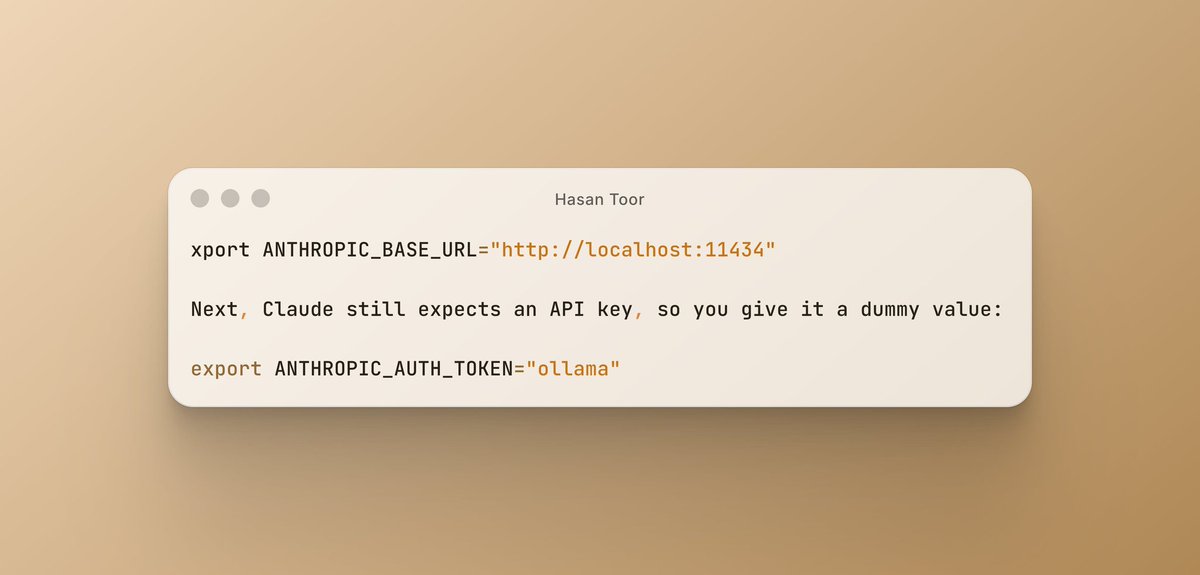

@AiwithYasir i dont under stand Connect Claude to Your Computer This step is super important. Normally, Claude talks to Anthropic’s servers, but now you’ll make it talk to your computer instead.
English