Post


@LinuxSeb history | grep 'something you remember about the command you're looking for' helps a lot ☺️
English

@LinuxSeb I cannot live without CTRL+R and -> github.com/junegunn/fzf
English

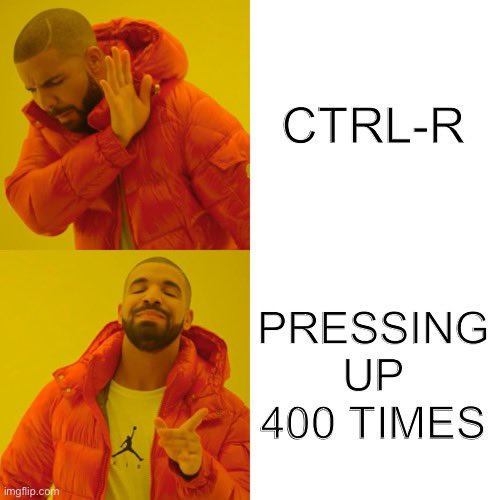

English

@LinuxSeb That's the lazy newbies!
Hardcore & old Linux users just use ! or any of the other black magic history trick or just enter it again.
@anubis_linux @__KOPEK__ @glpzzz @Koratsuki84 please confirm...
English



@LinuxSeb Don't tell anyone but I ran 'rm -rf /' Just yesterday!
I lost all files that have user permission
English


@LinuxSeb That's when you don't forget what you wanted to do in the middle of the search 🔍 😅🥲😭
English


@LinuxSeb Try fish terminal if you want.....it supports auto completion (from history too) by default.
Well, auto completion can be installed in zsh and bash but it will be a tedious task.
Fish also has friendly scripting language which is easier as compared to bash.
English

@LinuxSeb You can search your command history by simply typing
history | grep StringFragmentFromCommand
English



@LinuxSeb Crtl+r for reverse searching with tab completion ☺️ (as long as you can remember the first few letters)
English


@LinuxSeb I go with history|grep, hitting ctrl-r is boring as fuck.
English

@LinuxSeb which they copied from google but couldnt find the source again
English

@LinuxSeb Oh, come on. That’s not fair. Keeps clicking.
English





@LinuxSeb That only happens to me in Windows cmd. In Linux it's called Ctrl+R and doesn't induce RSI 😉 Readline library FTW.
English