

Cursor Agent is just wild.
Now i use Gemini PRO 2.5 to scan the codebase and sonnet 3.5/3.7 to execute code.
In this workflow you need 3 things:
1. Detailed project documentation
2. Use multiple AI coding models
3. 50-step implementation plan
I spend 30 hours/week on cursor. I've found out the best cursor practices and the workflow.
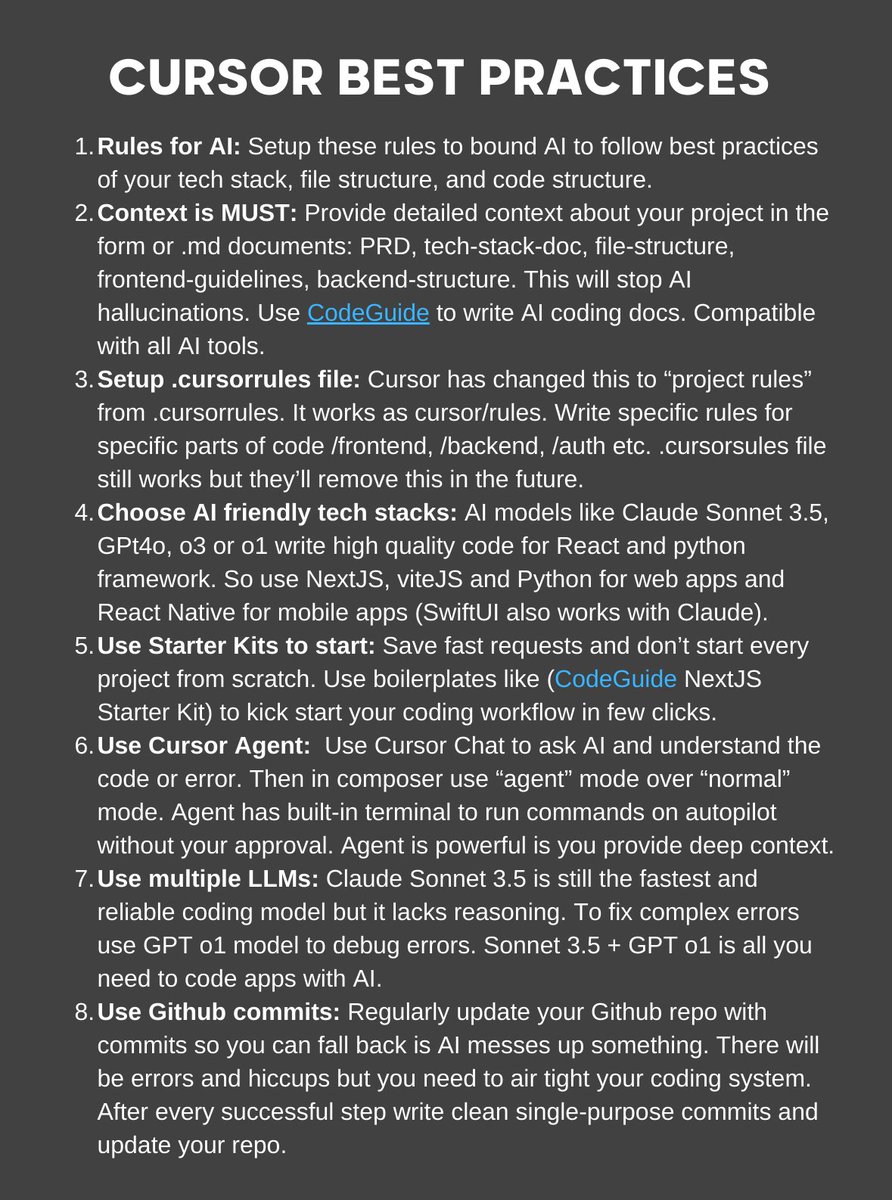
I attached the best practices below and here's the best workflow.
Your project docs (PRD, Tech stack & APIs doc, app flow doc stec) works like a knowledge base for AI models.
If AI models find all necessary information within the knowledge base, they don't hallucinate, assume things and don't ruin the codebase.
So must add project docs in your root directory. Ideal place is add them under project rules (.cursor/rules)
Then you need to use multiple AI models. Now I am using Gemini PRO 2.5 to scan the entire codebase (cus it has 1M context) and find errors or update docs.
And I use Sonnet 3.5 to execute code. If it's a bit complex step then I also use Sonnet 3.7.
Sometimes I also use GPT o1 model to debug but rarely (mostly done by Gemini pro 2.5)
So 2.5 to scan, update, and 3.5/3.7 to execute.
Each model has its superpowers. We need to maximize those.
Lastly, you need to write an end-to-end plan to code your app. I call it "implementation plan."
This implementation plan works as a blueprint for Cursor Agent and it just follows the tasks and executes those.
I use @CodeGuidedev to generate coding docs + it provides 50-step implementation plan to code the entire app.
Now it also supports MCPs. Imagine Cursor using Supabase MCP to create database tables, and add policies autonomously. It just saves so much time.
So wrap up of the workflow is:
Attach your coding docs + use multiple AI models in your flow + have a solid 50-step implementation plan.
And you'll see how powerful Cursor Agent is.
I hope this'll refine your Cursor coding workflow. Let me know your findings.
English
