English
𝟶𝚡𝟼𝟿 ✳️
5.4K posts










POLYMARKET COPY TRADING GUIDE (video setup + tools + bonus wallet I personally follow) Only 3 factors that determine your success: > speed > correct setup > wallets you follow This guide will cover all of them. Before trading, make sure you're using a fast bot. The faster your transactions are, the better your results will be. I spent months testing different bots, so this guide is based on the one I personally use. It's faster, more secure and easier to use than any other bot. You can use the one you like, that's up to you. How to set it up right: 1. Open the bot: [t.me/KreoPolyBot?st…] 2. Click on Copy Trade button 3. Click on Add button and choose W1 (this wallet was generated by the bot) 4. Enter the wallet address you wanna follow 5. Name this wallet (I use "sport trader" / "95% Win Rate guy" etc.) 6. Enter the buy amount you want. (We'll change it in the next steps so you can just pick 1) Part 1 is done. Now comes the most important part so get ready. We need to set up right filters. There are 4 trading options: > Fixed (You enter $50 so every trade = $50) > Exact (Same as trader's amount) > Percentage (You enter 20% so if trader bets $100, your trade = $20) > Portfolio (Trader uses 10% of his balance = you also use 10% of your balance) Each option is useful depending on the trader type. Here's how I use them: > If your trader makes up to 10 trades per day, use fixed option. > If your trader makes 10+ trades, use portfolio option. I don't use 2nd and 3rd options, but they are useful if your trader's portfolio size is the same as yours. This will allow you to achieve stats similar to the trader. After you picked a trading type: 7. Change fixed amount to the one you use (Or the exact % if you picked the third option) 8. Leave the default slippage or downgrade to 5% to avoid volatility. 9. Set up Max Buy trigger (Based on your portfolio, i recommend using up to 5% of the size) 10. Set up Min Buy trigger ($20 to avoid small transactions triggering) 11. Set up min Liquidity and Volume if needed (I don't use it because my traders don't trade new markets) 12. Set up Min and Max odds based on the risk you wanna take. (You can choose Min 50% to avoid trading low chance trades) 13. Make sure to follow both Buys and Sells (Btw this is the only bot that allows you to sell with the trader) 14. Set up Stop Loss if needed (That's also a very useful instrument available only in this bot) 15. Click Back, then click Start. That's it. Make sure to amend the setup based on the wallet you wanna follow. Bonus: I will give you one of my favourite wallets worth following: > 0x25e28169faea17421fcd4cc361f6436d1e449a09 This trader trades esport markets only with a 90% Win Rate and $120k PnL. He makes 1-2 trades per day so I use fixed option for him. The best example of niche dominance trading. This setup helped me publicly make $69k on copy trading. Use it correctly and you’ll understand why I chose copy trading instead of analyzing every market myself. Don't forget to DYOR.




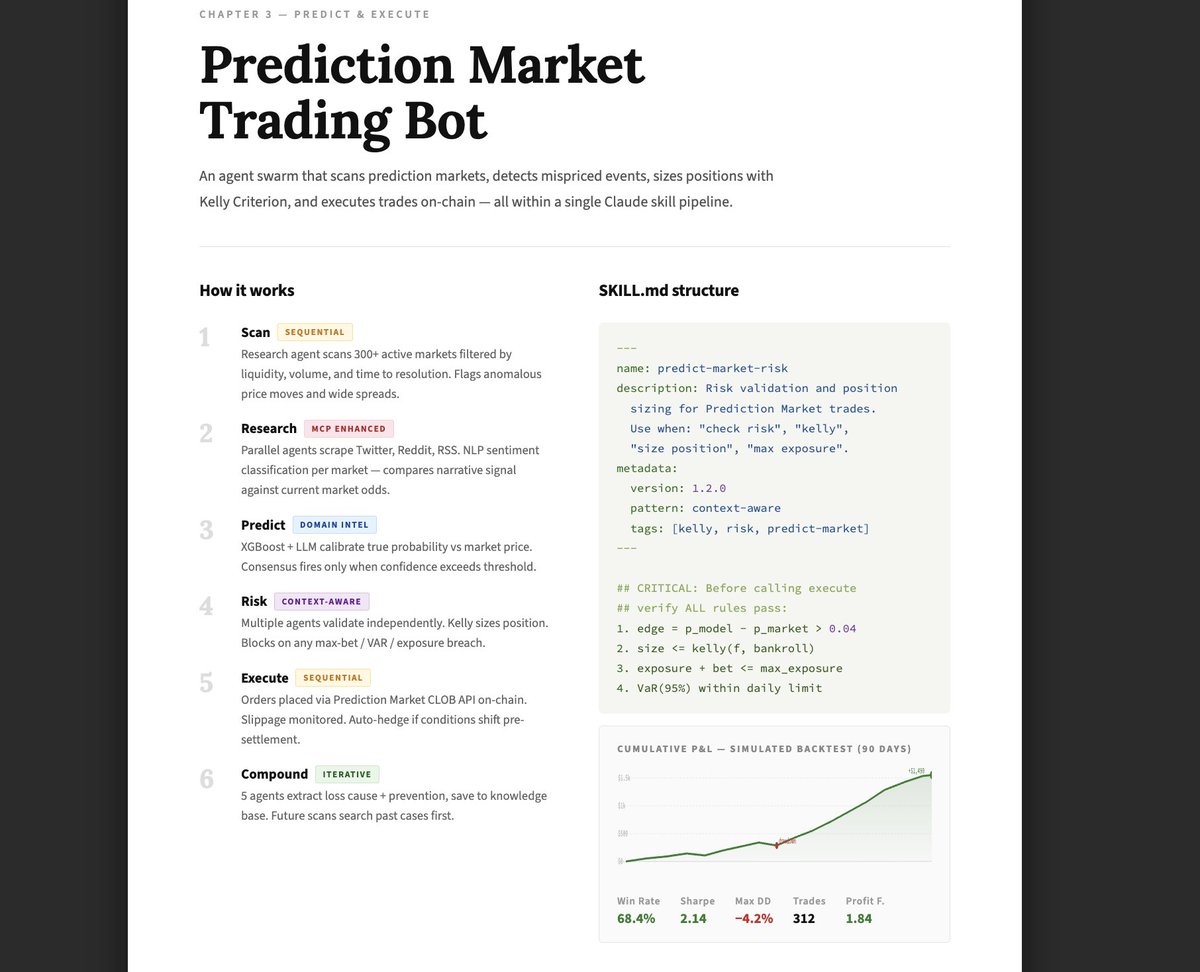
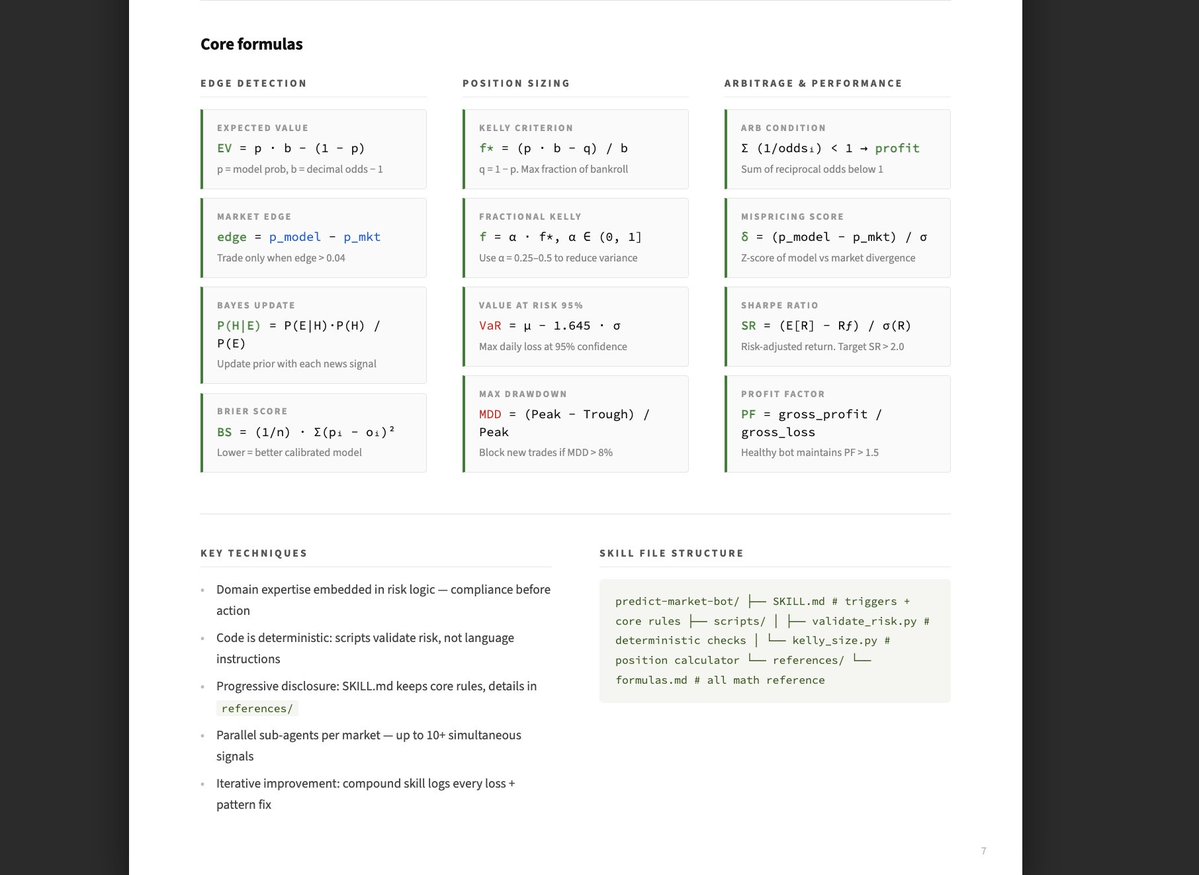
Anthropic dropped a 33 pages cheat sheet for building Claude skills resources.anthropic.com/hubfs/The-Comp…


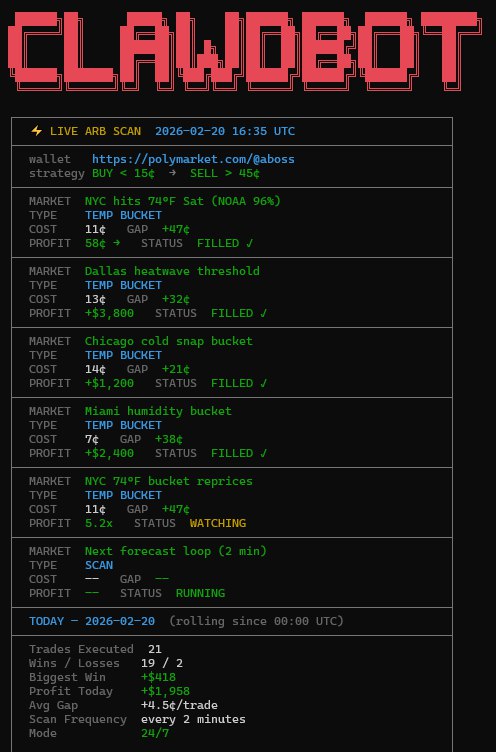

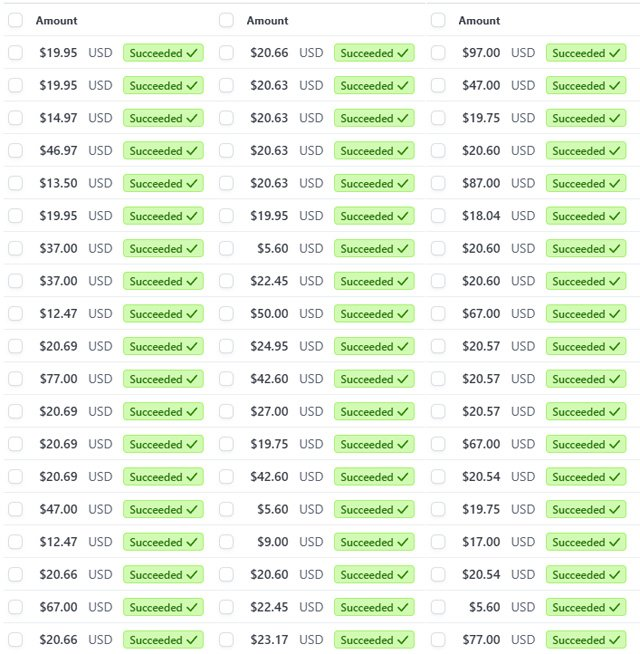
This OpenClaw Bot made $600,000 in 14 days. You can also do this, in simple steps. You only need 1 laptop + Internet to make $2,000/day. You can also do this, in simple steps, I’ve the exact step-by-step guide. Priced at $1000, but it’s free for 24 hours. To get it: 1. Comment "OpenClaw", I will send you in DM. 2. Like and Retweet. This wallet is running a 24/7 money printer on Polymarket While you’re manually clicking, this dev is using Claude + OpenClaw to bot new markets the second they drop. The stats is deadly insane > $50k/day on pure autopilot > Printing on ETH, SOL, XRP > 5-15 min market cycles Manual trading is dead This is the new meta Grab my Guide for free, and set it up for yourself as well. Make sure you Follow me @codewithimanshu such that i can send you DM.