RemoteHQ

268 posts

RemoteHQ banner
RemoteHQ

RemoteHQ

@HQRemote

Maker of Remote Browser. Spin up a single-use, collaborative Chrome or Firefox in the cloud. Co-browse and co-control any website instantly with anyone

Chestnut Hill, MA, US, 02467 Bergabung Mart 2019
171 Mengikuti534 Pengikut
RemoteHQ
RemoteHQ@HQRemote·
Our Remote Browser Embed landed #3 on Product Hunt earlier this week. Our customers' sales and customer success teams are seeing upticks in sales conversion and retention by using our embed to enable one-click, no-download co-browsing with customers. producthunt.com/posts/remote-b…
English
0
0
3
0
RemoteHQ
RemoteHQ@HQRemote·
You can now embed a Remote Browser in your app, to make co-browsing a feature in your app. We just launched this on Product Hunt today. Please check it out. If you like it, give us an upvote! producthunt.com/posts/remote-b…
English
0
0
3
0
RemoteHQ
RemoteHQ@HQRemote·
Are you hosting a session with a lot of guests and want to reduce distractions? With global permissions you can toggle both drawing annotations & guests' cursors with a flick of a switch. tinyurl.com/28c2zstt
RemoteHQ tweet media
English
0
0
0
0
RemoteHQ
RemoteHQ@HQRemote·
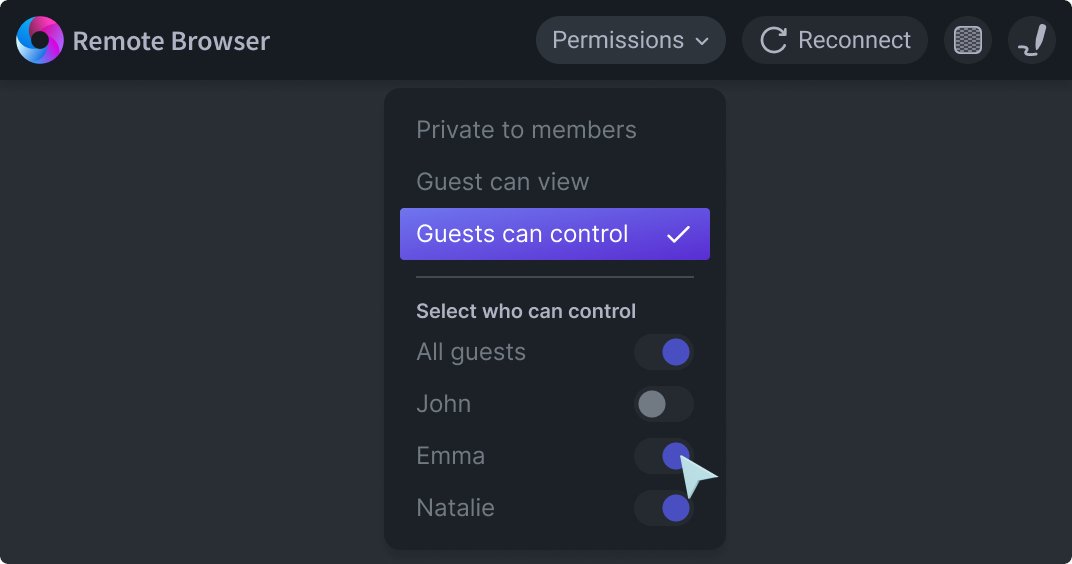
Did you know that you can embed our Remote Browser inside your own application? On top of that, you can now select which particular guest should be able to control it. No more chaos, regardless of how you decide to use the Remote Browser! 👉 tinyurl.com/2zo247u9
RemoteHQ tweet media
English
0
0
0
0
RemoteHQ
RemoteHQ@HQRemote·
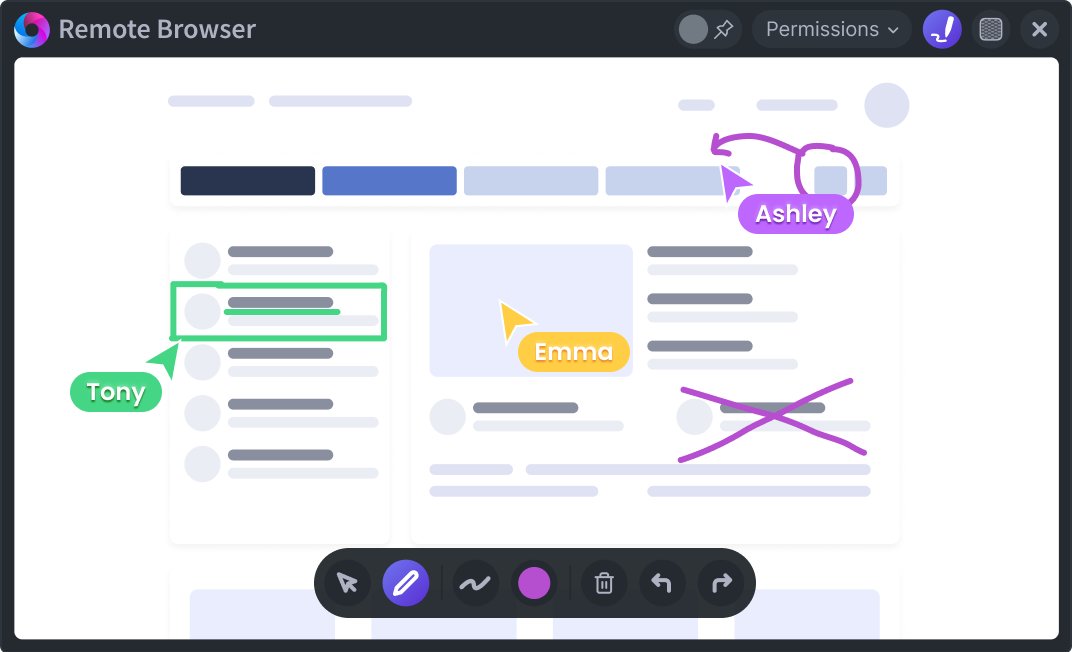
Did you know you can draw annotations over Remote Browser and screen share in RemoteHQ? Plus, when you snapshot a tile - all annotations will be saved together with the content of the tile into your session log for later access. Perfect for teaching! 👉 tinyurl.com/28c2zstt
RemoteHQ tweet media
English
0
0
0
0
RemoteHQ me-retweet
Waikit Lau
Waikit Lau@waikit·
We launched RemoteHQ 2.0 on Product Hunt today. Over the past year, we found that one particular function was a game-changer for our customers - our collaborative Remote Browser. Check it out here - producthunt.com If you like what you see, give us some upvote ❤️.
English
1
2
6
0
RemoteHQ
RemoteHQ@HQRemote·
We strive for simplicity. Every Zoom user gets a 40-minute free trial. You can use those minutes in one meeting or cumulatively across multiple meetings. Once those minutes are consumed, we charge a flat $5 per month for you to continue using it. 6/6
English
0
0
3
0
RemoteHQ
RemoteHQ@HQRemote·
#3. Secure. Every browser session is 100% secure and private. At the commencement of each RemoteHQ for @Zoom browsing session, a brand new, sanitized browser is installed, helping prevent the threat of malware, viruses, or any other malicious code.. 5/6
English
1
0
3
0
RemoteHQ
RemoteHQ@HQRemote·
RemoteHQ for Zoom is live! Meetings on @Zoom just got a whole lot more collaborative. Participants can now seamlessly co-browse and co-control any website with others. remotehq.com/blog/remotehq-…
RemoteHQ tweet media
English
1
1
5
0
RemoteHQ
RemoteHQ@HQRemote·
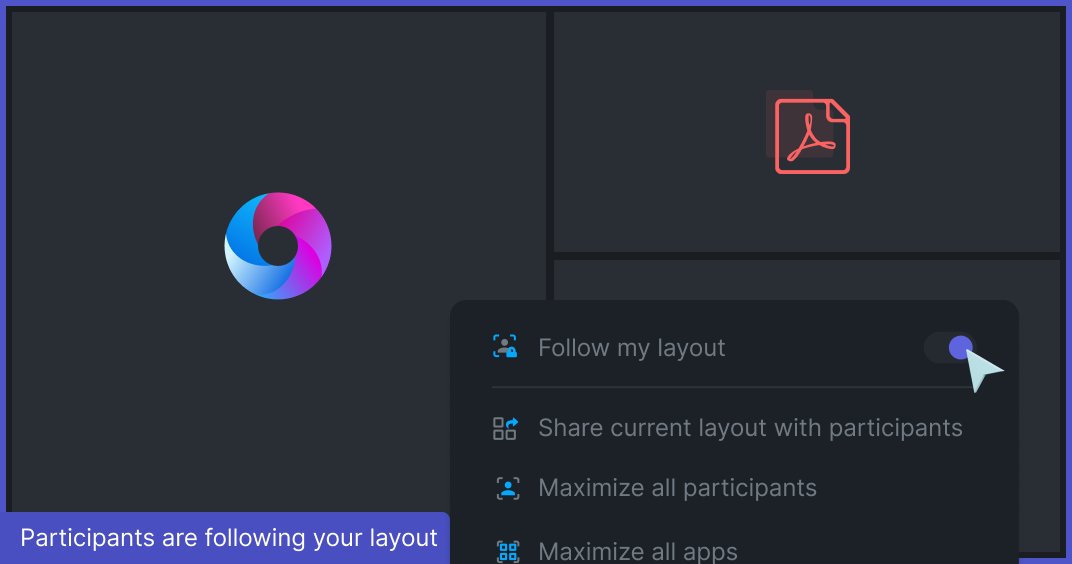
Ever wanted to have all participants to see exactly what you see during a meeting? In RemoteHQ you can share your layout and have other participants follow it! Whenever you reorganize tiles - you can be sure everyone will see what you see 😎 remotehq.com/blog/march-202…
RemoteHQ tweet media
English
0
2
3
0
RemoteHQ
RemoteHQ@HQRemote·
If you’re a teacher or have calls with a group of guests, you probably already had to use our “mute participant” feature. Now apart from the ability to mute them, we also allow you to unmute them, but only if you initiated it! tinyurl.com/ycfffgen #remotework #classroom
RemoteHQ tweet media
English
0
0
0
0
RemoteHQ
RemoteHQ@HQRemote·
Is your company using Intercom already? With our integration you can start a Remote Browser from within the Intercom Chat and have your customer join with a single click. It’s the fastest way of giving a demo of your product or troubleshooting issues. remotehq.com/integrations/i…
RemoteHQ tweet media
English
0
0
0
0
RemoteHQ
RemoteHQ@HQRemote·
Worried about showing sensitive data in the Remote Browser to others (e.g. when logging in)? Now you can toggle privacy mode on, it will hide the browser content from everyone else. Browse safely and securely without the watchful eyes of your participants👉buff.ly/36IIImU
RemoteHQ tweet media
English
0
0
0
0
RemoteHQ
RemoteHQ@HQRemote·
This guide will explain what co-browsing is, why it matters, and how it can help you with remote work, remote sales demo, remote support and remote training. remotehq.com/cobrowsing
English
0
2
4
0