固定されたツイート

cemre güngör
8.7K posts

@gem_ray
product @browsercompany · #anjunafamily


So... Vertical tabs are out in @googlechrome. I thought it would make me switch back to it, I really thought it was the one thing I needed in Chrome. I currently use @diabrowser , but here's the thing. In comparison, the implementation of vertical tabs in Chrome is just awful. It barely changed since I saw it in beta. I thought it would greatly improve during the beta phase, but it did not. So here's everything I dislike about it compared to Dia: 1. It's super laggy. 2. When collapsed, the sidebar moves down, meaning the position of the expand/collapse button shifts down too, making it much harder to find. (I ironically couldn't find the first few seconds of the video specifically because of that) 3. No keyboard shortcut to expand/collapse. 4. Collapsed doesn't move the tabs out of view, they are just tiny. 5. The amount of tabs per line in the grid of pinned tabs is not adjusted depending on the number of tabs. 6. In collapsed mode, all the pinned tabs are now in a column, which can push the actual tabs quite far down. ----- It's just awful. It was built into Chrome as a way to just say "hey we also have vertical tabs!" But the UX is simply awful. This has to be the worst implementation of vertical tabs I've seen so far yet, sadly. For comparison, I'm also showing how @diabrowser handles vertical tabs.



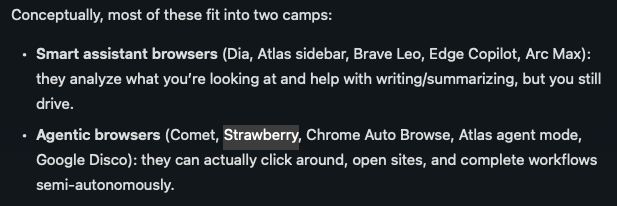

We're back to shipping post holidays with a ChatGPT Atlas release last week, and another one today. - Tab Groups (they're slick and you can use emojis) - Updated search results layout (vertical stacked links) - "Auto" option for your default search engine to decide between ChatGPT and Google - Improvements to memory usage, fewer slowdowns - Quick suggestions for the "Ask ChatGPT" sidebar - A tremendous amount of polish fixes ranging from page zoom, sharing tabs in video calls, managing your profiles, devtools, shortcuts and more We're working on true multiple ChatGPT login support, windows, mobile, agent updates, and much more. Just hit "update" in the top right. chatgpt.com/atlas
Killer use case of AI browsers (ex. ChatGPT Atlas) - editing long-form text. It's so much easier to do this when AI can see your screen + the most recent text vs. copy/pasting back endless versions as you make changes. Next step feels like agents that can leave inline edits...



Last week we reported similar prompt injection flaws we discovered in AI browsers Perplexity Comet and Fellou: brave.com/blog/unseeable… In each case, we disclosed vulnerabilities to affected browser vendors before publishing our findings so that they could fix these issues.





Hi folks. Quick @figma question. If you had to choose, would you rather us work on... 1) Making auto layout easier to understand and use 2) Adding features to make auto layout more powerful (e.g., proportional sizing of children)?