고정된 트윗
AnalyticsWP
50 posts

AnalyticsWP
@AnalyticsWP
AnalyticsWP is the best analytics plugin for WordPress. It works instantly on any WordPress site. You'll feel as if you've been blind and now you can see.

The Internet 가입일 Mart 2025
5 팔로잉56 팔로워

AnalyticsWP lets you analyze the WooCommerce purchase journey (navigation, events, and abandoned carts) directly from WordPress, without relying on external services.
Elijah shows you how to visualize these journeys step by step ➡️ youtube.com/watch?v=HbF67i…

YouTube
English

Analyzing user journeys in WooCommerce helps identify:
✔ Visits without conversions
✔ Abandoned carts
✔ Pages that drive purchases
➡️ All visible directly in WordPress thanks to the native integration of AnalyticsWP: youtu.be/HbF67iQ50J8

YouTube
English

@ehahouhui Super simple setup. Activate the plugin, then go to AnalyticsWP → Dashboard in your WordPress admin to view your data.
Quick tutorial here: youtube.com/watch?v=JtHZ2_…

YouTube
English

@AnalyticsWP Nice! A clean, self-hosted dashboard sounds like a breath of fresh air—how’s the setup process?
English

AnalyticsWP's integration with @TeamBreakdance allows you to add custom events via code to track specific actions, such as button clicks or key interactions. Ideal for more advanced analytics.
Track key interactions with code: youtube.com/watch?v=7wwK3N…

YouTube

English

AnalyticsWP's Advanced Query Builder lets you segment analytics by referrer, URL, UTM, user, and device using flexible, nested queries.
A more precise way to explore real user behavior.
➡️ Learn how to effortlessly create complex queries: youtube.com/watch?v=AnRC6q…

YouTube

English

Want to know what a user did before submitting a form on @TeamBreakdance? With AnalyticsWP, the user journey is automatically recorded when you add the submission action, without any extra configuration.
➡️ See how to do it step by step: youtube.com/watch?v=7wwK3N…

YouTube

English

With AnalyticsWP, Easy Digital Downloads goes beyond just numbers. You can obtain precise analytics by viewing the origin, navigation, and outcome of each sale in a single view.
➡️ Learn how to set up the AnalyticsWP integration with EDD: youtube.com/watch?v=AnpsG_…

YouTube

English

AnalyticsWP's Agency Mode lets you analyze real-time statistics, compare multiple sites, and identify industry patterns from a single dashboard, without having to review each site individually.
➡️ Actual view of the agency dashboard: youtube.com/watch?v=QZv_gT…

YouTube

English

Need to track specific clicks on @TeamBreakdance? Assign an ID to the Button and record the event with a short snippet using the AnalyticsWP API.
➡️ Check out the practical demo: youtube.com/watch?v=7wwK3N…

YouTube

English

By running directly on WordPress, AnalyticsWP keeps your data under your control and reduces the impact of ad blockers by not loading external scripts.
➡️ See how the privacy-focused approach works in AnalyticsWP: youtube.com/watch?v=n7veU8…

YouTube

English

@RapidLightnings We’re working on new updates and will share details as soon as possible. Appreciate your patience 🙏
English

If your visitors arrive from campaigns or newsletters, view products, and leave without buying, AnalyticsWP's journey analysis shows you exactly which areas to improve to change that outcome.
➡️ Elijah shows how to turn this data into real results: youtube.com/watch?v=HbF67i…

YouTube

English

AnalyticsWP's native integration with @TeamBreakdance allows you to visualize complete user journeys, including navigation, interactions, and conversions. This provides a more accurate way to understand actual interaction with your content.
➡️ Discover how to analyze journeys and interactions step by step: youtube.com/watch?v=n7veU8…

YouTube

English

A good practice for agencies using AnalyticsWP Agency Mode is to tag each WordPress site by client or project type and complete its basic information. This way, the automated reports are customized without extra manual work.
➡️ See how to do it: youtube.com/watch?v=MgIyGM…

YouTube

English

AnalyticsWP's advanced query builder lets you create complex, nested filters directly from your WordPress dashboard. Combine conditions and delve deeper into your data without leaving the dashboard.
See how advanced filtering works 👉 youtube.com/watch?v=AnRC6q…

YouTube

English

With AnalyticsWP, you can visualize the complete customer journey in Easy Digital Downloads: origin, navigation, abandonment, and conversion—all in a single view within WordPress.
➡️ Discover how to implement it here: youtube.com/watch?v=AnpsG_…

YouTube

English
AnalyticsWP 리트윗함

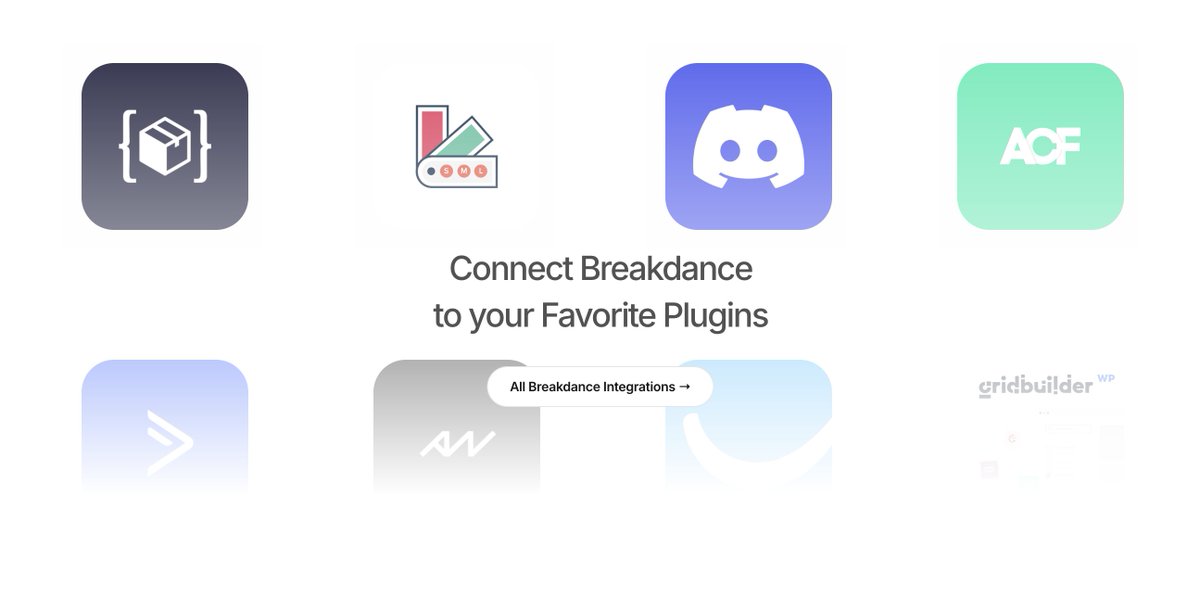
Breakdance already plays nice with the tools you use
Meet the new Integrations directory: @AnalyticsWP, @wp_acf, Woo add‑ons, @Mailchimp , @zapier , @SlackHQ , SEO plugins, @wpcodebox & more.
breakdance.com/features/integ…

English

Your data can tell you a lot… if you have the right tool.
AnalyticsWP transforms your site's statistics into useful and actionable insights. Identify what works, what doesn't, and how your users navigate, all from a clear and user-friendly dashboard within WordPress.⚡
In his review, Matt (WPressDoctor) shows how to get the most out of AnalyticsWP 👉 youtube.com/watch?v=Zl16ff…

YouTube
English

Analyzing your website's traffic doesn't have to be a headache. AnalyticsWP makes it easy!
View your metrics in real time, analyze user journeys, filter events, and gain a clear understanding of your visitors' behavior.⚡ All from your own dashboard.
In his review, Matt (WPressDoctor) shows you step-by-step how to use it and everything you can achieve with AnalyticsWP 👉 youtube.com/watch?v=Zl16ff…

YouTube
English
AnalyticsWP 리트윗함

📊Website performance can be the key differentiator between keeping users or losing them in seconds.
With Breakdance, you create fast and lightweight websites thanks to its clean code and built-in optimization options, helping to retain visitors and improve their experience.⚡
Want to take it even further? Tools like @shortpixel and @wp_rocket can boost your speed even more. And to avoid guesswork, use @analyticswp to measure how that performance truly impacts your traffic and engagement metrics. 📊🚀
👉 In this tutorial, Kevin shows you how to use AnalyticsWP with Breakdance. Put it into practice and validate your website's performance metrics: breakdance.com/tutorial/using…
English