
ollie
22 posts


I just cracked AI animation ads.
it explains the problem in 2 seconds
UGC cost: $1
Scale: 15× overnight
Built a system in Claude Code that turns any product photo into a full animated ad — claymation, Pixar, anime, Wes Anderson, you name it.
Images → video → voiceover → music → captions. All AI. All inside one workflow.
comment “AI” for the breakdown
(Must be following)
English

None of the AI static ads you see on Twitter are actually making any money.
This Manus flow is helping us generate winning static ads on demand...
And we’ve already used it to scale dozens of offers past 6-7 figs.
(today, I'll hand you the ENTIRE process for free)
Most people try to use AI for their static ads and end up with:
- Broken overlays
- Overlapping text
- The abundantly obvious AI “look” you'd never put actual spend behind.
You’ve all seen these.
And they’re horrendous.
Thing is..
It’s NOT the AI’s fault. AI can genuinely make some killer ads.
The only reason you get the slop output is because of:
A) the references
b) the prompt
We load Manus with 400+ ads that already CRUSHED for our DFY clients, plus the prompt we built around what actually works nowadays.
And it spits out insanely clean statics in MINUTES.
So here's the entire system.
Inside:
1. FOUR HUNDRED PLUS of our winning statics, battle tested across millions in ad spend
2. The exact Manus prompt that turns them into fresh static ads in minutes
3. Our diversity playbook for Advantage+ so your ads don't get throttled for looking too similar
Comment "STATIC" and I'll DM the entire vault to you personally.
(must be following)

English

You don't need to redesign your image gallery to get more sales from it.
Stop treating product photography as an all-or-nothing thing. "We need a full reshoot." "Let's overhaul the whole gallery." They put it in the too-hard bucket and move on.
But your gallery isn't one thing. It's a sequence.
And the first image does almost all the work.
It's what shows on collection pages. It's what appears in ads. It's the first thing a shopper sees when they land on your PDP. If it doesn't stop them, they're gone before image two even loads.
So instead of testing your whole gallery, just test image one.
Different angle. Different background. Lifestyle vs. product-only. Model vs. flat lay. The change is small. The impact isn't.
The next time you're staring down a big photography project, ask yourself: what does image one look like right now, and is it actually the best version you have?
You might already have the winning image sitting in a folder somewhere.

English

283 of these fuckers are here sir: app.gethookd.ai/share/board/17…
You can save all of them to your Gethookd account with 1 click. Download/transcribe/recreate / print.
Cook@rvltnq
@FedotOff90 Would be sick if you had a swipe with all sort of formats for cartoon style ads
English

@GameJoker_ Hate to say it but for the first time this looks rather legit
English


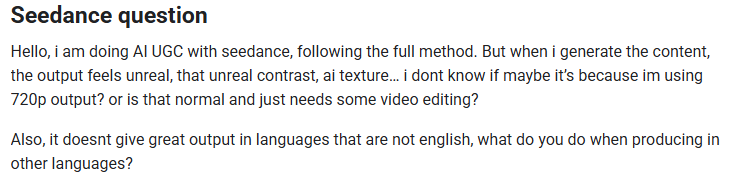
Question from ACL:
I responded with a full video breakdown.
If your having trouble with seedance generation:
Comment "seedance" and I'll send it to you!
English
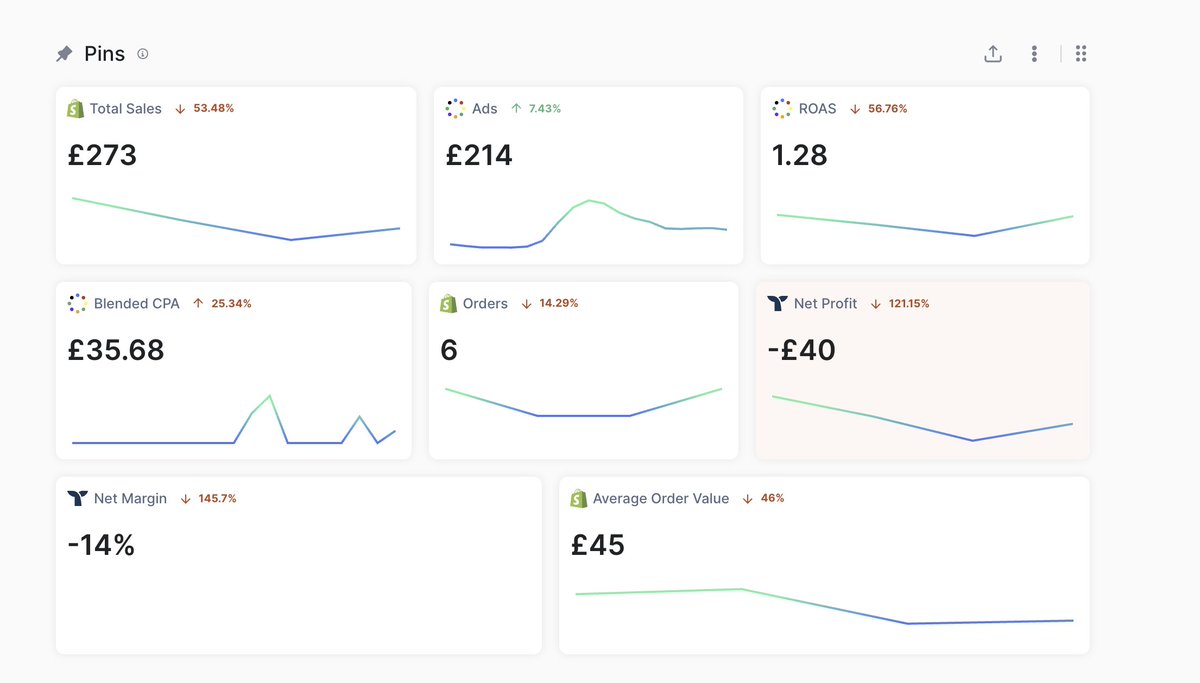
This new AI Ad Style is helping diversify our clients accounts...
If you want access to the full prompt doc:
Comment "Doc" and I'll send it to you for free!
English

V3 is my best work yet.
100% AI UGC videos with crazy realism.
and it's way simple to generate these kind of videos once you learn to connect everything together.
the only editing i did is stitching:
- no multiple images
- no voice changer
- only one image and prompt
here's the video i did with my V3 prompts:
English

Claymation ads are quietly printing money on Meta right now.
2-3x the feed average CTR. Almost nobody is running them. And everyone assumes you need an animation studio and a $5,000 budget to make one.
You don't. You need the right prompts.
So I packaged the entire system into a free Claude workflow. Paste a product URL, and it spits out the full ad in minutes:
→ a 9-shot storyboard (proven problem-villain-hero arc)
→ image prompts for every single frame
→ video animation prompts ready for Kling, Veo or Runway
→ a timed voiceover script
→ music and sound direction
The clay villain reveal alone is the kind of pattern break that stops the scroll dead.
Old way: $3,000 to $5,000 and 3 weeks with a studio.
This way: $3 to $6 in credits and under an hour.
I've watched founders make their first one over a coffee break.
The skill is 100% free. No gate, no signup.
Want it? Comment "CLAY" and I'll send you the full guide
(need to be following so you can receive the DM)
English
SOLUTION!
The solution is actually quite simple.
You need reach out to Shopify Support and request to opt-out of the "Pay As Guest" / "Pay Now" button appearing on the checkout.
They might not know at first what you're referring to as it's new for all of their employees.
If that's the case, just upload this screenshot and tell them you saw that someone else managed to pull it off.

Jacob@jforjacob
Shopify changing people’s checkout automatically “Pay as guest” or “pay and save my info” How do we disable this? It’s absolutely obliterating mine and your CVR’s
English
@adsurgeon I’ve turned mine back on now just realized it’s like 50% of our orders 😭
English


@DaveDiederen Lots of customers use shop pay though so I’m not sure if they will start using apply pay or cc
English
I've been diving into this the entire day and there seems no solution to this whatsoever.
Dove into the Shopify Default Theme Content.
Tried to custom develop an extension to overwrite - which was not possible because the CTA is protected by Shopify's policies and stuff.
Tried turning on and off settings regarding Shop Pay.
Nothing worked.
Looks like we just have to wait this one out.
For now only UK markets are affected, but I wouldn't be surprised if they start to roll this out to more soon
Jacob@jforjacob
Shopify changing people’s checkout automatically “Pay as guest” or “pay and save my info” How do we disable this? It’s absolutely obliterating mine and your CVR’s
English
How to make 30 Realistic AI Ads in 1 Day
Comment "30 in 1" if you want the skill required to make them.
English
@ArijanJanes @jforjacob How long did it take to update turned mine off and it’s still there?
English


ollie 리트윗함

When she asks you what you're scared of but you can't say getting my Shopify payments held so you just say spiders.

English