
Alex
54 posts



Not all of the 100 items we released in 2024 were big game-changers.
In fact, many were quite small—but that doesn't mean they're not an essential part building a better Evernote experience!
Here are a few of the smallest improvements that stood out…which one's your favorite?
English
@evernote @fedesimio Swipe to go back to the previous page is not happening on Evernote on Android (10.118.0). Obviously an iOS only improvement again.
English
In November, we introduced accountless collaboration, advanced customization options on Mobile, and several editor and navigation improvements—@fedesimio recaps everything in our latest video!
English
@evernote Obviously no security issues with verified paying customers. Why cancelling another feature for us paying customers as well? Still no simple "share to" option on mobile. Google Keep can simply share text notes to any apps. On Evernote only sharing as pdf or web link-complicated!
English
📨We’ve removed Evernote’s ‘Email a copy’ feature for maximum platform security
Within Evernote, there are many ways to share a note externally. Previously, one such option was to email a copy of the note to a select list of email addresses directly from Evernote.
As of yesterday, we removed the 'email a copy' functionality after observing that it was being misused by bad actors for malicious activities, like phishing and email scams.
This, along with the fact that there are other more robust sharing options available within Evernote, led us to our decision to remove this feature outright.
Here are some easy and secure ways to share your notes externally:
• 🔗 Publish the note and share it using our new Lite editor. Set your permissions and share the link via email, WhatsApp, Slack, or any other collaboration platform you use. With this option, your note is dynamic (it updates in real time even after your send the link) and you have the option to let others collaborate, even if they don’t have their own Evernote account.
• 📩Export the note as a PDF and share it via your preferred channels. This best recreates the ‘email a copy’ feature, as it sends a static snapshot of the note at the time you export it.
We apologize for any inconvenience this change might cause! We believe it's important to put the security of our platform and customers first, and we look forward to making collaboration in Evernote even more powerful in the future.
English
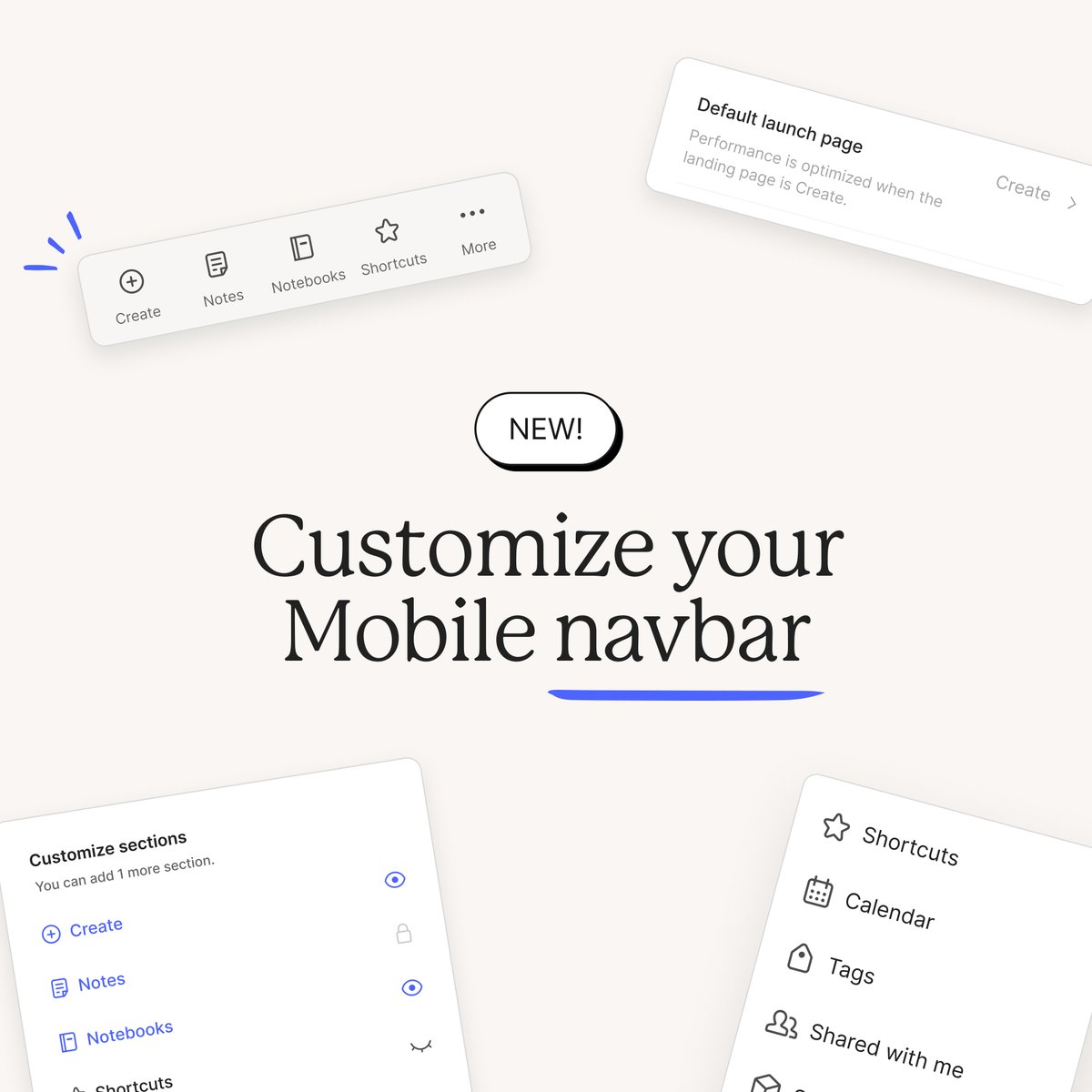
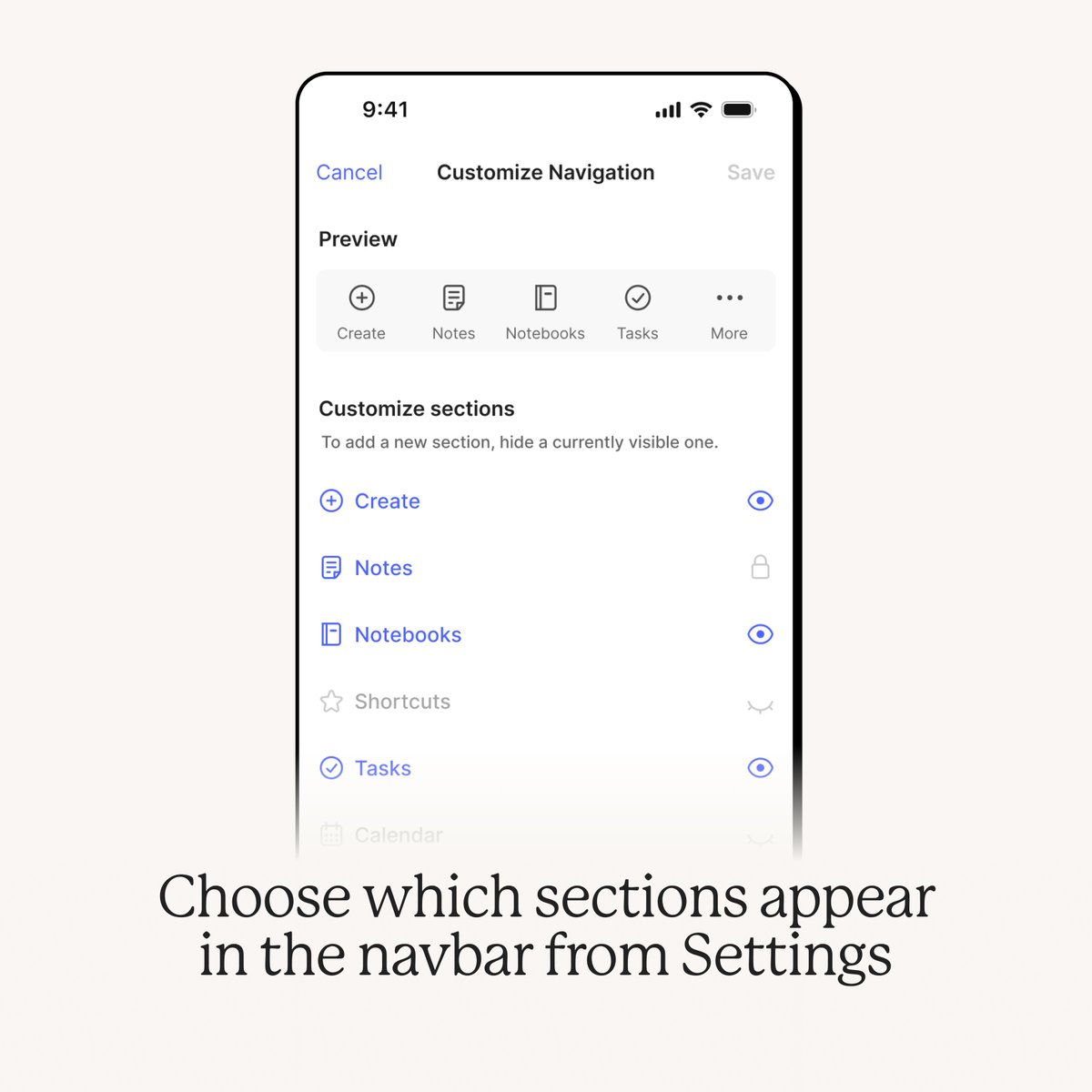
The customizable Mobile navbar is here! 🤩
You didn’t think we’d let the Desktop folks have all the fun, did you? Now, Evernote Mobile users can select which sections are displayed in their navbar.
Anything you remove from the main menu will still be easily available in under ••• More.
What are you keeping in your navbar?
This option is available on Mobile v.10.115, rolling out now!

Evernote@evernote
✨ Your sidebar, your way Each customer uses Evernote in their own way. Now, you can customize your sidebar to reflect your personal preferences. Head to Settings > Sidebar to decide which items to include. What does your sidebar look like? Share a screenshot in the replies, we're all curious 👀 Available in v10.107 on Evernote Desktop and Web—rolling out now!
English
A while back, we introduced the ability to leave a shared note or notebook—but what if you want to keep the content and just declutter your workspace instead?
That’s where our newest filter comes in!
Now, you can easily filter out shared content from your notes and notebooks list via the Filter menu.

Evernote@evernote
Sometimes, good things must come to an end. 👋💚 Say goodbye to the shared notes and notebooks you no longer use! This new action is available in v10.106 on Desktop/Web and v10.107 on Mobile.
English
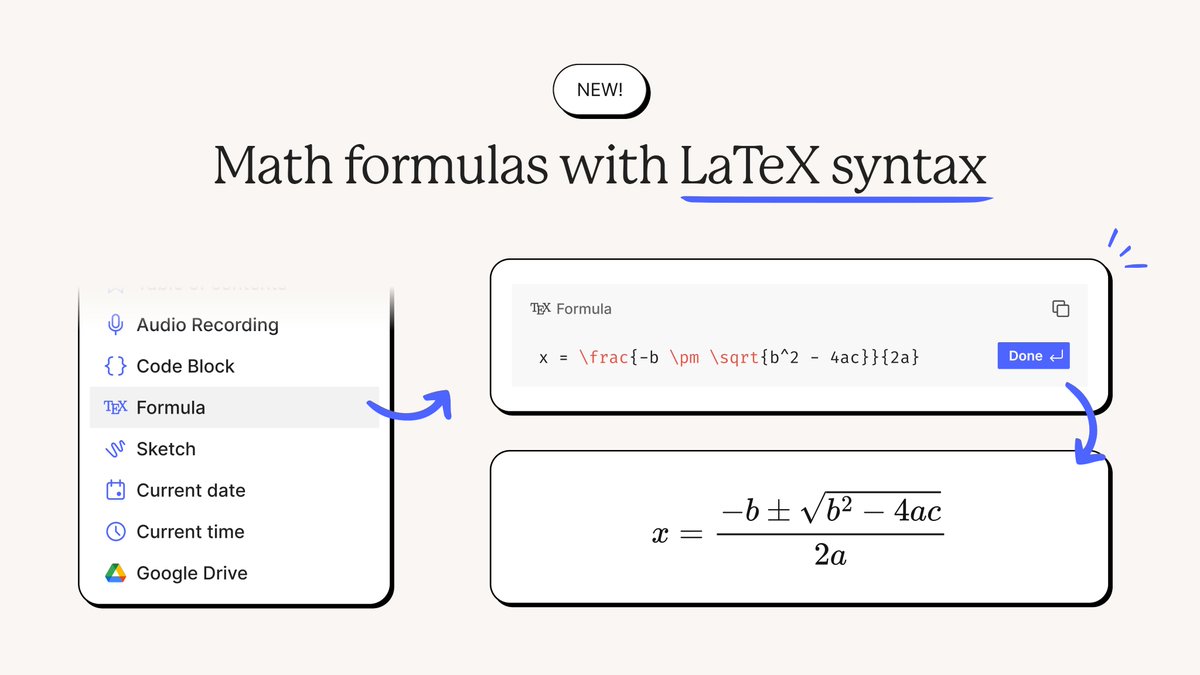
⚡🏷️ Note and notebook creation is now up to 10x faster in Teams accounts thanks to one small change to how we count tags.
As with every major process in Evernote, tags are counted and updated using a dedicated query which runs in the background every time you add, delete, or update a note.
The Performance squad recently identified a way to simplify the query’s logic to significantly boost Desktop and Mobile app performance for Teams accounts with many tags.
For example, in a Teams account with 1.2k tags and 20k notes:
🏷️The time to execute the tags query went from 10s to <1s
As a consequence…
🗒️The time to create a new note went from from 10s to 1s
📔The time to create a new notebook went from 10s to <1s
Make sure to update to v10.114 on Desktop and Mobile to take advantage of these improvements, especially if your team relies on tags to stay organized! 💚
English
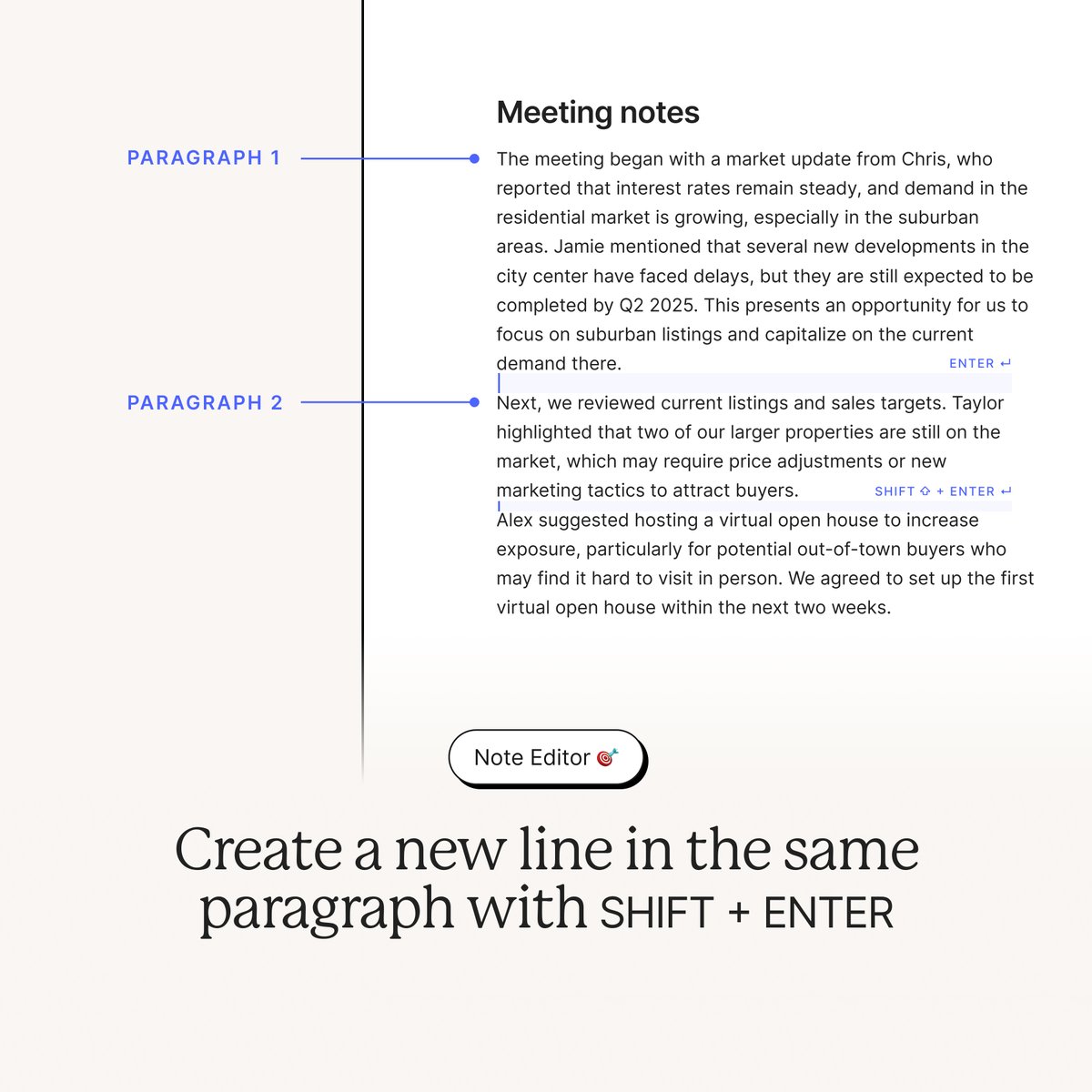
✏️ 4 recent improvements for a smoother note-taking experience
Everything in Evernote begins with your notes. That’s why it’s essential that writing, reviewing, and formatting your content is as smooth and intuitive as possible. Thanks to your continuous feedback, we have a lot of ideas on how to achieve that—here’s just four we recently implemented!
1️⃣ Start a new paragraph just by clicking at the end of the existing text block—no more need to press ‘Enter’ each time
2️⃣ Create a new line in the same paragraph by pressing SHIFT + ENTER
3️⃣ Add any kind of attachment to your tables without changing the existing layout
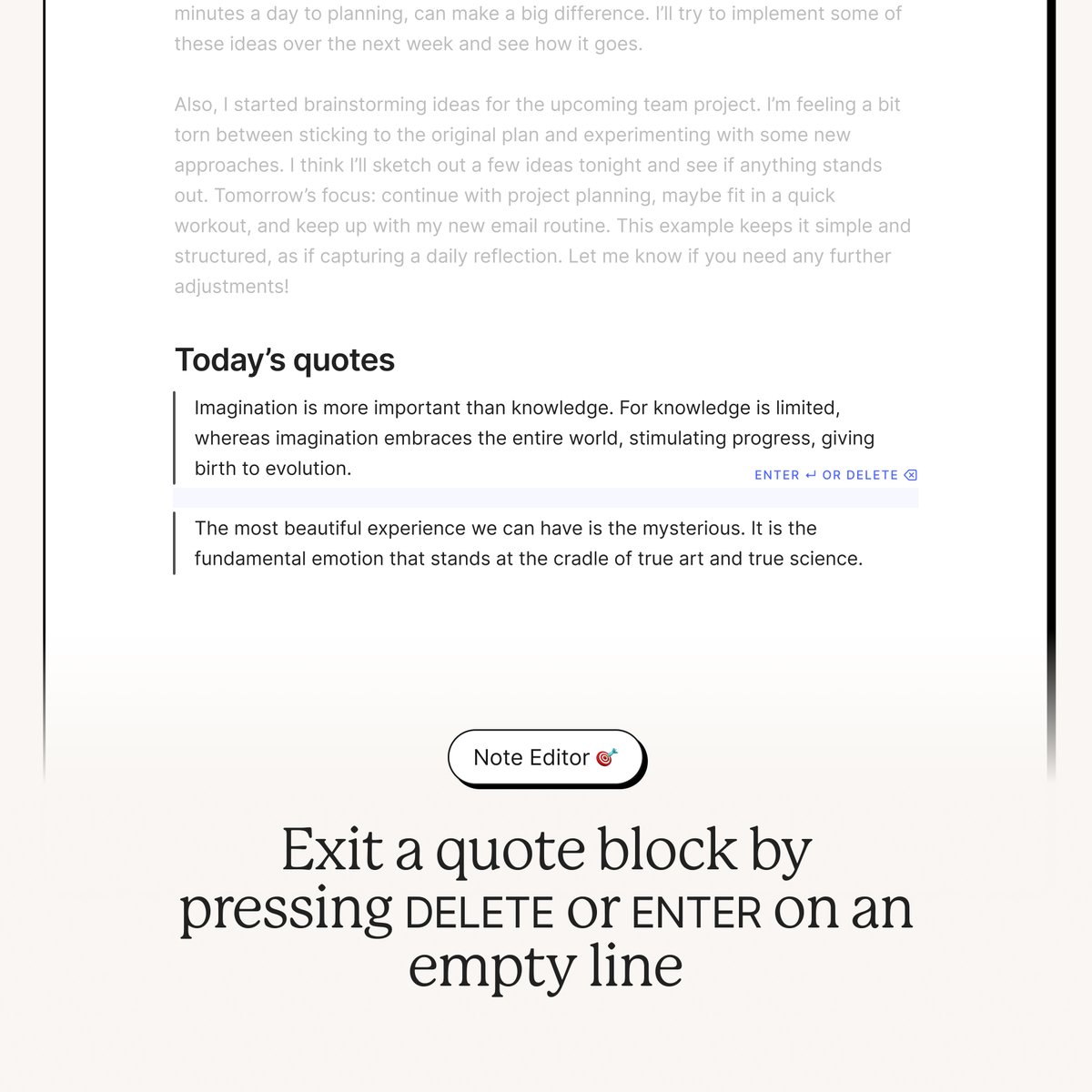
4️⃣ Easily jump between text and quote formats by pressing ‘Enter’ at the end of a quote to revert back to normal text, or hitting ‘Delete’ on an empty line to separate quotes into individual blocks
All these changes are available on Desktop version 10.113. What other Editor improvements would you like to see?


English
@fedesimio Fix the spacing issue first. We are still waiting for 24h time format in calender on web and desktop as well in Europe!
English


Major update alert! 🚨
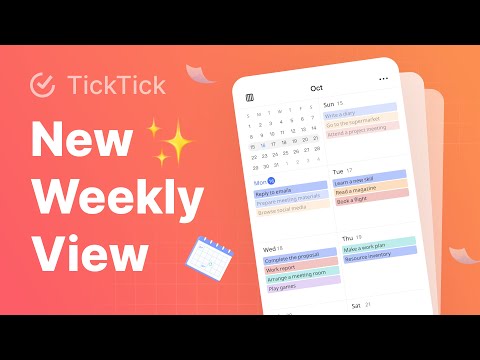
The all-new Weekly View is here! ✨
Update TickTick to version 7.4.0.0 and tap the layout switch in Weekly View to try the new grid layout! 🔄
🎥 Full breakdown: youtu.be/XeyQd9aXJXE
YouTube

English
@fedesimio Give us a consistent desktop experience first. To this date still no 24-h time format in EN calendar on web and desktop according to the operating system time format... 🫣
English
[FEEDBACK NEEDED]
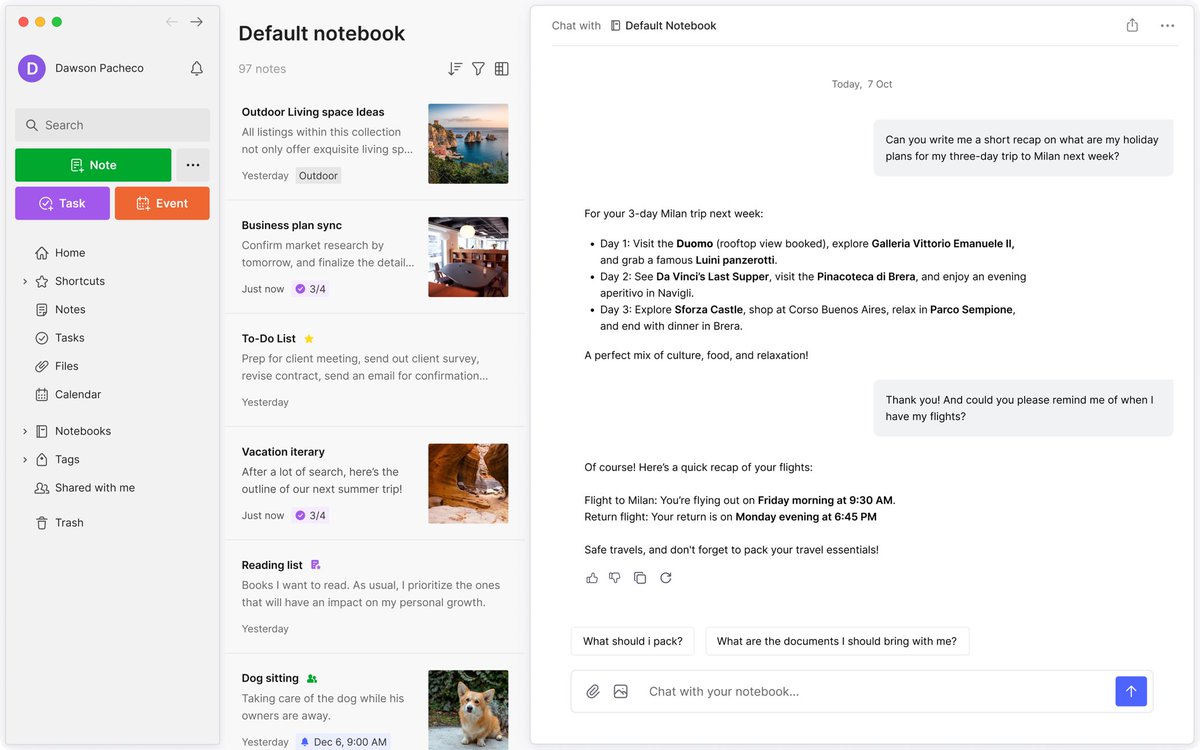
😱 Chat with notebook on Evernote
We’re considering building something like this, see screenshot (just a draft).
What do you think? What would you use it for (practical examples)?
Please give us high quality answers, they’ll help us turn this into reality 💚
English
@Alex22971704 It's in the works! We'll share more on note size, attachment, and upload limits for free AND paid soon.
English
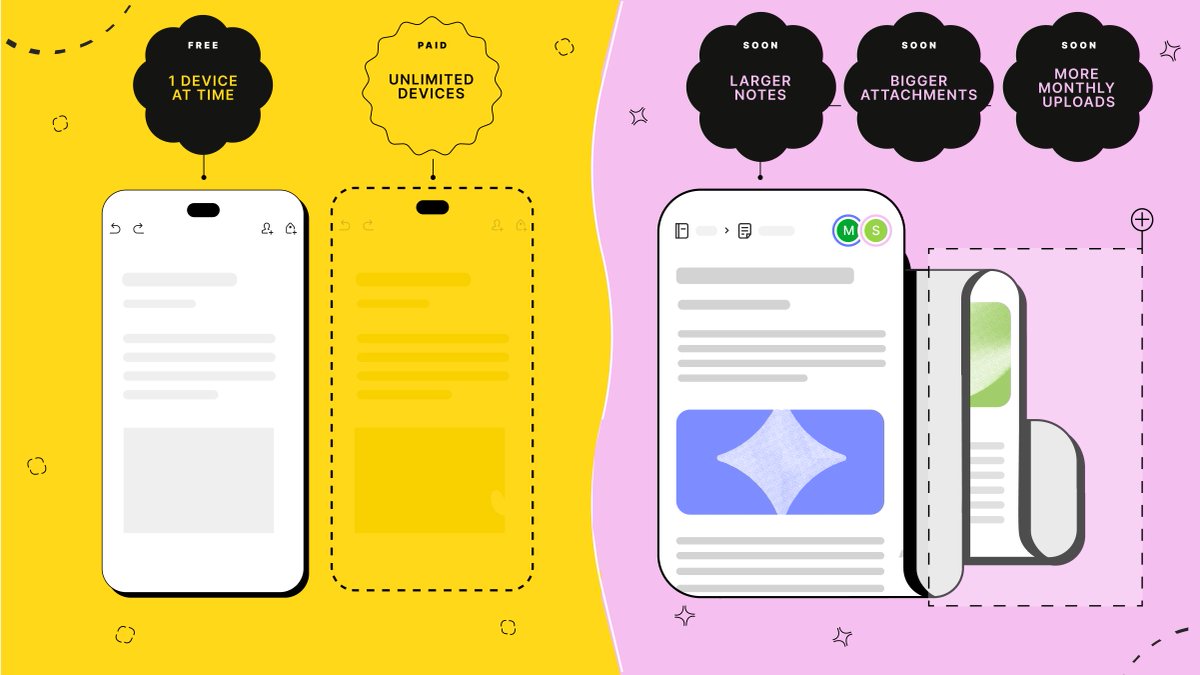
📣The Evernote Free experience in changing.
1️⃣ From today (August 6, 2024), new and existing Free users will be able to use Evernote on 1 device at a time. Those using a Personal, Professional, or Teams account can still connect unlimited devices.
📥 Soon, we’ll be increasing note size, attachment, and monthly upload limits for all Free accounts. Free users will have access to:
- Larger notes: we're expanding the maximum size of the notes you can create.
- Bigger attachments: you’ll be able to upload larger files.
- More monthly uploads: you’ll also be able to upload more files each month.
We’ll share the specifics on these new, higher limits soon—in the meantime, you can refer to our Compare Plans page for the most up-to-date information.
Links to our blog post and FAQ in the thread. 👇
English
@fedesimio Would not use it as long as my data is sent out of Evernote's systems for AI purposes. Do it in house and maybe let the AI even use all info from the account (all notes) if needed. Certainly the sources (notes) should be quoted correctly by the AI to verify and trust the answer
English
🏗️ Evernote improvements keep stacking up!
Every few months, we take a moment to look back at our progress. We’re happy to share than we introduced 25 impactful new changes between July and September. 🚀
This time, highlights include sidebar customization, a new metadata sync engine, image-to-text transcription, two-way Calendar sync, and many more.
Read the full list: bit.ly/evernote-july-….

English
Joining a shared Evernote note, notebook, or workspace is now up to 1,000x faster. 🤯⚡
(Yes, you read that right—we double checked with our engineers 😉).
Specifically, the time between accepting a note, notebook, or workspace invitation and receiving the content in your account is significantly faster. You’ll see the greatest difference for especially large notebooks or workspaces.
English
@fedesimio Unfortunately besides all the bugs it is still way too slow on average Android devices.
English
Evernote reliability is so much better than it was one year ago 🐘❤️
English
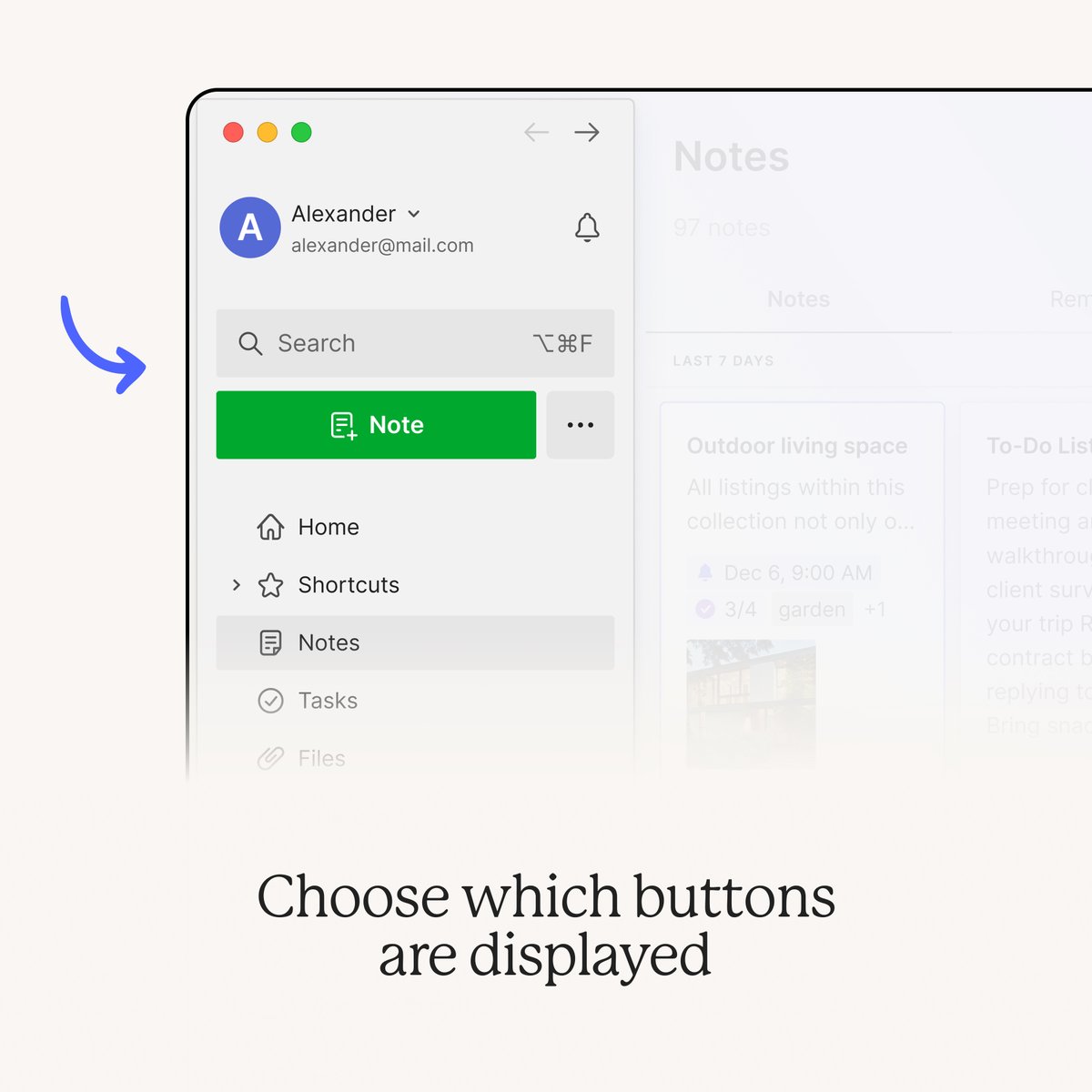
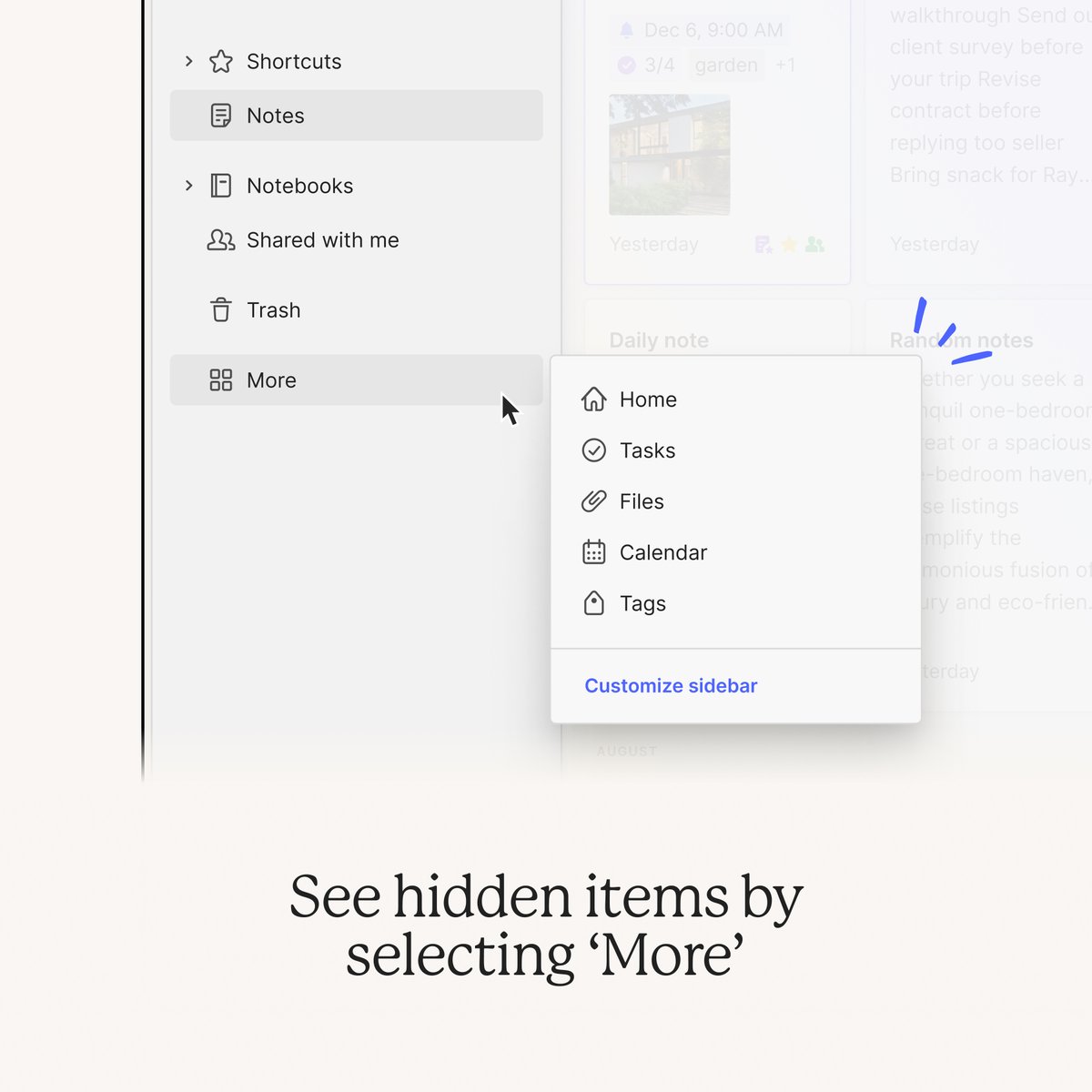
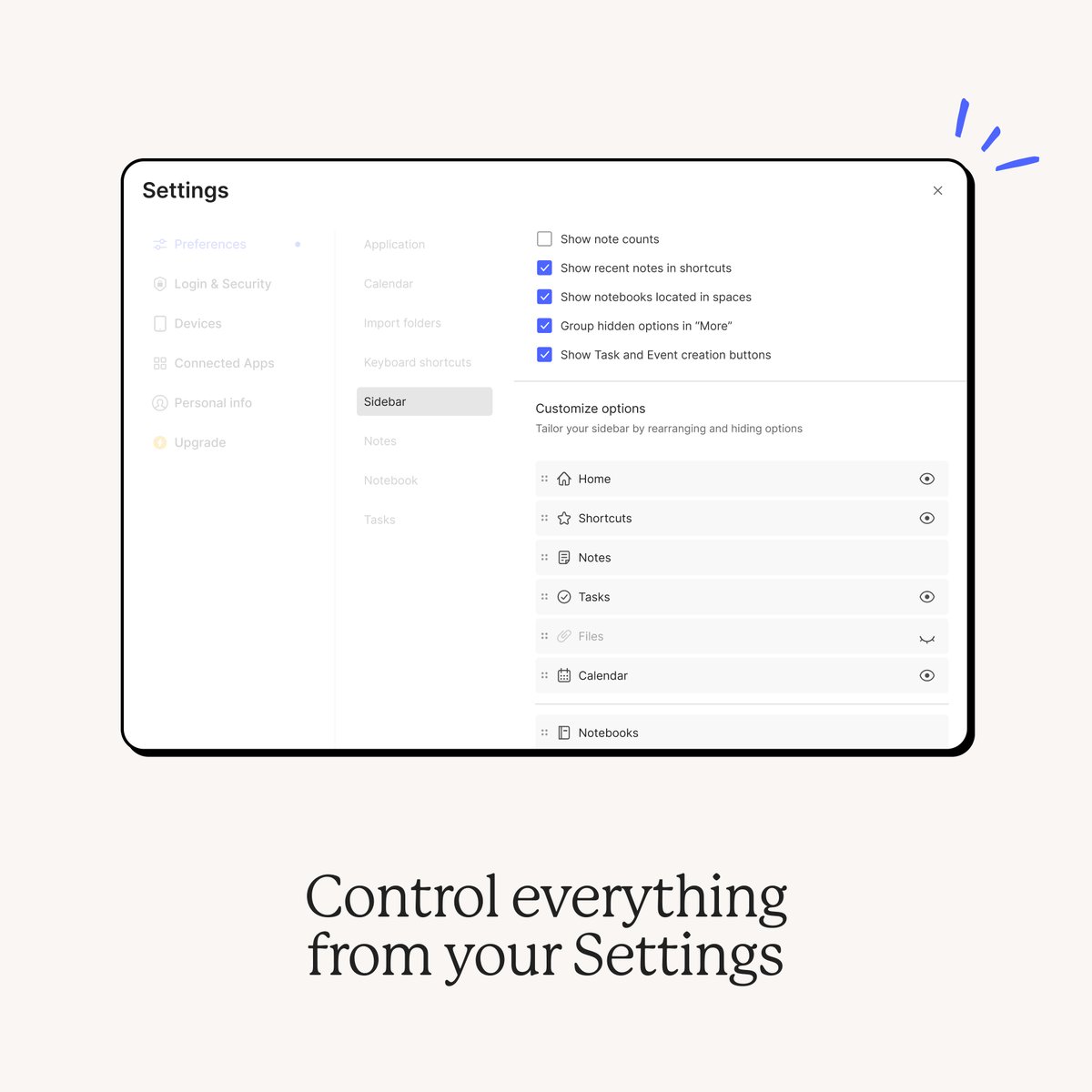
✨ Your sidebar, your way
Each customer uses Evernote in their own way. Now, you can customize your sidebar to reflect your personal preferences. Head to Settings > Sidebar to decide which items to include.
What does your sidebar look like? Share a screenshot in the replies, we're all curious 👀
Available in v10.107 on Evernote Desktop and Web—rolling out now!

English
In August, we promised to increase note size, upload, and attachment size limits for Free users—we’re happy to share that these changes are now live:
⬆️ The maximum note size is now 200MB (up from 25MB)
⬆️ The maximum attachment size is now 200MB (up from 25MB)
⬆️ The monthly upload limit is now 250MB (up from 60MB)
These changes should make it easier for Free users to store important content regardless of the format (PDFs, documents, images, videos, audio recordings, and more). It also makes feature like AI-powered image and video more useful for all our customers.
To take advantage of these new limits, make sure you're using v.10.106 on Desktop & Web / v.10.107 on Mobile.
English