

AlphaCartel
12 posts

AlphaCartel
@AlphaCartell
We equip traders with top Crypto and TradFi signals, along with AI-powered products and education.
Set up AI Trading 👉 Katılım Nisan 2026
0 Takip Edilen378 Takipçiler
In a few years, there will be two types of traders: those who use AI, and those who don’t.
Same market. Same charts.
Completely different outcomes.
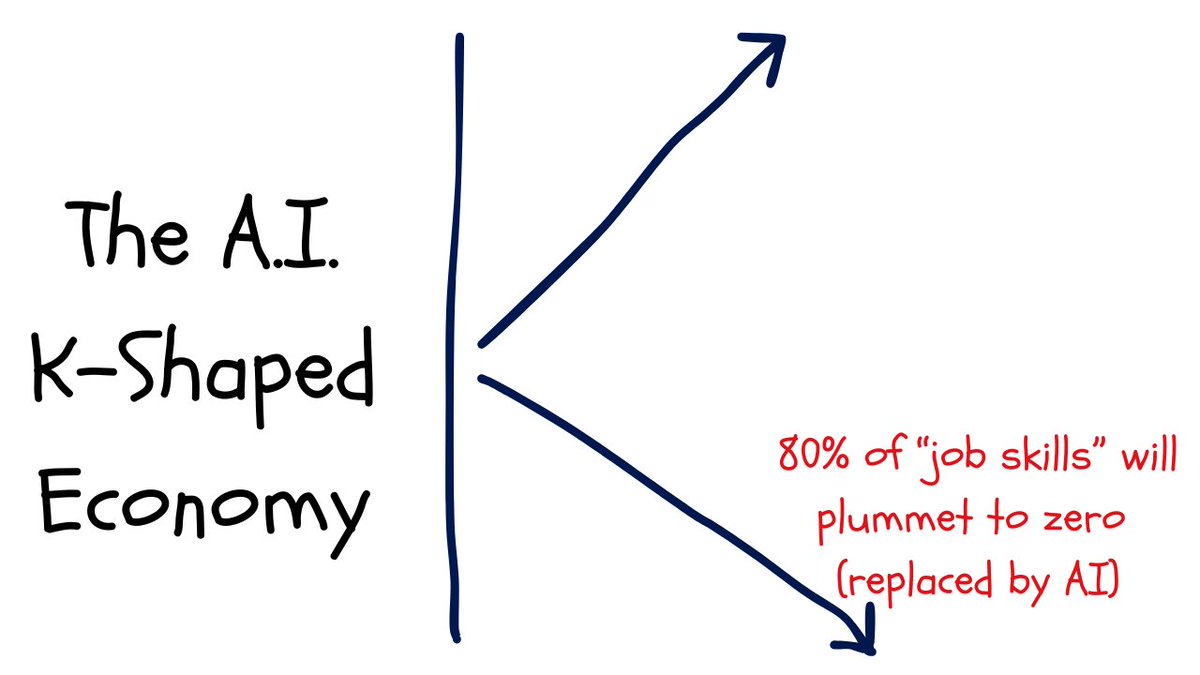
Economists call it the K-shaped economy.
After a technological shift, the recovery splits in two.
Those who embrace & use the new technology accelerate upward.
The other falls further behind.
The letter K. Two lines. Two futures.
Right now, AI is that shock.
Traders who adapt are already widening the gap
So we are building the answers for our community.
Want to ride the top of the K with us?
AlphaCartel@AlphaCartell
Claude can now FULLY control tradingview. • Switch Symbols • Open, Close & Add Indicators • Read Real Time data • Create Custom Indicators on Autopilot And MUCH more.
English
@Manage2Damage @Tradesdontlie Try to look at the bigger picture.
Small minded thinking like this, is why most traders will be left behind.
English

@AlphaCartell @Tradesdontlie You need AI to switch symbols and open close indicators?
English
Claude can now FULLY control tradingview.
• Switch Symbols
• Open, Close & Add Indicators
• Read Real Time data
• Create Custom Indicators on Autopilot
And MUCH more.
English
For anyone having trouble setting this up, join our community and do it together with others, link in bio.
English


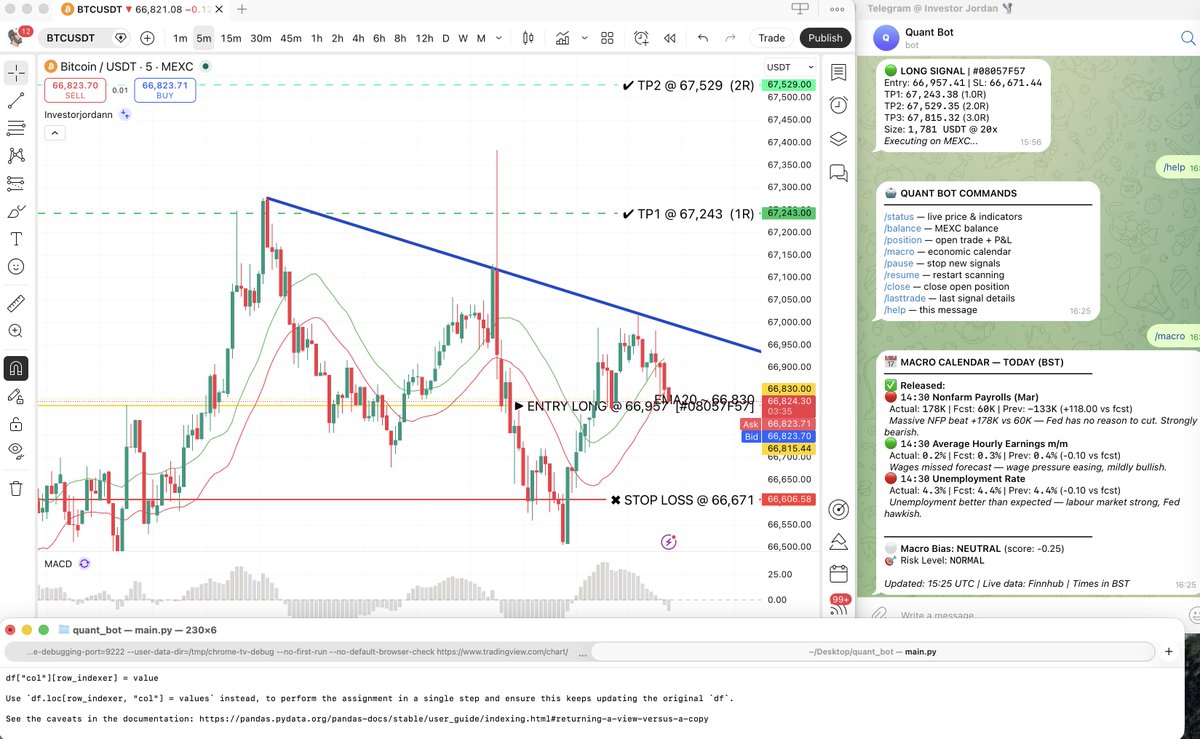
Just spent the last 6 hours building a bot that has full control over my TradingView…
- Running the exact strategy I’ve used for 11+ years.
- Connected to a live trading account.
- Pulling in real-time macro data.
- Entering LIVE trades
- Sending every update straight to Telegram.
We’ve officially entered a different era.
AlphaCartel@AlphaCartell
Claude can now FULLY control tradingview. • Switch Symbols • Open, Close & Add Indicators • Read Real Time data • Create Custom Indicators on Autopilot And MUCH more.
English


Most traders are still drawing lines on charts manually.
Meanwhile AI is now switching symbols, adding indicators and reading real time data on TradingView autonomously.
The gap between AI traders and manual traders is about to get insane
AlphaCartel@AlphaCartell
Claude can now FULLY control tradingview. • Switch Symbols • Open, Close & Add Indicators • Read Real Time data • Create Custom Indicators on Autopilot And MUCH more.
English
@AlphaCartell @Tradesdontlie This opens the gate for insane AI trading strategies
English
This is insane.
Claude Code now connects directly to your TradingView charts.
It reads your indicators, writes Pine Script strategies, compiles the code, catches errors, and fixes them.
Without you even LIFTING a finger.
This is not a browser extension, it is a native connection to your live charting platform.
TradingView Desktop is built on Electron, which runs on Chromium.
Chromium has a built-in debugging interface called the Chrome DevTools Protocol.
It is disabled by default, but a single flag switches it on.
That one flag opens the door.
A lightweight MCP server running locally on your machine connects Claude Code through it.
Nothing touches TradingView's servers.
No data leaves your computer. Everything happens on localhost.
Getting Started:
Install the TradingView MCP server (check comments).
Connect it with your Claude.
Then try it out:
"What's on my chart right now?"
That is the entire setup. Claude installs everything.
What Claude can see on your charts
- Current symbol and timeframe
- Up to 500 historical price bars
- All indicator names, IDs, and values
- Pine Script drawings: lines, labels, boxes, and tables
- Data window values
- Order book depth
- Strategy tester results and full trade history
- Screenshots of any region of your chart
All of this data is already visible on your screen. This tool simply makes it accessible to an AI.
The Pine Script workflow
This is really useful for serious traders.
You describe what you want → Claude writes the Pine Script → injects it into TradingView → compiles it → reads any errors → fixes them → recompiles.
That loop repeats until the script is clean.
Throughout the entire process, Claude has full context of your chart and every indicator on it.
More use cases to be shared soon.

English