Archer Gu

9 posts

Archer Gu banner
Archer Gu

Archer Gu

@ArcherGu66

Katılım Aralık 2024
19 Takip Edilen0 Takipçiler
Archer Gu
Archer Gu@ArcherGu66·
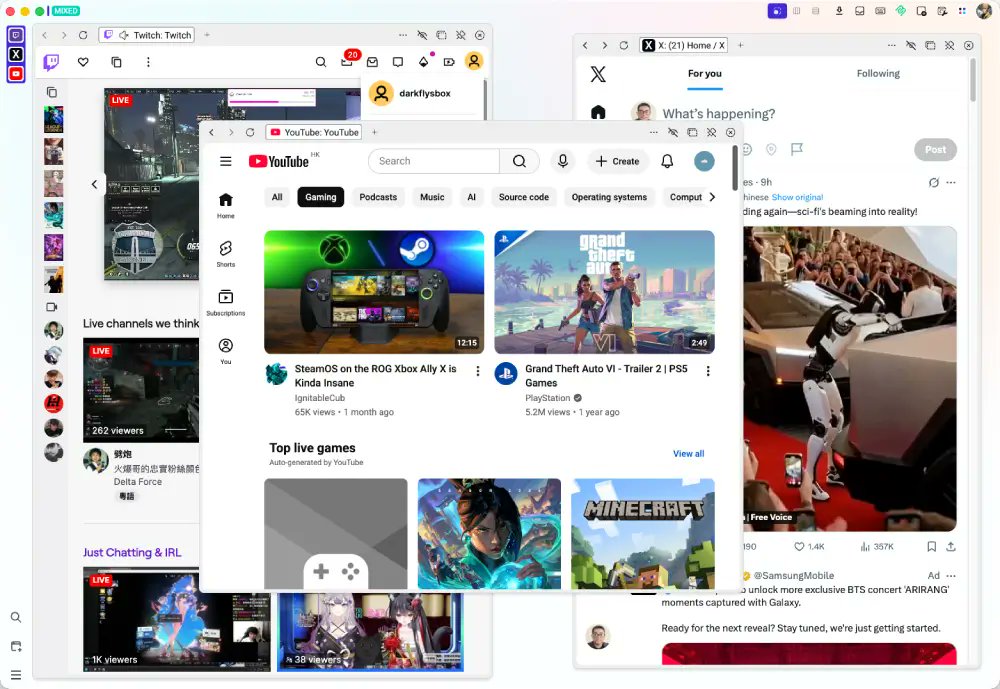
@ajs6888 @daisyui_ Yes, I think similar things should be placed in one window. Although browser can drag out tab to turn it into independent window, it is also troublesome to switch between independent windows of the same workflow web pages. So why not make it a child window in a separate window?
English

0
0
0
8
Archer Gu
Archer Gu@ArcherGu66·
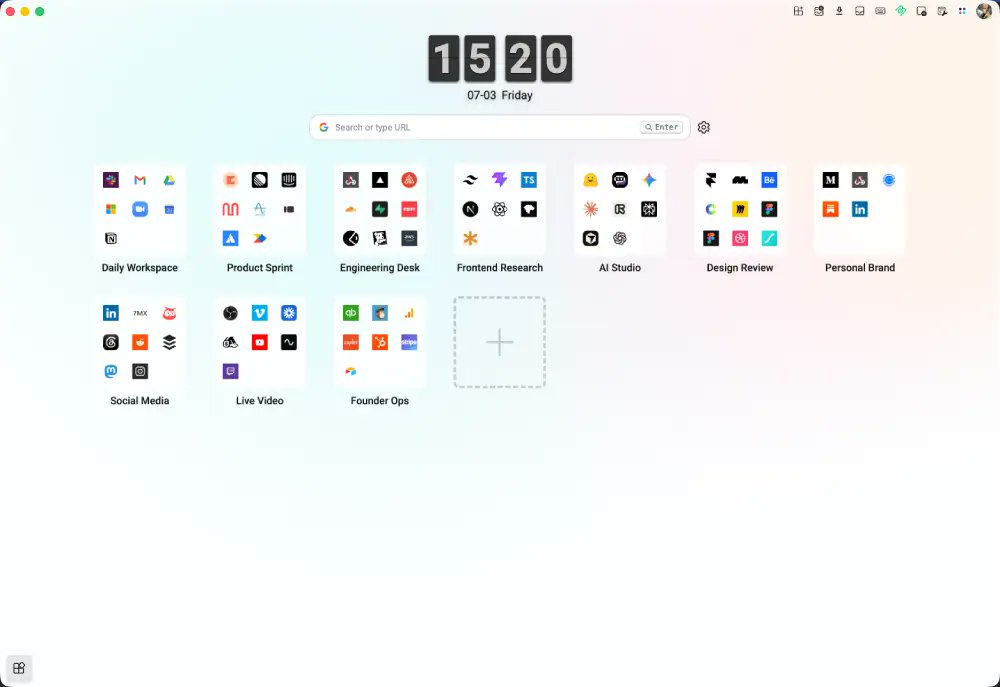
I built Tabzone with @daisyui_ 🌼 A desktop app to organize web apps into flexible workspaces: - Zones for workflows - Multi-app layouts - Drag & resize - Themes per Zone - Chrome-compatible MCP for AI automation tabzone.vrlrv.com
Archer Gu tweet mediaArcher Gu tweet media
English
1
2
9
1.7K
Archer Gu retweetledi
Zain Shah
Zain Shah@zan2434·
Imagine every pixel on your screen, streamed live directly from a model. No HTML, no layout engine, no code. Just exactly what you want to see. @eddiejiao_obj, @drewocarr and I built a prototype to see how this could actually work, and set out to make it real. We're calling it Flipbook. (1/5)
English
1.1K
3.7K
28.9K
6M
Jay 🙄
Jay 🙄@itweetasjay·
tab split view is a really cool chrome feature. it’s just hard to trade chrome entirely for a different browser.
Jay 🙄 tweet media
English
3
0
7
312
コツん@Canva公式クリエイター
Chromeの「Split view」機能で画面分割できるようになってるの知ってましたか? 私は今日知りました! やり方は簡単!Chromeの最新版で ↓ 1️⃣ブラウザのタブを右クリック>「新しい分割表示にタブを追加」を選択 2️⃣隣に追加したい画面のタブを選ぶ これだけ✨ 最新版にしてもこのメニューが表示されない場合は ↓ 1️⃣アドレスバーに『chrome://flags』と入力→Enterキー 2️⃣表示されたページの上部検索ボックスから「Split View」を検索 3️⃣検索結果の「Split View」の右にあるプルダウンメニューから「Enabled」を選択 4️⃣Chromeを再起動 編集作業が捗りそう?プレゼンにも嬉しい機能ですね☺️
日本語
5
63
367
52.5K
Archer Gu
Archer Gu@ArcherGu66·
I'm developing an application that helps users integrate commonly used websites (I actually prefer to call them web apps). A preliminary version is already available; feel free to try it out if you're interested. tabzone.vrlrv.com
Archer Gu tweet media
English
0
0
0
16