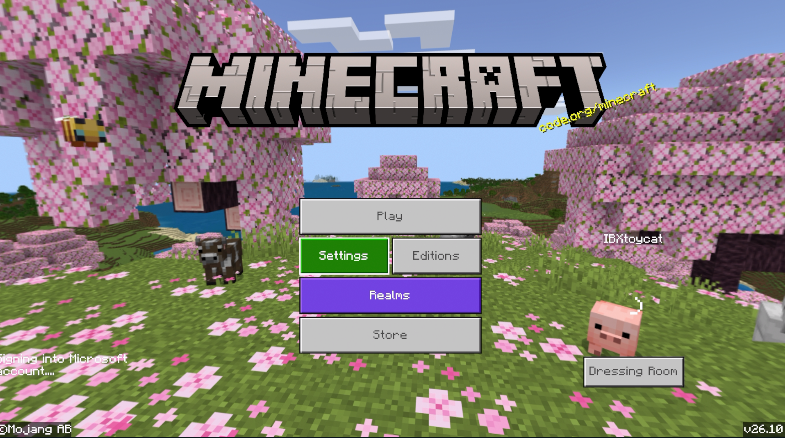
@raydenspawn166@RealMcMonkey@L0UBR0@ibxtoycat Bedrock Edition can log in to your Microsoft account at any time.
Whether the edition button is displayed or not depends on whether "Minecraft Full Entitlement" is included in the installed content. If not, an edition button will be displayed.
@raydenspawn166@RealMcMonkey@L0UBR0@ibxtoycat If the main unit is PlayStation 4
1.Sign in to your brother account.
2.Go to Settings > Account Management > Activate as Your Primary PlayStation 4.
3. Select Deactivate.
4.delete minecraft
5.insert disc
I think when you do these, an edition button will appear.
@raydenspawn166@RealMcMonkey@L0UBR0@ibxtoycat If the main unit is PlayStation 5
1.Sign in to your sibling's account.
2.Go to Settings > Users and Accounts > Other > Console Sharing and Offline Play.
3. Select Disable.
4. delete minecraft
5.insert disc
I think when you do these, an edition button will appear.
@raydenspawn166@RealMcMonkey@L0UBR0@ibxtoycat You may have purchased Minecraft from the PlayStation Store after December 10, 2019!
If you purchase Minecraft after December 10, 2019, the download version will take priority and the edition button will no longer be displayed.
@RealMcMonkey@L0UBR0@ibxtoycat I literally have the disc version of the original ps4 before bedrock edition, how come I can never get it to show up for me?