

Casio Music Gear
5.6K posts
Casio Music Gear
@CasioMusicGear
Casio America's EMI division is the North American distributor of Casio keyboards, Synthesizers, Digital Pianos and more. #casiomusicgear
Dover, NJ Katılım Mart 2011
227 Takip Edilen8K Takipçiler
Casio Music Gear retweetledi

Casio Music Gear retweetledi

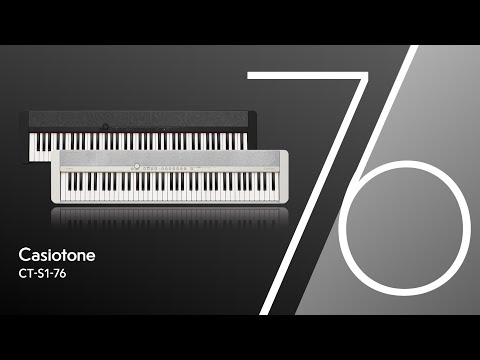
@CasioMusicGear launches the CT-S1-76
Great addition to the line-up
youtu.be/t-ED9r36zp4?si…
YouTube
English

We have some Analog Heat +FX goodness to share with you, as we ourselves continue to revel in wielding this distortion behemoth. Head to YouTube to check out a bunch of use cases and get a generous sprinkling of audio inspiration: bit.ly/3xzbeVB
English
Casio Music Gear retweetledi

Rich at @casiomusicgear shows us the "key" grand piano sounds and state-of-the-art visual interface of the brand-new Celviano digital piano!
Check out all the new gear from NAMM at bit.ly/NAMM2024GCtw
English
@JamisonGordon Jamison, again I'm sorry that you're frustrated. I'm trying to help. We're obviously having some trouble communicating but I'm trying to work with you to resolve this. Please send me a DM so we can arrange to talk on the phone.
English
@JamisonGordon Jamison, there seems to be some misunderstanding. You're showing the Casio Music Space app photo, followed by the BT audio connection page in your iPad. These two things are not related. I'd be happy to personally help and call you myself but at this point I'd need you to DM me.
English
@JamisonGordon Pairing in the Casio Music Space app is for MIDI, not Audio that is why I asked above which you were trying to use. The process is different for each.
English
@JamisonGordon Jamison,
This is the pairing for AUDIO. This allows your CT-S500 to be used as a Bluetooth speaker. If that is what you'd like to do select the pairing option and as I outlined above go the SETTINGS app on your phone, select Bluetooth and connect to the WU-BT10.
English
@JamisonGordon Jamison, I’m sorry for your frustration. I’m trying to help. You wrote “the device on the app” can your please clarify?
English
@JamisonGordon What app? To pair for Audio use, you do this through the Settings app on iOS. On your phone, click Settings then select Bluetooth. A list of available Bluetooth devices will appear for pairing here.
English
@JamisonGordon So if you followed the procedure outlined above, at what point is it not working? Does your phone not see the WU-BT10 when pairing? Also again what device iOS or Android?
English
@JamisonGordon Bluetooth audio pairs just as you would any Bluetooth speaker device. Are you using iOS or Android?
On the main screen of the CT-S500 you should be able to select the Wireless function, from there press the Pairing option. Now the WU-BT10 should be seen from your phone.
English
@JamisonGordon Send us a DM here, I’ll get you fixed up.
English
@JamisonGordon Working with what device?
BT MIDI or audio?
English
Casio Music Gear retweetledi

Your living room is boring. *dangling pocketwatch* You need a Privia. *swirly spiral* Your life is empty without a Privia. *force persuasion*
Marketing = complete
English
Please don’t put drinks on your keyboards. Trust us, they'd already have built-in coasters if it wasn't a terrible idea.
English