Know Your Computer 💻
637 posts




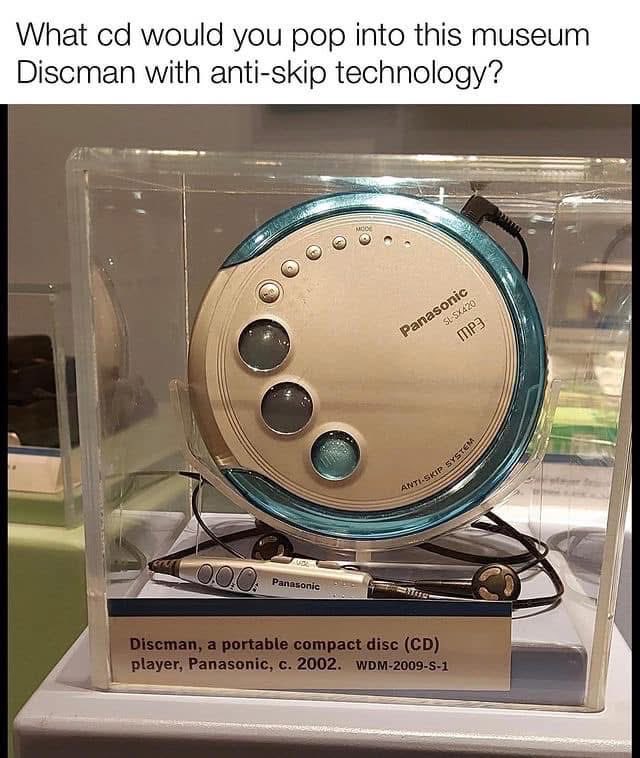
The man, who was setting up his old computer again, went back to his childhood for a few hours.
English
- Alt + H + M + M - Merge across
- Alt + H + M + A - Merge cells and center
- Alt + H + M + S - Merge selected cells
- Alt + H + F + C + N - Apply navy font color
- Alt + H + H + N - Apply navy fill color
- Alt + A + F + M + M - Filter by minute
-Alt + H + B + A + A - Apply all borders
- Alt + H + V + S + F - Paste special with formulas
- Alt + H + L + W - Apply contains-error conditional formatting
- Alt + H + O + W + A - Set all columns to same width
- Alt + H + O + E + A - Set all rows to same height
- Alt + H + F + T + A - Apply angled text orientation
- Alt + H + I + S + C - Insert chart sparkline
- Alt + H + D + S + C - Delete chart sparkline
- Alt + A + F + T + S - Sort by text length
- Alt + H + F + C + E - Apply emerald font color
- Alt + H + H + E - Apply emerald fill color
- Alt + H + V + S + C - Paste special with comments
- Alt + H + O + P + A - Protect all sheets
- Alt + H + O + U + A - Unprotect all sheets
- Alt + H + B + N + N - Remove all borders (alternative)
- Alt + H + F + S + T - Apply title case font style
- Alt + A + F + C + C - Clear color filters
- Alt + H + I + W + S - Insert worksheet at end
- Alt + H + F + C + S - Apply silver font color
- Alt + H + H + S - Apply silver fill color
- Alt + H + V + S + N - Paste special with no borders
- Alt + H + F + T + U - Apply upward text orientation
- Alt + H + F + T + D - Apply downward text orientation
- Alt + A + F + S + T - Sort by text case
English
Important Shortcuts Keys For Computer, then Add yours in the comments
CTRL+A. . . . . . . . . . . . . . . . . Select All CTRL+C. . . . . . . . . . . . . . . . . Copy
CTRL+X. . . . . . . . . . . . . . . . . Cut
CTRL+V. . . . . . . . . . . . . . . . . Paste
CTRL+Z. . . . . . . . . . . . . . . . . Undo
CTRL+B. . . . . . . . . . . . . . . . . Bold
CTRL+U. . . . . . . …. . . . . . . . Underline
CTRL+I . . . . . . . . . . . . . . . . . Italic
F1 . . . . . . . . . . . . . . . . . . . . . . Help
F2 . . . . . . . . . . . . . . . . . . . . . Rename selected object
F3 . . . . . . . . . . . . . . . . . . . . . Find all files
F4 . . . . . . . . . . . . . . . . . . . . . Opens file list drop-down in dialogs
F5 . . . . . . . . . . . . . . . . . . . . . Refresh current window
F6 . . . . . . . . . . . . . . . . . . . . . Shifts focus in Windows Explorer
F10 . . . . . . . . . . . . . . . . . . . . Activates menu bar options
ALT+TAB . . . . . . . . . . . . . . . . Cycles between open applications
ALT+F4 . . . . . . . . . . . . . . . . . Quit program, close current window
ALT+F6 . . . . . . . . . . . . . . . . . Switch between current program windows
ALT+ENTER. . . . . . . . . . . . . . Opens properties dialog
ALT+SPACE . . . . . . . . . . . . . . System menu for current window
ALT+¢ . . . . . . . . . . . . . . . . . . opens drop-down lists in dialog boxes
BACKSPACE . . . . . . . . . . . . . Switch to parent folder
CTRL+ESC . . . . . . . . . . . . . . Opens Start menu
CTRL+ALT+DEL . . . . . . . . . . Opens task manager, reboots the computer
CTRL+TAB . . . . . . . . . . . . . . Move through property tabs
CTRL+SHIFT+DRAG . . . . . . . Create shortcut (also right-click, drag)
CTRL+DRAG . . . . . . . . . . . . . Copy File
ESC . . . . . . . . . . . . . . . . . . . Cancel last function
SHIFT . . . . . . . . . . . . . . . . . . Press/hold SHIFT, insert CD-ROM to bypass auto-play
SHIFT+DRAG . . . . . . . . . . . . Move file
SHIFT+F10. . . . . . . . . . . . . . . Opens context menu (same as right-click)
SHIFT+DELETE . . . . . . . . . . . Full wipe delete (bypasses Recycle Bin)
ALT+underlined letter . . . . Opens the corresponding menu
PC Keyboard Shortcuts
Document Cursor Controls
HOME . . . . . . . . . . . . . . to beginning of line or far left of field or screen
END . . . . . . . . . . . . . . . . to end of line, or far right of field or screen
CTRL+HOME . . . . . . . . to the top
CTRL+END . . . . . . . . . . to the bottom
PAGE UP . . . . . . . . . . . . moves document or dialog box up one page
PAGE DOWN . . . . . . . . moves document or dialog down one page
ARROW KEYS . . . . . . . move focus in documents, dialogs, etc.
CTRL+ > . . . . . . . . . . . . next word
CTRL+SHIFT+ > . . . . . . selects word
Windows Explorer Tree Control
Numeric Keypad * . . . Expand all under current selection
Numeric Keypad + . . . Expands current selection
Numeric Keypad – . . . Collapses current selection
¦ . . . . . . . . . . . . . . . . . . . Expand current selection or go to first child
‰ . . . . . . . . . . . . . . . . . . Collapse current selection or go to parent
Special Characters
‘ Opening single quote . . . alt 0145
’ Closing single quote . . . . alt 0146
“ Opening double quote . . . alt 0147
“ Closing double quote. . . . alt 0148
– En dash. . . . . . . . . . . . . . . alt 0150
— Em dash . . . . . . . . . . . . . . alt 0151
… Ellipsis. . . . . . . . . . . . . . . . alt 0133
• Bullet . . . . . . . . . . . . . . . . alt 0149
• ®️ Registration Mark . . . . . . . alt 0174
• ©️ Copyright . . . . . . . . . . . . . alt 0169
• ™️ Trademark . . . . . . . . . . . . alt 0153
• ° Degree symbol. . . . . . . . . alt 0176
• ¢ Cent sign . . . . . . . . . . . . . alt 0162
• 1⁄4 . . . . . . . . . . . . . . . . . . . . . alt 0188
• 1⁄2 . . . . . . . . . . . . . . . . . . . . . alt 0189
• 3⁄4 . . . . . . . . . . . . . . . . . . . . . alt 0190

English
A file transfer setup using no internet, Bluetooth, or USB drive.
The sender converts the file into encoded QR code frames displayed rapidly on screen. The receiver scans those frames continuously with its camera and reconstructs the original file.
English