

Raymond Sosa
8 posts

FOR ANYONE THAT CANT PLAY RANKED , LISTEN UP Windows Key + R, Type tpm.msc At the top right theres a option for " Clear TPM " Clear and follow the steps and ur game will work This worked for me and others GGS Bug
English


🔥 HOW TO UPDATE YOUR BIOS (FOR COD RANKED / GAMING PERFORMANCE) 🔥
If your game says Secure Boot / TPM isn’t right, this fixes it 👇
= Step-by-step BIOS update guide:
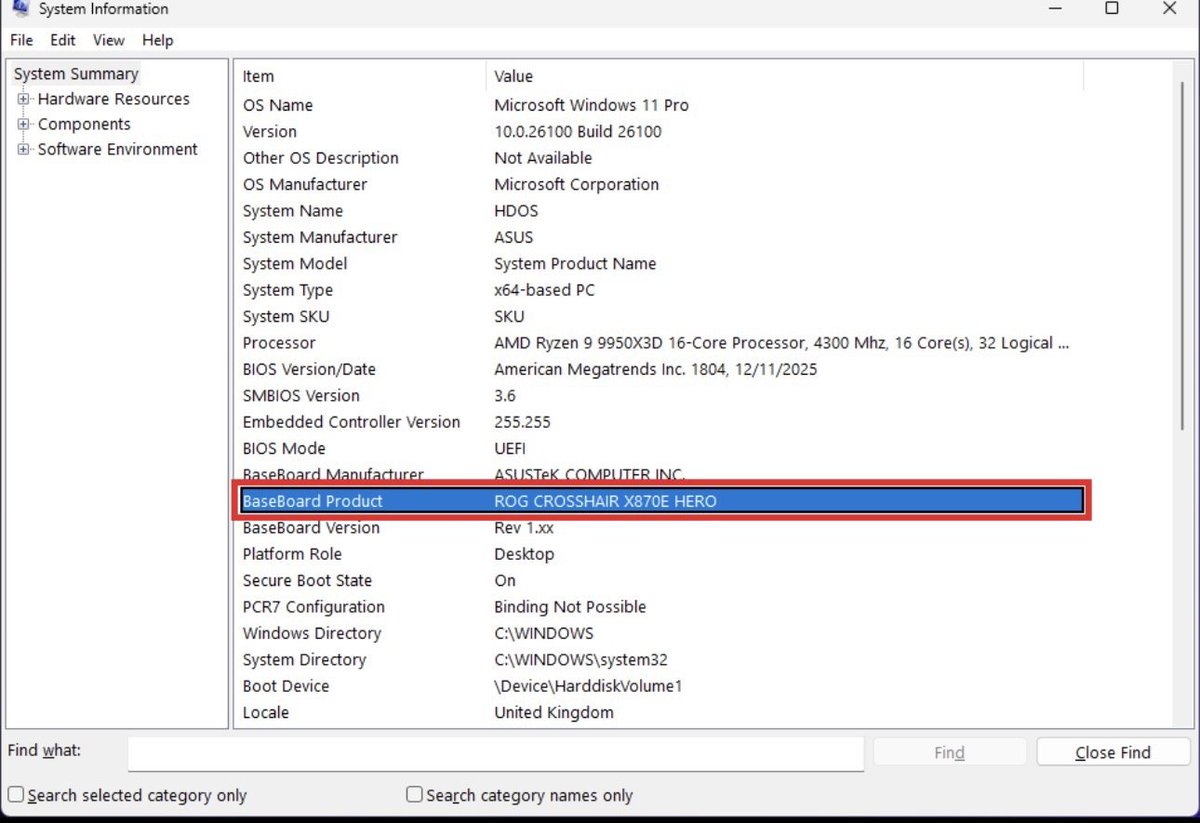
1️⃣ Press Start → type msinfo32 → Enter
2️⃣ Find BaseBoard Product → note your exact motherboard model
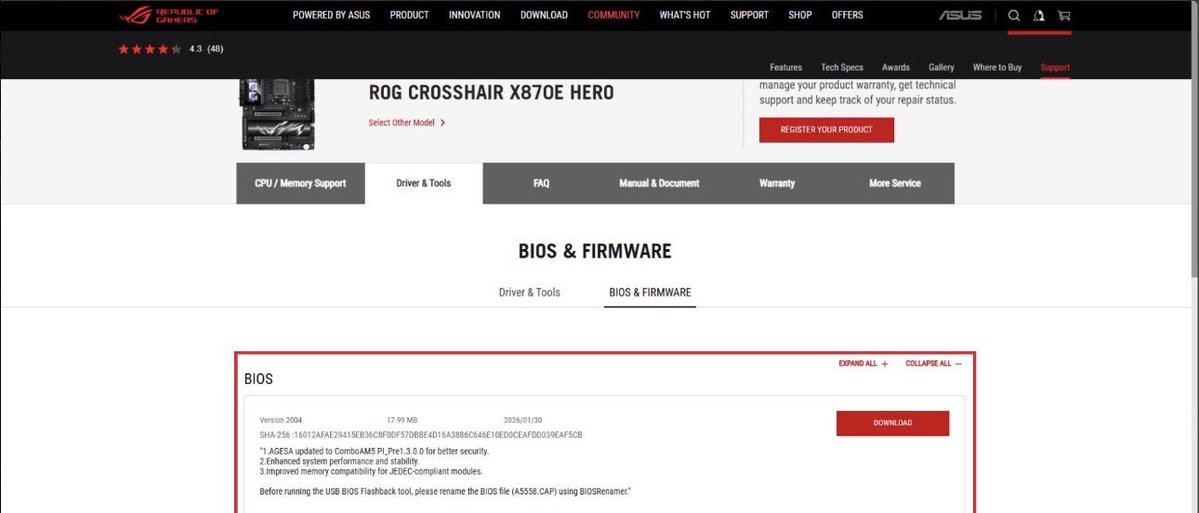
3️⃣ Google your board (example: ASUS ROG Crosshair X870E Hero)
4️⃣ Open the official manufacturer site
5️⃣ Go to Support → BIOS / Firmware
6️⃣ Download the latest BIOS for your exact board
7️⃣ Extract the ZIP file
8️⃣ Copy the BIOS file (usually .CAP) to a USB stick
💻 To boot straight into BIOS, open Command Prompt (Admin) and run:
shutdown /r /fw /t 0
9️⃣ In BIOS, open EZ Flash / M-Flash / Q-Flash
🔟 Select the BIOS file from USB and start the update
⚠️ IMPORTANT:
Do NOT turn off your PC during the update — you can brick your motherboard.
🎯 After updating, re-check:
• Secure Boot
• TPM
• UEFI mode
This solves most COD Ranked launch issues.
Follow for more PC & competitive gaming tips 🧠🔥
English
English
English
English