

DevODevops
325 posts

DevODevops
@DevODevops
#devops #cloud engineer #aws #azure #gcp certified #kubernetes #linux #bash
India Katılım Kasım 2025
1.1K Takip Edilen264 Takipçiler

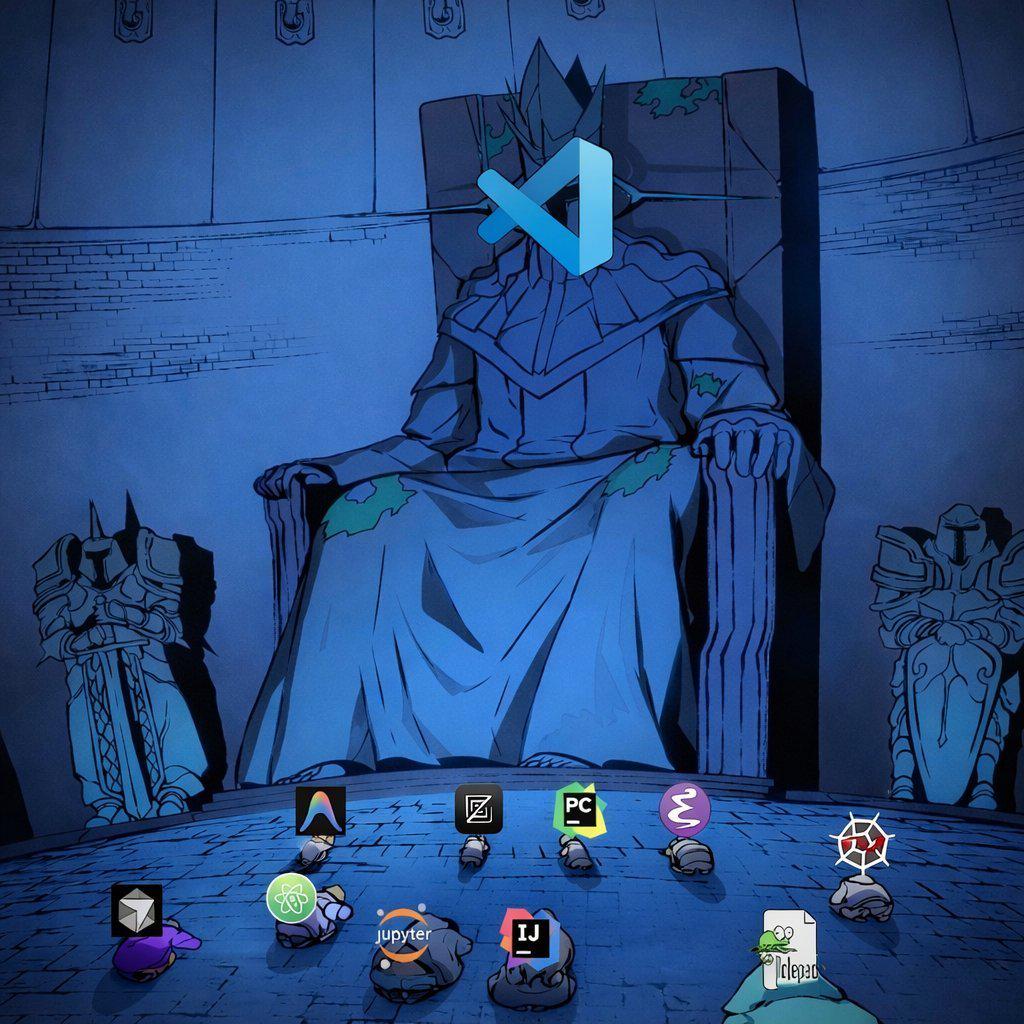
I'm using #Cursor, its great. A basic #developer can develope scripts, programmes, etc, using prompt. Prompt what you want in detail.
Any other IDE better than #cursor ?
English
#GCP #VMManager #Patch
## GCP VM Manager Patch
### Advantages
- Fully managed by GCP
- No infrastructure to maintain (no control nodes, no scaling headaches)
- Native integration
- Works seamlessly with Compute Engine, IAM, Cloud Logging, Monitoring
- Simple setup
- Enable OS Config agent → define patch policies → schedule
- Patch compliance tracking
- Built-in dashboards for compliance and reporting
- Supports patch windows & rollouts
- Can define maintenance windows, zones, instance filters, etc.
- Security & IAM-native
- Uses GCP IAM roles instead of managing SSH keys or credentials
### Challenges
- Less flexible scheduling logic Compared to cron-like or workflow-driven tools
- Requires OS Config agent installed and that needs to be healthy
- Can Patch only on Project wise VMs, there is no option for centralized management.
- Limited OS versions are supported (refer section `supported OS Versions`)
- On CentOs/RHEL/ROCKY VMs, it only supports security and minimal installs patching instead of whole yum update.
- VMs are not becoming up-to-date in the Dashboard because patching job is not installing all the packages, rather installs only the security and minimal in most of the time.
- So GCP VM Manager Patch Dashboard will not provide required info interms of governance.
- Identified newly created VM also not installing / starting the OS config agents automatically in some cases.
- Its installing the packages only of its categorized as CVE.
- Other packages are not categorized.
- No dashboard to check if the osconfig agent status across VMs.
English

Are Security Groups in AWS EC2 stateful or stateless ? and how it works ?
English
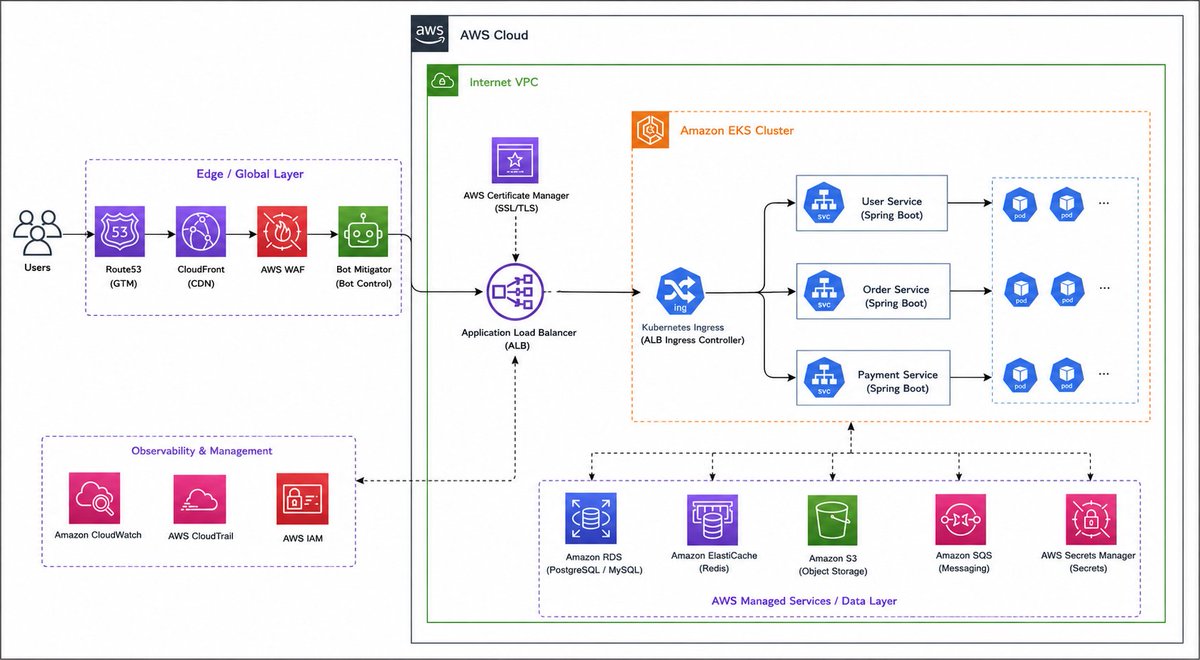
Created by ChatGPT Images 2.0, BTW
I used to spend hours to create it on draw .io
English
@twtayaan - If You Use a Remote Backend as S3, it can be recovered with show versions in S3.
English

To recover a full AWS region outage in 15 minutes, you must design:
Multi-region deployment
Auto failover with Route 53
Cross-region database replication (Aurora Global DB or DynamoDB Global Tables)
Compute pre-deployed in warm standby (EKS/ECS/EC2/Lambda)
S3 CRR + Secrets Manager multi-region
Route 53 health checks & traffic failover
Routine DR testing
English



An automated alert tells you disk usage is critical on a production Linux server.
You run 'df -h' and see:
/dev/sda1 Size: 100G Used: 45G Avail: 55G
Wait. There is 55GB free, yet the application is crashing with 'No space left on device' errors.
You check 'lsof | grep deleted' and it's empty. The disk is mounted mostly RW.
What command do you run next to find the problem?
English


If you're a Techie let's connect
I'm Jesse John a software developer

English



Networking Question:
Which protocol operates between the Data Link and Network layers (Layers 2 and 3) to map a constantly changing IP address to a fixed physical MAC address?
A. DNS
B. DHCP
C. ARP
D. ICMP
English