

Frunk To Trunk
11.4K posts

Frunk To Trunk
@FrunkToTrunk
Tesla YouTuber 28,000 on YouTube | 22,000 on TikTok | NEW Model Y Performance! | Tesla Discount Codes & Links in Bio
Pittsburgh, PA Katılım Ağustos 2021
303 Takip Edilen2.1K Takipçiler

@FrunkToTrunk @SawyerMerritt Chinese EVs are a strong contender in the markets they’re allowed in. If they’re ever allowed in the US, EV sales will jump. Right now all we have is Tesla, some mediocre options from legacy auto, and a few others like Rivian and Lucid.
English

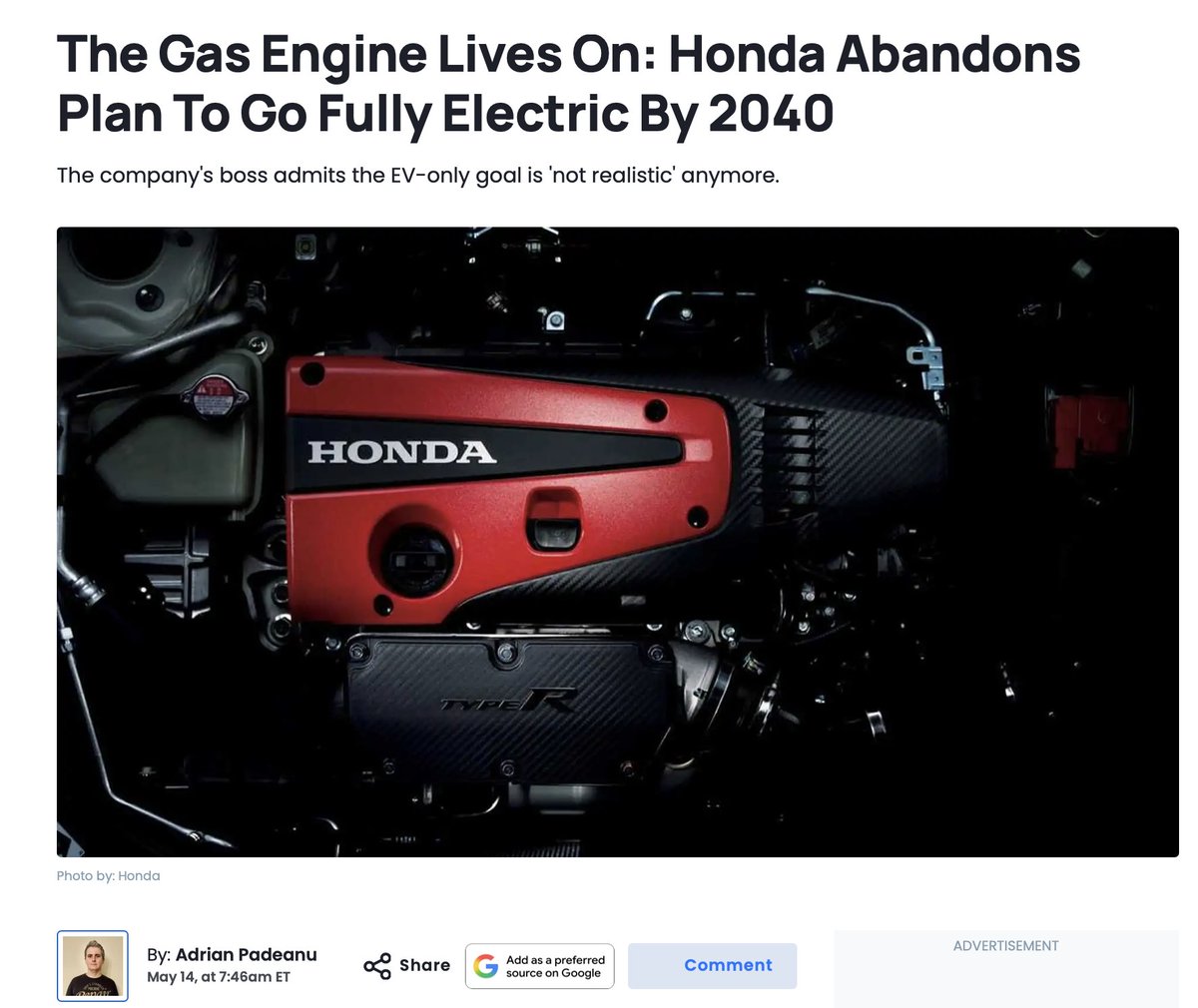
Honda says it has abandoned its plan to go fully electric by 2040.
CEO: "It's not realistic. We have withdrawn this target. We have judged that it’ll be difficult to achieve."
English
@Tesla @Nate_Esparza I can’t wait to sleep in my car during my commute. Is it a date? Say, by end of 2026?
English


@Nate_Esparza Knowing you’re burning money in a gas car vs. a Tesla, sitting in a traffic
English
Frunk To Trunk retweetledi
@RonDeSantis FSD Supervised makes collisions much less likely. 7x fewer minor & major collisions compared to US average
Fewer incidents across the fleet = fewer claims = lower loss frequency, which insurance premiums will reflect
tesla.com/fsd/safety
English
@live_munro @MarioNawfal Why's it ALWAYS this Mario dude? Repercussions need to happen, he clearly doesn't give AF.
English

@MarioNawfal You took our video and rebrand it with your logo!? Please take it down immediately.
English
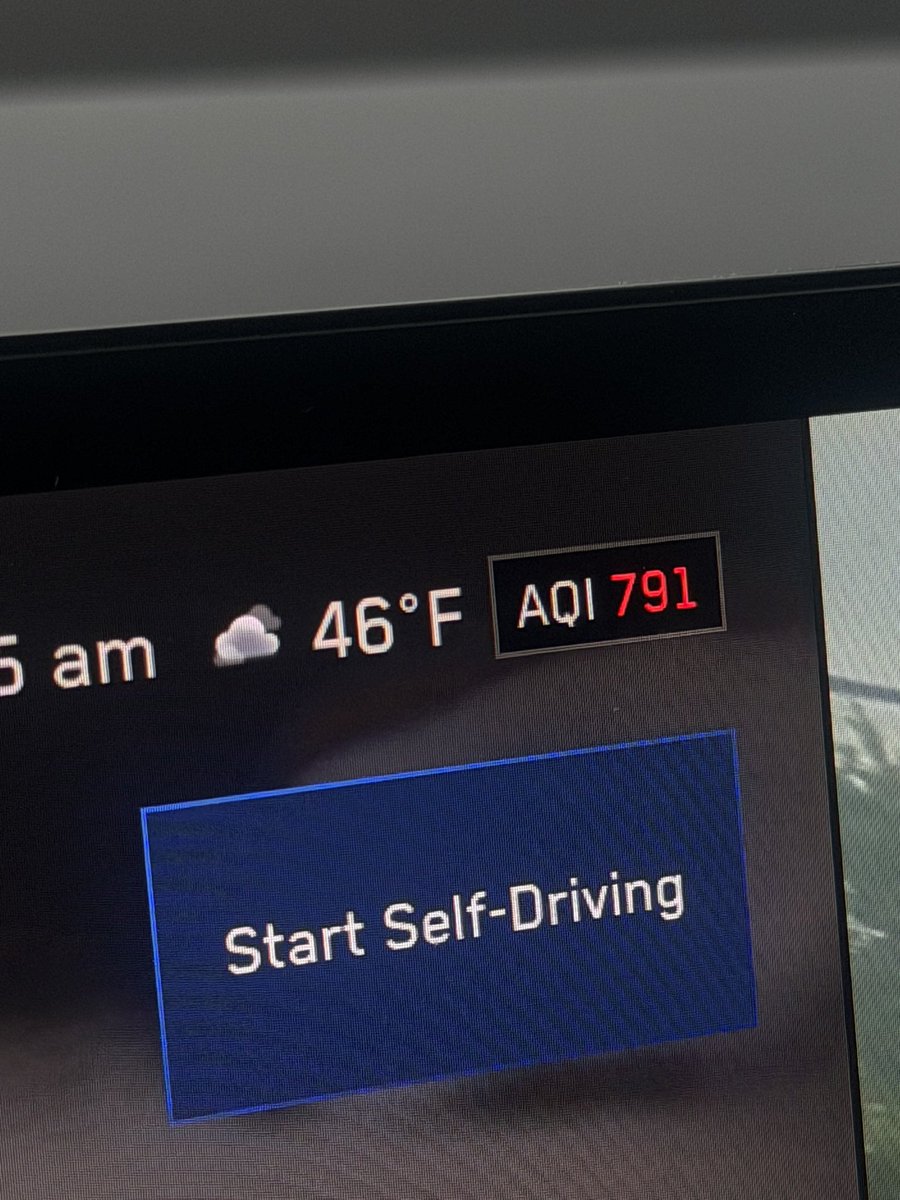
Where does Tesla get the AQI data from?
My truck says it’s 791, which is “emergency” level air quality. Causes death with long term exposure
Whatever that reading is, is NOT accurate.

English


@SawyerMerritt That’s dumb. Hey, did you know the electric wine you hear when accelerating aggressively in a Tesla is due to vibrations when DC power is converted to AC power? And now you know!
English
Here's what the fake V8 engine noises and gear shifts sound like in the upcoming all-electric Mercedes AMG GT 4-Door EV.
English
Less people can afford a cyber truck at $100,000 versus $60,000 if you’ve owned a Tesla, you’re in LA which is a hot bed for Tesla ownership (Not sure if you own one or not) you would know 500 miles range is not necessary. The biggest pain point is Price which is proven to be correct bc when they lowered the price, the orders flooded in. If range WAS the issue, even at $60,000 people would not buy. The average driver in the US only drives 35 miles per day per AAA and the FHA, it’s the price, not the miles. They have also surveyed truck owners and something like 95% of them don’t even use the truck for “ truck” things, the cyber truck can tell 11,000 pounds it has plenty of capability for 99% of humanities daily needs. Yes there are other features that affect demand but primarily it is the price.
English

I've said this 10 times, if they actually delivered the 500+mi range initially advertised I would have bought one already at whatever price. So it's not necessarily just the price. And at $70k with limited towing capacity, it's just a real bummer... There's just not an attractive variant all things considered for lots of people at the moment.
English

Hard to say for sure, but production of the $59K AWD @Cybertruck may be just getting started here on this early and soggy morning at Giga Texas … this version is much harder to visually distinguish from the premium AWD versions, so I’ll come back on Wednesday and we’ll see if this is in fact happening. I hope so as there are many new Cybertruck owners eager to get their truck!
Cybercab production is also proceeding slowly as @Tesla told us it would be early on, but there are still dozens of new Cybercabs in the outbound lot today. I hope we start seeing more of these soon & perhaps introduction into the @robotaxi fleet soon. I (along with many others) want to give them a try!


English
@Tesla $99/mo. is worth saving countless lives! Put your loved ones in a Tesla.
English
Frunk To Trunk retweetledi
@MattWallaceTech What a pathetic content creator. Ugly hateful individual.
English

This person on TikTok asks her followers if she should key a Cybertruck because she doesn’t like it. What sad life do you life where you think damaging a persons personal property is ok. Here’s a link to the video if you’d like to let her know what a great person she is.
tiktok.com/t/ZP8pStd1H/
English
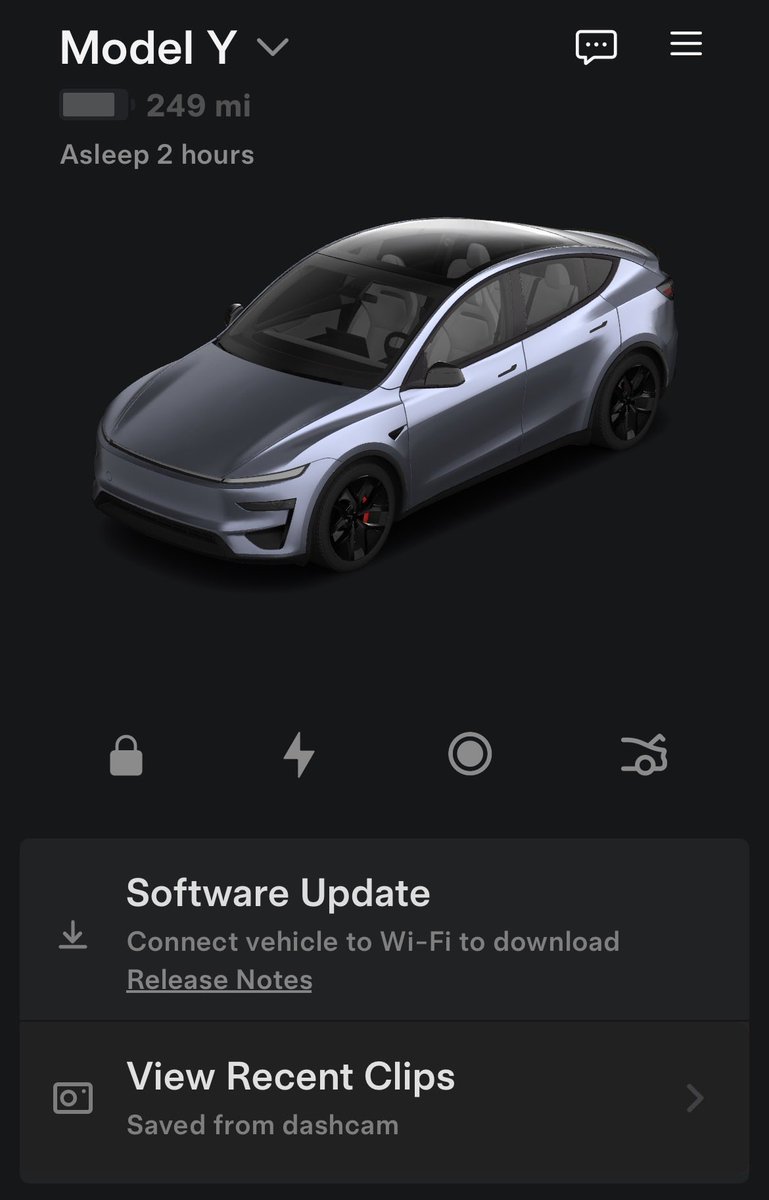

🔥🚀 Tesla Spring Update 2026.14.6 has been detected and is now rolling out to the 1st batch of vehicles (reaching ~8% of the fleet)!
Changes:
✅ Security improvements
2026.14.3 changes
✅ Bug fixes
2026.14.1 changes:
✅ Self-Driving App [AI4]
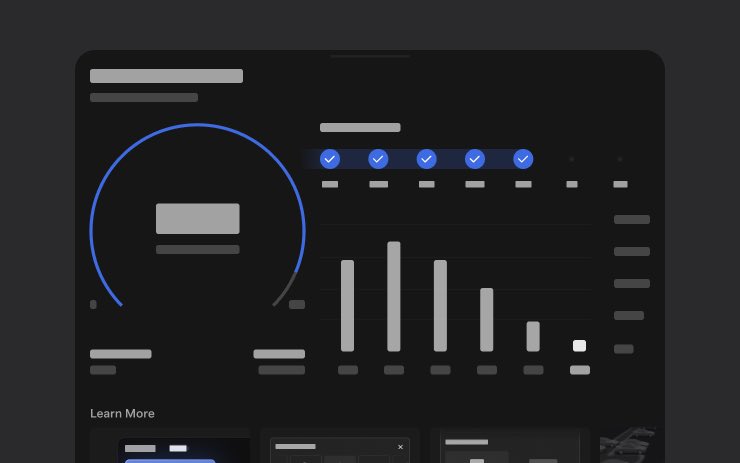
With the new Self-Driving app, subscribe with a single tap, learn how to activate and use the feature, and view ongoing stats.
✅ "Hey Grok"
Launch Grok by saying "Hey Grok." Go to Grok > Settings to enable. You can also set location based reminders, like "remind me to pick up milk when I'm near home." Say "goodbye" to dismiss.
✅ Pet Mode
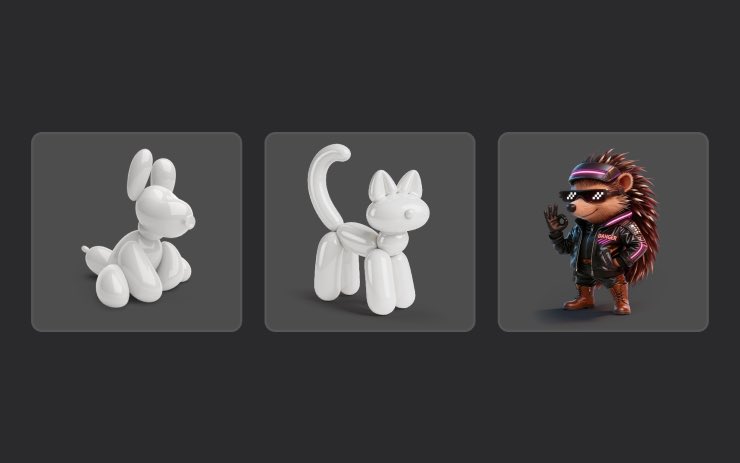
Choose and name your pet by going to Controls > Display > Customize Pet Mode.
✅ Visual Updates [New Model 3/Y]
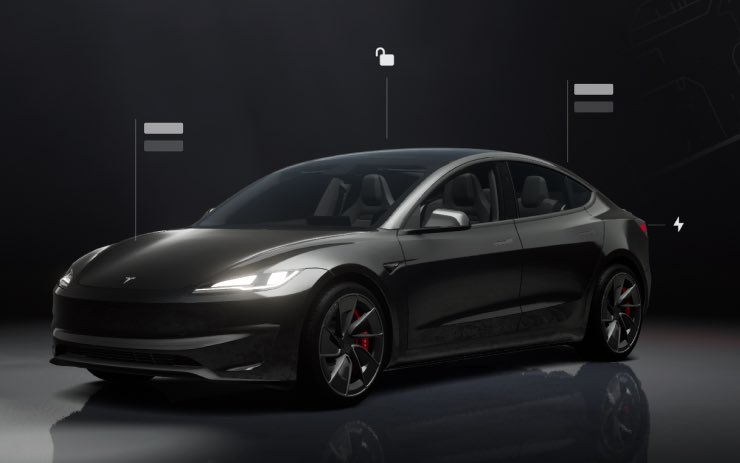
The center display now features higher quality images of your Tesla, and an enhanced park scene environment.
✅ Trips
Trips are now in the Energy app, where you can create and manage multiple trips to track energy usage across different drives, routes, or conditions. Go to App Launcher > Energy > Trips. For quick access to the Trips Card, swipe left on the Media Card.
✅ Sketchpad
Unleash your inner artist with the enhanced Sketchpad, now supporting stickers and emojis. Save your sketches to access them in the Mobile App and share.
✅ Custom Wraps and License Plates [S/X]
Model S & X owners can now personalize their Tesla avatar with window tints, custom wraps & license plates.
✅ Blind Spot Warning Accent Lights
Accent lights now turn red when an object is in your blind spot and your turn signal is engaged, or when an approaching object is detected while parked. To disable, go to Controls > Lights > Blind Spot Warning Accent Lights.
✅ Immersive Sound Upgrade [New Model 3 & Y w/ premium audio]
Premium Immersive Sound uses advanced sound extraction to place the listener in front of a detailed soundstage within an Immersive space. This enhancement works with all streaming sources.
✅ Music App Queuing
Swipe right on tracks in Apple Music or Spotify to add them to the queue. In Apple Music, tap and hold on a track to add or remove from Favorites. In Spotify, swipe left to add or remove from Liked Songs.
✅ Automatic Software Updates
Your Tesla can now automatically install downloaded software updates overnight. When enabled, updates will install while your Tesla is parked and not in use, ensuring you always have the latest features and improvements.
To enable, go to Controls > Software > Automatically Install Updates.
✅ Dashcam Viewer Updates
Recent Dashcam footage can now extend up to 24 hours, and you can save any clip for permanent storage on your Tesla or on your phone by going to App Launcher > Dashcam Viewer.
Clips downloaded to your phone now include details such as speed, steering wheel angle, and Self-Driving state.
✅ Weather Maps Improvements
Weather maps now show snow and rain with improved colors that make it easier to distinguish between precipitation types. You can also view the past hour of weather data to see how conditions have been changing along your route.
✅ Supercharger Pricing Filter
You can now choose to route only to Superchargers with Tesla pricing. When enabled, Trip Planner will avoid locations where Tesla does not set charging prices or accept Free Supercharging credits.
✅ Keyboard
Your selected keyboard language will also select the language used for dictation. Tap the international keyboard button to change keyboard and dictation language, without changing voice command language. Tap the mic icon in the keyboard to dictate.
✅ Rear Display
Passengers in rear seats can now view and interact with maps on the rear display while your Tesla navigates a route. Tap the maps icon from the rear display to follow along.
✅ Security Improvements
✅ Larger icons on the bottom bar [undocumented]
✅ Animated badge in software menu [undocumented]
✅ Audio source icon next to the volume slider [undocumented]
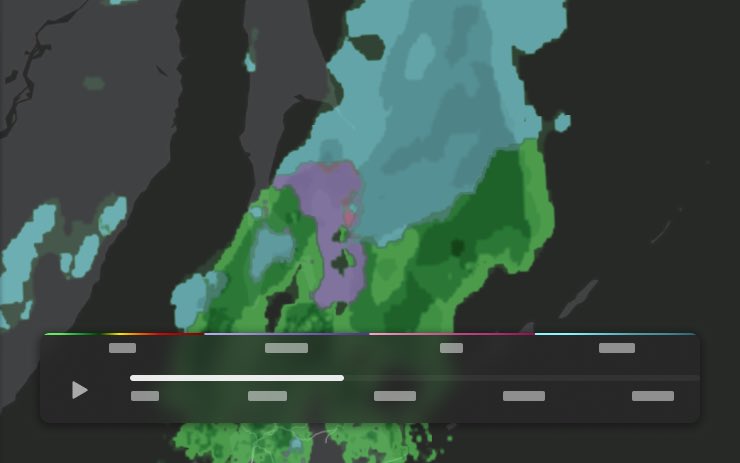
The Tesla Newswire@TeslaNewswire
🔥🚀 Tesla Spring Update 2026.14.3 has been detected and is now rolling out to the 1st batch of vehicles (reaching ~9% of the fleet)! Only bug fixes are expected compared to 2026.14.1 and .2. Notice anything new? Feel free to share! 2026.14.1 changes: ✅ Self-Driving App [AI4] With the new Self-Driving app, subscribe with a single tap, learn how to activate and use the feature, and view ongoing stats. ✅ "Hey Grok" Launch Grok by saying "Hey Grok." Go to Grok > Settings to enable. You can also set location based reminders, like "remind me to pick up milk when I'm near home." Say "goodbye" to dismiss. ✅ Pet Mode Choose and name your pet by going to Controls > Display > Customize Pet Mode. ✅ Visual Updates [New Model 3/Y] The center display now features higher quality images of your Tesla, and an enhanced park scene environment. ✅ Trips Trips are now in the Energy app, where you can create and manage multiple trips to track energy usage across different drives, routes, or conditions. Go to App Launcher > Energy > Trips. For quick access to the Trips Card, swipe left on the Media Card. ✅ Sketchpad Unleash your inner artist with the enhanced Sketchpad, now supporting stickers and emojis. Save your sketches to access them in the Mobile App and share. ✅ Custom Wraps and License Plates [S/X] Model S & X owners can now personalize their Tesla avatar with window tints, custom wraps & license plates. ✅ Blind Spot Warning Accent Lights Accent lights now turn red when an object is in your blind spot and your turn signal is engaged, or when an approaching object is detected while parked. To disable, go to Controls > Lights > Blind Spot Warning Accent Lights. ✅ Immersive Sound Upgrade [New Model 3 & Y w/ premium audio] Premium Immersive Sound uses advanced sound extraction to place the listener in front of a detailed soundstage within an Immersive space. This enhancement works with all streaming sources. ✅ Music App Queuing Swipe right on tracks in Apple Music or Spotify to add them to the queue. In Apple Music, tap and hold on a track to add or remove from Favorites. In Spotify, swipe left to add or remove from Liked Songs. ✅ Automatic Software Updates Your Tesla can now automatically install downloaded software updates overnight. When enabled, updates will install while your Tesla is parked and not in use, ensuring you always have the latest features and improvements. To enable, go to Controls > Software > Automatically Install Updates. ✅ Dashcam Viewer Updates Recent Dashcam footage can now extend up to 24 hours, and you can save any clip for permanent storage on your Tesla or on your phone by going to App Launcher > Dashcam Viewer. Clips downloaded to your phone now include details such as speed, steering wheel angle, and Self-Driving state. ✅ Weather Maps Improvements Weather maps now show snow and rain with improved colors that make it easier to distinguish between precipitation types. You can also view the past hour of weather data to see how conditions have been changing along your route. ✅ Supercharger Pricing Filter You can now choose to route only to Superchargers with Tesla pricing. When enabled, Trip Planner will avoid locations where Tesla does not set charging prices or accept Free Supercharging credits. ✅ Keyboard Your selected keyboard language will also select the language used for dictation. Tap the international keyboard button to change keyboard and dictation language, without changing voice command language. Tap the mic icon in the keyboard to dictate. ✅ Rear Display Passengers in rear seats can now view and interact with maps on the rear display while your Tesla navigates a route. Tap the maps icon from the rear display to follow along. ✅ Security Improvements ✅ Larger icons on the bottom bar [undocumented] ✅ Animated badge in software menu [undocumented] ✅ Audio source icon next to the volume slider [undocumented]
English

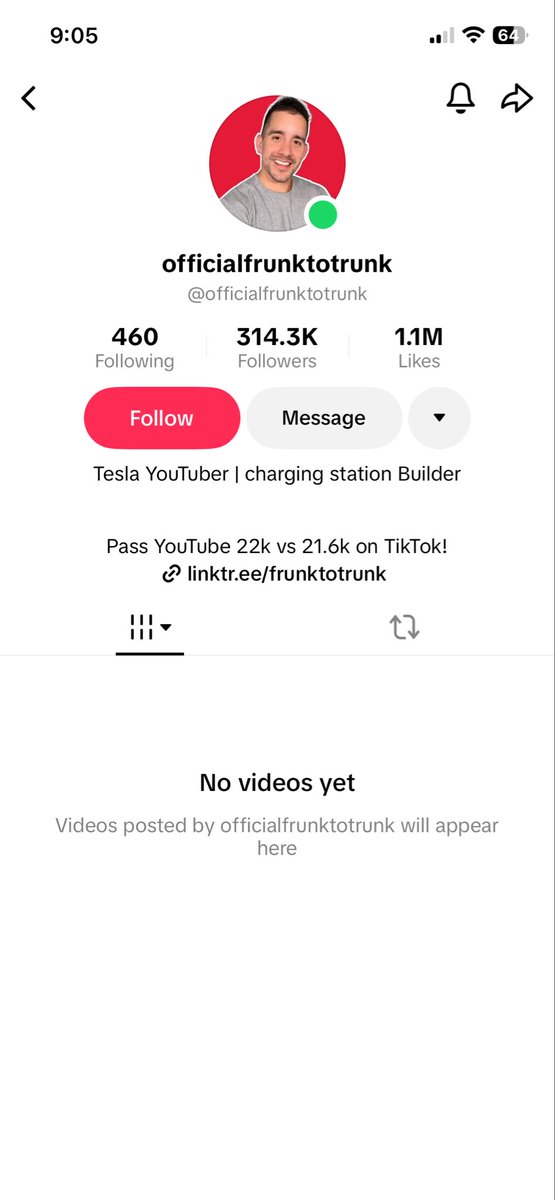
Please report this fake bot account on TikTok for impersonating me!
@officialfrunktotrunk?_r=1&_t=ZT-96Ho5aVUhht" target="_blank" rel="nofollow noopener">tiktok.com/@officialfrunk…
Thank you Tesla Fam
English
@SawyerMerritt @Spanose I’ve literally waited maybe 1 minute in 5 years of Tesla ownership
English
The growth of Tesla's Supercharger network has not slowed. Superchargers are growing at a rate of 1 new stall every hour. The company opened 710 new Supercharger stations with 6,100 new stalls over the last 6 months. Tesla adds 4,000-5,000 new vehicles to its fleet every day. The waitlist feature is to just smoothen out occasional congestion in high traffic areas.
English
Tesla's new virtual queue feature for Superchargers is now live at 5 locations!
Tesla Charging@TeslaCharging
We're now testing a new waitlist feature at 5 Supercharger sites. Share feedback through the Tesla app to help us make it better. - Los Gatos, CA - Los Gatos Boulevard - Mountain View, CA - El Monte Avenue - San Francisco, CA - Lombard Street - San Jose, CA - Saratoga Avenue - Bronx, NY - East Gun Hill Road
English
@FrunkToTrunk 314k followers and no videos is some serious work haha
English