

ליאור lior
4.2K posts

ליאור lior
@LiorBalol
AI + נדל"ן | סמנכ"ל בחברת בנייה 18 שנה בענף הנדל"ן הופך מתווכים למכונות סגירה עם AI עוקבים אחריי ליתרון שהמתחרים שלך עוד לא מכירים 👇
ישראל Katılım Ağustos 2009
918 Takip Edilen297 Takipçiler
הלידים שלך לא ישנים בלילה.
אתה כן.
גולש נכנס לאתר ב-02:00, שואל שאלה קריטית – ואין תשובה. הוא נעלם למתחרה תוך שניות.
כמומחה AI אני רואה עסקים קטנים מאבדים לידים חמים רק כי אין מי שיענה אחרי שעות העבודה.
סוכן AI עונה מיד, לוכד פרטים וממיר אותם למכירה – 24/7.
lior-ai.com
#סוכןAI #בינהמלאכותית #עסקיםקטנים
עברית
זה לא יקר כמו שאתה חושב –
סוכן AI עולה פחות מנציג חלקי משרה, אבל עובד 24/7 בלי שכר, בלי ביטוח, בלי חופשות ובלי ימי מחלה.
כמומחה AI אני רואה עסקים קטנים שמחזירים את כל ההשקעה תוך 3-4 שבועות רק מהלידים שהיו נעלמים קודם.
lior-ai.com
#סוכןAI #בינהמלאכותית #עסקיםקטנים
עברית
עובדה שמפתיעה אותי כל פעם מחדש כמומחה AI:
סוכן AI לא סתם עונה – הוא זוכר כל שיחה, לומד מהאתר שלכם ומשפר את עצמו אוטומטית, עד שהוא הופך לנציג הכי חד שיש לכם.
בלי עייפות, בלי טעויות, 24/7.
lior-ai.com
#סוכןAI #בינהמלאכותית #עסקיםקטנים
עברית
audit.lior-ai.com/geo
בדוק את הנראות של העסק שלך ב-AI
גלה אם ChatGPT, Claude ו-Gemini מכירים וממליצים על העסק שלך
עברית
The tech is real. The framing isn’t.
Firecrawl is a legit scraping API. MCP connectors in Claude Desktop are real. You can absolutely pull data from websites this way.
But let’s be precise:
→ “Its own dedicated browser” — it’s an API call, not a browser.
→ “While you sleep” — nothing runs in the background. It works only when a chat is open.
→ “Generates leads automatically” — not without a full pipeline behind it.
And the security part matters:
→ “Always Allow” = you’re giving a third-party tool unrestricted access with zero approval per action.
→ API key in the URL = your key is exposed in every request.
→ “Login with your credentials” = you’re handing passwords to someone else’s service.
The technology is real. The hype is irresponsible.
Before copying a setup — understand what you’re giving access to.
English

This is the setup that changed everything for me,
Claude can now browse the internet on its own. Not with your browser. Its own dedicated browser..
It can now login with your credentials, scrape data, monitors communities and generates leads..
all in the background while you sleep
First how you can set it up,
> Open Claude Desktop
> Click the plus (+) icon in the chat bar and select Connectors (or "Manage Connectors")
> Click Add Custom Connector and enter the following details
- Name: Firecrawl
- URL: https://mcp.firecrawl. dev/{FIRECRAWL_API_KEY}/v2/mcp
- API Key: Paste your API key from the Firecrawl dashboard.
> Click Add.
then just enable and Authorize,
> Once added, find "Firecrawl" in your connectors list and toggle it on.
> Claude will ask for approval to use the connector; select Always Allow to let it run tasks without prompting you every time
can start using it normally in chat now..
Prompt it like: "Go to [website], extract [data], and organize it"
It opens its own browser, navigates, scrapes, and brings you clean results.
will share how i use this setup in my next post, so be sure to follow me and turn post notifications on.
English
ראיתי את הפוסט על "Claude שגולש באינטרנט לבד בזמן שאתה ישן".
בואו נפריד בין מה שאמיתי למה שלא:
✅ אמיתי:
Firecrawl זה כלי לגיטימי לסריקת אתרים.
Claude Desktop באמת תומך ב-MCP connectors.
אפשר לשלוף מידע מאתרים ככה.
⚠️ מוגזם:
"דפדפן עצמאי" — זה API, לא דפדפן.
"רץ ברקע בזמן שאתה ישן" — לא. זה עובד רק כשיש שיחה פתוחה.
"מייצר לידים אוטומטית" — לא בלי pipeline שלם מאחורה.
🔴 סיכון אבטחה:
"Always Allow" = אתה נותן לכלי צד שלישי גישה בלי אישור לכל פעולה.
API key ב-URL = המפתח שלך חשוף בכל בקשה.
"login with your credentials" = אתה מוסר סיסמאות לשרת של מישהו אחר.
הטכנולוגיה אמיתית. ה-hype מנופח.
לפני שמעתיקים setup — תבינו מה אתם מרשים למי.
Axel Bitblaze 🪓@Axel_bitblaze69
This is the setup that changed everything for me, Claude can now browse the internet on its own. Not with your browser. Its own dedicated browser.. It can now login with your credentials, scrape data, monitors communities and generates leads.. all in the background while you sleep First how you can set it up, > Open Claude Desktop > Click the plus (+) icon in the chat bar and select Connectors (or "Manage Connectors") > Click Add Custom Connector and enter the following details - Name: Firecrawl - URL: https://mcp.firecrawl. dev/{FIRECRAWL_API_KEY}/v2/mcp - API Key: Paste your API key from the Firecrawl dashboard. > Click Add. then just enable and Authorize, > Once added, find "Firecrawl" in your connectors list and toggle it on. > Claude will ask for approval to use the connector; select Always Allow to let it run tasks without prompting you every time can start using it normally in chat now.. Prompt it like: "Go to [website], extract [data], and organize it" It opens its own browser, navigates, scrapes, and brings you clean results. will share how i use this setup in my next post, so be sure to follow me and turn post notifications on.
עברית
מתווך נדל"ן,
כמה לקוחות פוטנציאליים מתקשרים אליך ב-22:00 אחרי שהם רואים דירה באתר – ואין מי שיענה?
סוכן AI עונה מיד, שולח תמונות, לוכד פרטים ומתזמן פגישת צפייה – גם כשאתה עם הילדים.
כמומחה AI אני רואה איך מתווכים קטנים סוגרים יותר עסקאות בלי להוסיף אפילו נציג אחד.
lior-ai.com
#סוכןAI #בינהמלאכותית #עסקיםקטנים
עברית
lior-ai.com/services/geo-o…
האתר שלך מוכן ?
#GEO (Generative Engine Optimization) היא אסטרטגיה לבניית אתר ותוכן כך שמנועי AI כמו ChatGPT, Gemini ו-Perplexity ימליצו על העסק שלכם כשמישהו שואל שאלה רלוונטית. בעוד SEO מתמקד בדירוג בגוגל, GEO מתמקד בהמלצות של מנועי חיפוש מבוססי #AI .
עברית
כנסו לבדוק כמה תחסכו עם סוכן AI של lior-ai! תבדקו גם אתם: lior-ai.com/pricing/
עברית



יש טרנד שבו רואים תמונות כמו פה, אנשים מוכרים קורסים ללמד את זה כשכל מה שצריך זה פרומפט אחד לננו בננה 🤦🏻♂️
זה כל כך פשוט. הפרומפט צריך להיות: צור תמונה של X על רקע שחור סולידי (#000000), בסגנון צילום מקצועי, professional photoshoot, בלי אביזרים ברקע. תוסיף פירוט של כל מרכיב בצורה שתיראה כמו ״פיצוץ״ של המרכיבים. ובעברית.
כאן למשל החלפתי את X ב״מנת פלאפל ישראלי מגרה ועמוסה בסלטים, עם טחינה ועמבה״, אבל אפשר להחליף את זה בכל דבר. ואפשר גם לצרף את התמונה שלי פה כרפרנס ולהוסיף ״בסגנון כזה״.
זהו. בלי קליק בייט. בלי קורסים. ננו בננה ופרומפט. זהו. תהנו!

עברית
בלילה, כשהעסק שלך סגור, הלקוחות עדיין גולשים ומחפשים תשובות – ואתה מפספס אותם.
מניסיוני ב-AI, סוכן חכם באתר משנה את זה: עונה מיד, לוכד לידים ומגדיל מכירות 24/7.
זה פשוט יעיל לעסקים.
פרטים ב- lior-ai.com
#סוכןAI #בינהמלאכותית #עסקיםקטנים
עברית
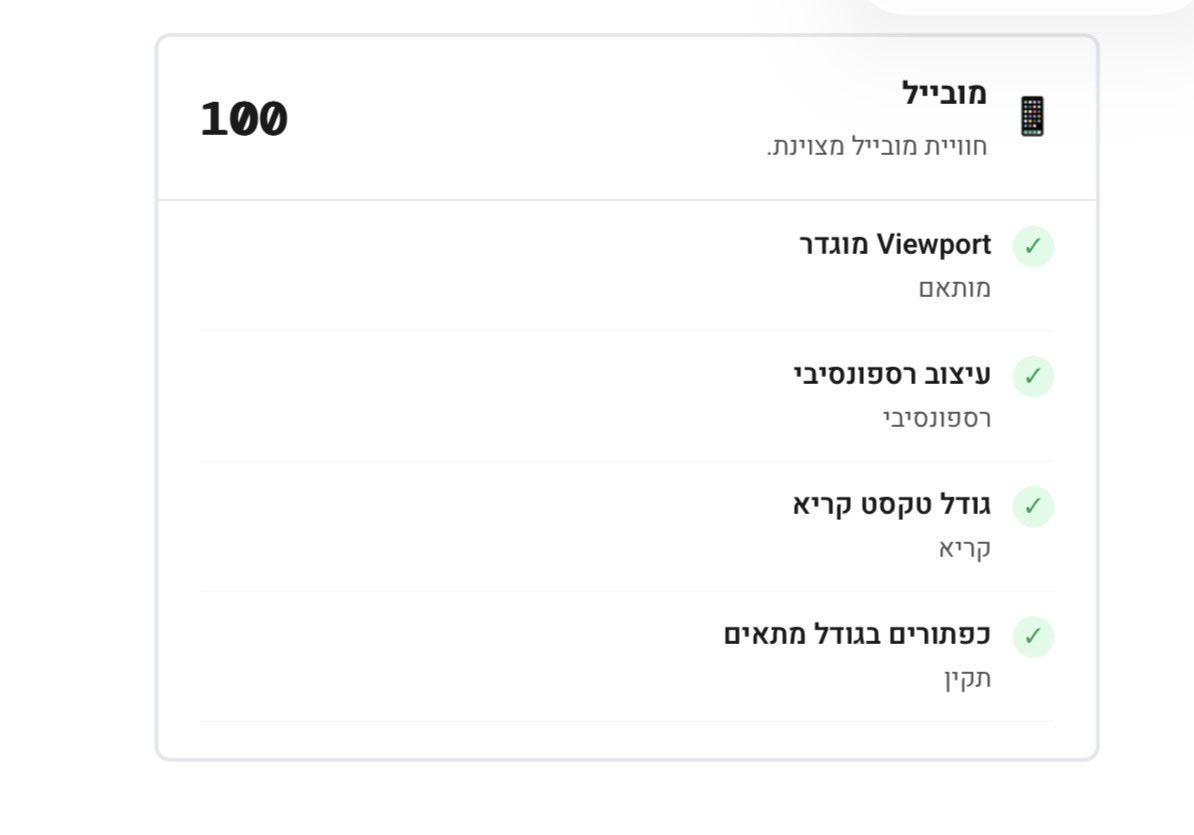

האתר שלך איטי? לא מביא לקוחות?
עכשיו אפשר לבדוק בדיוק למה — בפחות מדקה.
הכלי החדש שלי סורק את האתר ומחזיר:
ציוני Lighthouse (ביצועים, נגישות, SEO)
Core Web Vitals — LCP, FCP, CLS, TTFB
פירוט משאבים וזיהוי בזבוז
זיהוי טכנולוגיות (WordPress? React? Wix?)
5 דברים קריטיים לתיקון — לפי סדר עדיפות
בעברית. חינם. בלי התחייבות.
<audit.lior-ai.com>
עברית