Sabitlenmiş Tweet
Mhee🐻
127 posts


Mhee🐻
@MheeMadeIt
ミーちゃん ♡ᴜᴛᴀɪᴛᴇ | ᴀʀᴛɪꜱᴛ | ɢᴀᴍᴇʀ ‧ ˚+.ᐟสร้างแอคมาวาดโอชิ 推し: @RoyalP_info @Khaojao_Vtuber
Bangkok, Thailand Katılım Temmuz 2025
98 Takip Edilen14 Takipçiler
Mhee🐻 retweetledi

Mhee🐻 retweetledi

🎀🎁‼️ประกาศ‼️🎁🎀
วันที่ 21 เมษายนนีั้จะเป็นวันเกิดผมคั้บ🍓
☆แบบฟอร์มสำหรับส่งคำอวยพรล่วงหน้าและส่งของขวัญให้ริซุโอะ☆
forms.gle/4pG2dcXKPjM7WV…
#Rizuoday2026

ไทย
Mhee🐻 retweetledi

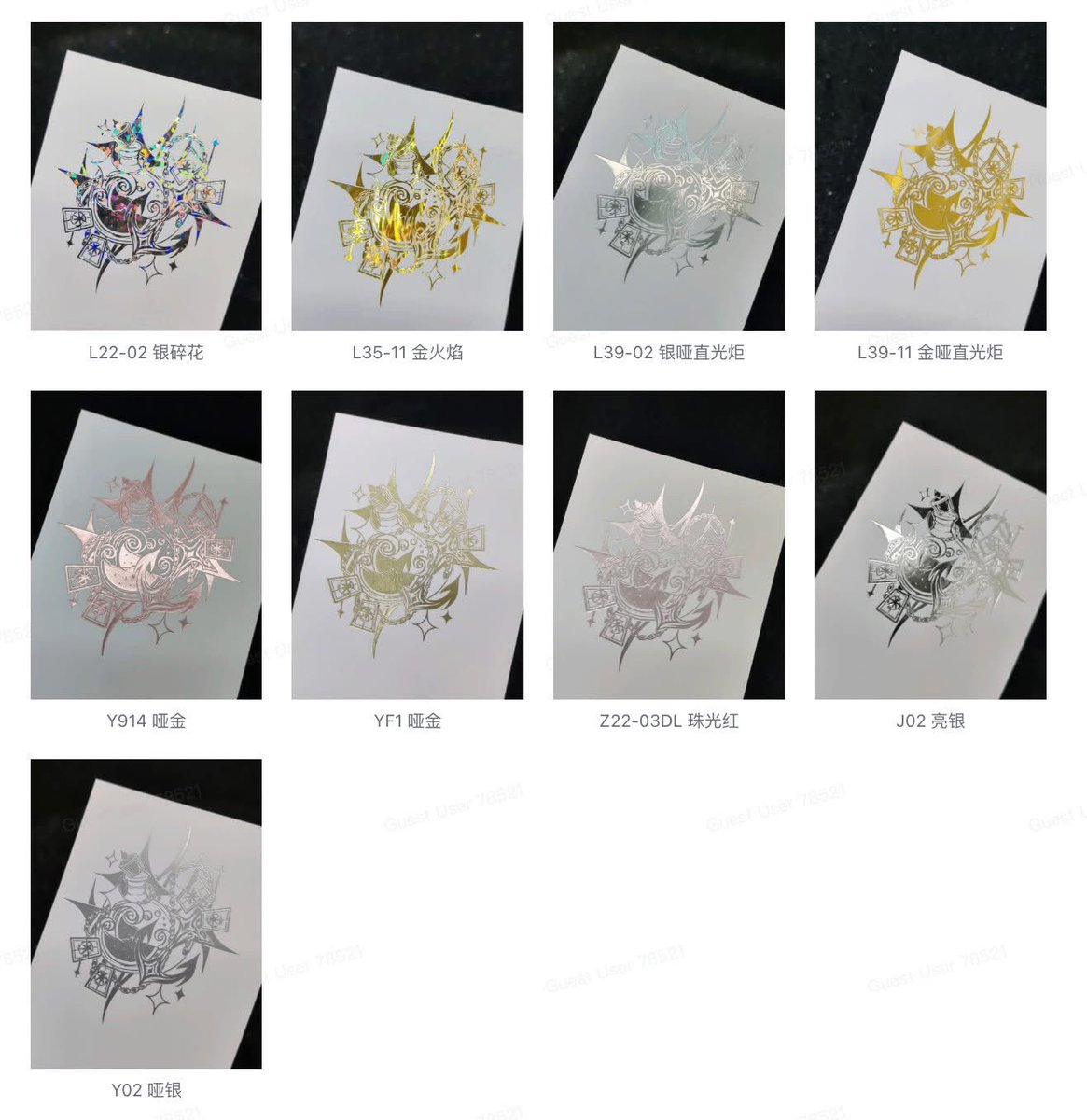
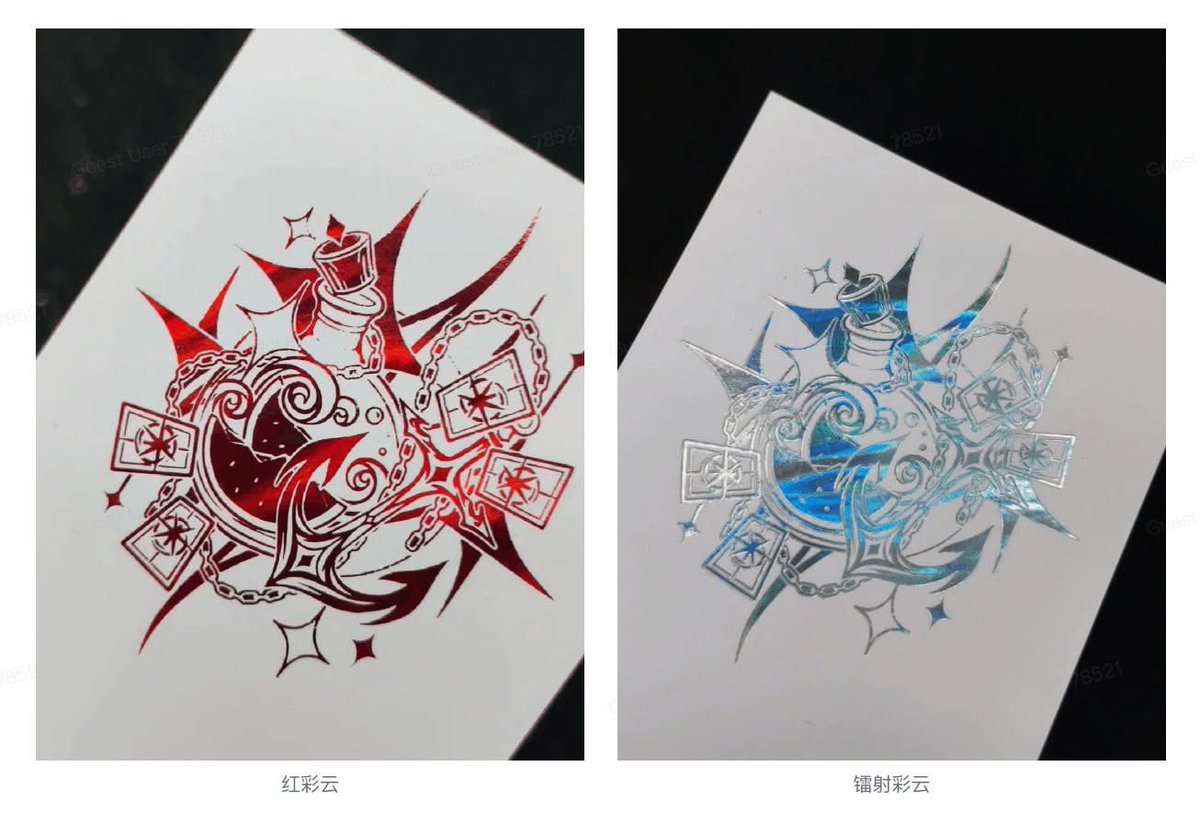
ทุกคนขา แอดเพิ่งไปได้ชาร์จสีฟอย์ลมาค่ะ😍 แตกแตนมากกก ขอมาแชร์ความตื่นเต้น!!
ตอนนี้โรงงานนี้มาวินรัวๆเพราะ :
✅ สีฟอย์ลเยอะหลากหลายมากๆ
✅ กระดาษก้มีหลายแบบ
(กระดาษเงิน กระดาษคลื่นน้ำ etc..)
✅ พิมพ์ฟอย์ลหลายสีในหน้าเดียวได้!!!
เดี๋ยวมาลงรายละเอียดให้นะคะ !

ไทย
Mhee🐻 retweetledi

ประเด็นนี้น่าสนใจมาก ในขณะที่คุณอยากทำตามฝัน แต่คุณต้องตระหนักด้วยว่าข้อมูลของคุณจะส่งไปไหนต่อ บางข้อมูลไม่ได้มีความจำเป็นต้องให้เช่น โซเชียลมีเดีย ก็เอะใจบ้างว่าที่นั้นสมควรที่จะร่วมงานด้วยไหม
*ได้รับอนุญาตให้นำมาเผยแพร่แล้ว*
#vtuberth #vtuberthai #วีทูปเบอร์ #วีทูปเบอร์ไทย

ไทย

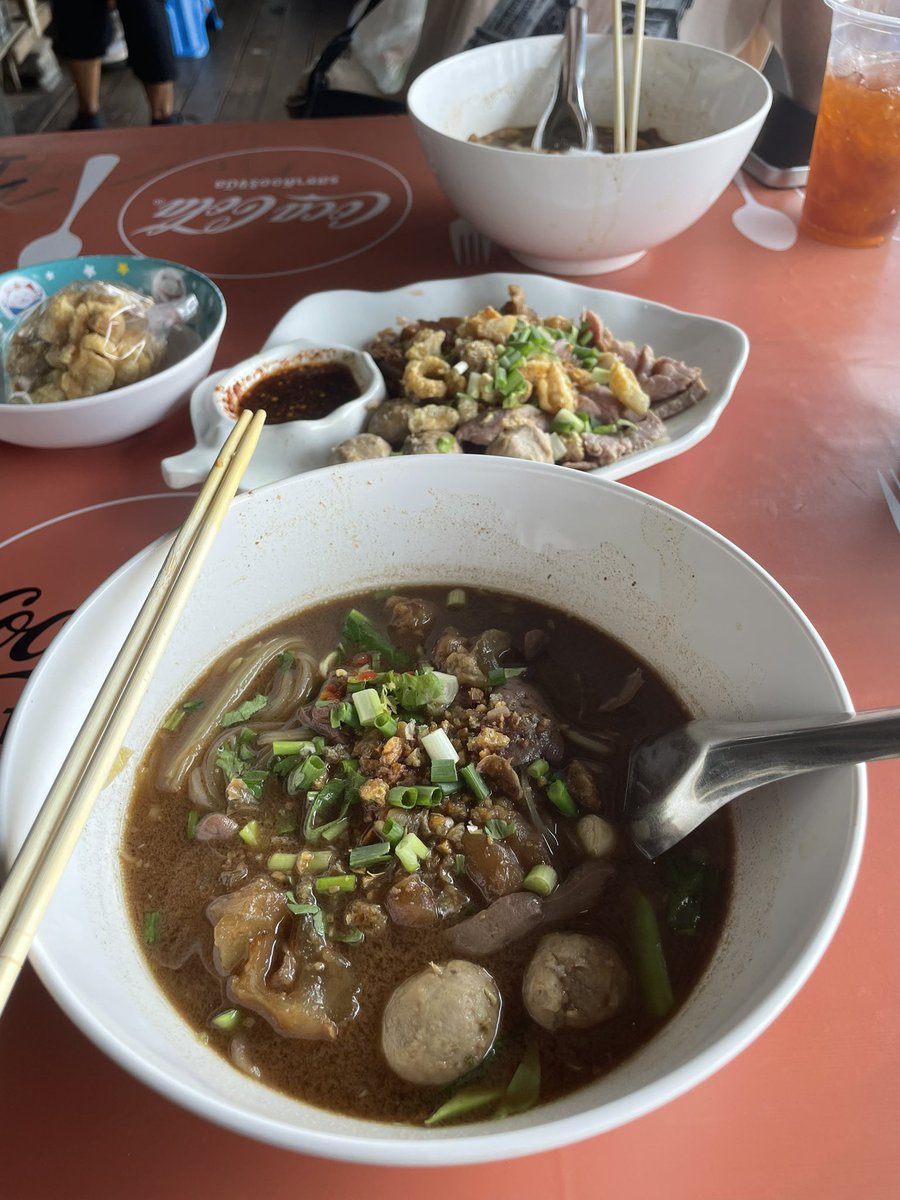
กลายเปนวี6หมื่นซับแล่ว เย้ ดีใจๆๆๆ เดะวันนี้เรามีไลฟ์คุยเรื่องแอนิมอลลี่กันนะฮับ อาจจะไม่นานมาก เดะต้องเก็บคอมกับโต๊ะเตรียมย้ายบ้าน แหะๆ ไปกิ๋นเต๋วเรือกับลูกมา ทุกการกระทำ=รายงานแฟน 😒 ดีที่ไม่เคี้ยว1คำรายงาน1คำ
ไทย
Mhee🐻 retweetledi

✦ แจกเทมเพลตจัดบูธ ✦
ไหน ๆ ทำมาใช้เองแล้ว เราเลยถือโอกาสทำแจกด้วยเลยค่ะ หวังว่าน้องจะมีประโยชน์นะคะ💪✨
✯ ขนาดโต๊ะ กว้าง 75 cm ยาว 300 cm ✯
✯ ลิ้งค์ไฟล์ PSD อยู่ในเมนชั่น ✯

ไทย
ไปกี่ครั้งก็เขินเหมียนเดิม แถมกวักคนข้างๆให้มาคุยด้วย เกร็งกิเดส🤧✨
อุดหนุนเรียบร้อยเยิฟๆขจรงับ #SaMeowKeyAct


ไทย
Mhee🐻 retweetledi

Mhee🐻 retweetledi

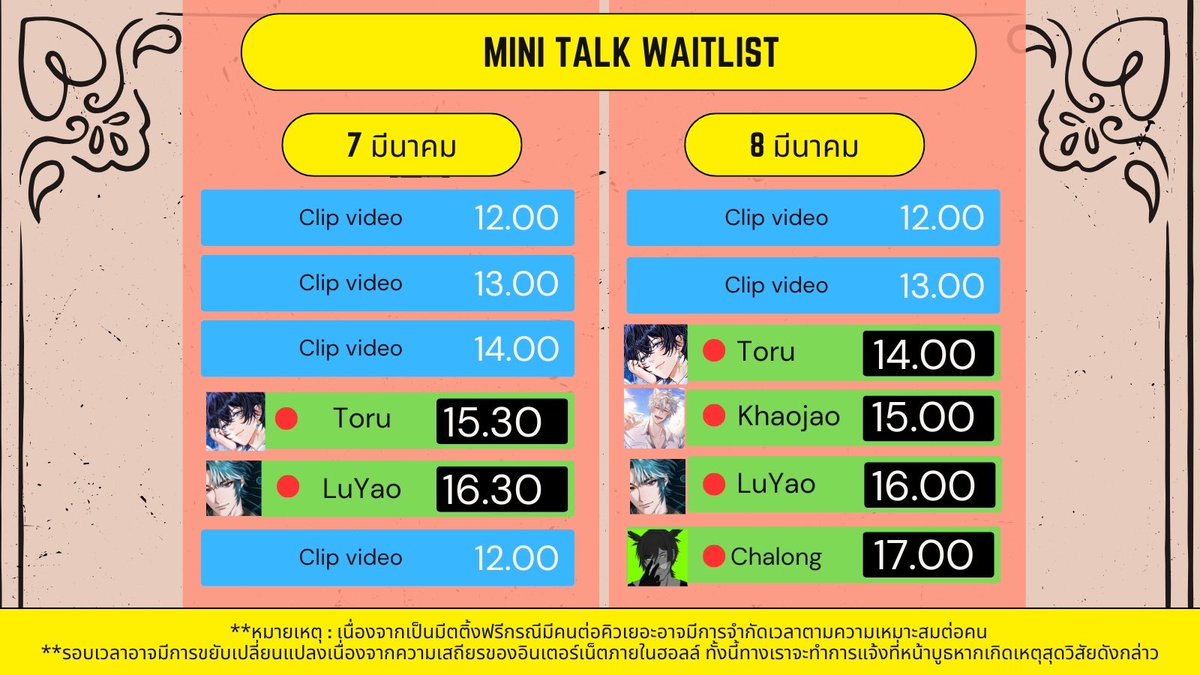
งานนี้มี ช่วงเวลา Mini talk บนจอสุดพิเศษด้วยนะ!
เช็ครอบของทุกคนได้เลย 👇 👇 👇
ดูสิ ~ ใครอยากเจอพวกเรา มาหากันได้นะครับ 😊✨
ไทย
Mhee🐻 retweetledi

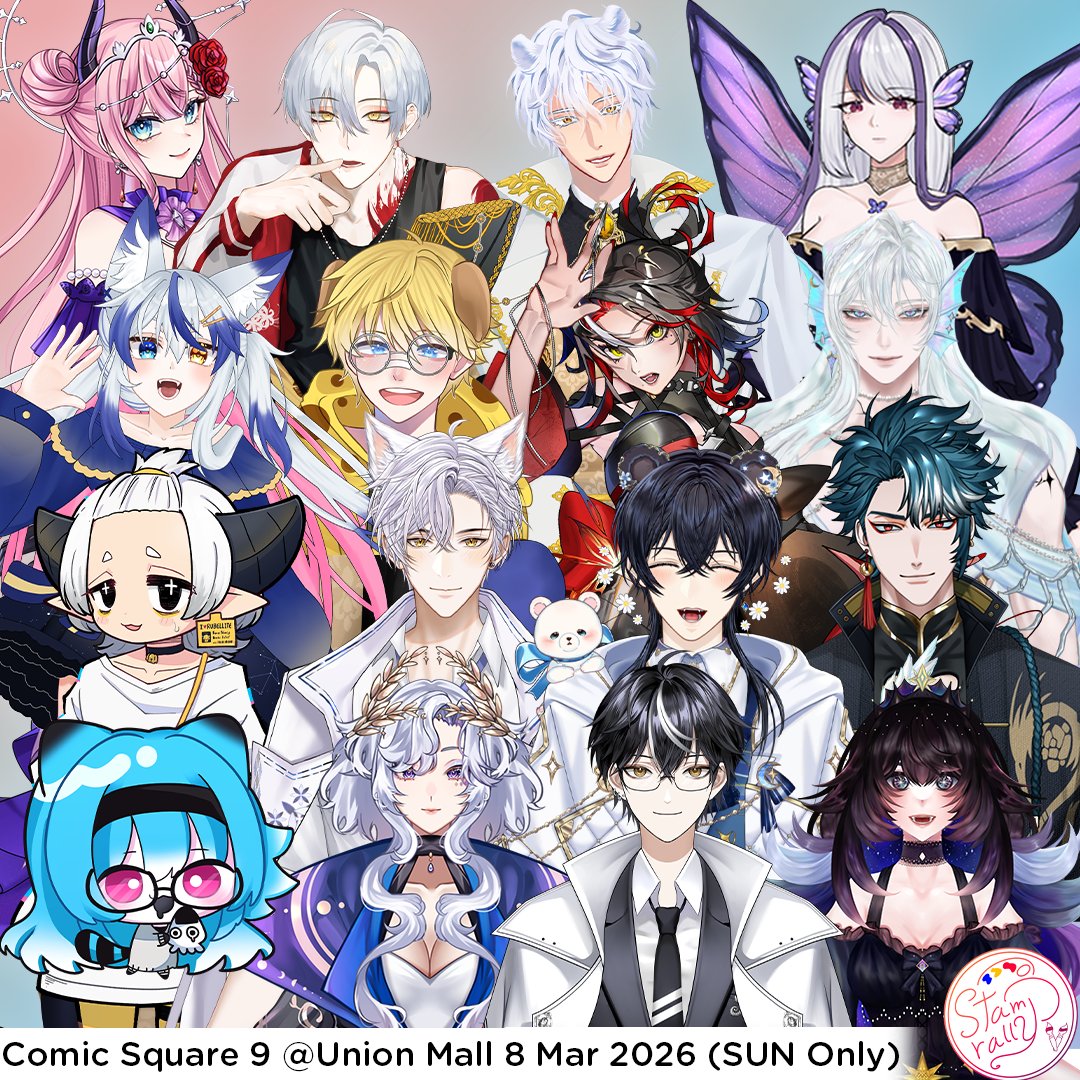
📢Announcement📢
พบกับกิจกรรมStampRallyV ครั้งที่2!! ที่รวมบูธของเหล่าครีเตอร์ ถึง5บูธ พบกันที่งาน Comic Square 9 @ Union Mall 6Fl. วันที่ 8 มีนาคม 2026 รายละเอียดเพิ่มเติม เร็ว ๆ นี้
#StampRallyV #Vtuber #CQ9 #VtuberTH
ไทย
Mhee🐻 retweetledi

I’m trying to re-texture my avatar in #EmoteLab
it’s very cute! >< I’ll share the tutorial below!
________________________
How to Make Your Own Textures in EmoteLab
Method 1: Using Custom Textures
- First, check which texture number the character is using and find the UV texture.
- Go to the Bucket icon → enable Use Custom Textures.
- Open the Custom Texture Folder.
Example textures I used (copyable):
CoffeeBean_11
CoffeeBean_12
- Repaint the texture in Clip Studio Paint.
You can use the original textures as references.
Recolor or paint on top of them as needed.
- Save the texture as .PNG in this folder:
EmoteLab > Texture Cache > CoffeeBean > Custom Textures
- Go back to EmoteLab and click Reload Textures.
Method 2: Easier Way to Edit Textures Directly
- Go to Settings → Open Character Folder.
- Find the version you are using, then open your character folder.
- Click Regions.
- You will find the textures used by the character there.
You can edit these textures directly as well.
💡Tip: I recommend editing the WeightTransfer folder first, then Click Unload Current Model and Load the model again to refresh the textures.
Finally, You will get your own EmoteLab texture!!
English
Mhee🐻 retweetledi
😌เดือนแห่งความรัก มีคนอัตคัดมาขอข้าวกิน🥺
เปิดรับของขวัญรอบที่นุดอยากส่ง แต่โดนขจรบิดที่อยู่
ส่งได้ วันนี้ 6 กพ. ถึง 23 กพ. 2026 อาจจะเปิดไม่นาน รับแบบฉุกเฉิน แล้วจะมีไลฟ์แกะ หรือสเปซแกะกันอีกทีคับผมมมม ขอดูความสะดวกตัวเองอีกที ไม่รับประกันว่าจามีแฮนด์ครีม เอ้ย แฮนด์แคม

ไทย
ถ้าไลฟ์ฟรีทอล์ค นุกๆยังอยากเบิ่งมั้ยฮะ555555
ไทย
Mhee🐻 retweetledi

with very good animation, a great pacing and an iconic cast, tamon's b-side it's already eyeing to becoming one of the best animes of the year
if you enjoy romcoms you can't miss out on this masterpiece
English
แฮพพินิวเยียร์น้ากั้บสุดที่รัก รักที่สุด
ไทย
Mhee🐻 retweetledi

Your idol - Jeffsatur ✨️
เป็นอีกครั้งที่พี่เจฟช่วยรักษา hoonmoon เอาไว้ Saja Satur โคตรจะเท่ แถมมี Solo Guitar ไปอีกกก ยอมแล้ววว😭😭😭
#CountdownatICONSIAM
#JEFFxICONSIAM #JeffSatur
Mhee🐻 retweetledi