

Photo Clipping Retouching
1.6K posts

Photo Clipping Retouching
@PhotoClippingR1
We are a photo editor top ranking company in the image editing industry. We Offer Photo Editing Services at amazing Low prices. #imageediting #photoretouching
United States Katılım Kasım 2021
2.3K Takip Edilen883 Takipçiler
New to Illustrator? Meet the Scale Tool (S)!
Resize your art without ruining the shape.
Tip: Hold Shift while scaling to keep proportions.
Perfect for logos, icons & shapes. Try it today!
#scaletool #illustratortips #graphicdesigntips #adobeillustrator #beginnerdesigners
English
Want to make mirror designs in Adobe Illustrator fast?
Use the Reflect Tool (O)!
It flips objects in seconds – super handy for logos, icons, and more. Easy for beginners, loved by pros.
Try it on your next design!✨
#reflecttool #illustratortools #designmadeeasy #photoediting
English
Struggling to rotate objects in Illustrator? 😵💫
Hit R to use the Rotate Tool
🎯 Click to set your pivot
↪️ Drag to rotate or type the angle
Perfect for logos, layouts, and more!
#illustratorbasics #rotatetool #graphicdesigners #adobeillustrator #designhelp #illustratorttools
English
✂️Want to split shapes in Adobe Illustrator?
Use the Knife Tool to cut, slice, and play with your design!
Hold Alt (Option) for straight cuts – simple and clean.
Give your artwork a creative edge🔪
#graphicdesigntips #illustratortools #knifetool #vectordesign #digitalart
English
Cut paths in Illustrator with the Scissors Tool (C)! ✂️
Click a path → split it → edit pieces separately. Easy for logos and custom shapes.
Great for beginners & pros alike!
#illustratortool #vectordesign #scissorstool #photoediting #ecommercetools #photoclippingretouching
English
Using Adobe Illustrator?
Press Shift + E to use the Eraser Tool — erase parts of shapes fast & clean!👌
Perfect for quick edits. Easy for beginners.
Try it today!
#erasertool #adobeillustrator #designshortcuts #graphicdesigntips #vectorart #photographertools #ecommercedesign
English
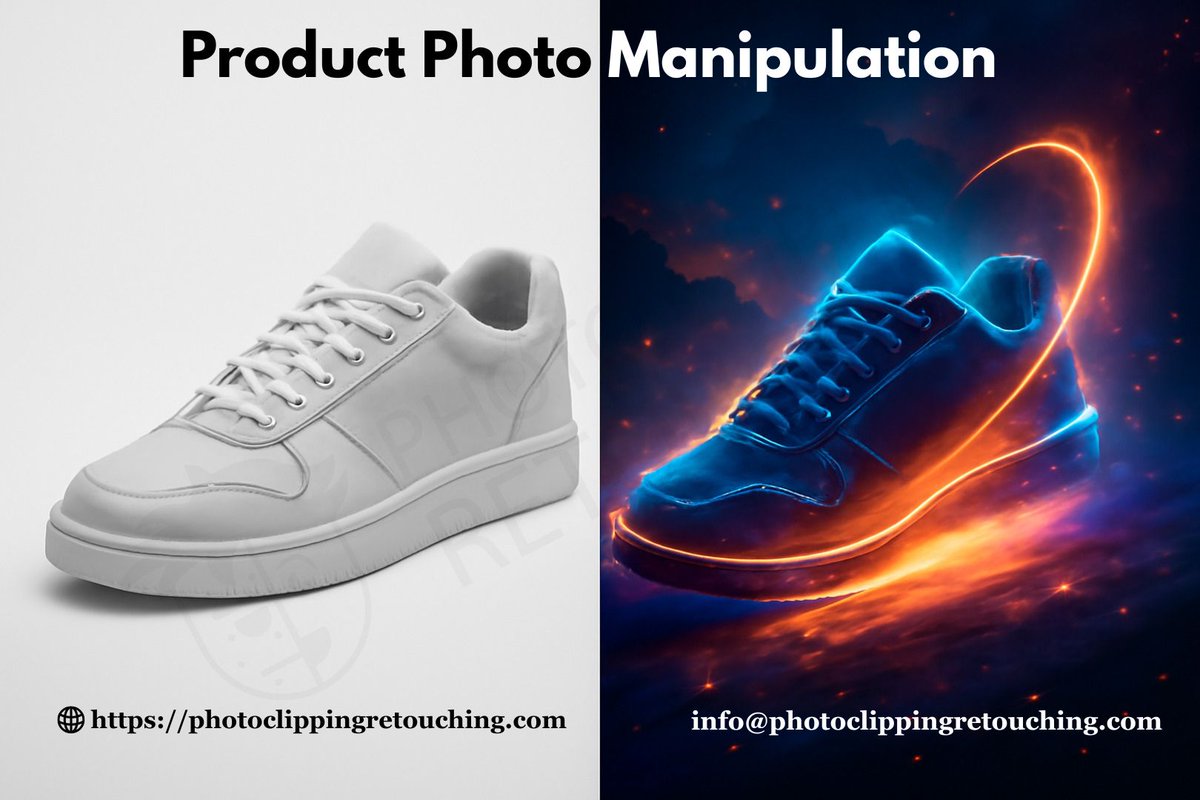
Stop selling ordinary. Start selling extraordinary!
We turn simple product photos into high-impact visual stories that convert. Perfect compositing, flawless realism.
Need a WOW factor for your next campaign? We're the experts.
#photomanipulation #editingservices #photoediting
English
Coloring too slow? 🐌 Not anymore!
Try the Live Paint Selection Tool (Shift + L) in Illustrator. It lets you grab and color multiple small sections at the same time.
Huge time saver! What's your top shortcut?
#illustratortool #adobeillustrator #livepaint #graphicdesignhacks
English
Quick Colors with Adobe’s Live Paint Bucket Tool!
It’s the easiest way to fill your shapes with color fast—perfect for beginners and pros alike. Great for designers, photographers, and ecommerce sellers who want quick edits!
#illustratortool #livepaintbucket #graphicdesign
English
Illustrator Tip: Use the Eyedropper Tool (I) to grab colors, fonts, and styles from any object.
Just click a color or style, and apply it anywhere else in your design — it’s that easy!
1 click = smooth & pro designs!
#eyedroppertool #adobeillustrator #photoeditingtips
English
Try the Mesh Tool (U) in Illustrator!
Great for:
✨ Shading
✨ Realistic gradients
✨ 3D look
Just click on your shape, and use mesh points to blend colors. Perfect for faces, products, and more!
#meshtool #illustratortool #illustratorbeginner #vectorarttools #adobetips
English
New to Adobe Illustrator? Try the Gradient Tool (G)
It blends colors smoothly and gives your work a clean, modern feel.
Great for logos, icons, and product shots.
Perfect for graphic designers, photographers & ecomm brands!
#gradienttool #adobeillustrator #illustratortool
English
🛠️Illustrator quick tip:
Use the Join Tool to close gaps in your vector lines fast. Just select two endpoints and boom — one clean path.
Perfect for beginners, photo editors, and ecommerce pros who want clean designs!
#jointool #illustratortool #vectorcleanup #ecommercetools
English
New to Adobe Illustrator?
Try the Path Eraser Tool!
It lets you erase parts of a path — super useful for fixing lines & shapes fast.
Have you used it yet?
#patherasertool #illustratortool #patheraser #vectorcleanup #adobetools #photoclippingretouching
English
Got shaky lines in Illustrator?
Use the Smooth Tool to fix ‘em fast. It’s perfect for beginners & pros. Clean paths = clean designs.
Try it next time you zoom in too far!
#smoothtool #illustratortool #adobeillustrator #photoediting #vectorart #smoothlines #graphicdesign
English
✏️Illustrator’s Pencil Tool = Shortcut (N)
New to design? Try the Pencil Tool for easy freehand drawing! It’s great for sketches, shapes, and outlines. Quick, smooth, and fun!
Perfect for designers, photographers & ecommerce heroes.
#penciltool #graphicdesignhelp #adobetips
English
Say hi to the Blob Brush Tool! (Shift + B) in Adobe Illustrator.
Draw shapes like painting. Edit like a pro. Great for logos, art, or just fun!
New to design? This tool is your new friend.
Try it today — it's simple & smooth!
#blobbrush #adobeillustrator #graphictools
English
New to Illustrator? Try the Paintbrush Tool (B)!
It’s smooth, simple, and fun. Great for custom art, photo edits & product design.
Give it a go — and let your brush flow! 🖌️
#paintbrushtool #illustratortool #graphicdesigntools #photoeditinghelp #digitaldesign
English
Adobe Illustrator’s Star Tool is a small hero!
Use it to create:
✔ Logos
✔ Sparkle effects
✔ Cool vector badges
Great for beginners or pros. Play with points and radius. Make it your star.✨
#startool #illustratortool #illustratortools #designbeginners #graphicdesignhelp
English